
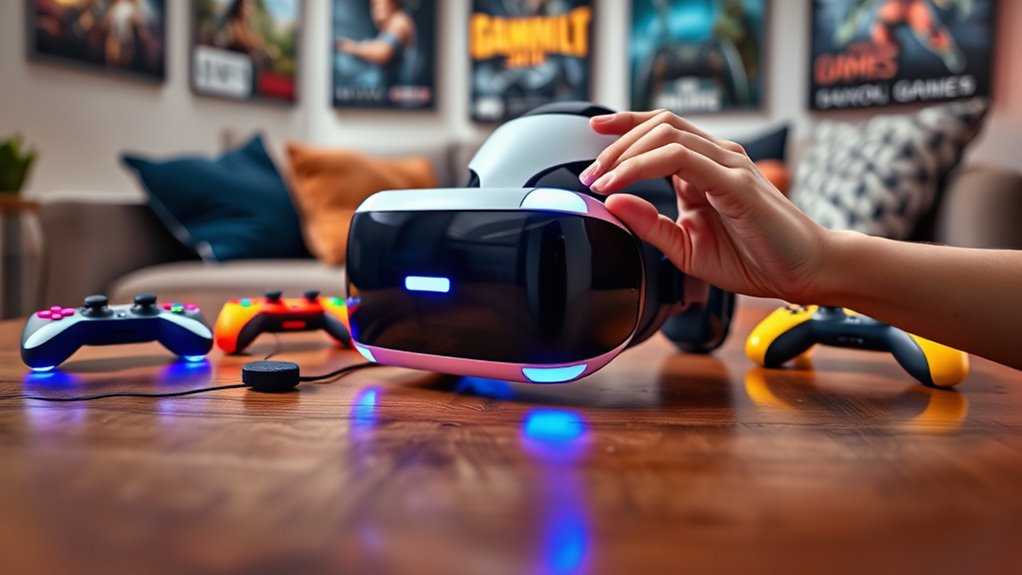

To play any game with your VR headset, start by choosing the right headset that fits your budget and system compatibility. Next, set up a clear and safe play area, removing obstacles that could cause accidents. Install your desired games on platforms like SteamVR or Oculus, then optimize settings for better performance. Finally, explore multiplayer features to enhance your experience. If you want further tips on maximizing your VR journey, keep going for more insights.
Choosing the Right VR Headset
When you’re diving into the world of virtual reality, choosing the right VR headset can feel overwhelming, especially with so many options available. Start by considering your budget; headsets range from affordable to premium models, and knowing how much you’re willing to spend can narrow your choices. Don’t forget to assess headset compatibility with your gaming system or PC. Some headsets work seamlessly with specific platforms, while others offer broader compatibility. Think about the types of experiences you want, whether it’s gaming, social interaction, or immersive environments. By carefully weighing budget considerations and compatibility, you’ll empower yourself to make an informed decision, ensuring your VR adventure is not only thrilling but also fits your lifestyle and gaming preferences perfectly.
Setting Up Your VR Environment
Before you slip on your VR headset, it’s essential to create an ideal environment that enhances your gaming experience. Start by evaluating your room size; a larger space allows for more freedom of movement. Clear out any obstacles like furniture or cords to prevent accidents. Establish a designated play area where you can move comfortably without constraints. Implement safety measures, such as marking boundaries with tape or using virtual walls if your headset supports it. Good lighting is also critical; it helps your headset track your movements accurately, so avoid overly bright or dim areas. By setting up a safe and spacious environment, you’ll immerse yourself in the game like never before, fully enjoying the freedom VR offers.
Installing and Configuring VR Games
With your VR environment set up for ideal play, the next step is getting your games installed and configured correctly. Start by accessing your preferred VR platform, such as SteamVR or Oculus, and search for the games you want. Follow the prompts for game installation, ensuring you have enough disk space and a stable internet connection. Once installed, plunge into the configuration settings to tailor your experience. Adjust parameters like graphics quality, field of view, and control schemes to match your preferences. Remember, each game may have unique settings, so take the time to explore and optimize them. This flexibility not only enhances your immersion but also empowers you to enjoy your gaming experience fully.
Optimizing Your VR Experience
To fully immerse yourself in the fascinating world of virtual reality, optimizing your VR experience is crucial. Start with performance tweaks; verify your hardware meets or exceeds the recommended specifications for your headset. Close background applications to free up resources, and consider adjusting the graphics settings in your games for smoother gameplay.
Next, focus on visual enhancements. Tweak the resolution and field of view settings to find the sweet spot that balances clarity and performance. If available, enable features like anti-aliasing and texture filtering for a more polished look.
Lastly, don’t underestimate the importance of a well-calibrated play area. Clear space and minimize distractions to enhance both comfort and immersion. Enjoy the freedom to explore virtual worlds like never before!
Exploring Multiplayer and Social Features
Having optimized your VR experience, it’s time to explore the vibrant multiplayer and social features that many VR games offer. Engaging in social interaction within these virtual worlds can elevate your gaming experience considerably. Whether you’re teaming up for cooperative gameplay or just hanging out with friends, the connections you make can be rewarding. Many games provide voice chat and customizable avatars, allowing you to express yourself and communicate seamlessly. Don’t hesitate to join communities or forums dedicated to your favorite titles; they can offer tips, support, and even new friends. Embrace the freedom to connect, strategize, and share experiences, as this social aspect can turn a simple game into a memorable adventure. Immerse yourself and enjoy!
Frequently Asked Questions
Can I Use My VR Headset With a Console?
Yes, you can use your VR headset with a console, but compatibility varies. Did you know that 30% of gamers report enhanced experiences with VR gaming on consoles? Explore your options for immersive gameplay!
What Should I Do if I Feel Motion Sickness?
If you’re feeling motion sickness, try taking breaks, adjusting your VR settings, and using motion sickness remedies like ginger or acupressure bands. Implementing these VR gaming tips can help enhance your experience and keep discomfort at bay.
How Can I Clean My VR Headset?
To clean your VR headset, use a microfiber cloth for lens cleaning, ensuring you avoid harsh chemicals. Regular headset maintenance keeps your gear in top shape, enhancing your experience and prolonging its lifespan.
Is There a Way to Record VR Gameplay?
Yes, you can record VR gameplay using recording software like OBS or ShadowPlay. Just guarantee your settings optimize gameplay quality to capture dynamic experiences, allowing you to share your adventures with friends and the gaming community.
What Are the Best Accessories for VR Gaming?
Think of your VR setup like a concert; great accessories elevate the experience. Consider different VR controller types for precision and sound enhancements like spatial audio for immersion. Together, they transform your gaming into an unforgettable adventure!
