
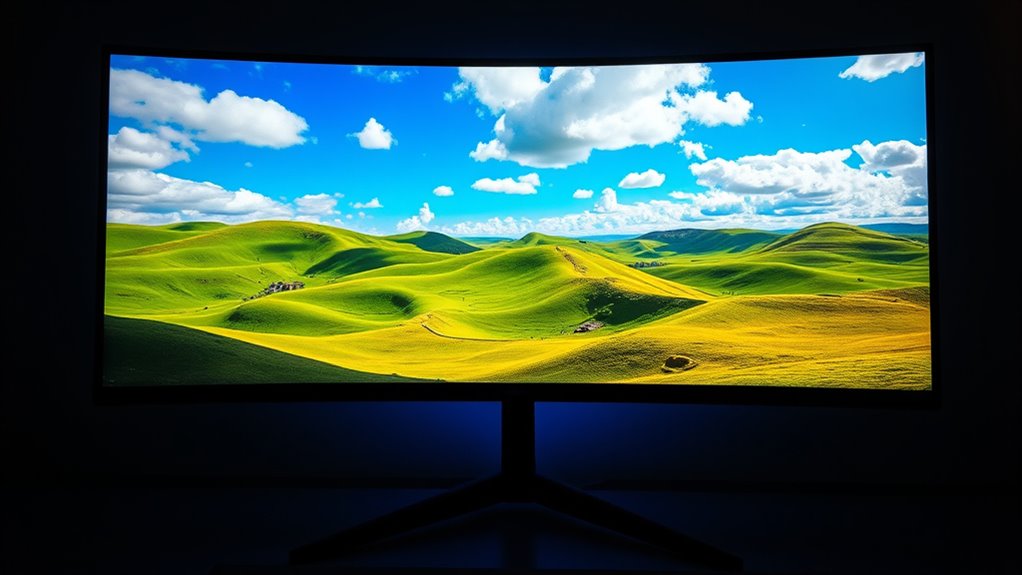

An HDR monitor enhances your viewing experience with vibrant colors, increased brightness, and improved contrast. This technology expands the range of colors and brightness levels, making every scene more lifelike. You’ll notice stunning highlights and deeper blacks, which is especially beneficial for gaming and creative tasks. Choosing an HDR monitor can elevate your visuals considerably. If you want to understand the key features and benefits of HDR monitors, there’s more to explore!
Understanding HDR Technology
When you think about HDR technology, it’s easy to overlook how it fundamentally enhances your viewing experience. HDR, or High Dynamic Range, expands the range of colors and brightness levels displayed on your screen, making every scene feel more lifelike. Understanding HDR standards is essential, as they dictate how content is produced and what you’ll ultimately see. Different HDR formats, like HDR10, Dolby Vision, and HLG, each offer unique advantages. For instance, Dolby Vision allows for dynamic metadata, adjusting brightness on a scene-by-scene basis. This flexibility empowers you to enjoy a richer, more immersive experience. By embracing HDR technology, you’re not just watching; you’re engaging with content in a way that resonates with your desire for freedom in your viewing choices.
Key Features of HDR Monitors
When you’re considering an HDR monitor, you’ll want to focus on its key features that really elevate your viewing experience. Enhanced brightness levels allow for more vivid highlights, while a wide color gamut guarantees that you see a fuller spectrum of colors. Plus, a better contrast ratio means deeper blacks and brighter whites, creating a more dynamic image overall.
Enhanced Brightness Levels
A key feature that sets HDR monitors apart is their enhanced brightness levels, which greatly elevate the visual experience. With peak brightness often exceeding 1000 nits, these monitors bring images to life in a way standard displays can’t. This high brightness is vital for showcasing the dynamic range of HDR content, making highlights pop and shadows more detailed. You’ll notice that brightness calibration is fundamental for achieving the best results; it guarantees that colors remain true and consistent across different lighting conditions. When you’re gaming or watching movies, these enhanced brightness levels transform your experience, immersing you in vivid scenes that feel more realistic and engaging. Embrace the freedom of seeing every detail illuminated with clarity!
Wide Color Gamut
One of the standout features of HDR monitors is their wide color gamut, which allows you to experience a broader spectrum of colors than traditional displays. This enhancement in color reproduction results in more vibrant, lifelike visuals. Here are four key aspects of a wide color gamut:
- Increased Color Range: Displays a wider variety of colors, enriching your viewing experience.
- Improved Accuracy: Reproduces colors more accurately, ensuring what you see is true to life.
- Enhanced Detail: Captures subtle color differences, adding depth to images.
- Better Immersion: Creates a more engaging environment for gaming, movies, and design work.
With a wide color spectrum, HDR monitors give you the freedom to explore visuals like never before.
Better Contrast Ratio
While many factors contribute to the overall quality of a display, a better contrast ratio is essential for HDR monitors. This feature greatly enhances your viewing experience by providing a wider dynamic range, allowing you to see bright highlights and deep shadows simultaneously. With improved contrast, colors pop and images gain visual depth, making every scene more lifelike. You’ll notice details in the darkest and brightest parts of an image that you might have missed on a standard display. It’s not just about brightness; it’s about the balance that lets you immerse yourself in content, whether you’re gaming, watching movies, or editing photos. Embracing HDR technology means embracing richer visuals, and who wouldn’t want that?
Benefits of Using HDR Monitors
Using an HDR monitor can markedly enhance your viewing experience by providing improved color accuracy and a better contrast ratio. You’ll notice that images pop with vibrant colors and deeper blacks, making everything from gaming to movie-watching more immersive. These features not only elevate your enjoyment but also help in professional tasks where precise color representation is essential.
Enhanced Color Accuracy
When you experience HDR monitors, you’ll quickly notice how they elevate color accuracy to a whole new level. This enhanced color precision greatly impacts your viewing experience, especially for tasks like color grading. Here are some key benefits:
- Wider Color Gamut: HDR monitors can display a greater range of colors, making visuals more vibrant and true-to-life.
- Improved Visual Fidelity: You’ll see details in shadows and highlights that were previously lost, enhancing overall realism.
- Consistent Color Representation: Whether you’re editing photos or gaming, colors remain consistent across different lighting conditions.
- Boosted Creative Potential: With greater accuracy, you’ll find it easier to achieve the artistic vision you desire.
Investing in an HDR monitor is a game-changer for anyone passionate about visual fidelity.
Improved Contrast Ratio
HDR monitors not only excel in color accuracy but also greatly enhance contrast ratios, which plays an essential role in overall image quality. With improved contrast, you’ll experience a wider dynamic range, allowing bright highlights and deep shadows to coexist without losing detail. This means your visuals pop with a newfound vibrancy, creating a more immersive experience. You’ll appreciate the visual depth in movies, games, and graphic design, where every shade and nuance is rendered more faithfully. The enhanced contrast makes textures stand out and brings scenes to life, which resonates especially if you value clarity and sophistication in your viewing experience. By investing in an HDR monitor, you’re not just upgrading your tech; you’re elevating your visual journey.
HDR vs. Standard Displays
While many people appreciate the vibrant visuals of HDR technology, standard displays still hold a significant place in the market. When comparing HDR and standard displays, consider these key factors:
- Brightness Levels: HDR formats can achieve higher brightness, enhancing detail in bright scenes.
- Color Range: Standard displays often have limited color accuracy compared to HDR, which offers a wider gamut.
- Display Calibration: HDR requires precise calibration to fully utilize its potential, while standard displays are more forgiving.
- Cost: HDR monitors can be pricier, making standard displays a budget-friendly option.
Ultimately, your choice may depend on your viewing needs and how much you value those striking visuals HDR provides. Understanding these differences can help you make an informed decision.
HDR for Gaming: A Game Changer
As gaming technology continues to evolve, incorporating HDR can greatly enhance your gaming experience. HDR gaming offers stunning visuals, bringing vibrant colors and deeper contrasts to your screen. You’ll find that shadows are richer, highlights are more brilliant, and the overall realism takes your immersion to another level. Imagine exploring vast landscapes where the sun reflects off water, or battling in dark dungeons with nuanced lighting—every detail pops, making you feel like you’re truly part of the game. Additionally, many modern titles are optimized for HDR, ensuring you can take full advantage of these features. By embracing HDR, you’re not just playing; you’re experiencing a world that feels alive, engaging your senses in ways standard displays simply can’t.
HDR in Creative Workflows
When you’re working on creative projects, incorporating HDR can greatly elevate your visual output. Embracing HDR workflows not only enhances your work but also offers several HDR benefits:
- Greater Color Depth: Experience richer, more vibrant colors that captivate your audience.
- Improved Contrast: Capture details in both shadows and highlights, adding depth to your visuals.
- Enhanced Detail: Make your projects pop with sharper, more defined elements.
- Versatility Across Platforms: Guarantee your work looks great on various devices, from monitors to TVs.
Choosing the Right HDR Monitor
Embracing HDR in your creative workflows highlights the need for choosing the right HDR monitor to truly unleash its potential. Start by considering your budget considerations; there’s a range of options from affordable to high-end models. Look for monitors that offer good HDR performance without breaking the bank. Next, think about your size preferences. A larger screen can enhance your viewing experience, but make sure it fits your workspace. Check the monitor’s resolution and color accuracy, as these factors impact your creative output. Finally, consider the connectivity options to guarantee compatibility with your devices. By balancing these elements, you’ll find an HDR monitor that meets your needs and elevates your creative projects.
Frequently Asked Questions
What Brands Are Known for High-Quality HDR Monitors?
If you’re seeking high-quality HDR monitors, check out brands like Samsung Odyssey, Dell UltraSharp, ASUS ProArt, and LG UltraFine. They offer impressive color accuracy and vibrant visuals, enhancing your viewing experience markedly.
How Do I Calibrate My HDR Monitor for Optimal Performance?
To calibrate your HDR monitor for ideal performance, you’ll want to explore various calibration techniques. Adjust brightness, contrast, and color settings carefully to release vibrant visuals. A well-calibrated screen can transform your viewing experience dramatically.
Are HDR Monitors Suitable for Everyday Office Work?
Yes, HDR monitors are great for everyday office work. Their vibrant colors and enhanced contrast can boost office productivity, making tasks like photo editing or data analysis more enjoyable and efficient. You’ll appreciate the benefits!
Can HDR Monitors Be Used With Older Devices?
Yes, HDR monitors can work with older devices, but you might encounter device limitations. Verify your older hardware supports HDR compatibility to fully enjoy the enhanced visuals, otherwise, you may not experience the intended benefits.
What Is the Average Lifespan of an HDR Monitor?
HDR monitors typically have a lifespan of around 7 to 10 years, depending on usage and care. Their durability can be affected by factors like brightness, settings, and environment, so treat yours with tender loving care!
