
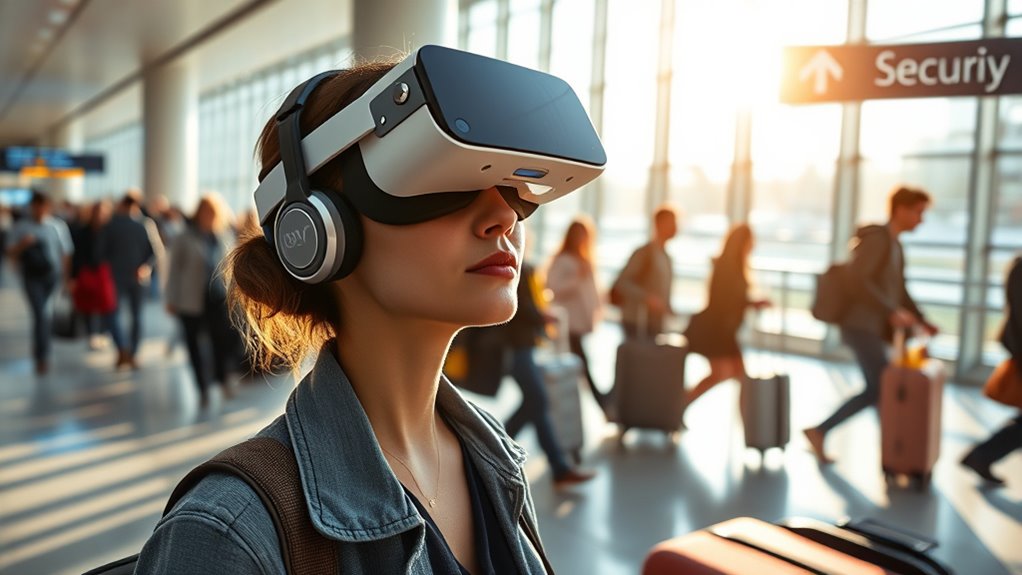

Flying with a VR headset involves a few important steps. First, choose a lightweight headset compatible with your devices. Next, pack it securely in a protective case and avoid heavy items on top. Be sure to check your airline’s regulations regarding carry-on use. Charge your headset fully and update the software before you go. Finally, keep safety in mind while using VR in public places. Want to learn more tips and tricks for seamless travel?
Choosing the Right VR Headset for Travel
When you’re gearing up for travel, how do you decide on the perfect VR headset to take along? Start by considering compatibility considerations; verify your headset works seamlessly with your devices. Think about what you’ll be using it for—gaming, exploring, or virtual meetings. Next, weigh the weight factors; a lightweight headset is essential for easy transport and comfort during long journeys. You don’t want to lug around something bulky that’ll weigh you down. Look for headsets that offer a good balance of features and portability. Ultimately, choosing the right headset means finding one that enhances your travel experience without complicating it, giving you the freedom to enjoy immersive adventures wherever you go.
Packing Your VR Headset Safely
Packing your VR headset safely is essential to ensuring it remains in perfect working condition during your travels. Start by investing in a high-quality protective casing designed specifically for your headset model. This’ll shield it from bumps and drops while you’re on the go. Next, gather travel accessories like lens protectors and cable organizers to keep everything neat and secure. When packing, place your headset in the middle of your luggage, surrounded by soft items like clothes for added cushioning. Avoid placing heavy items on top to prevent any pressure damage. Finally, double-check that all components, including controllers and chargers, are securely stored. Following these steps will help you enjoy your VR experience wherever your adventures take you.
Understanding Airline Regulations
Before you head to the airport, it’s important to familiarize yourself with airline regulations regarding VR headsets. Different airlines have varying policies, so check the specific airline’s website for their device restrictions. Most airlines allow VR headsets in your carry-on luggage, but some may require them to be removed during security screening. Additionally, be aware that certain airlines might restrict the use of VR devices during takeoff and landing. Understanding these rules can save you time and frustration at the airport. Remember, staying informed about airline policies not only promotes a smoother travel experience but also allows you to enjoy your VR headset without unnecessary hassle. So, take a moment to review those regulations before you fly!
Preparing Your Device for Travel
Having a clear understanding of airline regulations sets the stage for smooth travel with your VR headset. Before you pack, make certain your device settings are optimized for travel. Check for any necessary software updates to guarantee everything runs smoothly once you’re airborne.
| Preparation Step | Action Needed | Importance |
|---|---|---|
| Check Battery Life | Fully charge your headset | Avoids mid-flight shutdowns |
| Update Software | Install latest updates | Enhances performance |
| Adjust Settings | Switch to travel mode | Saves battery and data |
| Secure Accessories | Pack cables and controllers | Prevents damage |
| Backup Data | Save important files | Prevents loss of progress |
Tips for Using VR in Public Spaces
When using VR in public spaces, it’s essential to respect others’ personal space to guarantee a comfortable environment for everyone. Additionally, choosing quieter areas can enhance your experience and minimize distractions. By being considerate, you can fully enjoy your virtual adventures without disturbing those around you.
Respect Personal Space
Using a VR headset in public spaces can be an exhilarating experience, but it’s crucial to respect the personal space of those around you. Keeping spatial awareness in mind guarantees that you enjoy your VR adventure without infringing on others’ personal boundaries. Here are a few tips to maintain that balance:
| Tip | Description | Why It Matters |
|---|---|---|
| Stay Aware | Keep an eye on your surroundings. | Prevents accidental collisions. |
| Use Boundaries | Mark your play area if possible. | Helps others know to keep distance. |
| Limit Movement | Avoid large gestures in crowded areas. | Guarantees safety for everyone nearby. |
Choose Quiet Environments
Finding a suitable environment is key to maximizing your VR experience in public spaces. Look for areas that offer sound isolation, as this will help you immerse yourself fully in the virtual world. Cafés or parks can be great, but be cautious of ambient noise; it can break your concentration and diminish the quality of your experience. If possible, choose quieter times to visit these places to guarantee minimal distractions. You’ll want a space where you can move freely without concerns about interruptions. Remember, the more you can tune out the real world, the better your VR adventure will be. So, seek out those serene spots that allow you to escape, connect, and enjoy your VR journey to the fullest.
Managing Battery Life and Charging
Although traveling with a VR headset can enhance your experience, managing its battery life is essential to guarantee uninterrupted enjoyment. Start by checking your headset’s battery management settings; some devices allow you to adjust the brightness and power usage to extend battery life. Always carry a portable charger or power bank with you, as charging options can be limited at airports. Look for airports with charging stations, which can provide a quick power boost during layovers. If your headset supports quick charging, use it to save time. Finally, make sure to charge your headset fully before your trip to avoid any last-minute disappointments. A little preparation guarantees your VR adventures remain immersive and enjoyable wherever you go.
Finding VR Experiences at Your Destination
How can you discover the best VR experiences at your destination? Start by checking local VR hubs or gaming centers where immersive experiences are often showcased. Don’t forget to explore event listings on social media platforms or community boards; they frequently highlight pop-up VR events or exhibitions that you won’t want to miss. Research local gaming cafes, as they often host VR nights, giving you a chance to connect with fellow enthusiasts. Additionally, apps dedicated to local events can guide you to exciting VR adventures tailored to your interests. Embrace the freedom to explore new realities while traveling, and you’ll find unforgettable experiences waiting for you around every corner.
Frequently Asked Questions
Can I Use My VR Headset During Takeoff and Landing?
You can’t use your VR headset during takeoff or landing due to takeoff restrictions and landing regulations. Imagine missing the thrill of soaring through virtual skies—it’s a bummer, but safety comes first.
Are There Specific VR Apps Recommended for Travel?
For travel, you’ll love immersive experiences like “Wander” and travel games such as “Airborne.” These apps let you explore new worlds and enjoy adventures, keeping you entertained and inspired during your journey. Enjoy your trip!
How Do I Clean My VR Headset While Traveling?
To clean your VR headset while traveling, use microfiber cloths and alcohol wipes for lenses. Avoid harsh chemicals. For travel tips, pack a cleaning kit to keep your gear in top shape wherever you go!
Can I Bring Extra Accessories for My VR Headset?
Yes, you can bring extra accessories for your VR headset, but check the accessory limitations of your airline. Use travel bags that safely accommodate your gear, ensuring it’s organized and ready for use when you arrive.
What Should I Do if My VR Headset Malfunctions During Travel?
If your VR headset malfunctions, try these troubleshooting tips: restart the device, check connections, and verify it’s charged. If problems persist, follow emergency procedures—contact support or seek assistance from the airline staff.
