
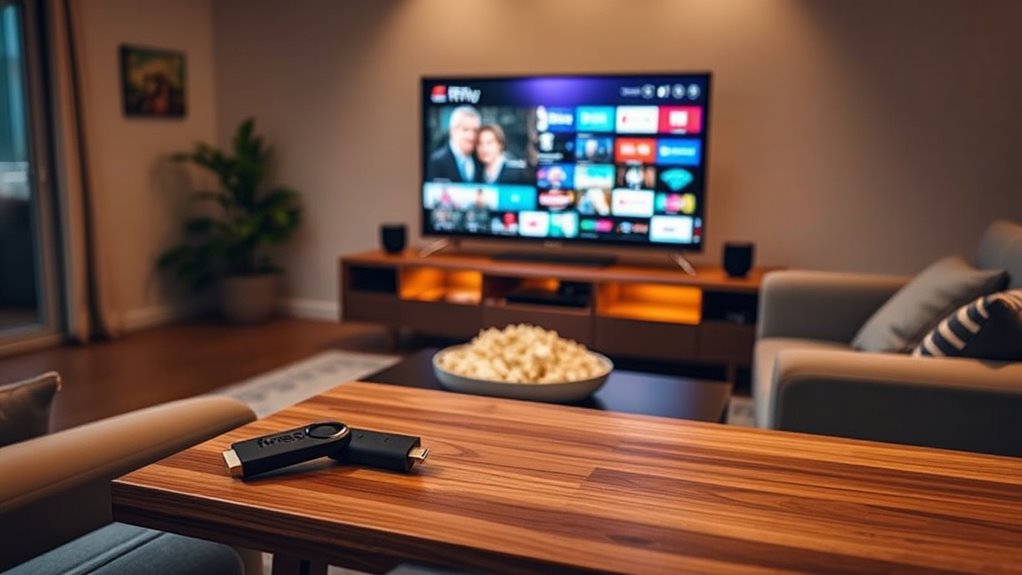

Even if you have a smart TV, a Fire Stick can enhance your streaming experience. Smart TVs come with built-in apps, but they often lack the range and speed of a Fire Stick. You’ll enjoy an intuitive interface, more streaming options, and regular updates with the Fire Stick. Plus, its voice control feature makes navigation easier. If you’re curious about how a Fire Stick can fit into your setup, there’s more to contemplate.
Overview of Smart TVs and Their Features
Smart TVs have revolutionized how you watch television, combining the traditional viewing experience with internet connectivity and interactive features. With smart TV technology, you can easily stream your favorite shows, access apps, and browse the web—all from one device. This seamless integration offers you convenience and flexibility, allowing you to personalize your viewing habits. One of the key smart TV benefits is the ability to access a vast array of content without needing additional devices. You can enjoy everything from popular streaming services to social media platforms right on your screen. Whether it’s binge-watching series or catching up on the latest news, smart TVs empower you to choose what, when, and how you watch, enhancing your entertainment experience.
Understanding the Amazon Fire Stick
The Amazon Fire Stick is a compact streaming device that plugs directly into your TV’s HDMI port, transforming any regular TV into a smart entertainment hub. With its sleek design and powerful capabilities, it brings a world of content to your fingertips. Here are some Fire Stick advantages and limitations to evaluate:
- Access to a vast library of streaming services.
- User-friendly interface for easy navigation.
- Voice control with Alexa for hands-free operation.
- Portable and easy to set up anywhere.
- Regular updates for improved performance and features.
However, be aware of Fire Stick limitations, such as potential compatibility issues with some apps and reliance on a stable internet connection. Overall, the Fire Stick enhances your viewing experience.
Streaming Service Availability
When it comes to streaming service availability, your smart TV likely comes with a range of built-in apps. However, not all services may be compatible, and that’s where the Firestick can enhance your options. Let’s explore how these devices stack up against each other regarding app access and compatibility.
Built-in App Options
Modern TVs often come packed with a variety of built-in apps for popular streaming services, making it easier than ever to access your favorite content without additional devices. With this app variety, you can cater to your user preferences and enjoy seamless streaming.
Here are some common built-in app options you might find:
- Netflix
- Hulu
- Amazon Prime Video
- YouTube
- Disney+
These apps allow you to dive straight into your shows and movies without the hassle of connecting extra gadgets. If these options meet your needs, a Firestick might not be necessary. However, if you crave more customization or additional channels, it’s worth considering. Ultimately, it’s about what suits your viewing style and freedom to choose.
Compatibility With Services
While built-in apps offer a solid selection of streaming options, compatibility with various services can influence your overall viewing experience. Many smart TVs come with popular apps, but if you crave access to niche platforms or the latest releases, you might hit a wall. Firestick enhances service compatibility by integrating additional streaming platforms, ensuring you don’t miss out on content.
Moreover, device integration is seamless with Firestick, allowing you to control your streaming with voice commands or your TV remote. If you’re a fan of diverse content, using a Firestick could elevate your viewing freedom. So, consider what services matter to you—this could determine whether you need a Firestick alongside your smart TV.
User Interface and Experience
How important is the user interface and experience when deciding between a Firestick and a Smart TV? The answer lies in how well you can navigate and enjoy your content. While Smart TVs often have decent user interface design, Firestick offers user experience optimization that can elevate your viewing.
Consider these aspects:
- Ease of Navigation: Firestick’s interface is intuitive and user-friendly.
- Customization: Personalize your home screen effortlessly.
- Speed: Firestick generally loads apps faster.
- Content Aggregation: Access multiple streaming services in one place.
- Regular Updates: Enjoy new features and improvements over time.
Ultimately, a better user interface can make your entertainment experience more enjoyable and streamlined, giving you the freedom to watch what you love.
Additional Features of the Fire Stick
Beyond a user-friendly interface, the Fire Stick comes packed with additional features that enhance your streaming experience. You’ll enjoy access to a wealth of additional content through various apps, making it easy to find what you love. Its gaming capabilities add a fun twist, letting you play titles directly on your TV. With voice control, you can search and navigate hands-free, while screen mirroring lets you display your device’s content on the big screen effortlessly. Expanded storage options guarantee you can keep your favorite apps handy. Plus, parental controls help you manage what your kids watch. With customizations options and seamless device integration, the Fire Stick truly elevates your entertainment freedom.
Performance and Speed Comparison
When it comes to streaming speed, you might notice some differences between your Smart TV and a Fire Stick. The Fire Stick often provides faster load times and smoother app performance, making your viewing experience more enjoyable. Let’s explore how these devices stack up against each other regarding speed and efficiency.
Streaming Speed Differences
What factors influence streaming speed when comparing a Firestick to a Smart TV? The performance of each device can markedly impact your viewing experience. Here are key elements to evaluate:
- Streaming latency: Firestick often reduces latency, giving you smoother playback.
- Bandwidth requirements: Different devices handle bandwidth differently, affecting video quality.
- Wi-Fi connectivity: A Firestick can connect to 5GHz bands for faster streaming.
- Processor speed: Firesticks typically have optimized processors designed for streaming.
- Software updates: Regular updates can enhance performance on both devices, but Firestick often gets updates more frequently.
App Performance Evaluation
Streaming speed isn’t the only factor to contemplate; app performance plays a crucial role in your overall experience with a Firestick versus a Smart TV. When you look at app responsiveness analysis, Firestick often outshines many built-in Smart TV apps. You’ll likely notice quicker load times and smoother navigation, enhancing your user satisfaction metrics.
| Feature | Firestick |
|---|---|
| App Load Time | Generally Faster |
| Navigation Speed | More Responsive |
| User Satisfaction | Higher Ratings |
If you value seamless streaming, you might find Firestick’s performance more liberating. Ultimately, it depends on your preferences, but choosing the right device can greatly elevate your viewing pleasure.
Cost Considerations
While many smart TVs come with built-in apps and features, considering the cost of a Firestick can be essential. If you’re weighing your options, think about the budget constraints you might face. A Firestick can offer several cost benefits that make it a worthwhile investment:
- Affordable upfront cost compared to high-end smart TVs
- Access to a wider variety of content than your TV’s built-in apps
- Regular updates and new features through the Firestick
- User-friendly interface that enhances your viewing experience
- Possibility of bundling subscriptions for additional savings
Making the Right Choice for Your Needs
Choosing whether to invest in a Firestick alongside your smart TV depends on your specific viewing habits and preferences. If you love streaming a wide variety of content, a Firestick can enhance your experience with its extensive app library and user-friendly interface. It also keeps your device longevity in mind, as it often receives updates and new features that your smart TV might not.
On the other hand, if your smart TV already meets your streaming preferences and has all the apps you need, a Firestick might be unnecessary. Ultimately, weigh the benefits of added features against your current setup. Evaluating your needs will help you make the right choice, ensuring you enjoy your viewing experience without any limitations.
Frequently Asked Questions
Can Fire Stick Enhance My Smart Tv’s Picture Quality?
Fire Stick won’t necessarily enhance your smart TV’s picture quality, but it can improve streaming performance considerably. You’ll enjoy smoother playback and access to a wider range of content, giving you more freedom in entertainment choices.
Is Fire Stick Compatible With All Smart TV Brands?
You can’t judge a book by its cover; Firestick’s compatible with most smart TV brands. Its features enhance your viewing experience, but always check compatibility for seamless integration with your specific device. Enjoy your freedom!
Does Fire Stick Support 4K Streaming on Smart TVS?
Yes, the Fire Stick supports 4K streaming on compatible smart TVs, enhancing your streaming quality considerably. With its 4K capabilities, you’ll enjoy sharper images and vibrant colors for an immersive viewing experience.
Can I Use Fire Stick Without an Internet Connection?
You can’t use a Fire Stick without an internet connection; it’s like a bird wanting to fly without wings. Offline usage is limited, so streaming and most features won’t work without being online.
Will Fire Stick Work With My Existing Cable Subscription?
Yes, Firestick works with cable subscriptions, letting you integrate your channels seamlessly. You’ll enjoy Firestick benefits like access to streaming apps, enhancing your viewing experience and providing more freedom in how you watch your favorite content.
