
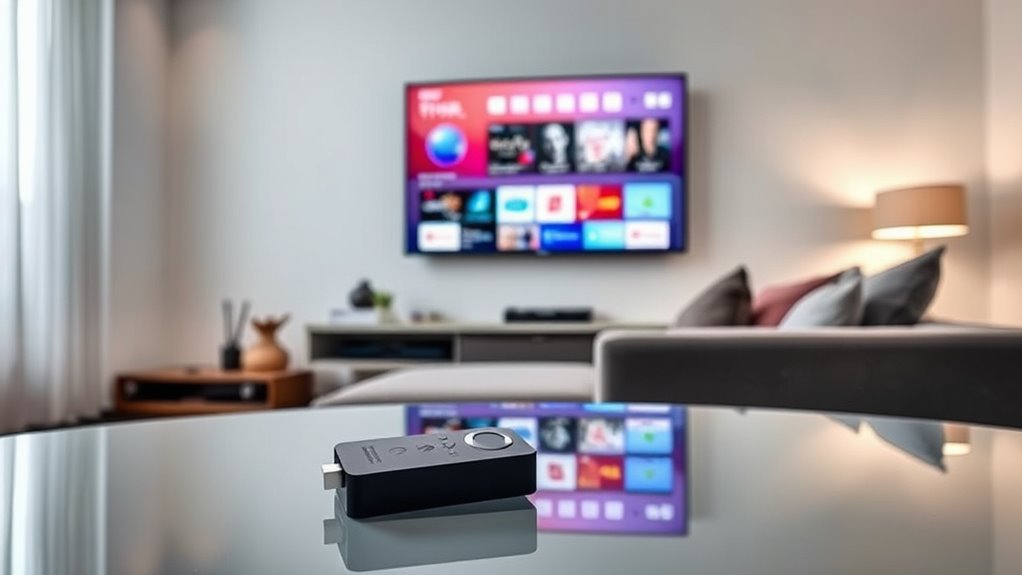

A Smart TV doesn’t need a Fire Stick to work, but adding one can greatly enhance your viewing experience. While Smart TVs come with built-in apps, a Fire Stick provides access to a broader range of apps and services. It also offers a user-friendly interface and regular updates that keep your options current. Ultimately, whether to use a Fire Stick depends on your specific streaming preferences and needs. Continue to explore how these devices can transform your entertainment setup.
Understanding Smart TV Capabilities
While many people assume that all Smart TVs offer the same features, it’s important to recognize that their capabilities can vary considerably. When you’re considering smart TV functions, you should evaluate the specific streaming capabilities each model provides. Some Smart TVs come pre-loaded with popular streaming apps, while others require additional downloads or subscriptions. You might find that certain brands offer more intuitive interfaces or better integration with voice assistants, enhancing your viewing experience. Additionally, look for features like screen mirroring or gaming compatibility, which can expand your entertainment options. Ultimately, understanding these differences helps you choose a Smart TV that aligns with your preferences and needs, ensuring you enjoy the ultimate freedom in how you consume content.
The Benefits of Using a Fire Stick
Using a Fire Stick can greatly enhance your streaming options, giving you access to a wide array of apps and channels beyond what your smart TV may offer. Its user-friendly interface makes navigation simple, allowing you to find and enjoy content with ease. Overall, a Fire Stick can elevate your viewing experience by expanding your entertainment possibilities.
Enhanced Streaming Options
Ever wondered how a Fire Stick can elevate your streaming experience? By adding a Fire Stick to your setup, you gain incredible streaming flexibility. Unlike many smart TVs, a Fire Stick broadens your access to numerous apps and services, allowing you to explore content variety beyond what’s pre-installed. You can easily switch between Netflix, Hulu, Amazon Prime, and more, tailoring your viewing to suit your mood or interest. Plus, with regular updates, you’ll continue to receive new apps and features, ensuring your streaming experience remains fresh. The Fire Stick empowers you to curate your entertainment options, making it a valuable tool for anyone seeking control and diversity in their streaming habits. Enjoy the freedom to watch what you want, when you want!
User-Friendly Interface
The user-friendly interface of the Fire Stick makes it an attractive addition to your entertainment setup. Designed with user experience in mind, it allows you to navigate seamlessly through apps and streaming services. The interface design is intuitive, ensuring that you can find your favorite shows or movies without hassle. You’ll appreciate how easy it is to customize your home screen, prioritizing the content you love most. Additionally, the voice remote feature enhances accessibility, letting you search effortlessly without scrolling. By choosing a Fire Stick, you gain the freedom to curate your viewing experience, making it more enjoyable and personalized. If convenience and simplicity matter to you, the Fire Stick’s user-friendly interface is definitely worth considering.
Comparing Streaming Services on Smart TVs and Fire Stick
While both Smart TVs and Fire Sticks offer access to a variety of streaming services, their performance and user experience can differ markedly. Smart TVs typically have built-in streaming compatibility with popular services like Netflix and Hulu, allowing for direct access without additional devices. However, this can vary based on the TV’s operating system. On the other hand, Fire Sticks excel in device integration, providing consistent updates and a broader selection of apps, ensuring you won’t miss out on newer platforms. If you value a seamless experience with extensive options, a Fire Stick might enhance your Smart TV setup. Ultimately, choosing between the two depends on your specific streaming habits and preferences.
User Interface and Navigation Differences
Although both Smart TVs and Fire Sticks aim to provide user-friendly experiences, their interfaces and maneuvering can feel quite different. In a user experience comparison, Smart TVs often feature integrated menus that allow easy access to streaming apps. However, their interface responsiveness can vary based on the TV’s processing power. On the other hand, Fire Sticks generally offer a more streamlined interface, designed specifically for streaming, making maneuvering faster and smoother. Users may find the Fire Stick’s remote more intuitive, providing quicker access to frequently used apps. Ultimately, your choice may depend on which interface aligns better with your viewing habits and preference for responsiveness in maneuvering content.
Enhanced Features of Fire Stick
When you use a Fire Stick, you’re gaining access to a wider range of streaming services that might not be available on your smart TV. Plus, the voice control functionality allows you to search for content and navigate menus hands-free, making your viewing experience more convenient. These enhanced features can greatly elevate how you consume media in your home.
Streaming Service Access
If you’re looking to enhance your streaming experience, a Fire Stick offers access to a wider array of services than many built-in smart TV platforms provide. With its compatibility, you can explore various streaming service options, often at lower subscription costs than traditional cable. This flexibility allows you to curate your content based on your preferences without being tied down to any specific service.
| Streaming Service | Subscription Cost | Key Features |
|---|---|---|
| Netflix | $15.49/month | Original content |
| Hulu | $7.99/month | Live TV option |
| Disney+ | $7.99/month | Family-friendly content |
A Fire Stick not only broadens your choices but also empowers you to customize your viewing experience effortlessly.
Voice Control Functionality
While streaming services broaden your content choices, the Fire Stick also enhances your interaction with those services through its voice control functionality. With the Fire Stick, you can use voice commands to seamlessly search for shows, control playback, or even launch apps without needing to navigate through menus. This smart assistant capability provides a hands-free experience, allowing you to enjoy your entertainment with ease. You’re not just limited to basic commands; you can ask for recommendations based on your preferences or get real-time information about a show. This feature not only simplifies navigation but also empowers you to engage with your content in a more intuitive way, making the Fire Stick a valuable addition to your smart TV setup.
Cost Considerations: Smart TV Vs Fire Stick
Although Smart TVs come with built-in streaming capabilities, considering the cost of a Fire Stick can help you make a more informed decision. A budget analysis reveals that while a Smart TV can be a significant upfront investment, a Fire Stick provides a cost-effective alternative without sacrificing functionality.
Here’s a simple cost comparison:
| Item | Estimated Cost |
|---|---|
| Smart TV | $300 – $1,500 |
| Fire Stick | $40 – $50 |
| Monthly Fees | Varies |
| Total Cost | Higher for TV |
Evaluating both options allows you to decide whether to invest in a Smart TV’s features or save some cash with a Fire Stick. Ultimately, your choice depends on your viewing habits and budget priorities.
Streaming Quality and Performance
When weighing the options between a Smart TV and a Fire Stick, streaming quality and performance are key factors to evaluate. Both devices can deliver impressive video resolution, but your experience might vary based on several elements:
- Streaming latency can differ, affecting how quickly content starts.
- Fire Stick often receives software updates, enhancing performance.
- Smart TVs may have built-in apps that aren’t optimized.
- Both options support 4K streaming, but check compatibility.
- Network stability is essential for seamless viewing.
Understanding these aspects helps you make an informed decision. If streaming latency is a concern, you might prefer the Fire Stick, especially if your Smart TV’s interface isn’t as efficient. Ultimately, it’s about what works best for your viewing habits.
Making the Right Choice for Your Entertainment Needs
How do you determine the best choice for your entertainment needs between a Smart TV and a Fire Stick? First, consider the Smart TV advantages: built-in streaming apps, a sleek interface, and fewer devices cluttering your space. If you value these features and enjoy accessing content directly, a Smart TV might be your best bet. However, if you’re looking for flexibility, Fire Stick alternatives can enhance your viewing experience through additional apps and services not available on your TV. Think about your streaming habits. Do you switch platforms often or prefer a specific service? Ultimately, it’s about what suits your lifestyle. Assess your preferences, and choose the option that empowers your entertainment journey, providing you with the freedom to explore.
Frequently Asked Questions
Can I Use a Fire Stick With Any TV?
Yes, you can use a Fire Stick with most TVs, provided they have an HDMI port. This expands your TV streaming options, enhancing compatibility and performance for accessing various apps and content seamlessly.
Does a Fire Stick Require an Additional Subscription?
A Fire Stick doesn’t require an additional subscription, like a key opening a door to endless content. However, some streaming services do have their own subscription options, affecting overall Fire Stick pricing and access.
How Often Do I Need to Update My Fire Stick?
You should check for Fire Stick updates regularly, ideally every few weeks. Staying updated guarantees you get the latest features and security improvements. Automatic updates can simplify this, but manual checks keep you in control.
Is a Fire Stick Portable for Travel Purposes?
Yes, a Fire Stick’s like a feather in your travel bag—light and portable. It offers travel convenience and portable entertainment, letting you stream your favorite shows wherever you go, ensuring relaxation on your journeys.
Can I Control My Fire Stick With Voice Commands?
Yes, you can control your Fire Stick with voice commands using Alexa. Its smart features make navigation easy. Just speak your requests, and enjoy the freedom of hands-free control while streaming your favorite content.
