
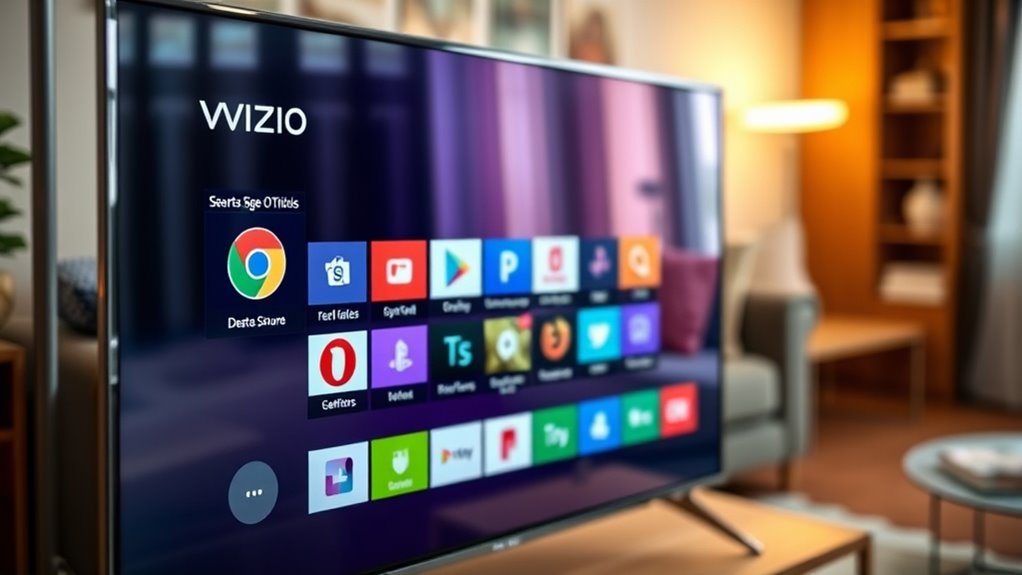

Vizio Smart TVs don’t have a dedicated web browser built-in. However, you can still browse the web through alternative methods like screen mirroring from your smartphone or tablet. Additionally, connecting external devices like laptops or streaming devices can enhance your browsing options. While using these methods offers a bigger screen experience, there are pros and cons to evaluate for online activities on Vizio. To learn more about optimizing your browsing experience, keep exploring the features available on Vizio Smart TVs.
Overview of Vizio Smart TV Features
When you explore the features of a Vizio Smart TV, you’ll discover a range of functionalities designed to enhance your viewing experience. These Vizio features prioritize user-friendliness and versatility, making it easy to customize your entertainment setup. With built-in apps, including popular streaming services, you can access a wealth of content at your fingertips, greatly improving your Smart TV performance. The intuitive interface allows for seamless navigation, letting you switch between shows and apps without hassle. Additionally, Vizio’s exceptional picture quality and sound capabilities elevate your viewing, ensuring you enjoy every detail. Whether you’re streaming, gaming, or watching live TV, these features empower you to create a personal and immersive entertainment environment that meets your unique preferences.
Understanding Smart TV Browsing Capabilities
While many people associate Smart TVs primarily with streaming services, understanding their browsing capabilities reveals a broader range of functionalities. Smart TVs can enhance your viewing experience beyond just watching shows. However, browser performance can vary greatly between models, impacting how you navigate online content.
Smart TVs offer more than just streaming; their browsing capabilities can significantly enhance your overall viewing experience.
- A simplified user interface can make browsing easier for everyone, regardless of tech-savviness.
- Some Smart TVs may support various web applications, increasing versatility.
- Security features can protect your data while you surf the web.
Does Vizio Include a Built-in Web Browser?
Vizio Smart TVs do not come with a built-in web browser, which sets them apart from some other Smart TV brands that offer this feature. While you might seek Vizio browser functionality, the absence of a native browser means you won’t be able to surf the web directly on your TV. However, Vizio internet access is still available through various streaming apps and services, allowing you to enjoy a wide array of content.
| Feature | Vizio Smart TV | Other Smart TVs |
|---|---|---|
| Built-in Browser | No | Yes |
| Streaming Apps | Yes | Yes |
| Web Access | Limited | Full |
| User Experience | App-focused | Browser-focused |
| Updates | Automatic | Varies |
Alternative Browsing Options on Vizio Smart TVs
If the built-in web browser on your Vizio Smart TV isn’t meeting your needs, there are several alternative ways to browse online. You can explore a variety of streaming apps that offer web content, use screen mirroring features from your smartphone or tablet, or connect external devices like laptops for a more robust browsing experience. Each option provides a unique way to access the internet and enjoy content on a larger screen.
Streaming Apps Availability
Many users may find that streaming apps provide a more seamless and user-friendly experience compared to the built-in web browser on Vizio Smart TVs. These apps often boast better optimization for the TV experience, allowing you to dive straight into content without the frustrations of maneuvering a browser.
Consider these benefits:
- Wide app compatibility: Access popular streaming services like Netflix, Hulu, and Disney+.
- User-friendly interface: Intuitive navigation makes finding content quicker and easier.
- Regular updates: Streaming apps receive frequent updates, ensuring you get the latest features and security improvements.
Screen Mirroring Features
How can you enhance your browsing experience on a Vizio Smart TV? One effective method is utilizing screen mirroring. This feature allows you to display content from your smartphone, tablet, or laptop directly onto your TV, providing a larger view for browsing the internet or viewing apps. With solid device compatibility, most modern devices support this function, making it easy to share videos, photos, and web pages seamlessly. You can access your favorite websites and apps without being restricted by the TV’s built-in options. Just verify your devices are connected to the same Wi-Fi network, and you’re ready to enjoy a more flexible browsing experience. Screen mirroring truly reveals the potential of your Vizio Smart TV.
External Device Connectivity
One of the most effective ways to enhance your browsing experience on a Vizio Smart TV is by connecting external devices. This expands your connectivity options and allows for a more versatile viewing experience. Here are a few alternatives to take into account:
- Streaming Devices: Connect a Roku, Amazon Fire Stick, or Apple TV for access to various apps and internet browsing.
- Gaming Consoles: Use a PlayStation or Xbox to not only game but also browse the web with a more robust interface.
- Laptops and PCs: HDMI connectivity lets you mirror your computer’s screen, providing a full web browser experience.
Using Third-Party Apps for Web Browsing
If you’re looking to enhance your web browsing experience on your Vizio Smart TV, third-party apps can be a great option. Popular browsing apps offer features that might not be available in the built-in browser. In the following sections, we’ll outline the installation steps and highlight some of the most recommended apps.
Popular Browsing Apps
Wondering how to enhance your Vizio Smart TV browsing experience? You might want to explore some popular browsing apps that can elevate your user interface and provide a smoother experience. Here are a few options:
- Google Chrome: Known for its speed and extensive features.
- Firefox: Offers strong privacy controls and a customizable interface.
- Opera: Comes with a built-in ad blocker and a free VPN for secure browsing.
Using these apps, you can enjoy a more robust web experience on your Vizio Smart TV. They often come with user-friendly interfaces, making navigation easy. Plus, they offer features that can help you access content seamlessly, giving you the freedom to browse the web like you would on any other device.
Installation Steps Overview
Installing third-party apps for web browsing on your Vizio Smart TV can greatly enhance your online experience. To begin the installation process, access the SmartCast platform using your remote. Navigate to the “Apps” section, where you’ll find a range of available applications. Look for popular web browsers that align with your preferences. Once you’ve selected an app, simply click “Install” and follow the on-screen prompts.
After installation, you can easily access the app from the user interface, allowing for a seamless browsing experience. Remember to check app permissions and updates regularly to guarantee peak performance. With these steps, you’ll open up the full potential of your Vizio Smart TV’s browsing capabilities, expanding your entertainment options considerably.
Pros and Cons of Browsing on Vizio Smart TVs
While browsing on a Vizio Smart TV offers a convenient way to access the internet from your living room, it comes with both advantages and drawbacks.
Pros:
- You can enjoy a large screen experience for web content.
- Easy access to streaming and social media sites.
- It integrates seamlessly with other smart home devices.
Cons:
- Navigation limitations can make it frustrating to browse complex websites.
- Privacy concerns arise, as smart TVs may track your viewing habits.
- The lack of robust security features can expose you to online risks.
Weigh these pros and cons carefully; while the convenience is undeniable, the potential drawbacks might affect your online experience.
Tips for Optimizing Your Browsing Experience
To enhance your browsing experience on a Vizio Smart TV, it’s crucial to adjust settings and utilize features tailored for best performance. First, check your network connection; a strong Wi-Fi signal greatly boosts browsing speed. Consider connecting your TV via Ethernet if possible. Next, familiarize yourself with the user interface; knowing where to find bookmarks and history can save you time and effort. Clear your cache regularly to prevent slowdowns and improve responsiveness. If you encounter lag, close unnecessary apps running in the background. Finally, verify your TV’s firmware is up to date for peak functionality. By implementing these tips, you’ll enjoy a smoother and more efficient browsing experience on your Vizio Smart TV.
Comparing Vizio Smart TVs to Other Brands
When considering a Vizio Smart TV, it’s important to weigh its features against those of other brands like Samsung, LG, and Sony. Vizio comparisons often highlight the brand’s affordability and strong picture quality, but there are some trade-offs.
- User Interface: Vizio’s interface may not be as polished or intuitive as Samsung’s Tizen or LG’s webOS.
- Smart TV Features: While Vizio offers essential apps, some brands provide a broader selection and better integration with smart home devices.
- Gaming Performance: Brands like Sony often lead in gaming features, which could be vital for gamers.
Ultimately, your choice depends on what you value most in Smart TV features—affordability, user experience, or advanced capabilities.
Frequently Asked Questions
Can I Download a Web Browser App on Vizio Smart TV?
You can’t directly download a web browser app on your Vizio Smart TV due to download limitations. However, you can explore available web browser options through the TV’s app store for potential alternatives.
Does Vizio Smart TV Support Voice Search for Browsing?
Yes, Vizio Smart TVs support voice search capabilities, making it easier for you to navigate content. However, keep in mind the browsing limitations may not offer the same experience as dedicated web browsers on other devices.
Is There a Limit on Browsing Speed With Vizio Smart TVS?
Yes, Vizio Smart TVs can experience browsing limitations based on your internet connectivity. If your connection is slow or unstable, it may affect your overall browsing speed and streaming performance, limiting your viewing experience.
Can I Use a Keyboard and Mouse With Vizio Smart TV?
Yes, you can use a keyboard and mouse with your Vizio Smart TV, enhancing wireless connectivity and gaming compatibility. This setup offers a more versatile experience, allowing for smoother navigation and interaction with apps and content.
Are There Parental Controls for Web Browsing on Vizio Smart TVS?
Yes, Vizio Smart TVs offer parental settings to manage web restrictions. You can customize these controls to guarantee your kids have a safe browsing experience, giving you peace of mind while they explore online content.
