
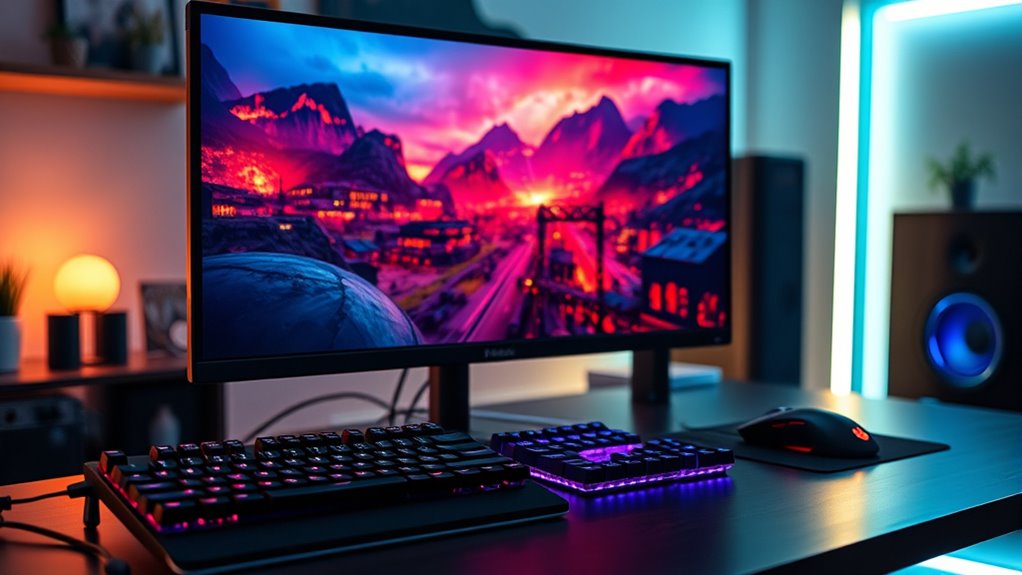

When choosing a gaming monitor, you should consider display resolution, refresh rate, response time, panel type, and adaptive sync technology. Higher resolutions like 4K enhance visuals, while refresh rates from 144Hz to 240Hz deliver smooth gameplay. Look for lower response times to reduce lag and trailing. Panel types like IPS or OLED affect color and contrast. Finally, adaptive sync tech prevents screen tearing. Each of these factors plays a vital role in shaping your gaming experience, and there’s more to explore.
Display Resolution
When it comes to choosing a gaming monitor, display resolution is an essential factor that can greatly impact your gaming experience. Higher resolutions, like 4K gaming, provide stunning visuals, making every detail pop. However, it’s important to take into account how your graphics card can handle 4K resolution; if it can’t keep up, you might not get the full benefits. Screen scaling becomes significant here; a game optimized for 4K can look incredibly sharp, but poorly scaled content can lead to blurriness or distortion. You want to make certain that the monitor you select aligns with your gaming preferences and hardware capabilities. Ultimately, the right resolution can elevate your gameplay, offering immersive worlds that you can truly lose yourself in.
Refresh Rate
When choosing a gaming monitor, refresh rate is essential for a superior experience. A higher refresh rate can greatly enhance your gameplay by providing smoother visuals and reducing motion blur. Ideally, you should aim for a refresh rate between 144Hz and 240Hz to fully leverage the capabilities of modern games.
Importance of High Refresh
While many gamers focus on resolution, the importance of a high refresh rate can’t be overstated. A higher refresh rate enhances your gaming experience by delivering smoother visuals and reducing motion blur. This is vital when fast-paced action occurs, as lower refresh rates can lead to frame tearing, disrupting your immersion.
| Refresh Rate | Benefits |
|---|---|
| 60 Hz | Standard for casual gaming |
| 144 Hz | Smooth gameplay, reduced blur |
| 240 Hz | Ultimate fluidity, competitive edge |
| 360 Hz | Top-tier performance for pros |
Ideal Refresh Rate Range
Finding the right refresh rate for your gaming monitor can greatly impact your overall experience. Ideally, you should aim for a refresh rate of at least 144Hz if you’re into competitive gaming. This range guarantees smoother motion and reduces lag, giving you a competitive edge. The refresh rate benefits extend beyond just speed; it enhances clarity during fast-paced action, allowing you to spot opponents more easily.
If you’re a casual gamer, a 60Hz monitor might suffice, but stepping up to 120Hz or 144Hz can elevate your enjoyment considerably. Ultimately, choosing the ideal refresh rate hinges on your gaming style. Prioritize what feels right for you, and enjoy the freedom that comes with an immersive, responsive gaming experience.
Response Time
As you immerse yourself in the world of gaming monitors, understanding response time becomes essential, especially since it directly affects your gaming experience. Response time measures how quickly a pixel can change colors, influencing input lag and potentially creating ghosting effects. A lower response time, typically around 1ms to 5ms, means smoother visuals, allowing you to react swiftly during intense gameplay. If the response time is too high, you might notice blurring or trailing images, which can hinder your performance. For competitive gaming, prioritizing monitors with minimal response times guarantees you stay ahead, providing that freedom to enjoy seamless action without distractions. Remember, the right choice here can greatly elevate your gaming adventures.
Panel Type
After honing in on response time, it’s important to contemplate the panel type of your gaming monitor, as it greatly impacts color accuracy, viewing angles, and overall visual performance. You’ll typically choose between IPS, VA, and OLED technologies. IPS panels offer superior color reproduction and wide viewing angles, making them ideal for immersive gameplay. However, VA panels excel in contrast and deeper blacks, which can enhance darker scenes. On the other hand, OLED displays provide incredible color vibrancy and perfect blacks, offering a stunning visual experience, though they can be pricier. Weighing the IPS vs VA debate against the OLED advantages will help you find the perfect balance between performance and cost, ensuring your gaming experience is as vibrant as you desire.
Adaptive Sync Technology
How can you enhance your gaming experience and eliminate screen tearing? The answer lies in adaptive sync technology. This feature allows your monitor to adjust its refresh rate dynamically, syncing it with your GPU’s frame output. By utilizing variable refresh rates, you can achieve smoother gameplay, reducing stutter and lag. This technology is especially essential for fast-paced games where every millisecond counts.
Moreover, game compatibility is important; make sure your chosen monitor supports either NVIDIA’s G-Sync or AMD’s FreeSync. These technologies cater to different graphics cards, so you’ll want to match them with your setup. Ultimately, embracing adaptive sync technology can greatly elevate your gaming sessions, giving you the freedom to immerse yourself fully in your virtual worlds without distraction.
Size and Aspect Ratio
While adaptive sync technology greatly improves gameplay by reducing tearing and stutter, the size and aspect ratio of your gaming monitor also play an essential role in your overall experience. Choosing the right monitor dimensions can greatly impact your immersion and comfort. Here are some factors to take into account based on your gaming preferences:
- Screen Size: Larger screens offer more immersion, but verify your desk can accommodate them.
- Aspect Ratio: Traditional 16:9 is versatile, while 21:9 gives a wider field of view for enhanced gameplay.
- Resolution: Higher resolutions on larger monitors provide sharper images but may require more powerful hardware.
- Viewing Distance: Your distance from the screen will affect how you perceive the size and detail.
Finding the right balance can elevate your gaming experience.
Connectivity Options
When you’re selecting a gaming monitor, the connectivity options available can greatly influence your overall setup and performance. You’ll want a diverse ports selection to guarantee compatibility with your gaming console, PC, or even other devices. Look for HDMI, DisplayPort, and USB-C ports, as these are commonly used and offer high-performance capabilities. Additionally, consider the cable compatibility; not all cables deliver the same quality, and using the right one can enhance your gaming experience. If you plan to connect multiple devices, make certain your monitor has enough ports to accommodate them without constant swapping. Ultimately, the right connectivity options can provide you with the freedom to create a flexible and powerful gaming environment tailored to your preferences.
Frequently Asked Questions
How Does Monitor Calibration Affect Gaming Performance?
Calibration can boost color accuracy by up to 95%, enhancing your gaming experience. With improved response time, you’ll react faster and see clearer visuals, giving you a competitive edge in fast-paced environments.
Can I Use a Gaming Monitor for Professional Tasks?
Absolutely, you can use a gaming monitor for professional tasks. Their versatility enhances your workflow, offering high refresh rates and color accuracy, making them suitable for everything from graphic design to data analysis without sacrificing performance.
What Is the Best Budget Gaming Monitor?
Looking for the best budget gaming monitor? Consider affordable options like the Acer VG240Y or the AOC 24G2. They offer excellent performance features, ensuring you get great visuals without breaking the bank. Isn’t that a win-win?
Do Gaming Monitors Support HDR Content?
Yes, gaming monitors often support HDR technology, enhancing your gaming experience. This feature boosts color accuracy and provides greater visual immersion, allowing you to fully appreciate the stunning details in your favorite games.
How Long Do Gaming Monitors Typically Last?
Gaming monitors typically last around 3 to 5 years, depending on monitor longevity and usage. Factors like build quality, daily hours of use, and maintenance play essential roles in determining their overall lifespan.

[…] stored in cold conditions briefly, “cold boot” performance is often poor—screen flicker, slow response time, or lines can appear when the panel hasn’t warmed up. Check your exact model’s temperature […]
[…] good (panel type […]