
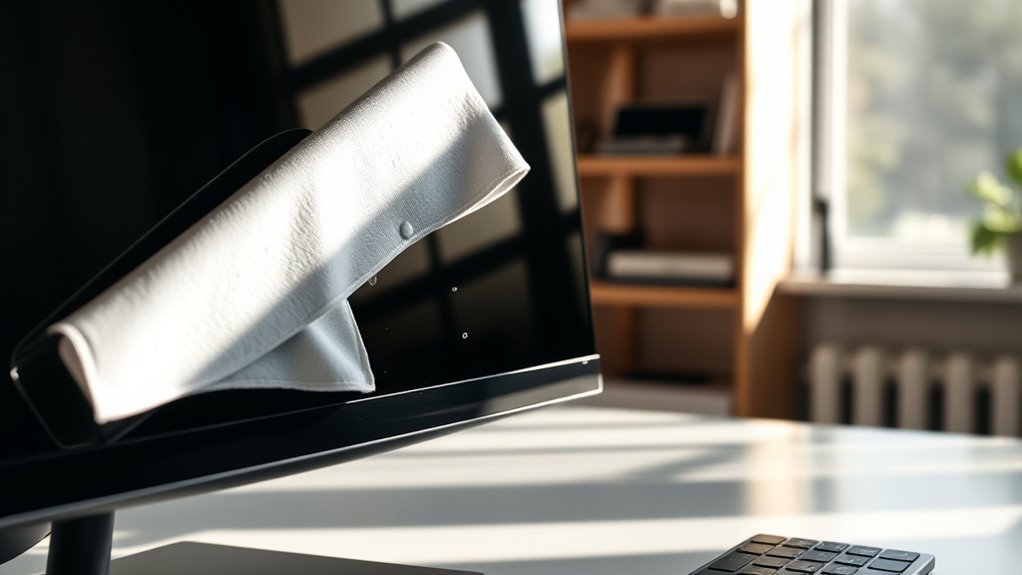

To clean your monitor, start by gathering microfiber cloths and a suitable cleaning solution like a mix of distilled water and vinegar. Always turn off and unplug the monitor before cleaning. Lightly dampen the cloth, avoiding direct spray on the screen, and wipe it gently in circular motions. Dry it properly and keep a regular cleaning schedule to maintain clarity. If you’re interested in more tips for effective maintenance, there’s plenty more to discover.
Gather Your Cleaning Supplies
Before you plunge into cleaning your monitor, it’s essential to gather the right cleaning supplies. Start with microfiber cloths; they’re gentle and won’t scratch the screen. You’ll also need a suitable cleaning solution—distilled water mixed with a bit of vinegar works wonders, or you can opt for commercial cleaning solutions specifically designed for monitors. Avoid using paper towels, as they can leave lint and scratches. Make sure to have a spray bottle handy for easy application, but never spray directly on the screen. Instead, lightly dampen your cloth. With these cleaning tools and solutions at your side, you’re ready to tackle that dirty monitor and restore its clarity, all while embracing the freedom of a clean workspace.
Turn Off and Unplug Your Monitor
Before you start cleaning your monitor, it’s essential to turn it off and unplug it to guarantee safety. This step helps prevent any electrical issues and allows for a more thorough cleaning without the risk of damaging your device. Taking these precautions will make the process safer and more effective.
Safety First
To guarantee your safety while cleaning the monitor, it’s essential to turn it off and unplug it from the power source. This simple step is vital for monitor safety, as it prevents any risk of electrical shock while you’re wiping down the screen. Always use cleaning supplies that are safe for electronics; harsh chemicals can damage your monitor. When you’re prepared to clean, gather lint-free cloths to avoid scratches and guarantee a streak-free finish. Remember to avoid applying liquid directly to the monitor; instead, dampen your cloth to protect sensitive components. By taking these cleaning precautions, you can maintain your monitor’s clarity and longevity without compromising your safety. Enjoy a clean display—it’s worth the effort!
Prevent Electrical Issues
While it might seem convenient to clean your monitor without turning it off, doing so can lead to electrical issues that put both you and your device at risk. For effective monitor maintenance, you must prioritize electrical safety. Always turn off and unplug your monitor before cleaning to avoid any accidental shocks or damage. This simple step guarantees you’re safe from electrical hazards while working on your device. It also protects your monitor from potential short circuits caused by moisture from cleaning products. By taking a moment to power down, you can clean confidently, knowing you’re maintaining not just your monitor’s appearance but its functionality as well. So, remember—safety first leads to a longer-lasting monitor!
Ensure Proper Cleaning
Ensuring proper cleaning of your monitor starts with two essential steps: turning it off and unplugging it. This not only protects you from electrical issues but also allows for effective monitor care. With the monitor powered down, you can safely use your cleaning tools without fear of damaging the screen or causing any harm.
- Microfiber cloth for gentle dust removal
- Distilled water or a specialized screen cleaner
- Soft brush for getting into corners
- Spray bottle for easy application
Use a Microfiber Cloth
To effectively clean your monitor, you should start with a microfiber cloth, as it’s gentle yet effective for removing dust and smudges. Make sure to use the right cleaning technique, applying light pressure and avoiding any harsh cleaners. This will help keep your screen in top condition without risking damage.
Choose the Right Cloth
When it comes to cleaning your monitor, choosing the right cloth can make all the difference. Microfiber cloths are often the best option due to their unique properties. Here are some microfiber benefits to take into account:
- Super Soft: Gentle on screens, preventing scratches.
- Lint-Free: Leaves no residue, ensuring a clear view.
- Highly Absorbent: Effectively captures dust and smudges.
- Reusable: Washable and long-lasting, saving you money.
While there are various cloth types available, nothing compares to the effectiveness of microfiber. It’s designed specifically for delicate surfaces, making it your go-to choice for keeping your monitor pristine without compromising quality. Make the switch to microfiber for a cleaner, clearer screen experience!
Proper Cleaning Technique
Although cleaning your monitor might seem straightforward, using the right techniques is crucial for achieving the best results. Start by choosing a microfiber cloth, as it’s gentle and effective for various monitor types, including LCD and LED. Avoid paper towels or rough fabrics that can scratch screens. For routine cleaning, aim for a frequency of once a week, but adjust based on dust levels. Lightly dampen the cloth with water or a suitable cleaner; never spray directly onto the monitor. Gently wipe in circular motions, avoiding excessive pressure. For stubborn smudges, repeat the process, but always guarantee the cloth is only slightly damp. By following these steps, you’ll keep your monitor looking pristine and functioning well.
Prepare a Cleaning Solution
Before you start cleaning your monitor, it’s important to prepare the right cleaning solution. You can opt for natural alternatives that are gentle yet effective. A simple mix of distilled water and white vinegar works wonders, maintaining that freedom to avoid harsh chemicals. Here’s how to create your solution:
- Distilled Water: 1 part
- White Vinegar: 1 part (solution ratio of 1:1)
- Microfiber Cloth: for application
- Spray Bottle: to store your mixture
Make certain you mix these ingredients well in your spray bottle. This natural alternative guarantees you’re being kind to both your monitor and the environment. Now you’re ready to tackle those smudges without worry!
Wipe the Screen Gently
To effectively clean your monitor, start by gently wiping the screen with your microfiber cloth. This guarantees you don’t scratch the surface while providing peak screen care. Dampen the cloth slightly with your cleaning solution, but avoid soaking it—excess moisture can damage your screen. Use soft, circular motions to lift away dust and smudges, focusing on stubborn spots without applying excessive pressure. It’s crucial to clean your monitor regularly; a good cleaning frequency is about once a month, or more often if you notice buildup. This routine not only keeps your screen looking its best but also enhances your viewing experience. Remember, gentle touches go a long way in maintaining the integrity of your monitor.
Clean the Edges and Frame
Now that you’ve cleaned the screen, it’s time to focus on the edges and frame. Use a soft cloth to wipe these areas gently, making sure to avoid harsh chemicals that could damage the finish. A thorough but careful approach will keep your monitor looking its best.
Use Soft Cloth
Using a soft cloth is crucial for cleaning the edges and frame of your monitor without risking scratches or damage. A microfiber cloth is particularly beneficial, as it effectively lifts dust and grime without leaving streaks. Here are some key advantages of using a soft cloth:
- Gentle Touch: Reduces the risk of scratching delicate surfaces.
- Lint-Free: Guarantees no lint is left behind after cleaning.
- Durable: Can withstand multiple washes without losing effectiveness.
- Eco-Friendly: Often reusable, minimizing waste compared to disposable options.
Avoid Harsh Chemicals
While it might be tempting to reach for strong cleaning solutions, avoiding harsh chemicals is essential when cleaning the edges and frame of your monitor. Instead, opt for eco-friendly alternatives and chemical-free solutions that won’t damage your device or the environment. Using gentle, natural ingredients can effectively clean without the risk of harmful fumes or residues.
Here’s a quick reference table for your cleaning options:
| Eco-Friendly Alternative | Chemical-Free Solution | Benefits |
|---|---|---|
| Vinegar & Water | Baking Soda Paste | Non-toxic, safe |
| Olive Oil & Lemon Juice | Cornstarch | Natural shine |
| Soap & Water | Essential Oils | Pleasant fragrance |
These options will keep your monitor looking great while promoting a healthier workspace.
Wipe Gently and Thoroughly
To effectively clean the edges and frame of your monitor, start by choosing a soft, lint-free cloth. This guarantees you won’t scratch the surface while maintaining your monitor’s sleek look. For ideal monitor care and screen maintenance, follow these simple steps:
- Lightly dampen the cloth with water or a gentle solution.
- Wipe the edges and frame in smooth, circular motions.
- Pay extra attention to crevices where dust accumulates.
- Dry the area with a separate dry cloth to prevent streaking.
Avoid Harsh Chemicals
When it comes to cleaning your monitor, avoiding harsh chemicals is essential. These strong substances can damage screens, leaving streaks or even causing permanent harm. Instead, consider using natural alternatives that are both effective and safe. Simple solutions like a mixture of water and vinegar can work wonders without the risk of toxins. You can also find chemical-free solutions specifically designed for electronics that won’t compromise your screen’s integrity. By opting for these gentler options, you not only protect your monitor but also contribute to a healthier environment. So, next time you clean, skip the harsh cleaners and embrace natural alternatives for a sparkling, safe screen! Your monitor will thank you for it.
Dry the Screen Properly
Properly drying your monitor after cleaning is just as essential as the cleaning process itself. Using the right screen drying techniques guarantees your display stays in top shape. Here are some tips for effective drying:
Proper drying is crucial after cleaning your monitor to ensure it remains in optimal condition.
- Microfiber cloth: This soft fabric absorbs moisture without scratching.
- Lint-free cloth: Prevents leftover fibers on your screen.
- Air drying: Letting the monitor air dry can be effective, especially for stubborn spots.
- Avoid paper towels: They can leave scratches or residue.
Make sure to dry the screen gently, using circular motions to prevent streaks. Always verify that your monitor is completely dry before turning it back on. Following these methods will help maintain your screen’s clarity and longevity.
Maintain a Regular Cleaning Schedule
Establishing a regular cleaning schedule for your monitor not only keeps it looking pristine, but also enhances its performance and lifespan. Aim to clean your monitor at least once a week, adjusting the cleaning frequency based on your environment. If you work in a dusty area or have pets, you might need to clean more often.
Use maintenance tips like keeping a microfiber cloth handy and avoiding harsh chemicals that can damage the screen. Consider setting reminders on your calendar to guarantee you stay consistent. A clean monitor reduces glare and improves visibility, allowing you to enjoy your digital freedom without distractions. By prioritizing regular maintenance, you’ll extend your monitor’s life while enjoying a clearer workspace.
Troubleshooting Common Issues
Even with a regular cleaning schedule, you might still encounter some common monitor issues. Here’s how you can troubleshoot them:
- Monitor Flickering: Check your connection cables and refresh rate settings; a loose cable can cause instability.
- Dead Pixels: Try gently massaging the area with a soft cloth; sometimes, this can revive stuck pixels.
- Color Calibration: Use built-in settings or software to adjust colors for a more accurate display—don’t settle for dull visuals.
- Screen Glare: Adjust your monitor’s position or invest in an anti-glare screen protector to reduce reflections.
Frequently Asked Questions
Can I Use Paper Towels to Clean My Monitor?
You shouldn’t use paper towels for your monitor. They can scratch the surface. Instead, opt for microfiber cloths as paper towel alternatives. Use gentle monitor cleaning techniques for the best results and to keep your screen pristine.
How Often Should I Clean My Monitor?
Imagine your monitor as a garden; it thrives with daily cleaning. For ideal monitor maintenance, wipe it down weekly, especially if you’re a heavy user. This keeps distractions at bay, letting your creativity flourish.
Is It Safe to Use Glass Cleaner on Screens?
No, it isn’t safe to use glass cleaner on screens. Instead, consider glass cleaner alternatives like distilled water or specialized screen wipes. These safe cleaning methods protect your monitor while ensuring a clear view.
What if My Monitor Has Stubborn Stains?
If you’ve got stubborn stains, consider that 70% of screen users face this issue. For effective stain removal, use gentle cleaning solutions like distilled water or vinegar on a microfiber cloth, avoiding harsh chemicals that harm your monitor.
Can I Clean My Monitor While It’s Still On?
You shouldn’t clean your monitor while it’s still on. Turning it off reduces screen brightness, making it easier to see smudges. Use gentle cleaning solutions to avoid damaging the screen and guarantee a thorough clean.

[…] Use a microfiber cloth and apply moisture to the cloth—not directly to the TV screen—to reduce the risk of liquid seeping into the bezel or edges. Manufacturers consistently recommend soft, non-abrasive cloths for routine cleaning and warn against harsh chemicals that can degrade screen coatings. Distilled water contains minimal dissolved solids, which lowers the chance of mineral streaks compared with tap water. […]