
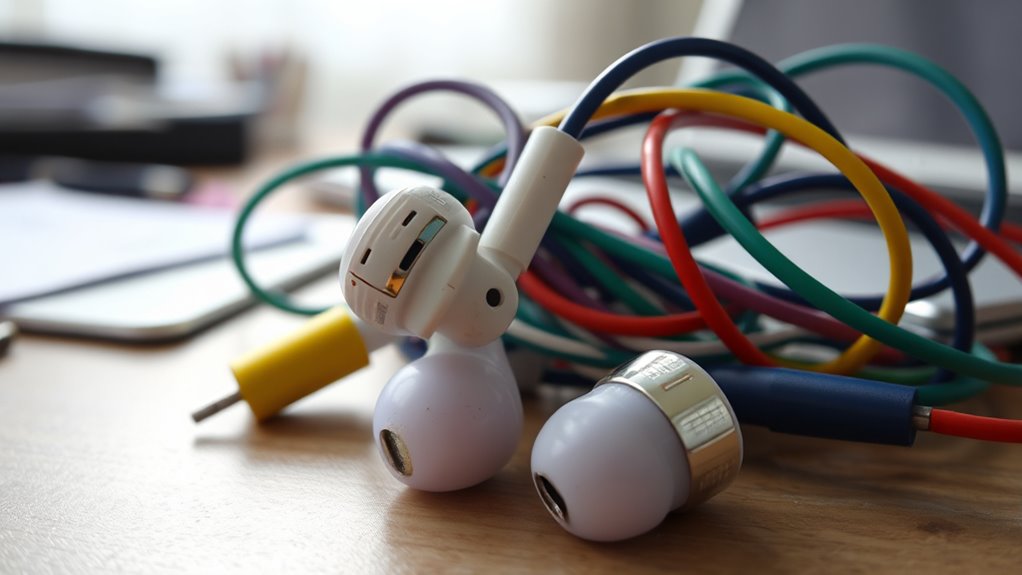

If your earbuds aren’t working, it could be due to several reasons. Check for tangled wires, loose connections, or dirt blocking the sound. Make sure your device’s software is up-to-date and check if the earbuds are compatible with your device. Inspect the connections and earbud jack for damage or debris. If you’re using wireless earbuds, make certain they’re charged and properly paired. If problems persist, you might want to explore further solutions for better performance.
Common Issues With Earbuds
Have you ever wondered why your earbuds suddenly stop working? You’re not alone; common issues can lead to frustrating experiences. First, check for tangled wires or loose connections—these can disrupt sound quality. Regularly cleaning your earbuds is essential; dirt and earwax can block sound, leading to quality concerns. Try using a soft cloth or a gentle brush as part of your earbud maintenance tips. Additionally, moisture can damage the internal components, so avoid using them in wet environments. Ultimately, if you notice one side is quieter, it might be time for a replacement. By recognizing these common issues, you can extend the life of your earbuds and enjoy uninterrupted audio freedom.
Check the Audio Source
Sometimes, the issue with your earbuds isn’t related to the earbuds themselves but rather the audio source. It’s crucial to check that your device is compatible with your earbuds. If the audio quality is poor or nonexistent, it might not be the earbuds’ fault.
Here’s a quick reference table to help you:
| Audio Source | Compatibility | Audio Quality | Action Needed |
|---|---|---|---|
| Smartphone | Yes | High | Check volume settings |
| Laptop | Yes | Moderate | Restart the app |
| TV | Sometimes | Low | Use auxiliary cable |
| MP3 Player | Yes | High | Update firmware |
Inspect the Earbud Connection
When troubleshooting your earbuds, inspecting the connection is essential. Start by checking the cable for any visible damage or fraying. A damaged cable can disrupt sound quality, so if you notice anything unusual, it might be time for some earbud maintenance. Next, verify that the connectors are clean and free from debris. Dust or lint can interfere with the connection, leading to audio issues. If you’re using wireless earbuds, make sure they’re properly charged and paired with your device. Connection troubleshooting often involves simple fixes, so don’t overlook these steps. By being proactive with maintenance and checking connections regularly, you can enjoy your music without interruption and keep your earbuds functioning effectively for longer.
Examine the Earbud Jack
After checking the connection, it’s important to examine the earbud jack. This often-overlooked component can be a source of problems. Dust and debris can accumulate, affecting sound quality. Here are some earbud maintenance tips to keep your jack in top shape:
- Use a soft brush or compressed air to gently remove dirt without damaging the jack.
- Dampen a cotton swab with isopropyl alcohol to clean the interior, but make certain it’s not too wet.
- Inspect for damage: Look for bent pins or corrosion that may hinder connectivity.
Regular maintenance with these jack cleaning techniques can enhance your listening experience and prolong the life of your earbuds. Don’t let a dirty jack keep you from enjoying your freedom to listen!
Battery and Charging Problems
If your earbuds aren’t working, battery and charging issues could be the culprit. You might be facing problems with the charging port, experiencing limitations in battery life, or dealing with connection troubles. Let’s explore these factors to see how they might be affecting your listening experience.
Charging Port Issues
Charging port issues can be frustrating, especially when you rely on your earbuds for daily use. If your earbuds aren’t charging properly, it might be time to check the charging port. Here are a few things to take into account:
- Charging port cleaning: Dust and debris can accumulate, preventing a proper connection. Use a soft brush or compressed air to gently clean it out.
- Charging cable compatibility: Not all cables are created equal. Make sure you’re using the correct cable for your earbuds, as incompatible options might not work.
- Inspect for damage: Check both the charging port and cable for any signs of wear or damage that could affect charging.
Battery Life Limitations
One of the most common issues with earbuds is their limited battery life, which can leave you frustrated during your favorite activities. To maximize your earbuds’ battery lifespan, it’s crucial to adopt good charging habits. Overcharging can diminish battery capacity, so unplug them once they’re fully charged. Likewise, let them drain occasionally to recalibrate the battery. If you’re not using your earbuds for a while, store them with a partial charge to prevent deep discharge. Always keep an eye on the battery indicator; if it’s frequently low, it might be time for a replacement. By being mindful of how you charge your earbuds, you can enjoy longer listening sessions and fewer interruptions in your day-to-day adventures.
Connection Problems
Why do connection problems persist even when your earbuds are fully charged? You might be facing issues related to wireless range or signal interference. Here are a few common culprits to take into account:
- Obstacles: Walls and furniture can block signals, reducing your earbuds’ wireless range.
- Other Devices: Nearby electronic devices may cause signal interference, affecting your audio experience.
- Software Glitches: Outdated firmware can lead to connectivity issues.
To enjoy your music freely, try moving closer to your source device, turning off unnecessary electronics, or updating your earbuds’ software. By addressing these factors, you can often restore that seamless connection you crave. If problems persist, it might be time to explore further troubleshooting options.
Bluetooth Connectivity Troubles
If your earbuds aren’t connecting via Bluetooth, you might be facing a few common issues. Pairing problems, distance limitations, and interference from other devices can all disrupt your listening experience. Let’s explore these factors to help you get back to enjoying your favorite tunes.
Pairing Issues Explained
Ever wondered why your earbuds won’t connect to your device? Pairing issues can be frustrating, especially when you just want to enjoy your music. Here are some common problems you might face:
- Wrong pairing modes: Verify your earbuds are in the correct pairing mode, as some devices require specific steps to connect.
- Compatibility issues: Not all earbuds work seamlessly with every device. Check if your earbuds are compatible with your phone or tablet.
- Bluetooth interference: Other devices or obstacles might disrupt the Bluetooth signal, making it hard for your earbuds to connect.
Range and Distance Limitations
Have you ever found yourself frustrated when your earbuds suddenly cut out or lose connection? This often happens due to wireless range and distance limitations. Bluetooth technology typically has a maximum range of about 30 feet (10 meters). If you wander too far from your device, you’ll experience connection issues.
Here’s a quick overview of how distance impacts your earbuds’ performance:
| Distance from Device | Connection Status |
|---|---|
| 0 – 10 feet | Strong and stable |
| 11 – 20 feet | Intermittent disruptions |
| 21 – 30 feet | Frequent cutouts |
| Over 30 feet | No connection |
To enjoy seamless listening, keep your device within that ideal range and avoid obstacles that could interfere with the signal.
Interference From Other Devices
Even when you’re within range, your earbuds might still experience connectivity issues due to interference from other devices. Wireless interference can disrupt your Bluetooth connection, leading to frustrating audio dropouts. Here are some common culprits:
- Wi-Fi Networks: Routers operating on the same frequency can interfere with your earbuds.
- Microwave Ovens: These can emit signals that disrupt Bluetooth connections, especially if you’re nearby.
- Other Bluetooth Devices: Multiple devices trying to connect simultaneously can create congestion, causing performance issues.
To enjoy your favorite tunes without interruptions, try moving away from these electronic devices. By minimizing interference, you’ll enhance your listening experience and reclaim that sense of freedom you crave.
Earbud Damage and Wear
Although earbuds are designed for durability, they can suffer from damage and wear over time, leading to audio issues. You might notice signs of wear like frayed wires, broken connectors, or diminished sound quality. To guarantee your earbuds last longer, consider some earbud longevity tips. Store them properly, avoiding knots and kinks, and clean them regularly to prevent buildup. Be mindful of the volume levels; excessive sound can cause strain on the drivers. If you find your earbuds aren’t performing as they used to, inspect them closely for any visible damage or loose components. Recognizing these signs early can help you make informed decisions about repairs or replacements, allowing you to enjoy your favorite tunes without interruption.
Software and Firmware Updates
Sometimes, issues with earbuds aren’t just about physical wear and tear. You might encounter problems due to software compatibility issues. Keeping your earbuds’ software and firmware up to date can resolve many unexpected glitches. Here are some tips to help you along:
- Check for updates regularly: Many manufacturers release updates to improve performance.
- Follow firmware update procedures: Make sure you’re following the correct steps to avoid bricking your device.
- Restart your device: Sometimes, a simple reboot can sync everything back into working order.
When to Seek Professional Help
If your earbuds continue to malfunction despite trying basic troubleshooting steps, it might be time to seek professional help. A professional diagnosis can uncover underlying issues that you might not be able to fix on your own. Whether it’s a hardware malfunction or a complex software problem, experts can pinpoint the cause quickly. If your earbuds are still under warranty, check if repair services are available through the manufacturer; this can save you time and money. Don’t hesitate to reach out to a local technician if your device is out of warranty. Remember, investing in professional help can restore your beloved earbuds and enhance your listening experience. Freedom from malfunctioning tech is just a service call away!
Frequently Asked Questions
Can I Use My Earbuds With Multiple Devices Simultaneously?
Why settle for one device when you could enjoy freedom? Unfortunately, Bluetooth limitations and device compatibility usually mean your earbuds can’t connect to multiple devices at once. You’re better off switching between them instead.
How Can I Clean My Earbuds Without Damaging Them?
To clean your earbuds without damaging them, gently wipe the surfaces with a microfiber cloth. Use a soft brush for crevices, and avoid moisture. Regular earbud maintenance keeps them functioning well and prolongs their lifespan.
Are There Specific Earbuds for Different Audio Genres?
Yes, certain earbuds cater to different audio genres, enhancing your listening experience. For instance, bass-heavy models shine with hip-hop, while balanced ones suit classical. Tailoring to your audio preferences guarantees genre compatibility, creating sonic freedom.
What Should I Do if My Earbuds Smell Bad?
If your earbuds smell bad, start by cleaning them regularly for good earbud hygiene. Use a mixture of water and mild soap for odor removal, ensuring you dry them thoroughly to prevent moisture buildup.
Can Environmental Factors Affect My Earbuds’ Performance?
Absolutely, environmental factors can impact your earbuds’ performance. Humidity effects and temperature fluctuations may cause moisture buildup or component expansion, leading to sound issues. Keep ’em dry and stable for ideal listening freedom!
