
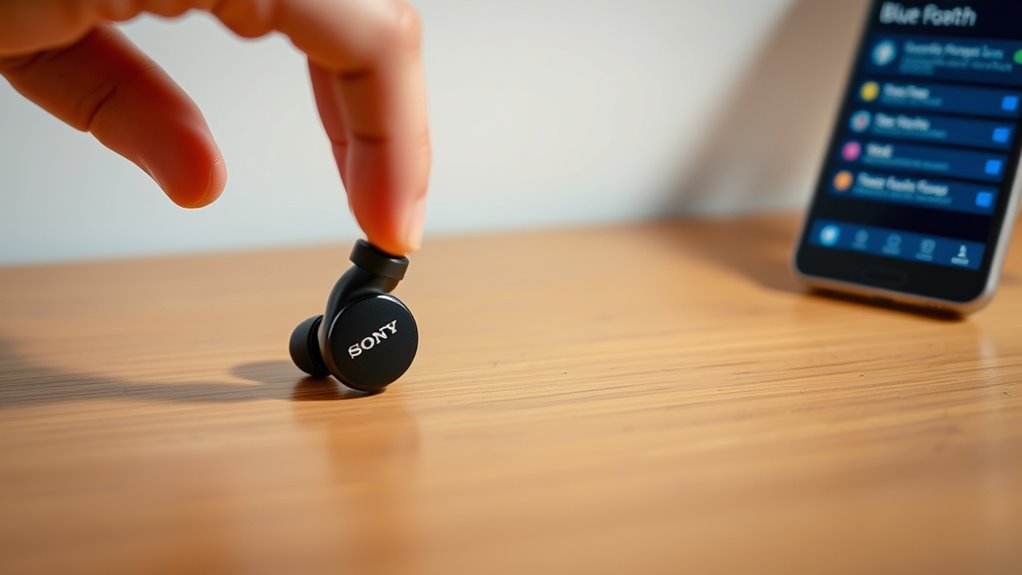

To put your Sony earbuds into pairing mode, start by powering them on. Press and hold the power button until you see a light indicator and hear a notification sound. If your earbuds are in their charging case, simply remove them to activate. Make sure Bluetooth is enabled on your device and it’s discoverable to find the earbuds. Issues can arise, so if you want to learn more about troubleshooting, keep exploring further.
Understanding Pairing Mode
When you want to connect your Sony earbuds to a device, understanding pairing mode is essential. This mode allows your earbuds to establish a wireless connection with various devices, such as smartphones, tablets, or laptops. One of the key pairing benefits is the ability to switch seamlessly between devices, giving you the freedom to enjoy your audio wherever you go. Different connection types, like Bluetooth, make it easy to enjoy high-quality sound without the hassle of wires. To maximize your experience, verify your device supports the same connection type as your earbuds. Once paired, you’ll experience enhanced audio fidelity, making every moment enjoyable. Embracing pairing mode opens a world of convenience and audio freedom.
Preparing Your Sony Earbuds
Before you can enjoy your audio experience, it’s important to prepare your Sony earbuds for pairing. Start by ensuring your earbuds are clean; regular earbud maintenance keeps them functioning properly. Wipe down the surfaces with a soft, dry cloth to remove dust and debris. Next, check the battery level. Fully charged earbuds provide peak performance, so consider charging them if they’re low. To extend battery life, avoid exposing your earbuds to extreme temperatures and store them in their case when not in use. Keeping an eye on battery care will help you avoid interruptions during your listening sessions. With these steps, your earbuds will be ready for a seamless pairing experience, allowing you to enjoy your favorite tunes freely.
Activating Pairing Mode
To activate pairing mode on your Sony earbuds, you’ll first need to power them on. Once they’re on, head to your device’s Bluetooth settings to find them. This process is essential for connecting your earbuds to your device.
Powering On Earbuds
Activating your Sony earbuds is a straightforward process that sets the stage for effortless pairing with your devices. To power on your earbuds and enjoy their impressive sound quality, follow these steps:
- Locate the power button on your earbuds.
- Press and hold the button for a few seconds until you see a light indicator.
- Listen for a notification sound that confirms they’re powered on.
- If your earbuds have a charging case, remove them from it to activate.
- Familiarize yourself with the earbud features that enhance your listening experience.
Once powered on, you’re ready to enter pairing mode and connect to your favorite devices, facilitating the freedom of wireless listening. Enjoy the seamless sound!
Entering Bluetooth Settings
Once your Sony earbuds are powered on, the next step is to activate pairing mode so you can connect them to your device. To do this, navigate to your device’s Bluetooth settings. If you’re using a smartphone, go to the settings app and find the Bluetooth section. Turn on Bluetooth if it isn’t already activated. Your device will start scanning for available Bluetooth devices. Look for your Sony earbuds in the list and select them to establish a connection. Once paired, you’ll enjoy ideal connection stability, enhancing your listening experience. Remember, keeping your earbuds close to your device during this process helps improve the connection. After a successful pairing, you’re free to enjoy your audio!
Connecting to Your Device
Now that your Sony earbuds are in pairing mode, it’s time to connect them to your device. Start by ensuring that Bluetooth is enabled on your device, as this is vital for the pairing process. Once that’s set, you can follow the simple steps to establish a connection.
Preparing Your Device
To connect your Sony earbuds to your device, start by confirming that Bluetooth is enabled on your smartphone, tablet, or computer. This step is essential for peak device compatibility and to enjoy the best audio quality. Here’s how to prepare your device:
- Open your device settings.
- Navigate to the Bluetooth section.
- Turn on Bluetooth if it’s not already enabled.
- Make sure your device is discoverable to find the earbuds.
- Remove any old connections that might interfere with pairing.
Pairing Process Steps
Pairing your Sony earbuds with your device is a straightforward process that usually takes just a few moments. Follow these steps to connect effortlessly and enjoy the pairing benefits like improved sound quality and hands-free convenience.
| Step | Action |
|---|---|
| Step 1 | Turn on your earbuds |
| Step 2 | Enable Bluetooth on your device |
| Step 3 | Select your earbuds from the list |
For ideal connectivity, make sure your device is within range and there are no obstacles in the way. If you encounter issues, try restarting both your earbuds and device. Once connected, you’ll experience seamless audio enjoyment and the freedom to move without wires.
Troubleshooting Connection Issues
Sometimes, connection issues with your Sony earbuds can be frustrating, but there are a few simple steps you can take to resolve them. You’ll want to guarantee connection stability and maintain audio quality while enjoying your listening experience. Here’s what to check:
- Make sure your earbuds are fully charged.
- Ensure Bluetooth is enabled on your device.
- Remove any obstacles between your earbuds and the device.
- Try resetting your earbuds to factory settings.
- Disconnect and reconnect your earbuds from the Bluetooth settings.
Enjoying Your Audio Experience
Immerse yourself in a rich audio experience with your Sony earbuds by taking advantage of their advanced features. You’ll appreciate the exceptional audio quality that brings your favorite music and podcasts to life. With precise sound clarity, every note and beat is delivered just as the artist intended. Customize your listening experience by adjusting settings through the accompanying app, allowing you to tailor the sound profile to your preferences. Whether you’re in a quiet room or a bustling environment, these earbuds effectively block out distractions, so you can fully enjoy your content. Embrace the freedom to move around without compromising sound, knowing that your Sony earbuds are designed for both comfort and high performance.
Frequently Asked Questions
Can I Use Sony Earbuds With Multiple Devices Simultaneously?
No, you can’t use Sony earbuds with multiple devices simultaneously. They typically connect to one device at a time due to Bluetooth connectivity limitations. Check your model’s specifications for device compatibility to maximize usage.
How Do I Reset My Sony Earbuds?
To reset your Sony earbuds, hold the power button for about 10 seconds until you see a flashing light. This earbud troubleshooting step restores settings, ensuring a fresh start for your listening experience.
Are Sony Earbuds Waterproof or Water-Resistant?
While jogging in the rain, you’ll appreciate that many Sony earbuds have water-resistant features, typically with IP ratings like IPX4. They aren’t fully waterproof, but they can handle sweat and light splashes, keeping you free to move.
What Is the Battery Life of Sony Earbuds?
Sony earbuds typically offer around 6 to 8 hours of battery life. For better battery maintenance, consider charging them regularly and avoid letting them fully deplete. That way, you’ll enjoy uninterrupted listening experiences.
Can I Use Voice Assistants With My Sony Earbuds?
Yes, you can use voice assistants with your Sony earbuds. They’re like keys to a world of convenience, letting you issue voice commands for assistant compatibility, enhancing your hands-free experience and giving you the freedom to multitask.
