
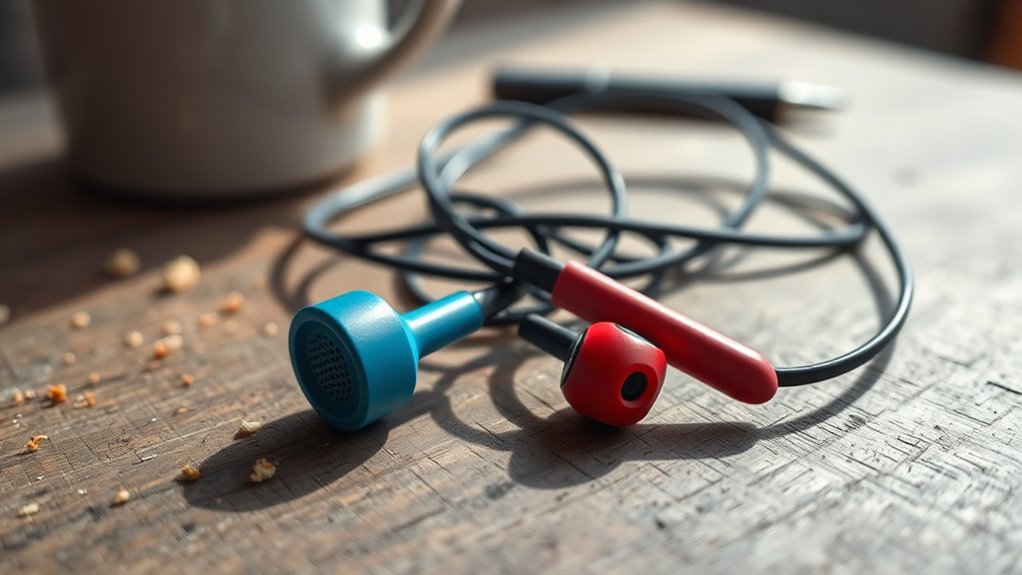

If your left earbud isn’t working, it could be due to various issues. Check for physical damage or poor connections, and make certain your audio source is compatible. Inspect the earbud port for dirt and clean it carefully. If you’re using Bluetooth, verify it’s enabled and paired correctly. Additionally, software glitches can affect functionality. For more effective troubleshooting tips and solutions, there’s more information available on how to resolve these common problems.
Common Causes of Earbud Malfunction
When your left earbud isn’t working, it can be frustrating, especially if you rely on them for daily use. Common causes of malfunction include physical damage, poor connections, or compatibility issues. Different earbud types may have unique vulnerabilities; for example, wireless models can suffer from battery failure or signal interference, while wired ones might experience frayed cables. Dirt and debris can also obstruct the sound quality, leading to one-sided audio. Additionally, moisture exposure can damage internal components. Regular maintenance, like cleaning the earbuds and checking connections, can help prevent issues. Understanding these factors can enhance your listening experience and guarantee you get the most out of your earbuds, allowing you to enjoy quality sound without disruptions.
Check the Audio Source
Have you checked the audio source? Sometimes, the issue lies not with your earbuds but with the device you’re using. Confirm your audio source supports your earbuds’ audio compatibility. Check the device settings to confirm that the audio output is directed to your earbuds.
Here’s a quick reference to help you troubleshoot:
| Device Type | Audio Compatibility | Settings Check |
|---|---|---|
| Smartphone | Bluetooth 5.0 | Confirm Bluetooth is on |
| Laptop | Wired/Bluetooth | Select correct output |
| Tablet | Bluetooth | Check sound settings |
| Desktop | Wired | Verify audio device |
Inspect the Earbud Connection
To troubleshoot your left earbud, start by checking the connection. Make sure the audio jack is securely plugged in and inspect for any signs of damage. Cleaning the earbud port can also help eliminate any debris that might be causing the issue.
Check for Loose Connection
One common issue that can cause your left earbud to stop working is a loose connection. Start by inspecting where the earbud connects to the device. If the connection isn’t secure, it might lead to audio loss. Here’s a simple table to help you troubleshoot:
| Potential Cause | Symptoms | Solution |
|---|---|---|
| Loose plug | Intermittent sound | Reinsert the connection |
| Damaged wire | No sound at all | Replace the earbud |
| Dirty connector | Muffled audio | Clean the connection |
| Faulty adapter | One-sided audio | Test with another device |
| Warranty issue | Ongoing problems | Check earbud warranty |
If you’re still having issues, consider connection troubleshooting steps before seeking a replacement.
Inspect Audio Jack
After checking for loose connections, it’s important to inspect the audio jack itself. Different audio jack types, like 3.5mm or USB-C, can affect your earbuds’ performance. Verify your earbuds match the audio jack on your device for proper audio jack compatibility. A mismatch can lead to sound issues or complete failure of one or both earbuds. Look for any visible damage on the audio jack or the plug of your earbuds; sometimes, wear and tear can interfere with the connection. If you notice any debris or corrosion, it might be time to replace either the earbuds or the device. Verifying proper compatibility and inspecting the audio jack can save you time and frustration in your listening experience.
Clean Earbud Port
A clean earbud port is essential for peak sound quality and functionality. Dust, lint, or debris can accumulate in the port, obstructing the connection and affecting audio quality. Start your earbud maintenance routine by inspecting the port closely. Use a flashlight if necessary to identify any blockages. A soft, dry toothbrush or a can of compressed air can effectively dislodge dirt without damaging the components. Avoid using sharp objects that might scratch or damage the port. Regular cleaning not only enhances performance but also prolongs the lifespan of your earbuds. By maintaining a clean earbud port, you guarantee that you’re getting the most out of your listening experience, allowing you to enjoy your music without interruptions.
Test With Different Devices
Have you tried testing your left earbud with different devices? This step is essential in diagnosing the issue. By connecting your earbud to various devices, you can test compatibility and isolate the problem. If your earbud works perfectly on one device but not on another, then the issue might lie in the original device’s performance rather than the earbud itself. Check multiple devices like smartphones, laptops, or tablets to get a clearer picture. Additionally, consider testing with different audio sources, as certain apps may affect sound output. This method allows you to pinpoint whether it’s a compatibility issue or a malfunction with the earbud. Don’t overlook this simple yet effective troubleshooting step!
Clean Your Earbuds
If your left earbud isn’t working, it might just need a good cleaning. Regular earbud maintenance is essential for peak performance. Start by gently removing any ear tips and using a soft, dry brush to dislodge dust or debris from the speaker mesh. For stubborn grime, slightly dampen a microfiber cloth with isopropyl alcohol and carefully wipe the surfaces. Avoid excessive moisture, as it can damage internal components. For wired earbuds, check the mesh and the area around the jack for dirt buildup, which can hinder sound quality. Finally, let your earbuds air dry completely before reassembling. By employing these cleaning techniques, you can enhance your listening experience and prolong the life of your earbuds.
Examine the Cable for Damage
Inspect your earbud cable for any signs of damage, as this can often be the culprit behind a malfunctioning left earbud. Different cable types can wear out over time, leading to audio issues. Look for these damage signs:
| Damage Signs | Description |
|---|---|
| Fraying | Exposed wires or fabric |
| Kinks or Bends | Sharp bends that weaken cable |
| Loose Connections | Wobbly or disconnected plugs |
If you notice any of these issues, it’s time to contemplate replacing your cable or entire earbuds. A damaged cable can disrupt your audio experience, so addressing this problem can restore sound quality and let you enjoy your music freely again. Don’t ignore these signs!
Consider Software Issues
Before assuming hardware failure, check your audio settings to guarantee the left earbud isn’t muted or set to a lower volume. It’s also essential to update your device’s firmware, as outdated software can lead to connectivity issues. Finally, resetting the Bluetooth connection might resolve any pairing problems affecting the left earbud.
Check Audio Settings
Have you checked your audio settings yet? It’s essential to verify everything’s configured correctly for ideal sound. First, look at the audio balance settings on your device; sometimes, it’s set too far to the right, causing the left earbud to seem silent. Adjust the balance to the center to restore sound. Next, check if any sound enhancement features are activated, like equalizers or spatial audio settings. These can inadvertently affect output, especially if the left channel is impacted. If you’ve customized these settings previously, resetting them to default may resolve the issue. Remember, a few tweaks here can often be the key to getting your left earbud back in action.
Update Device Firmware
If your left earbud isn’t working, it might be due to outdated device firmware. Keeping your firmware up to date is essential for guaranteeing device compatibility and peak performance. Here are some key reasons to update your firmware:
- Fix bugs that may cause audio issues.
- Improve device compatibility with newer technology.
- Enhance overall user experience and features.
To update your firmware, check the manufacturer’s website or app for the latest versions. Follow their instructions carefully to avoid complications. Regular firmware updates can prevent issues like your left earbud not working and guarantee you enjoy your audio experience fully. Don’t let outdated software hold you back—stay connected and engaged with the latest advancements!
Reset Bluetooth Connection
Since software issues can often lead to connectivity problems, resetting your Bluetooth connection might just resolve the issue with your left earbud. Start by turning off Bluetooth on your device. Wait a few moments, then turn it back on. This simple action can clear temporary glitches. Next, forget the earbuds in your Bluetooth settings—this removes any saved connections. Once done, put your earbuds in pairing mode and select them from the device’s Bluetooth menu. This process effectively resets your Bluetooth connection and helps to reconnect earbuds seamlessly. If the left earbud still doesn’t work, consider troubleshooting further, like checking for interference or updating your device’s firmware again. A fresh connection often does the trick!
Frequently Asked Questions
Can Humidity Affect the Performance of My Earbuds?
Yes, humidity can affect your earbuds. Excess moisture can impact audio quality, causing distortion or connectivity issues. Keeping them dry and stored properly helps maintain their performance and longevity, ensuring you enjoy uninterrupted sound.
How Can I Prevent Earbud Damage During Storage?
To prevent earbud damage during storage, use protective cases and appropriate storage solutions. Keep them dry and away from extreme temperatures. This helps maintain their performance and extends their lifespan, ensuring they’re always ready for use.
Do Warranty Policies Cover Earbud Malfunctions?
Most warranty policies do cover earbud malfunctions, but it’s crucial to check the specifics. Warranty coverage typically includes repairs for manufacturing defects, not damage from misuse, so read the terms carefully to understand your rights.
Are There Specific Brands Known for Better Durability?
A study shows 30% of consumers prefer brands with high durability ratings. Brand comparisons reveal that companies like Bose and Sennheiser consistently rank higher, offering earbuds that withstand wear and tear better than others.
What Are Common User Mistakes That Lead to Earbud Issues?
Common user handling errors include improper storage, exposing earbuds to moisture, and yanking wires. For effective earbud maintenance, always clean them regularly, store them in a case, and avoid tangling to prolong their lifespan.
