
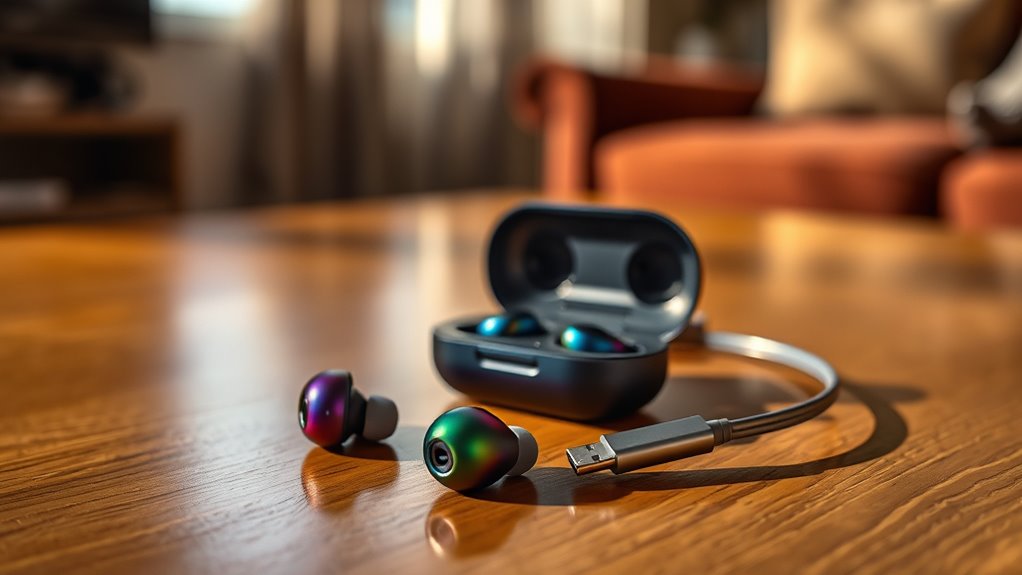

To charge your Skullcandy earbuds, make sure you’re using the right charging case compatible with your model. Place the earbuds snugly in the case, ensuring proper alignment for a magnetic connection. Look for indicator lights to confirm they’re charging; a solid green light means a full charge, while a flashing red indicates low battery. Regular charging can keep them ready for use, and if you’d like tips on further maintenance, there’s more to discover.
Understanding Your Skullcandy Earbuds
To get the most out of your Skullcandy earbuds, it’s essential to know their features and functionality. These earbuds often come equipped with advanced sound quality that enhances your listening experience, whether you’re jamming out to your favorite tracks or catching up on podcasts. You’ll find features like built-in voice assistants, adjustable EQ settings, and noise isolation, all designed to give you a personalized audio experience. Understanding how to use these features not only maximizes your enjoyment but also guarantees you can adapt them to your environment. Whether you’re at the gym or out for a stroll, knowing what your earbuds can do will empower you to embrace your freedom and enjoy your music to the fullest.
Finding the Right Charging Case
Knowing the features of your Skullcandy earbuds is just the beginning; finding the right charging case is next. There are various charging case types, each designed for specific compatible models. Be certain you identify your earbud model first, as using the wrong case can lead to poor performance or damage. Standard cases typically offer basic charging, while advanced models may include features like wireless charging or extra battery life. Once you know your model, you can easily search for a case that meets your needs. Whether you prioritize portability or additional features, the right charging case guarantees your earbuds are always ready to go, giving you the freedom to enjoy your music without interruption.
Connecting Your Earbuds to the Charging Case
Before you can enjoy your favorite tunes, it’s vital to connect your earbuds to the charging case properly. Start by identifying the connecting methods specific to your Skullcandy model. Most models use a magnetic connection, so make sure you’re familiar with how they align.
Next, place each earbud into the charging case, paying attention to the charging alignment. The earbuds should fit snugly and click into place. If you notice any resistance, double-check their orientation. A solid connection is essential for charging efficiency, guaranteeing your earbuds are ready when you are.
Once they’re securely in the case, look for any indicator lights to confirm they’re charging. Enjoy the freedom of wireless listening, knowing your earbuds are fully powered!
Charging Time and Battery Life
Once your earbuds are securely in the charging case, understanding their charging time and battery life can enhance your listening experience. Here’s what you need to know:
- Charging Frequency: Regular charging keeps your earbuds ready for spontaneous adventures.
- Charging Time: Typically, they take about 1-2 hours to fully charge.
- Battery Lifespan: With proper care, you can enjoy several hours of playtime—often around 24 hours with the case.
- Optimal Use: Avoid deep discharges; frequent partial charges extend battery lifespan.
Recognizing Charging Indicators
Recognizing the charging indicators on your Skullcandy earbuds is essential for keeping them powered up and ready to use. Pay attention to the charging lights; these small but mighty signals inform you about your earbuds’ power status. When plugged in, a steady light usually means they’re charging, while a blinking light often indicates they’re in pairing mode or need attention. If you see a red light, it’s a battery warning, prompting you to recharge soon. Once fully charged, the light typically turns green, signaling it’s time to unplug and enjoy your music. By understanding these charging indicators, you can avoid unexpected dead earbuds and maintain your freedom to listen wherever you go.
Troubleshooting Charging Issues
If your Skullcandy earbuds aren’t charging, there are a few things you can check. Start by examining the charging cable for any damage, then inspect the charging port for debris. Finally, make sure to check the battery life indicator to see if it’s functioning correctly.
Check Charging Cable
When you encounter charging issues with your Skullcandy earbuds, the first step is to check the charging cable. Using the right charging cable types and confirming compatibility is essential. Here’s what to look for:
- Inspect for Damage: Look for frays or bends that could affect performance.
- Check Compatibility: Verify the cable matches your earbuds’ specifications; not all cables work with every device.
- Test with Another Cable: If you have a spare cable, try that to rule out issues.
- Verify Connection: Make sure the cable is securely plugged into both the earbuds and the power source.
Inspect Charging Port
The charging port of your Skullcandy earbuds plays an important role in guaranteeing they receive power. If you’re experiencing charging issues, the first step is to inspect the charging port. Different charging port types, such as USB-C or micro USB, require specific connectors, so confirm you’re using the right cable. Look for any debris, dust, or lint that might be obstructing the connection. A clean charging port is vital for proper power transfer, so use a soft brush or compressed air for maintenance. If the port appears damaged, you may need to contemplate a repair or replacement. Keeping your charging port in good condition will help prolong the life of your earbuds and enhance your listening experience.
Battery Life Indicator
While you’re troubleshooting charging issues with your Skullcandy earbuds, checking the battery life indicator can provide valuable insights. Here’s what to look for:
- Solid Green Light: Your earbuds are fully charged and ready to go!
- Flashing Red Light: Low battery lifespan; it’s time to recharge.
- Solid Red Light: Critical battery level; you may need to adjust your charging methods.
- No Light: If there’s no indicator, verify the charging case is working properly.
Maintaining Battery Health
To keep your Skullcandy earbuds performing well, it’s important to follow ideal charging practices. Avoid leaving them plugged in for too long, as overcharging can harm the battery’s lifespan. By taking care of your earbuds’ battery, you’ll guarantee they last longer and provide consistent performance.
Optimal Charging Practices
Proper charging practices are essential for extending the lifespan of your Skullcandy earbuds’ battery. To keep your earbuds performing at their best, follow these ideal charging techniques and battery maintenance tips:
- Charge between 20-80%: Avoid letting the battery drain completely or overcharging, as this can reduce lifespan.
- Use the right charger: Always use the charger that came with your earbuds or a compatible one to prevent damage.
- Keep them cool: Don’t charge in hot places; excessive heat can harm the battery.
- Regular usage: Use your earbuds regularly to help maintain battery health; a dormant battery can degrade faster.
Avoid Overcharging Effects
Overcharging your Skullcandy earbuds can greatly impact their battery health, leading to shorter usage times and decreased performance. To maintain battery longevity, it’s essential to avoid overcharging risks. Once your earbuds reach a full charge, disconnect them promptly. Leaving them plugged in unnecessarily can cause heat buildup, which damages the battery over time.
Consider establishing a routine for charging, such as plugging them in during a specific activity and unplugging them once done. Utilizing a smart charger can also help, as it prevents overcharging by automatically stopping the charge when it’s complete. By being mindful of these practices, you can enjoy longer-lasting earbuds and a better listening experience, giving you the freedom to enjoy your music without interruption.
Tips for Extended Use of Your Earbuds
While you enjoy your Skullcandy earbuds, keeping them in ideal condition can greatly enhance your listening experience. Here are some tips for extended use that’ll help maintain earbud hygiene and sound quality:
- Clean Regularly: Wipe down your earbuds with a soft cloth to remove dirt and sweat.
- Store Properly: Use a case when not in use to protect them from damage and dust.
- Avoid Extreme Temperatures: Keep your earbuds away from heat and moisture to prevent battery issues.
- Limit Volume Levels: Listening at lower volumes can protect your hearing and extend earbud lifespan.
Frequently Asked Questions
Can I Use a Different Charging Cable for My Skullcandy Earbuds?
You can use a different charging cable for your Skullcandy earbuds, but make certain it meets the necessary charging compatibility and cable specifications. Using the correct specifications guarantees peak performance and prevents potential damage to your earbuds.
How Do I Know if My Earbuds Are Fully Charged?
Your earbuds’ charging indicators are like little beacons of light. When they glow steady or change color, it means they’re fully charged. This guarantees you get the most from your battery lifespan, ready for adventure!
Are My Skullcandy Earbuds Waterproof While Charging?
Your Skullcandy earbuds aren’t waterproof while charging. It’s essential to take charging precautions, keeping them dry to avoid damage. Always check the specifications for waterproof features, ensuring they’re safe during use and charging.
Is It Safe to Charge Earbuds Overnight?
It’s generally safe to charge your earbuds overnight, but excessive charging can affect battery longevity. Aim for a charging duration that matches the manufacturer’s recommendations to keep your earbuds performing at their best.
Can I Charge My Earbuds While Using Them?
You can’t charge your earbuds while using them effectively. Charging during use may affect battery performance, potentially leading to overheating or diminished lifespan. It’s best to use them fully charged for ideal experience and freedom.
