
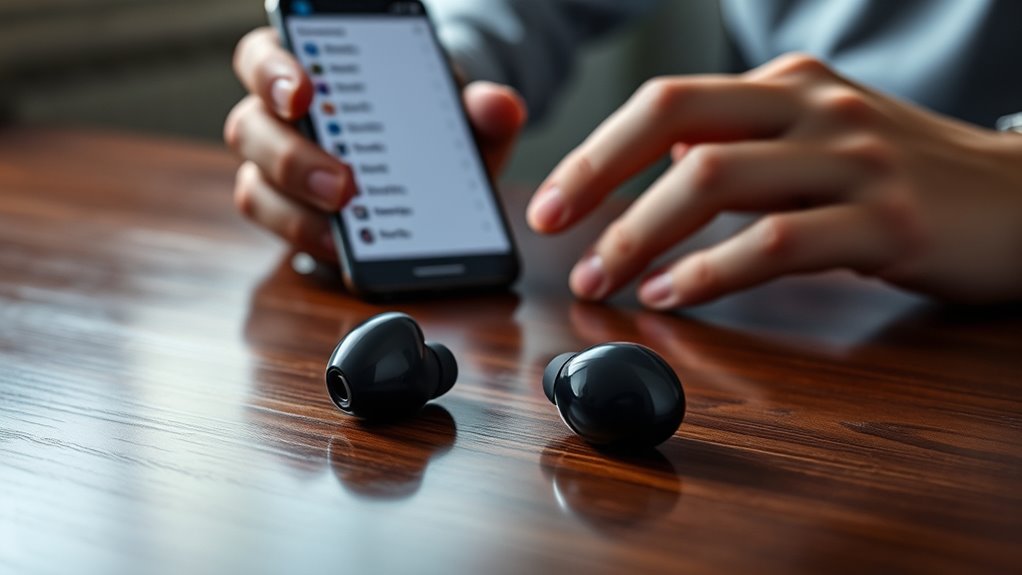

To fix wireless earbuds delay, start by checking your Bluetooth connection. Verify they’re paired correctly and within range, free from obstacles. Update your earbuds’ firmware and your device’s software to improve performance. Adjust audio settings, like equalizers, to minimize lag. To reduce interference, keep earbuds away from walls and other devices. Finally, consider the codec compatibility inherent to your earbuds, as better options can enhance audio quality. There’s more to explore to optimize your experience.
Check Bluetooth Connection
When you’re experiencing delays with your wireless earbuds, the first thing to do is check your Bluetooth connection. Confirm your earbuds are paired correctly with your device. Sometimes, simply disconnecting and reconnecting can solve the issue. Next, consider your Bluetooth range; if you’re too far away from your device, it can lead to lag. Keep your device within the recommended range for peak performance. Also, check for any obstacles that might interfere with the signal. Finally, verify your device compatibility; not all earbuds work seamlessly with every device. If your earbuds are outdated or not designed for your current device, it may cause delays. By addressing these factors, you can regain the freedom of seamless audio enjoyment.
Update Firmware and Software
Updating the firmware and software of your wireless earbuds can greatly reduce audio delay. Often, manufacturers release firmware updates to fix bugs or improve performance, which can enhance your listening experience. To check for these updates, simply download the corresponding app for your earbuds on your smartphone. Once installed, you’ll usually find a section for firmware updates. Confirm your earbuds are charged and connected before proceeding. Additionally, software upgrades on your device can also impact audio performance. Keeping your operating system up-to-date guarantees compatibility and can eliminate potential delays. Don’t underestimate the importance of these updates; taking a few moments to upgrade can lead to a more seamless, enjoyable experience with your wireless audio.
Adjust Audio Settings
Adjusting audio settings can considerably reduce the delay you experience with your wireless earbuds. Start by exploring the audio enhancement options available on your device. Many smartphones and audio apps offer features like equalizers and sound profiles that can help optimize your listening experience. Experiment with different settings to find what sounds best for you. Additionally, consider sound calibration tools that help align audio playback with your earbuds’ capabilities. These adjustments can minimize lag and enhance audio quality, allowing you to enjoy your music or podcasts without interruption. Don’t overlook the importance of these settings; taking the time to fine-tune your audio can lead to a more satisfying and seamless experience with your wireless earbuds.
Minimize Interference
To enjoy an uninterrupted listening experience, it’s essential to minimize interference from other electronic devices. Start by keeping your wireless earbuds away from potential sources of signal blockage, like walls or metal objects. The closer your earbuds are to your audio source, the stronger the connection will be, so try to keep the device proximity as close as possible. If you’re in a crowded area, consider turning off nearby devices that could interfere with your earbuds’ signal. Additionally, using your earbuds in an open space can greatly reduce distractions from competing signals. By taking these simple steps, you’ll enhance your audio experience and reduce any annoying delays, allowing you to truly enjoy your music or podcasts without interruptions.
Consider Codec Compatibility
Have you ever wondered why your wireless earbuds sometimes lag when watching videos? One common culprit is codec compatibility. Different codec types can affect audio quality and delay, so it’s essential to guarantee your earbuds and devices work well together.
Here’s a quick comparison of popular codecs:
| Codec Type | Audio Quality | Latency |
|---|---|---|
| SBC | Good | Moderate |
| AAC | Better | Low |
| aptX | Excellent | Very Low |
| aptX HD | High | Very Low |
| LDAC | Superior | Low (varies) |
Frequently Asked Questions
Can Different Devices Cause Varying Delay in Wireless Earbuds?
Yes, different devices can cause varying delays in wireless earbuds. Notably, nearly 60% of audio latency comes from Bluetooth codecs and device compatibility. Choosing the right setup can minimize these delays and enhance your listening experience.
How Can I Reset My Wireless Earbuds to Fix Delay?
To reset your earbuds, hold the power button for about 10 seconds until you see a flashing light. This often helps with audio sync issues, reducing delay and enhancing your listening experience. Enjoy your freedom!
Are Certain Brands of Earbuds More Prone to Delay Issues?
Yes, certain brands are more prone to delay issues due to their earbud technology. Brand comparisons often reveal that some prioritize sound quality over latency, impacting your listening experience. Choose wisely to minimize delays.
Does Battery Life Affect the Performance of Wireless Earbuds?
Your earbuds’ battery life is like a garden; if you nourish it with proper battery optimization, you’ll reap lush sound quality. A drained battery can lead to diminished performance, so keep it charged for the best experience.
Can Environmental Factors Impact Wireless Earbuds Delay?
Yes, environmental factors can definitely impact wireless earbuds delay. Signal interference from nearby devices or obstacles can disrupt audio compression, causing delays. Staying away from crowded areas may help improve your listening experience and reduce lag.
