
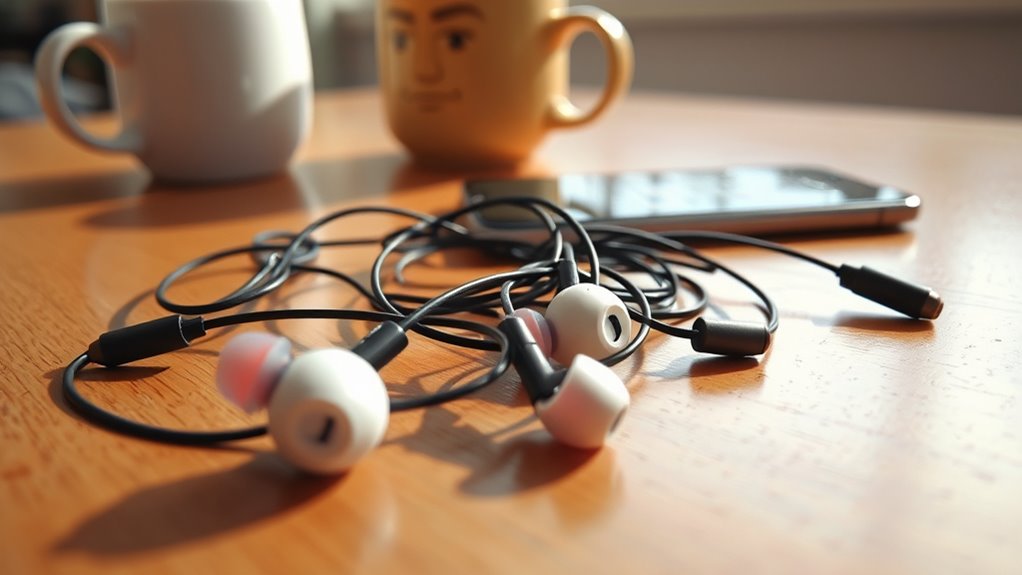

If your earbuds aren’t working, start by checking for common issues like connectivity problems or audio malfunctions. Verify your audio source is compatible, and inspect the connection for damage. Clean debris from the ear tips and audio jack to improve sound quality. Test the earbuds with different devices to isolate the problem. If you’re using Bluetooth, confirm proper pairing and minimize interference. Exploring these areas can help diagnose your issue and improve functionality. You’ll find more tips on troubleshooting ahead.
Common Earbud Issues
Many users encounter common earbud issues that can disrupt their listening experience. One prevalent problem is diminished sound quality, often resulting from accumulated debris in the ear tips or damaged drivers. Regular cleaning can enhance the earbud lifespan and restore audio fidelity. Another issue is connectivity; if your earbuds fail to pair or drop out frequently, it may stem from interference or low battery levels. You should also check the audio jack for dirt, as this can affect the signal. Finally, frayed cables can lead to sound distortion or complete failure. Identifying these problems quickly enables you to troubleshoot effectively, ensuring your earbuds deliver the freedom and sound quality you expect.
Checking the Audio Source
Before troubleshooting your earbuds, it’s important to verify the audio source’s compatibility with your device. Check if the volume settings are appropriately adjusted, as muted or low levels can prevent sound transmission. Additionally, confirm that the audio format being used is supported by your earbuds, as incompatible formats can lead to functionality issues.
Device Compatibility Issues
How can you be certain that your earbuds are compatible with your audio source? Understanding compatibility factors and device specifications is essential for peak performance. Here are three steps to take into account:
- Connection Type: Check if your earbuds use a 3.5mm jack, USB-C, or Bluetooth. Confirm your device supports the same connection type.
- Impedance Matching: Verify the impedance rating of your earbuds. If it’s too high or too low for your device, it could lead to poor sound quality or no sound at all.
- Supported Audio Formats: Make sure your audio source can handle the audio formats your earbuds require, such as AAC or SBC for Bluetooth.
Volume Settings Adjustments
After confirming your earbuds are compatible with your device, the next step is to check the volume settings on your audio source. Make sure that the volume control isn’t muted or set too low. Sometimes, devices have multiple volume controls—check both system volume and individual app settings. If you’re using your earbuds with a computer, verify that the audio output is directed to the correct device. Additionally, inspect the sound balance; make certain it’s centered to avoid one side being too quiet. If you’ve adjusted these settings and still experience issues, consider restarting your device, as this can resolve temporary glitches. Keeping these aspects in check is essential for restoring your listening experience and enjoying your freedom to explore sound.
Audio Format Support
If your earbuds aren’t producing sound even after adjusting volume settings, it’s crucial to check the audio format supported by both your earbuds and the audio source. Incompatibility due to audio codec compatibility can often lead to frustrating silence. Here’s how to troubleshoot:
- Identify the Audio Source: Verify the device you’re using supports the digital audio formats your earbuds can decode.
- Check the Codec: Look for supported codecs like AAC, aptX, or SBC; mismatches can hinder playback.
- Update Firmware: Sometimes, outdated firmware on either the earbuds or your device may cause compatibility issues.
Inspecting the Earbud Connection
One key aspect to troubleshoot when earbuds aren’t functioning is inspecting the connection. Begin by examining the plug types—3.5mm jacks, USB-C, or lightning connectors—ensuring they’re properly seated in the audio source. A loose or partially inserted plug can disrupt connection stability, leading to intermittent sound or complete audio loss. Look for any signs of damage on the plug or port, such as bent pins or debris, which could impair performance. If you’re using adapters, confirm they’re compatible with your earbuds and device. Finally, test your earbuds with another device to rule out issues with the original audio source. By systematically checking these elements, you can often pinpoint the problem and restore your audio experience.
Cleaning Your Earbuds
To guarantee peak performance, you must regularly maintain your earbuds by cleaning them to prevent sound distortion. Using appropriate tools such as microfiber cloths and soft brushes can effectively remove debris and buildup. Watch for signs of clogged earbuds, like muffled audio or reduced volume, indicating it’s time for a thorough cleaning.
Regular Maintenance Tips
Although earbuds are designed for durability and frequent use, regular cleaning is essential to maintain their performance and longevity. Establishing a maintenance schedule can prevent buildup that may hinder sound quality and comfort. Here are three effective tips to keep your earbuds in top shape:
- Wipe down the exterior: Use a microfiber cloth to remove dirt and oils from the surface, ensuring a clean fit.
- Clean the ear tips: Detach silicone or foam tips and wash them with mild soap and water, allowing them to dry completely before reattaching.
- Inspect the mesh screens: Check for debris or wax. If clogged, gently use a soft brush to clear any obstructions, safeguarding sound clarity.
Tools for Effective Cleaning
Maintaining your earbuds’ performance goes beyond regular cleaning; having the right tools is key to effective upkeep. To guarantee you’re equipped, gather essential cleaning supplies and apply effective cleaning techniques.
| Tool | Purpose | Recommended Use |
|---|---|---|
| Soft Brush | Removes dirt and debris | Lightly brush the mesh area |
| Microfiber Cloth | Wipes down surfaces | Gently clean the casing |
| Isopropyl Alcohol | Disinfects and cleans | Dab on a cloth for a deeper clean |
Using these tools not only prolongs the life of your earbuds but also enhances your listening experience. So, invest in quality cleaning supplies and master your cleaning techniques for peak performance.
Signs of Clogged Earbuds
Have you noticed a sudden drop in sound quality from your earbuds? This could be a sign of clogged earbuds, often caused by earwax buildup leading to sound distortion. Identifying this issue early can save your listening experience. Here are three signs to look for:
- Reduced Volume: If you find yourself cranking up the volume more than usual, it might indicate blockage.
- Muffled Audio: Sounds that seem dull or unclear suggest that the sound pathway is obstructed.
- Uneven Sound: If one earbud sounds markedly different from the other, it could be due to debris or buildup.
Addressing these signs promptly can restore your earbuds’ performance and enhance your audio freedom.
Testing With Different Devices
When your earbuds aren’t working, testing them with different devices can help pinpoint the issue effectively. By checking device compatibility, you can identify if the problem lies with your earbuds or the initial device. Audio testing across multiple platforms reveals whether the issue is universal or specific to one device.
| Device Type | Result | Notes |
|---|---|---|
| Smartphone | Working | Verify volume is up |
| Laptop | Not working | Check audio settings |
| Tablet | Partially working | Try different apps |
| Desktop | Not recognized | Update drivers |
| MP3 Player | Working | Confirm file formats |
Through this methodical approach, you’ll effectively isolate the problem and find a solution.
Understanding Bluetooth Connectivity
Although Bluetooth technology offers the convenience of wireless audio, understanding its connectivity can be crucial for troubleshooting issues with your earbuds. Here are three key factors to take into account:
- Bluetooth Pairing: Verify your earbuds are correctly paired with your device. Sometimes, unpairing and re-pairing can resolve connectivity issues.
- Signal Interference: Other electronic devices, Wi-Fi networks, or physical obstructions can disrupt the Bluetooth signal. Try moving closer to your device or turning off nearby electronics.
- Range Limitations: Bluetooth has a typical range of about 30 feet. If you’re too far from your device, you might experience audio dropouts or connectivity failures.
Software and Firmware Updates
Maintaining the latest software and firmware updates for your earbuds is essential for peak performance. These updates guarantee software enhancement, improving audio quality, battery life, and connectivity stability. Firmware upgrades can fix bugs or add new features, directly impacting your listening experience.
| Update Type | Importance | Frequency |
|---|---|---|
| Software Update | Improves user interface | As needed |
| Firmware Upgrade | Fixes critical bugs | Every few months |
| Security Patch | Protects against vulnerabilities | Monthly |
| Feature Enhancement | Adds new functionalities | As released |
| Compatibility Fix | Guarantees device compatibility | As required |
Regularly check your manufacturer’s website or app for the latest updates to maintain peak performance. Don’t let outdated software hold you back from enjoying your earbuds fully.
When to Consider Replacement
If your earbuds start exhibiting persistent issues despite troubleshooting efforts, it might be time to contemplate a replacement. Evaluating the earbud lifespan is essential; most models typically last 1-3 years with regular use. Consider these factors when deciding on replacement options:
- Sound Quality Degradation: If you’ve noticed a significant drop in audio clarity or volume, it’s a red flag.
- Physical Damage: Cracked or frayed cords, or damaged connectors can compromise functionality and safety.
- Battery Performance: For wireless models, a drastically reduced battery life indicates they may need replacing.
Seeking Professional Help
When your earbuds show signs of irreversible damage or persistent issues despite troubleshooting, seeking professional help can be a wise next step. A professional repair service can diagnose complex problems that might elude your DIY efforts. They possess specialized tools and expertise to identify issues like damaged wiring, faulty drivers, or connectivity problems. Thorough troubleshooting services will often reveal underlying factors that may not be immediately apparent. Instead of risking further damage, entrust your earbuds to a technician who understands the intricacies of audio technology. This approach not only guarantees a higher likelihood of restoring functionality but also saves you time and effort. Ultimately, embracing professional assistance can empower you to enjoy your audio experience without the frustration of malfunctioning equipment.
Frequently Asked Questions
Can Humidity Affect the Performance of My Earbuds?
Yes, humidity can adversely affect your earbuds. Excess moisture can lead to corrosion and moisture damage, impairing sound quality and functionality. It’s crucial to keep them dry to guarantee peak performance and longevity.
What if My Earbuds Make a Crackling Noise?
If you hear crackling sounds, check connections first, as loose plugs can disrupt audio. Try different devices and inspect the cable for damage. Utilize troubleshooting tips to restore your earbuds’ symphony of sound.
Are Certain Earbuds More Prone to Failure Than Others?
Yes, certain earbud brands exhibit higher failure rates due to varying build quality, materials, and design. Investing in reputable brands can minimize issues, ensuring better durability and performance, granting you the freedom to enjoy uninterrupted listening.
How Do I Know if My Earbuds Are Still Under Warranty?
To guarantee your earbuds’ warranty hasn’t expired, check the warranty duration in the manual and locate your proof of purchase. Without those details, you might find yourself lost in a sea of uncertainty.
Can I Fix a Short in the Earbud Wire Myself?
Yes, you can fix a short in the earbud wire yourself. Carefully strip the wire insulation, identify the short, and solder the connections. Make certain proper insulation afterward to prevent future issues and maintain sound quality.
