
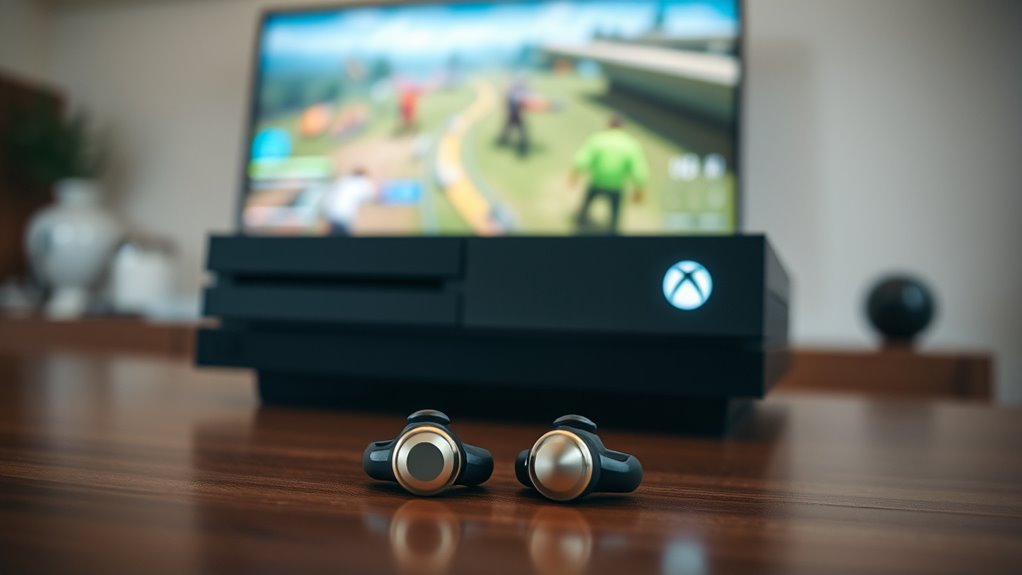

Yes, you can connect earbuds to your Xbox for an enhanced audio experience. For wired earbuds, just plug them into the 3.5mm jack on your controller. If you’re using Bluetooth earbuds, you’ll need a Bluetooth adapter as Xbox doesn’t natively support Bluetooth audio. Keep in mind that some Bluetooth devices may introduce latency. With the right setup, you’ll enjoy improved sound quality in your games. There’s even more to explore about optimizing your audio experience.
Understanding Xbox Audio Options
When you’re diving into gaming on your Xbox, understanding audio options is key to enhancing your experience. The console settings allow you to customize audio formats, ensuring you get the best sound quality for immersive gameplay. You can choose between stereo uncompressed, Windows Sonic, or Dolby Atmos, depending on your setup and preferences. Adjusting these options can make a significant difference in how you perceive in-game sounds, from subtle footsteps to explosive gunfire. Make sure to explore the audio settings menu to find the right balance for your gaming style. This way, you’ll enjoy a more dynamic and freeing experience, whether you’re playing solo or engaging in multiplayer battles. Optimize your audio, and elevate your game.
Connecting Wired Earbuds to Xbox
To connect wired earbuds to your Xbox, you’ll need to locate the appropriate audio jack on your controller. Most Xbox controllers have a 3.5mm headphone jack, which allows for wired earbud compatibility. Simply plug your earbuds into this jack, and you’re set to go.
Next, adjust your gaming sound settings by guiding to the audio options within the Xbox menu. Verify the output is directed to your connected earbuds for peak sound quality. You might also want to tweak the volume levels to suit your preference.
Once everything’s set, you can enjoy immersive audio while gaming. Remember, some earbuds may have built-in microphones, so check that your voice chat settings are configured if you want to communicate with friends.
Using Bluetooth Earbuds With Xbox
Although Xbox consoles don’t natively support Bluetooth audio for gaming, there are still ways to use your Bluetooth earbuds with them. You can connect your earbuds via a Bluetooth adapter plugged into the Xbox controller’s audio jack, ensuring better Bluetooth compatibility. However, keep in mind that using Bluetooth can introduce earbud latency, which might affect your gaming experience, especially in fast-paced games. To mitigate this, look for low-latency Bluetooth earbuds designed for gaming. Alternatively, consider using the Xbox app on your mobile device to connect your earbuds for voice chat. This way, you can enjoy a wireless experience while gaming, giving you the freedom to move around without worrying about tangled wires.
Exploring Xbox Accessories for Better Audio
When it comes to enhancing your audio experience on Xbox, exploring the right accessories is key. You’ll want to contemplate wireless connectivity options, the audio quality they provide, and any compatibility issues that may arise. Making informed choices can greatly elevate your gaming sound.
Wireless Connectivity Options
If you’re looking to enhance your gaming experience, exploring wireless connectivity options for your Xbox can make a significant difference in audio quality. Many popular earbud brands, like Apple, Samsung, and Jabra, offer models that support Bluetooth connectivity, allowing you to enjoy a wireless gaming experience. Xbox supports various connectivity standards, ensuring compatibility with a range of devices. To connect your earbuds, simply pair them with your console through the Bluetooth settings. This removes the hassle of tangled wires and lets you move freely while gaming. Keep in mind that not all earbuds are created equal, so choosing models designed for gaming can provide better performance and a more immersive experience. Enjoy your gaming sessions like never before!
Audio Quality Considerations
To truly elevate your gaming experience on Xbox, it’s essential to reflect on the audio quality of your accessories. Poor audio can hinder your performance, so consider earbuds that minimize audio compression. High-quality sound reproduction guarantees you hear every detail, from footsteps to explosions. Look for earbuds with a wide frequency response; this range allows for richer bass and clearer highs, enhancing immersion. The wrong choice can lead to muffled sound or distortion, which is frustrating during intense gaming sessions. Investing in well-reviewed audio accessories can greatly impact your enjoyment and awareness in-game. Remember, the right earbuds not only deliver superior sound but also let you fully engage in your gaming world.
Accessory Compatibility Issues
While many earbuds promise superior audio quality, not all are compatible with Xbox consoles, which can lead to frustrating experiences. Understanding earbud compatibility is essential for enjoying seamless gaming. Some earbuds may lack the necessary connectors or audio features to function properly with your Xbox. Additionally, accessory limitations can restrict your options, as not every model supports in-game chat or surround sound. To avoid disappointment, check compatibility lists or user reviews before purchasing. Investing in officially licensed accessories can enhance your gaming experience, ensuring you get the best audio possible. Remember, the right earbuds can make a significant difference, so choose wisely to maximize your freedom and enjoyment while gaming.
Troubleshooting Common Connection Issues
Even though connecting your earbuds to an Xbox can enhance your gaming experience, you might encounter some common connection issues. First, check the earbud compatibility with your Xbox model; not all earbuds work seamlessly. If you’re using Bluetooth earbuds, verify they’re paired correctly. Sometimes, a simple restart of your console can resolve connectivity glitches. Next, explore your audio settings. Make sure the output device is set to your earbuds, not the TV or another source. Also, confirm the volume is turned up and not muted. If problems persist, try using another pair of earbuds to rule out any hardware issues. By addressing these common hurdles, you’ll be back to gaming with your favorite earbuds in no time!
Tips for Optimal Sound Quality While Gaming
Achieving ideal sound quality while gaming requires attention to a few key factors. First, check your earbud specifications; verify they’re compatible with your Xbox and have a good frequency response. Look for earbuds with noise isolation to enhance immersion by blocking out external sounds. Next, adjust your audio settings in the Xbox menu to optimize sound. Experiment with equalizer settings to find the best balance for your gaming environment. Additionally, keep your earbuds clean and well-maintained to prevent any sound degradation. Finally, consider using a Bluetooth adapter for a more stable connection, enhancing sound optimization. By focusing on these elements, you’ll elevate your gaming experience and enjoy crystal-clear audio that brings your games to life.
Frequently Asked Questions
Can I Use Earbuds for In-Game Chat on Xbox?
Yes, you can use earbuds for in-game chat on Xbox. However, earbud performance might vary, impacting chat quality. Make certain your earbuds have a built-in microphone for the best communication experience during gameplay.
Are There Any Latency Issues With Bluetooth Earbuds?
Bluetooth earbuds can sometimes lag like a turtle in a race, causing latency issues. While Bluetooth performance varies, it often impacts audio quality, making it essential to choose high-quality earbuds for gaming to minimize delays.
Do I Need an Adapter for Connecting Wired Earbuds?
You’ll need an adapter for wired earbuds unless your controller has a headphone jack. Consider audio quality; using a wired connection often provides better sound clarity, enhancing your gaming experience while maintaining freedom of movement.
Can I Use Xbox Live With My Earbuds?
Absolutely, you can use your earbuds with Xbox Live! With proper earbud functionality, you’ll enjoy seamless communication. Just make sure your device is Xbox Live compatible, and you’ll be gaming with style and freedom in no time!
Are All Earbuds Compatible With Xbox Consoles?
Not all earbuds are compatible with Xbox consoles. Various earbud types may face compatibility issues due to different connectors or wireless protocols. Always check specifications to verify your earbuds will work seamlessly with your console.
