
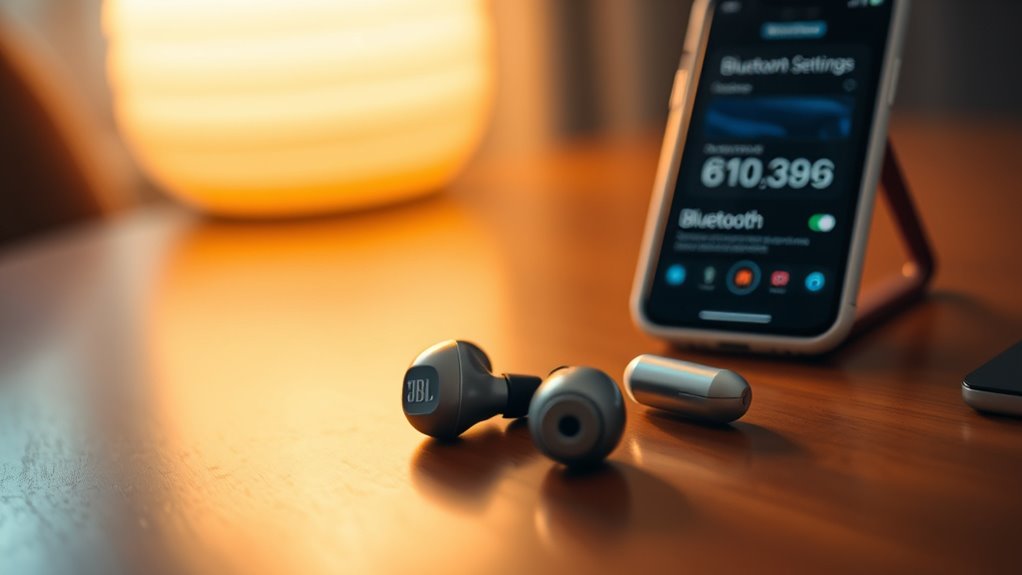

Yes, JBL earbuds work seamlessly with your iPhone. Just make sure your iPhone’s Bluetooth is on and it’s updated for the best experience. Pairing is easy; simply power on your JBL earbuds and select them from the Bluetooth menu on your iPhone. You can enjoy wireless audio and hands-free calls, plus many models have features like touch controls and voice assistant integration. If you’re curious, there’s more to explore about optimizing your setup and sound quality.
Understanding Bluetooth Compatibility
When you’re considering JBL earbuds for your iPhone, it’s vital to understand how Bluetooth compatibility works. The key factor is Bluetooth standards, which define how devices communicate wirelessly. Most JBL earbuds support the latest Bluetooth versions, guaranteeing a stable connection with your iPhone.
Device compatibility is important too; your iPhone should be running a compatible iOS version to leverage all features of JBL earbuds. Generally, if your iPhone supports Bluetooth 4.0 or higher, you’re good to go.
Keep in mind that older models might experience limited functionality. To fully enjoy your JBL earbuds, confirm that your iPhone is updated to maintain seamless connectivity and peak performance. That way, you can enjoy your music without any interruptions.
Pairing JBL Earbuds With Your Iphone
To pair your JBL earbuds with your iPhone, start by ensuring both devices are ready for connection. First, turn on your JBL earbuds; they should enter pairing mode automatically. If not, press and hold the Bluetooth button until you see a flashing light. Next, head to your iPhone settings and select Bluetooth. Make sure Bluetooth is enabled, then look for your JBL model in the list of available devices. Tap on the name of your earbuds to initiate pairing. Once connected, you’ll hear a confirmation sound, and your iPhone will display “Connected.” Now you’re free to enjoy your music or calls without any hassle. Repeat these steps if you want to connect your earbuds to another device.
Features That Enhance Compatibility
While JBL earbuds are designed for seamless functionality with various devices, several features specifically enhance their compatibility with iPhones. One key earbud feature is Bluetooth connectivity, allowing you to easily connect without tangled wires. The intuitive touch controls let you manage calls and music effortlessly, enhancing your listening experience. Additionally, JBL’s integration with voice assistants like Siri means you can access your iPhone hands-free, adding to the convenience. Some models even offer a dedicated app, providing firmware updates and customizable sound settings, further improving compatibility enhancements. These features guarantee that you can enjoy your favorite tunes and manage calls smoothly, making JBL earbuds an excellent choice for iPhone users who value both quality and ease of use.
Troubleshooting Common Connection Issues
If you’re having trouble connecting your JBL earbuds to your iPhone, don’t worry—you’re not alone. We’ll go over the Bluetooth pairing process, steps to reset your earbuds, and how to check your iPhone’s compatibility. With these tips, you’ll be back to enjoying your music in no time.
Bluetooth Pairing Process
Pairing your JBL earbuds with an iPhone can sometimes be a frustrating experience, especially when connection issues arise. To guarantee a smooth Bluetooth pairing process, first, check that your earbuds are charged for ideal battery longevity. Keep in mind that low battery levels can lead to connectivity problems. Next, enable Bluetooth on your iPhone and make sure your earbuds are in pairing mode. If they don’t appear, try turning Bluetooth off and on again on your phone. For effective earbud maintenance, regularly clean the charging ports and verify firmware updates are installed. If issues persist, remove the earbuds from your Bluetooth settings and attempt the pairing process again. Stay patient, and you’ll enjoy seamless connectivity soon!
Resetting Earbuds Steps
Sometimes, resetting your JBL earbuds can resolve persistent connection issues and restore peak performance. To begin the resetting process, verify your earbuds are charged and turned on. Next, locate the power button on each earbud. Press and hold the buttons simultaneously for about 10 seconds until you see the LED indicators flash. This signals that the earbuds are resetting to their factory settings. Once the reset is complete, you’ll hear a confirmation sound. After that, turn off the earbuds and turn them back on to initiate pairing mode. Finally, reconnect them to your iPhone or any device. This quick reset can often fix connectivity problems, allowing you to enjoy your audio without interruptions.
Iphone Compatibility Check
Wondering why your JBL earbuds aren’t connecting to your iPhone? Let’s troubleshoot common issues. First, verify your iPhone’s software is up-to-date, as compatibility can depend on iPhone updates. Next, confirm that your specific JBL models are compatible with your iPhone version.
Here’s a quick reference table to help you:
| JBL Model | Compatible with iPhone? |
|---|---|
| JBL Free X | Yes |
| JBL Tune 125TWS | Yes |
| JBL Live 300TWS | Yes |
| JBL Reflect Flow | Yes |
If you’re still having trouble, try resetting your earbuds or reconnecting them via Bluetooth. Enjoy your freedom to listen without hassle!
Maximizing Sound Quality on Your Iphone
To get the best sound quality from your JBL earbuds when using an iPhone, you’ll want to guarantee your settings are optimized. Here are three steps to enhance your audio experience:
- Adjust Audio Settings: Go to Settings > Music > EQ, and choose a preset that complements your music style. This can greatly improve sound enhancement.
- Enable Spatial Audio: If your earbuds support it, enable Spatial Audio for a more immersive listening experience, bringing depth to your favorite tracks.
- Keep Firmware Updated: Regularly check for firmware updates for your JBL earbuds. An updated version can enhance compatibility and sound quality.
Exploring Additional Features and Settings
While you might already be enjoying great sound quality with your JBL earbuds and iPhone, there are additional features and settings that can further enhance your listening experience. Explore your iPhone’s settings to discover audio enhancements like equalizer presets. Adjusting these can tailor sound to your preferences, making each song feel fresh. Don’t forget to check the JBL app, which often offers firmware updates and custom sound profiles. Additionally, keep an eye on your battery life; some earbud models feature battery-saving modes that optimize performance. By utilizing these features, you can enjoy not only superior audio but also prolonged usage, allowing you to immerse yourself in music longer without interruptions.
Frequently Asked Questions
Are JBL Earbuds Compatible With All Iphone Models?
JBL earbuds are generally compatible with all iPhone models, thanks to Bluetooth technology. Just make sure your iPhone’s software is updated to access the latest features and enjoy seamless audio experience with your JBL earbuds.
Can I Use JBL Earbuds for Phone Calls on Iphone?
Yes, you can use JBL earbuds for phone calls on your iPhone. They offer good call quality and solid audio performance, allowing you to communicate clearly while enjoying the freedom of wireless listening.
Do JBL Earbuds Support Siri on Iphone?
Yes, your JBL earbuds support Siri functionality, much like a trusty compass guiding you through a forest. With JBL features, you can effortlessly summon Siri, enhancing your freedom to navigate tasks hands-free. Enjoy the journey!
How Long Does the Battery Last on JBL Earbuds With Iphone?
JBL earbuds typically offer impressive battery longevity, lasting around 5 to 10 hours on a single charge, depending on the model. Plus, they come with convenient charging options, ensuring you stay connected longer without interruption.
Can I Use JBL Earbuds With Other Devices Besides Iphone?
JBL earbuds, with their brilliant Bluetooth connectivity, work wonderfully with various devices beyond iPhones. You’ll enjoy impressive audio quality on tablets, laptops, and Android phones, giving you freedom to connect wherever you go!
