
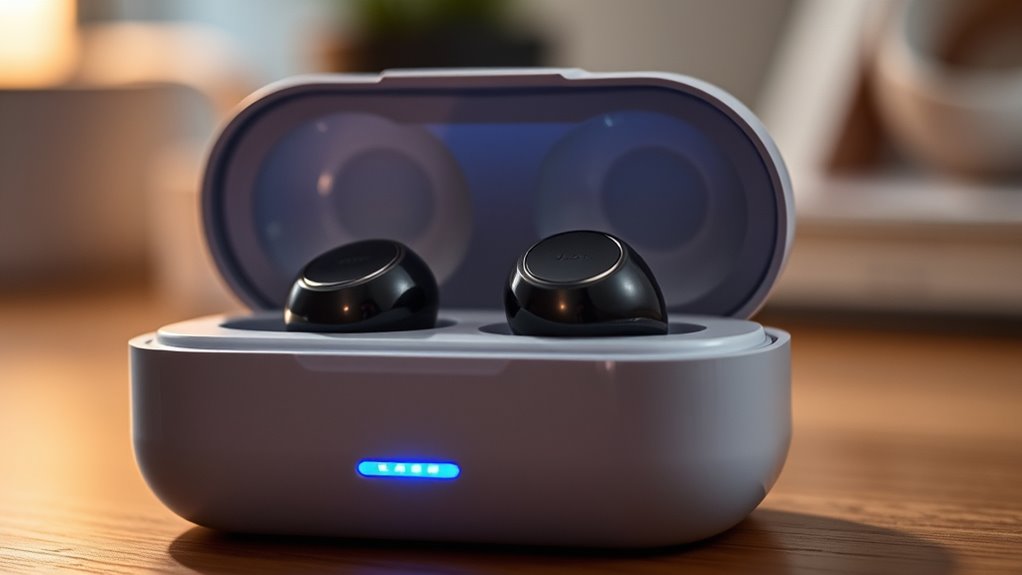

JLab earbuds typically take between 1.5 to 3 hours to fully charge, depending on the model you have. For instance, the JBuds Air charges in about 1.5 hours, while the Epic Air can take up to 3 hours due to its larger battery. Factors such as the charging technology and power source can influence these times. By optimizing your charging habits, you can enhance performance and longevity. There’s more to discover about maintaining your earbuds’ battery life.
Overview of JLab Earbuds Charging Times
When you’re in need of quick tunes, understanding how long JLab earbuds take to charge can make a significant difference. Typically, JLab earbuds offer around 5 to 10 hours of playtime on a full charge, depending on the model. The charging case adds extra convenience, providing multiple charges on the go. Most models come equipped with charging indicators, allowing you to monitor battery levels easily. This feature is especially beneficial when you’re running low on time and need to guarantee your earbuds are ready for use. With wireless convenience, you can enjoy music without the hassle of tangled cords, making the charging times even more essential for your on-the-move lifestyle. Embrace the freedom of music with JLab earbuds!
Factors Affecting Charging Speed
Although you might expect a standard charging time for JLab earbuds, several factors can influence how quickly they recharge. First, the charging technology you use plays a vital role. If you’re using a fast charger, you’ll likely see quicker results compared to standard USB chargers. Additionally, the power sources you choose can impact charging speed; different outlets or power banks may deliver varying wattages. Battery health also matters—older batteries may not hold a charge as effectively, prolonging your wait. Environmental conditions like temperature can affect efficiency too; extreme heat or cold can slow down the process. By understanding these factors, you can optimize your charging experience and enjoy your JLab earbuds sooner.
Charging Times for Different JLab Models
Charging times can vary considerably across different JLab models, each designed with unique battery capacities and charging technologies. For instance, the JLab JBuds Air typically takes about 1.5 hours to fully charge, making them a quick option for on-the-go users. In contrast, the JLab Epic Air can take up to 3 hours due to its larger battery capacity. If you’re considering the JLab Go Air, you’ll find that it charges in approximately 2 hours, striking a balance between performance and convenience. Understanding these charging capacities can help you choose the model that best fits your lifestyle. Regardless of the model you choose, knowing the charging times can enhance your listening experience and keep you connected without long waits.
Tips for Maximizing Battery Life
To guarantee your JLab earbuds last as long as possible between charges, consider implementing a few effective strategies. Utilize their battery-saving features to optimize performance. Here are some tips:
- Limit Volume Levels: High volumes drain battery life quickly.
- Use Charging Accessories Wisely: Invest in quality charging cables and cases to enhance efficiency.
- Turn Off When Not in Use: Powering down your earbuds when they’re idle can extend their battery life.
- Stay Updated: Regularly check for firmware updates, as they often include enhancements for battery performance.
Understanding Battery Health and Maintenance
Maintaining the health of your JLab earbuds’ battery is vital for ensuring longevity and peak performance. To achieve this, it is important to adopt effective charging techniques. Avoid letting your battery completely drain before recharging, as this can shorten its lifespan. Instead, aim to charge your earbuds when they reach around 20-30%. Use the original charging cable and avoid third-party chargers, which may deliver inconsistent power. Additionally, keep your earbuds in a cool, dry place to prevent overheating during charging. Regularly check for software updates, as these can optimize battery management. By following these practices, you can enhance battery longevity, ensuring your JLab earbuds remain reliable companions for all your audio adventures.
Frequently Asked Questions
Can I Use My JLAB Earbuds While Charging?
You can’t use your JLab earbuds while charging. Their performance during charging is compromised, as they prioritize battery replenishment. For ideal audio experience, it’s best to let them charge fully before using them again.
What Type of Charger Is Recommended for JLAB Earbuds?
JLab earbuds typically use a USB-C charger, which enhances charging compatibility and speed. Curiously, USB-C devices can charge up to 70% faster than older USB types, giving you more freedom to enjoy your music sooner.
Are JLAB Earbuds Water-Resistant During Charging?
No, Jlab earbuds aren’t water-resistant during charging. For charging safety, keep them dry to prevent damage. Always check the specifications to verify your earbuds remain protected while in use or connected to a power source.
How Can I Check My Earbuds’ Battery Level?
You can effortlessly check your earbuds’ battery level by glancing at the battery indicators. For peak performance, consider charging tips like keeping them plugged in until fully charged, ensuring you’re always ready to enjoy your music.
Do JLAB Earbuds Have a Fast Charging Feature?
Yes, Jlab earbuds do have a fast charging feature. Typically, they offer a quick charging time, allowing you to enjoy your music sooner, which gives you the freedom to stay connected without long waits.
