
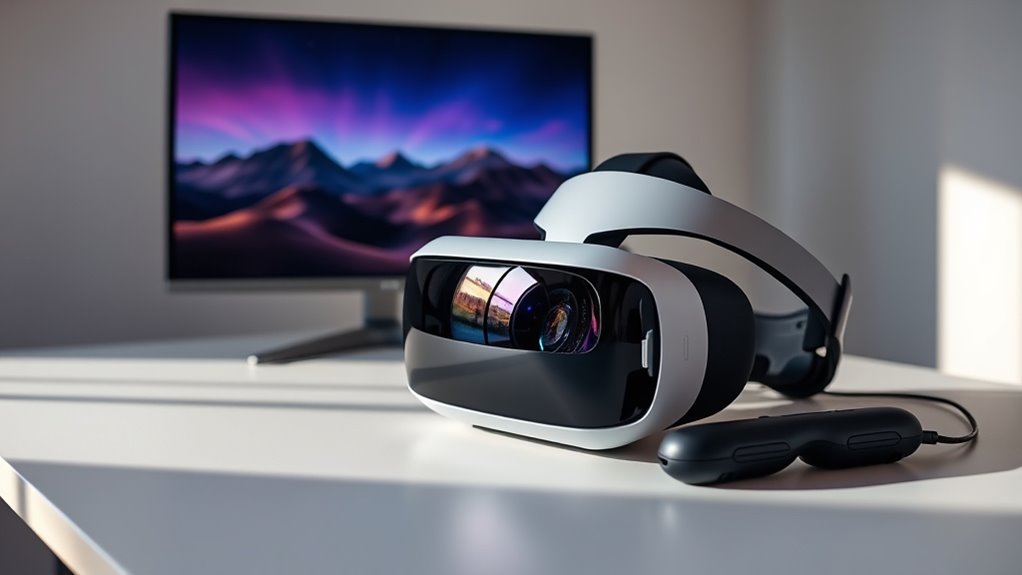

A VR headset offers numerous advantages over a traditional monitor, immersing you in a multi-sensory experience that enhances engagement and spatial awareness. You’ll find increased productivity as you manipulate 3D elements with ease, making collaboration seamless and intuitive. Plus, the realistic training simulations available help you grasp complex concepts quickly while minimizing eye strain. With cost-effective solutions for remote work, you’ll thrive in customized environments. Stick around, and you’ll discover even more transformative potentials of VR technology.
Immersive Experience and Engagement
When you step into a virtual reality (VR) environment, the difference in experience becomes immediately apparent; you’re not just looking at a screen, but rather, you’re transported into another world. This sensory immersion is a defining feature of VR, engaging multiple senses simultaneously—sight, sound, and even touch. Unlike traditional monitors, which present a passive viewing experience, VR invites you to interact with your surroundings, making you an active participant. This heightened engagement fosters a sense of presence that’s difficult to replicate with flat screens. You can explore, manipulate, and connect with virtual elements in ways that feel intuitive and liberating. Ultimately, VR transforms how you experience digital content, offering a freedom of exploration that traditional monitors simply can’t match.
Enhanced Spatial Awareness
The immersive experience of VR not only captivates your senses but also greatly enhances your spatial awareness. With virtual reality, you develop effective spatial navigation techniques that allow you to maneuver through environments intuitively. You become more attuned to your surroundings, fostering a sense of presence that a traditional monitor simply can’t replicate.
| Feature | VR Benefits | Monitor Limitations |
|---|---|---|
| Depth Perception | Realistic 3D environments | Flat, 2D visuals |
| Movement Awareness | Natural, unrestricted motion | Limited viewing angles |
| Contextual Engagement | Interactive scenarios | Passive observation |
| Multi-Dimensionality | Engaging spatial layouts | Linear, simplistic views |
| Cognitive Mapping | Enhanced memory of space | Static, unchanging images |
This heightened virtual reality awareness empowers you to navigate both real and digital spaces with newfound confidence.
Increased Productivity in Design and Development
While many may not realize it, using a VR headset can greatly boost your productivity in design and development tasks. By immersing yourself in a three-dimensional workspace, you enhance design efficiency through intuitive manipulation of elements, allowing for rapid adjustments and iterations. This new environment encourages a more fluid workflow optimization, as you can visualize complex projects without the constraints of a traditional monitor. You’re not just seeing your designs; you’re interacting with them, fostering creativity and innovation. Collaboration becomes seamless, too, as you can share virtual spaces with team members regardless of their location. Ultimately, embracing a VR headset in your design process can empower you to work smarter, not harder, releasing your full potential.
Realistic Training Simulations
As you step into a virtual environment, the difference between traditional training methods and realistic simulations becomes strikingly clear. VR headsets immerse you in realistic scenarios that replicate real-world challenges, offering a level of engagement that monitors simply can’t match. Instead of passively observing, you’re given the opportunity for hands-on practice, allowing you to navigate complex situations safely and effectively. This immersive experience accelerates learning, as you can experiment, make mistakes, and adapt in real time. Whether it’s medical procedures, flight simulations, or machinery operation, VR offers tailored training that enhances skills and confidence. By embracing this technology, you’re not just learning; you’re experiencing the freedom to explore and master your craft in an environment that feels real.
Improved Collaboration in Virtual Workspaces
When teams collaborate in virtual workspaces using VR headsets, they tap into a transformative experience that enhances communication and creativity. This technology fosters an environment for effective virtual team building and seamless remote collaboration, breaking down geographical barriers.
- Immersive interactions that mimic face-to-face communication
- Enhanced non-verbal cues for better understanding
- Creative brainstorming sessions in shared virtual spaces
- Real-time problem-solving through collaborative tools
- Increased engagement and motivation among team members
Customizable Virtual Environments
With a VR headset, you can create a workspace that truly reflects your preferences and needs. This level of customization enhances your immersive experience, allowing you to design dynamic environments that adapt as you do. By tailoring your virtual surroundings, you not only boost productivity but also enjoy a more engaging and personalized experience.
Immersive Experience Enhancement
While traditional monitors provide a limited and static viewing experience, VR headsets immerse you in customizable virtual environments that enhance your interaction and engagement. This sensory immersion allows you to tailor your surroundings to fit your needs, elevating your experience far beyond a flat screen. With virtual reality, you can:
- Create dynamic landscapes that inspire creativity
- Adjust lighting and ambiance to boost focus
- Simulate real-world scenarios for effective training
- Interact with 3D objects for deeper understanding
- Shift seamlessly between different environments
These features not only foster a sense of freedom but also transform mundane tasks into enthralling experiences. Embracing VR can revolutionize how you perceive and interact with digital content, making every moment in your virtual space uniquely yours.
Personalized Workspace Design
As you step into a virtual workspace, the ability to customize your environment can greatly enhance productivity and comfort. With a VR headset, you can craft a virtual office design that reflects your personal taste and work style. Whether you prefer minimalist aesthetics or vibrant, inspiring visuals, the choice is yours. This level of personalization not only makes your workspace more enjoyable but also helps to reduce distractions, allowing you to focus on tasks at hand. You can adjust lighting, layout, and even background sounds to suit your preferences, creating an atmosphere that motivates you. Ultimately, the freedom to design your virtual office encourages creativity and satisfaction, making work feel less like a chore and more like a fulfilling experience.
Dynamic Environment Adaptability
When you immerse yourself in a VR headset, the adaptability of your virtual environment becomes a powerful tool for enhancing your work experience. Unlike traditional monitors, VR offers dynamic content and adaptive interfaces that respond to your needs. You can customize your workspace to match your preferences, creating a truly personal and immersive setting. This flexibility allows you to:
- Switch between different themes and layouts effortlessly
- Integrate real-time data visualizations for instant insights
- Manipulate virtual objects with intuitive controls
- Adjust lighting and ambient sounds to boost focus
- Collaborate in shared virtual spaces regardless of physical location
Reduced Eye Strain and Fatigue
When you switch from a traditional monitor to a VR headset, you might notice a significant reduction in eye strain and fatigue. The immersive viewing experience allows for natural focus adjustments, making it easier on your eyes. Additionally, enhanced visual comfort features in VR headsets can help you enjoy longer sessions without discomfort.
Immersive Viewing Experience
While traditional monitors can lead to eye strain and fatigue after prolonged use, VR headsets offer a more immersive viewing experience that markedly reduces these issues. By enveloping you in a virtual reality environment, these headsets enhance digital interactions and minimize the discomfort often associated with typical screens.
- Natural focal depth, reducing the strain on your eyes
- Enhanced peripheral awareness, improving visual comfort
- Immersive environments that draw your focus away from fatigue
- Adjustable content scaling, allowing for personalized viewing
- Reduced blue light exposure compared to standard monitors
With VR, you can enjoy longer sessions of content consumption or productivity without the common drawbacks of traditional displays, making it a liberating choice for those who value comfort and engagement.
Adjustable Focus Settings
Adjustable focus settings in VR headsets provide a significant advantage over traditional monitors, allowing you to tailor your visual experience to your individual needs. With focus adjustment features, you can align the headset’s optics to your specific vision requirements, reducing eye strain and fatigue often associated with static screens. This customization aligns with user preferences, enabling you to enjoy longer sessions without discomfort. Unlike monitors, where you might struggle with fixed viewing distances, VR headsets offer the freedom to modify focus dynamically, enhancing clarity and engagement. By prioritizing your visual comfort, you’re not just enhancing your experience; you’re also empowering your ability to immerse yourself fully in virtual environments. This flexibility can transform how you interact with digital content.
Enhanced Visual Comfort
The ability to customize focus settings in VR headsets directly contributes to enhanced visual comfort, effectively reducing eye strain and fatigue. Unlike traditional monitors, VR headsets prioritize visual ergonomics, adjusting to your preferences and environment. This adaptability allows for a more immersive experience without compromising user comfort.
- Individualized focus adjustments help cater to your unique eyesight.
- Reduced glare and reflections diminish distractions.
- A wider field of view promotes natural eye movement.
- Enhanced depth perception minimizes the strain from constant refocusing.
- Lightweight designs and adjustable straps improve overall usability.
With these features, VR headsets empower you to explore virtual environments while maintaining your visual well-being, allowing for longer sessions without the burden of discomfort.
Versatile Applications Across Industries
As industries increasingly embrace cutting-edge technology, VR headsets stand out for their ability to transform various applications, from training and education to entertainment and healthcare. You’ll find that virtual reality applications provide immersive experiences, enabling users to grasp complex concepts quickly and effectively. In sectors like healthcare, VR aids in surgical training, offering realistic simulations without risk. Similarly, in education, it creates interactive environments where learners can explore subjects beyond traditional textbooks. These industry-specific solutions enhance engagement and retention, allowing professionals to hone their skills in a safe, controlled setting. With VR, you’re not just observing; you’re participating, which can lead to better outcomes and a deeper understanding of the material at hand.
Cost-Effective Solutions for Remote Work
While many companies have turned to traditional video conferencing tools for remote work, VR headsets offer a more immersive and cost-effective alternative that can enhance collaboration. By adopting VR, you can create an engaging workspace without the hefty price tag of physical offices. Here are some budget-friendly advantages of using VR for remote work:
- Reduced travel expenses: Hold meetings without commuting.
- Enhanced collaboration: Share a virtual space with team members.
- Increased productivity: Minimize distractions common in home offices.
- Customizable environments: Design spaces that inspire creativity.
- Lower equipment costs: One headset can replace multiple monitors.
With these benefits, VR headsets not only redefine the remote work experience but also align with an organization’s budget-conscious goals.
Future Potential of VR Technology in Daily Tasks
Imagine a world where VR technology seamlessly integrates into your daily tasks, transforming routine activities into engaging experiences. The future applications of VR are vast, offering you the freedom to manage your time and environment in innovative ways. Picture attending meetings in virtual spaces, where collaboration feels more immersive than ever. Daily integration of VR can enhance productivity, enabling you to visualize complex data or design projects in 3D. Even mundane tasks like grocery shopping can become interactive experiences, allowing you to navigate virtual aisles and make informed choices. As VR technology evolves, it’ll not only redefine how you work but also enrich your daily life, providing you with tools that enhance creativity and efficiency in ways you’ve only imagined.
Frequently Asked Questions
Can VR Headsets Replace Monitors for Gaming Purposes?
Yes, VR headsets can replace monitors for gaming purposes. They offer an immersive experience that enhances gaming performance, allowing you to feel fully engaged in virtual worlds and interact with environments like never before.
How Do VR Headsets Impact Physical Health Over Time?
Using VR headsets for virtual reality exercise can enhance physical health by promoting movement in immersive environments. However, prolonged use may lead to eye strain, headaches, or discomfort, so moderation’s essential for long-term well-being.
What Are the Best VR Headsets Available Today?
The best VR headsets today include the Oculus Quest for wireless convenience, HTC Vive for room-scale tracking, Valve Index for premium visuals, and PlayStation VR for console integration. Each offers unique experiences catering to diverse preferences.
Are VR Headsets Compatible With All Computer Systems?
VR headsets aren’t universally compatible with all computer systems. You’ll need to check the compatibility requirements and verify your system’s performance meets the headset’s specifications for an ideal experience. It’s essential for seamless functionality.
How Does VR Affect Social Interactions Compared to Traditional Monitors?
VR enhances social interactions by creating immersive experiences that simulate real-life presence. In virtual gatherings, you’ll feel more connected, as shared spaces foster deeper engagement and connection compared to traditional monitors, transforming how you interact with others.
