
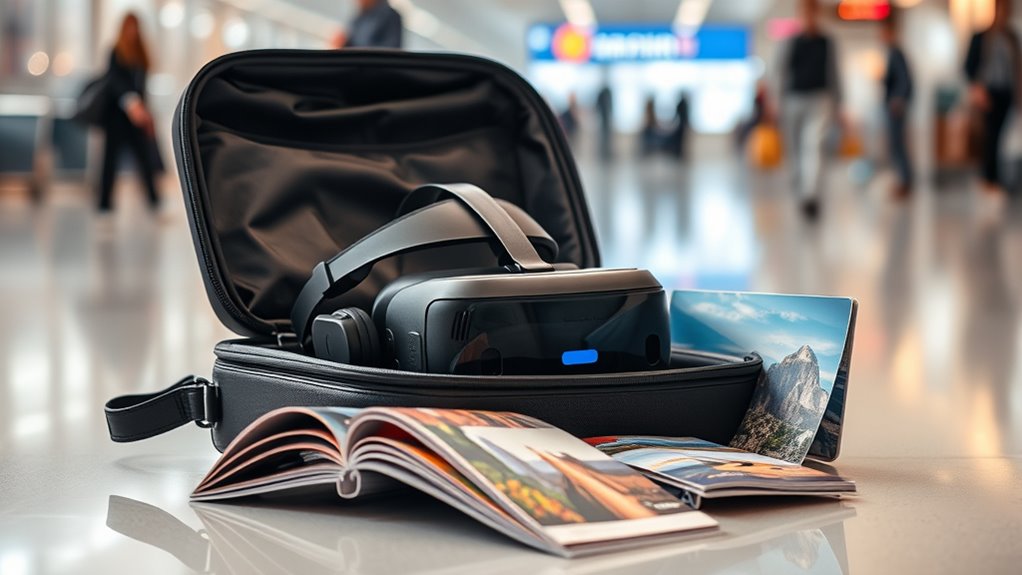

Taking your VR headset on a plane can be easy if you follow some key steps. Check your airline’s policies as most allow VR headsets, but restrict use during takeoff and landing. Always pack it in your carry-on with a protective case. Be ready for security checks and have it easily accessible. Make certain it’s charged, and consider local compatibility for a smoother experience. Stick around and you’ll find more tips to guarantee a fantastic travel experience with your VR gear.
Understanding Airline Regulations for Electronic Devices
When you’re planning to take your VR headset on a plane, it’s essential to understand the airline regulations regarding electronic devices. Each airline has its own policies, so you’ll want to check their website or contact customer service for specifics. Generally, most airlines allow VR headsets, but there might be device restrictions during takeoff and landing. You’ll likely need to store your headset in your carry-on luggage and power it off when instructed. Don’t forget to keep it easily accessible for security screening; you might need to remove it from your bag. Staying informed about these regulations will guarantee a smooth journey, letting you enjoy your virtual adventures as soon as you reach your destination. Safe travels!
Packing Your VR Headset Safely
When packing your VR headset for a flight, it’s essential to take extra precautions to keep it safe. Start by choosing a protective case to shield it from bumps and drops, and don’t forget to remove any accessories that could get damaged. Finally, make sure to pack it in your carry-on to avoid the risks that come with checked luggage.
Choose Protective Case
Choosing the right protective case for your VR headset is essential to guarantee it survives the rigors of air travel. A good case will shield your device from bumps and drops while fitting snugly in your carry-on. Look for options made from durable materials that can withstand the pressure of your journey. Here are three features to contemplate when selecting a case:
- Padding: Thick cushioning helps absorb shocks and protects your headset’s delicate components.
- Customizable Options: Some cases offer adjustable compartments, allowing you to fit your accessories securely.
- Weather Resistance: Verify your case can handle moisture and dust, keeping your headset in pristine condition.
With the right protective case, you can travel worry-free and enjoy your VR adventures wherever you go!
Remove Accessories First
Before you stow your VR headset in its case, it’s crucial to remove any accessories that could get in the way or cause damage during transit. Accessory removal not only protects your headset but also enhances headset maintenance. Here’s a quick guide to help you:
| Accessory | Reason for Removal | Storage Tip |
|---|---|---|
| Facial Interface | Prevents deformation | Use a soft pouch |
| Head Straps | Avoids tangling | Wrap securely in the case |
| External Sensors | Reduces risk of breakage | Keep in a separate pocket |
Taking the time to remove these accessories will guarantee your VR headset stays in top shape, ready for your next virtual adventure!
Pack in Carry-On
With your accessories safely removed and stored, it’s time to focus on how to pack your VR headset for the journey. Proper headset organization is essential to guarantee it stays safe during your trip. Here’s how to do it:
- Use a padded travel bag: Choose a bag with compartments to protect your headset from bumps and drops.
- Secure the headset: Place your VR headset in a designated compartment, cushioning it with soft materials if needed.
- Avoid overpacking: Keep the travel bag light and avoid cramming items in, which can lead to damage.
Carry-On vs. Checked Baggage: What You Need to Know
While you might be enthusiastic to plunge into virtual worlds during your travels, understanding the rules around carrying your VR headset is essential. Most airlines recommend keeping your VR headset in your carry-on luggage, as this not only protects it from damage but also guarantees it’s easily accessible. Be mindful of carry-on limits, as some airlines impose size restrictions that could affect your gear. On the flip side, checked baggage is generally not ideal for delicate electronics; they can be subjected to rough handling. To keep your VR experience intact, always opt for carry-on when possible, guaranteeing a smoother journey and peace of mind while you gear up for your adventures in virtual reality.
Preparing for Security Checks
As you prepare for your flight, it’s important to contemplate how your VR headset will pass through security checks. Proper security preparation can make your experience smoother and hassle-free. Here are three key steps to guarantee a seamless device inspection:
- Remove your VR headset: When you reach the conveyor belt, take your headset out of your bag.
- Check for accessories: Make certain to remove any additional cables or controllers, as they may require separate screening.
- Be ready for questions: Security personnel may ask about the device, so be prepared to explain what it is and how it works.
Using Your VR Headset During the Flight
Once you’re in the air, you might be enthusiastic to plunge into immersive experiences with your VR headset. Many airlines offer in-flight entertainment systems that may not satisfy your cravings for adventure, so why not take your entertainment to the next level? VR gaming can transform your flight into a thrilling escapade, whether you’re exploring vast landscapes or engaging in action-packed battles. Just make sure your headset meets the airline’s guidelines. Slip on your VR headset, and you’ll be transported to another world, making the hours fly by. Remember to keep your volume at a reasonable level, so you don’t disturb fellow passengers. With your VR headset, you’re free to escape into new domains while soaring through the sky.
Charging Your Device on the Go
When you’re on the go, keeping your VR headset charged is essential for uninterrupted fun. You’ll want to explore portable charger options, guarantee you have the right charging cables, and know where to find airport charging stations. With a little planning, you can make certain your device stays powered up throughout your travels.
Portable Charger Options
If you want to keep your VR headset powered during your travels, having a reliable portable charger is essential. With so many portable charger brands out there, you’ll want to choose one that suits your needs. Here are three great options with varying charging capacity options:
- Anker PowerCore 20100: This powerhouse delivers multiple charges with its high capacity and fast charging technology.
- RAVPower 26800: Ideal for long trips, it offers multiple ports and impressive capacity, ensuring you won’t run out of juice.
- Mophie Powerstation Plus XL: A compact option that combines portability with sufficient power to keep your headset going.
Charging Cable Essentials
While traveling with your VR headset, having the right charging cables can make all the difference in keeping your device powered up. Start by identifying the charging cable types your headset requires, whether it’s USB-C or micro-USB. Having a compatible cable guarantees you won’t be left stranded without power.
Next, consider the charging cable length. A longer cable provides more flexibility, especially in tight airplane seating. However, a compact cable can be easier to pack.
Don’t forget to bring a multi-port charger if you have multiple devices. This way, you can charge your VR headset and your phone simultaneously, maximizing your travel convenience. With the right cables, you’ll enjoy uninterrupted VR experiences wherever you go.
Airport Charging Stations
Airport charging stations are a traveler’s best friend, especially when your VR headset is running low on battery. With various airport charging options available, you’ll never be stranded without power. Here’s what to look for:
- Charging Hubs: Many terminals feature communal charging stations with multiple outlets, perfect for sharing the power.
- USB Ports: Some seating areas offer USB ports, allowing you to charge your devices while you relax.
- Airport Lounges: If you’ve got access, lounges often provide charging stations and power availability, letting you recharge both your headset and yourself.
Before you board, make sure to scout these spots out. Keeping your VR headset charged means more immersive experiences awaits you during your travels!
VR Headset Compatibility at Your Destination
Before you pack your VR headset, it’s essential to take into account its compatibility at your destination. Different locations may have varying VR compatibility standards, so checking these beforehand can save you a lot of hassle. Research whether your headset is supported by local VR platforms or services. Some destinations offer robust Destination VR support, while others may lack the necessary infrastructure. Confirm your headset can connect to the local internet, and if you plan to use specific VR applications, verify they’re available in that region. By doing this, you’ll avoid potential frustrations and make the most of your immersive experiences. Freedom to explore virtual worlds awaits, but only if your gear is ready to go!
Tips for Maintaining Your VR Gear While Traveling
Once you’ve confirmed your VR headset is compatible with your destination, it’s time to focus on how to keep your gear in top shape during your travels. Proper maintenance guarantees you can enjoy your virtual adventures without a hitch. Here are some quick cleaning tips and storage solutions:
- Use a microfiber cloth to wipe down the lenses and headset after each use, preventing smudges and scratches.
- Store your headset in a padded case to protect it from bumps and drops during transit. This keeps it safe and sound.
- Keep the cables organized using ties or pouches, preventing tangles and damage while you’re on the go.
With these simple steps, you can keep your VR gear ready for action wherever your journey takes you!
Frequently Asked Questions
Can I Bring Extra Accessories With My VR Headset on the Plane?
Yes, you can bring extra accessories like an extra battery and a carrying case for your VR headset on the plane. Just make certain they comply with airline regulations to guarantee a smooth journey.
What Should I Do if My VR Headset Gets Damaged During Travel?
If your VR headset’s damaged during travel, don’t fret! Check your insurance options for coverage and explore repair services nearby. You’ll be back in the virtual world before you know it, enjoying your freedom!
Are There Age Restrictions for Using VR Headsets on Airplanes?
There aren’t strict age restrictions for using VR headsets on airplanes, but it’s wise to check age guidelines and safety regulations from airlines. Always guarantee younger users are supervised to guarantee a safe experience.
Can I Use My VR Headset in Airport Lounges?
You can use your VR headset in airport lounges, but be mindful of airport lounge etiquette. Check the lounge’s VR headset policies first, ensuring you’re respectful of other guests while enjoying your immersive experience.
How Do I Clean My VR Headset While Traveling?
Imagine you’re on a layover, and your VR headset’s smudged. Use microfiber cloths with a gentle cleaning solution for the lenses, and disinfect the exterior with wipes. It’s a smart travel tip to keep your device pristine!
