
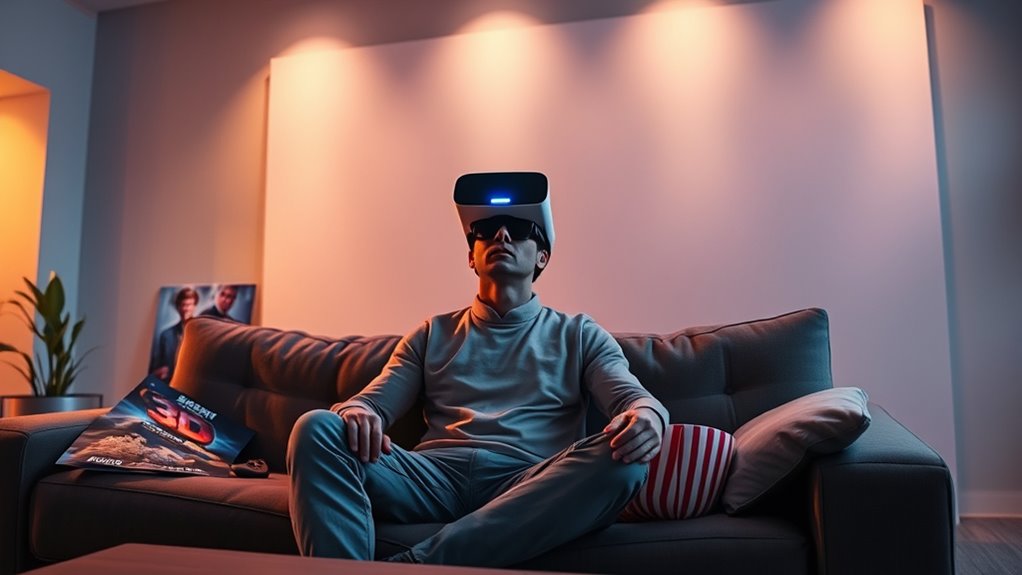

To watch 3D movies with a VR headset, start by selecting a comfortable and budget-friendly model that suits your needs. Check streaming services like Amazon Prime Video and Vudu for available 3D films, or download from reputable platforms for offline viewing. Utilize versatile VR media players like Bigscreen VR or VLC VR for an enhanced experience. Fine-tuning settings and investing in quality audio can elevate your viewing. Want to explore even more options and tips? There’s plenty more to discover!
Choosing the Right VR Headset for 3D Movies
When it comes to choosing the right VR headset for 3D movies, what should you consider to guarantee an immersive experience? First, think about your comfort level. A headset that fits well and feels comfortable during long viewing sessions is essential. Look for adjustable straps and breathable materials to enhance your enjoyment. Next, budget considerations play a significant role. While high-end models offer superior visuals, there are budget-friendly options that still deliver a decent 3D experience. Assess your priorities: Are you willing to invest more for premium features, or do you prefer a more economical choice? By balancing comfort and cost, you’ll find a VR headset that meets your needs and allows you to indulge in the enchanting world of 3D cinema.
Streaming Services Offering 3D Movies
As you explore the world of 3D movies, understanding which streaming services offer this immersive format is essential for enhancing your viewing experience. Currently, several major streaming platforms provide 3D movie availability. Services like Amazon Prime Video and Vudu often feature a selection of 3D films, allowing you to enjoy titles ranging from blockbusters to indie gems. Additionally, platforms such as Netflix may include 3D options, though their library is more limited. Keep an eye out for promotions or special events that highlight 3D content, as these can expand your options. By knowing where to find 3D movies, you can fully immerse yourself in the enthralling worlds these films create, ultimately elevating your VR headset experience.
Downloading 3D Movies for Offline Viewing
Finding 3D movies on streaming services is just the beginning; downloading them for offline viewing can greatly enhance your VR experience. When you opt for downloading, you gain flexibility and control over your movie collection. Here are three key considerations:
- Downloading Platforms: Look for reputable platforms that offer 3D movies, guaranteeing you get high-quality content.
- File Formats: Check that the downloaded movies are in compatible file formats, like MKV or MP4, to guarantee seamless playback on your VR headset.
- Storage Space: Make certain you have enough storage on your device, as 3D movies can take up significant space.
Using VR Media Players for Enhanced Experience
When you’re ready to elevate your 3D movie experience, choosing the right VR media player can make all the difference. Popular options offer unique features that enhance immersion, but getting the setup and configuration right is essential for ideal viewing. Let’s explore how these tools can transform your movie nights into enchanting adventures.
Popular VR Media Players
While exploring the world of virtual reality, you’ll discover that choosing the right VR media player can greatly enhance your viewing experience. Here are three popular options that stand out among virtual reality players:
- Bigscreen VR: Known for its social features, you can watch movies with friends in a virtual theater setting, enhancing immersive experiences.
- Skybox VR Player: Offers a user-friendly interface and supports various file formats, making it easy to enjoy your favorite 3D content.
- VLC VR: A versatile option, VLC allows you to play virtually any video format in virtual reality, catering to those who value flexibility.
Setup and Configuration Tips
Choosing the right VR media player is just the beginning; properly setting up and configuring your system can greatly elevate your viewing experience. Start with headset calibration to verify your visuals are aligned perfectly with your eyes. This step minimizes discomfort and maximizes immersion. Next, explore your audio settings. Opt for spatial audio if available, as it enhances the realism of sound, making you feel like you’re in the middle of the action. Adjust volume levels to suit your preference, confirming dialogue is clear without overwhelming background sounds. Don’t forget to experiment with different settings to find what feels right for you. With a few tweaks, you’ll transform your 3D movie nights into unforgettable adventures.
Immersive Viewing Features
As you immerse yourself in the world of VR media players, you’ll discover a range of immersive viewing features designed to enhance your cinematic experience. These players offer unique aspects that elevate your 3D movie watching to a new level:
- Immersive Sound: Experience audio that surrounds you, making every scene feel alive and drawing you deeper into the narrative.
- Interactive Storytelling: Engage with films in ways previously unimaginable, allowing choices to shape your viewing path.
- Dynamic Environments: Enjoy customizable viewing spaces that transport you into different settings, whether it’s a cozy theater or an otherworldly landscape.
These features not only enhance your enjoyment but also grant you a sense of freedom to explore storytelling like never before.
Exploring 3D Movie Libraries and Collections
If you’re enthusiastic to plunge into the world of 3D movies, exploring the vast libraries and collections available can be both exciting and overwhelming. You’ll find various 3D movie formats, from anaglyph to more advanced systems like polarized and active shutter, each offering unique viewing experiences. Delving into 3D film history enriches your understanding of how these formats evolved, enhancing your appreciation for classics and modern blockbusters alike. Many platforms curate extensive collections, featuring genres from animation to documentaries, ensuring there’s something for everyone. As you browse, consider how each film utilizes 3D technology to create depth and immersion, ultimately transforming your viewing experience. Embrace the freedom to select titles that resonate with your interests and preferences.
Watching 3D Movies on Youtube With VR
When you turn to YouTube for 3D content, you’re opening up a vast library of immersive experiences right at your fingertips. However, it’s important to guarantee that your VR headset is compatible with the platform, as not all devices support 3D playback seamlessly. By understanding these key aspects, you can make the most of your 3D movie-watching experience in a virtual setting.
Accessing 3D Content
Although many people associate virtual reality with gaming, accessing 3D content on platforms like YouTube can transform your viewing experience into something truly immersive. YouTube is a treasure trove of 3D videos just waiting for you to plunge into. Here’s how you can enhance your experience:
- Search for 3D Content: Use keywords like “3D movies” or “3D documentaries” to find specific content.
- Adjust Settings: Make sure you’re viewing in the correct 3D format (usually side-by-side) for ideal immersion.
- Use VR Mode: Engage with the immersive platform by switching to VR mode, which enhances your sense of presence.
VR Headset Compatibility
As you immerse yourself in the world of 3D movies on YouTube using a VR headset, it is crucial to verify compatibility for a superior viewing experience. Different VR headsets have varying hardware requirements that impact how well they handle 3D content. Here’s a quick reference to help you decide:
| VR Headset | Compatibility with YouTube |
|---|---|
| Oculus Quest 2 | Excellent |
| HTC Vive | Good |
| PlayStation VR | Moderate |
| Valve Index | Excellent |
| Samsung Gear VR | Basic |
Ensuring your headset meets these specifications not only enhances your enjoyment but also allows you to fully embrace the freedom of virtual reality, making every movie night an adventure.
Tips for Optimizing Your VR Movie Experience
To truly immerse yourself in 3D movies using a VR headset, it’s crucial to focus on several enhancement strategies that boost both comfort and visual clarity. Here are three key tips to elevate your experience:
- Adjusting Brightness: Make certain to fine-tune the brightness settings on your headset. Proper brightness can prevent eye strain and improve the overall viewing experience.
- Enhancing Audio: Invest in high-quality headphones or use your headset’s built-in audio settings to create a more engaging sound environment. Consider spatial audio for a realistic feel.
- Positioning: Make sure your headset is correctly positioned for ideal field of view. A snug, comfortable fit will reduce distractions and enhance immersion.
Future Trends in 3D Movies and VR Technology
While the landscape of 3D movies and VR technology is constantly evolving, several emerging trends are set to redefine your viewing experience. Virtual reality advancements are paving the way for more interactive films, allowing you to not just watch, but actively participate in the story. Imagine choosing your path within a narrative, enhancing your connection to the characters and plot. Additionally, immersive storytelling techniques are being developed, utilizing spatial audio and haptic feedback to create a truly engaging atmosphere. With these innovations, you’ll find yourself more immersed than ever before, transforming passive viewing into an exhilarating adventure. As these trends unfold, the future of 3D movies will certainly offer you extraordinary ways to experience cinema.
Frequently Asked Questions
Can I Watch Standard Movies in 3D Using a VR Headset?
You can’t directly watch standard movies in 3D with a VR headset due to 3D compatibility issues. However, some VR movie formats may simulate a 3D experience, enhancing your viewing freedom and immersion.
Are There Any Free Options for 3D Movies in VR?
Yes, there’re free movie resources available. Explore 3D movie apps like YouTube VR or Oculus TV, where you can find a variety of content. Just immerse yourself, and you’ll discover enchanting experiences waiting for you!
How Do I Adjust the 3D Settings in My VR Headset?
To adjust the 3D settings in your VR headset, explore 3D calibration techniques in your device’s menu. Verify your VR headset compatibility for best adjustments, enhancing your immersive experience while enjoying 3D content.
Can I Use My Smartphone as a VR Headset for 3D Movies?
Yes, you can use your smartphone for a VR experience, provided it’s compatible with VR apps. Just make certain your device meets the requirements, and you’ll enjoy immersive 3D movies right from your pocket!
Is There a Difference Between Virtual Cinema and Watching 3D Movies?
Virtual cinema’s like stepping into a painting, offering an immersive experience that envelops you. In contrast, watching 3D movies feels more like observing art from a distance, limiting your engagement and emotional connection.
