
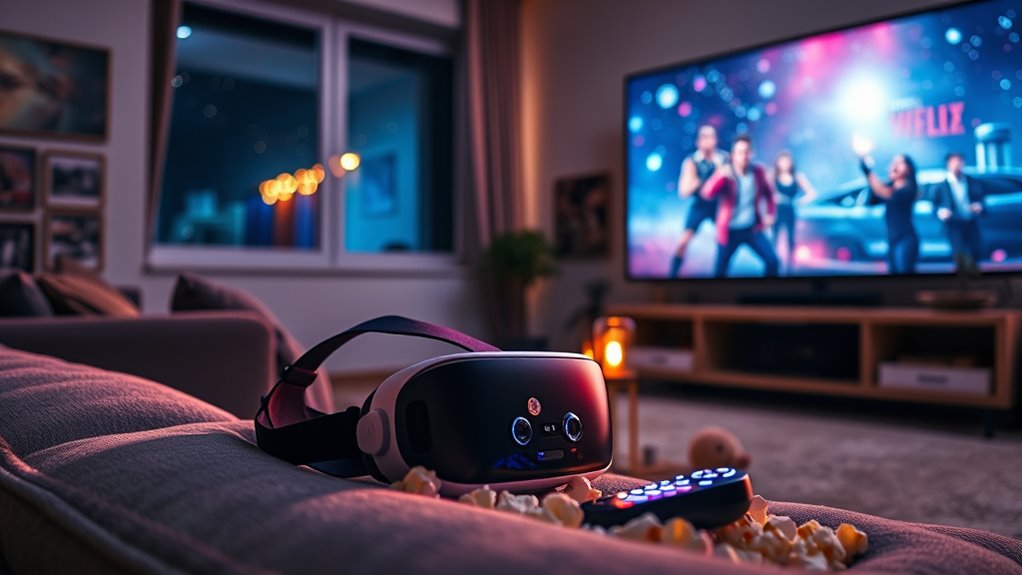

To watch movies on your VR headset, first, choose a device with great display quality and comfort. Set it up in a distraction-free space, adjusting brightness and fit for ideal viewing. Explore streaming platforms like Oculus TV or Netflix for diverse content. Consider using VR media players for your personal library or check out 360-degree movies for a unique experience. Plus, surround sound can enhance immersion. Keep going to discover tips for an unforgettable virtual movie night.
Choosing the Right VR Headset for Movie Watching
When it comes to choosing the right VR headset for movie watching, what features should you prioritize? First, consider the display quality. The Oculus Quest offers impressive resolution, ensuring vibrant visuals that’ll immerse you in your favorite films. However, if you’re seeking an even higher resolution and superior sound, the Vive Pro could be your best bet. Next, think about comfort. A headset that’s too heavy or tight can ruin your viewing experience. Both the Oculus Quest and Vive Pro have adjustable straps, but the Vive Pro’s design is often regarded as more ergonomic. Finally, don’t forget about content availability. Make sure the headset you choose supports the platforms you want to access, ensuring a limitless cinematic experience in VR.
Setting Up Your VR Headset for Optimal Viewing
After you’ve selected the right VR headset for your movie-watching experience, the next step is to set it up for ideal viewing. Start by adjusting brightness to guarantee the visuals are clear without straining your eyes. A well-lit environment can enhance the experience, but too much glare can be distracting. Next, focus on optimizing comfort—make sure the headset fits snugly but not too tightly. Adjust the straps and eye relief to avoid discomfort during extended viewing sessions. Don’t forget to take breaks to reduce any potential eye fatigue. Finally, position yourself in a comfortable spot where you can fully immerse in the movie, free from distractions. With these adjustments, you’re ready to plunge into an incredible cinematic journey!
Exploring VR Movie Streaming Platforms
As you immerse yourself in the world of VR cinema, exploring the various movie streaming platforms available can enhance your viewing experience considerably. With a VR platform comparison, you can easily find the service that aligns with your preferences and needs. Here are some key factors to take into account:
- Content Library: Diverse selections, from indie films to blockbusters.
- User Interface: Intuitive designs for easy navigation.
- Subscription Services: Monthly plans that fit your budget.
- Compatibility: Verify the platform supports your VR headset.
- Social Features: Options to watch with friends or join virtual screenings.
Utilizing VR Media Players for Personal Libraries
When it comes to utilizing VR media players for your personal library, starting with a compatible player is essential for seamless playback. Once you’ve chosen the right platform, organizing your movie collection can greatly enhance your viewing experience. By streamlining your library, you can easily access your favorite films and enjoy them in immersive VR.
Choosing Compatible Media Players
Selecting the right media player for your VR headset can greatly enhance your movie-watching experience, especially if you have a personal library filled with your favorite films. To avoid media compatibility issues and guarantee smooth playback, consider these factors in your player performance analysis:
- Supported Formats: Check if the player supports the file types you’re using.
- User Interface: A clean, intuitive UI can make navigation easier.
- Performance: Look for players with low latency and high-resolution support.
- Streaming Capabilities: Some players allow streaming from your library or online services.
- Updates and Support: Regular updates can fix bugs and add features, enhancing your experience.
Choosing wisely will set the stage for immersive movie nights in your VR world!
Organizing Your Movie Library
After you’ve chosen the right media player, organizing your movie library becomes the next step in maximizing your VR experience. Effective library management is key to enjoying your films without hassle. By categorizing your movies, you’ll find what you want quickly.
Here’s a simple way to categorize:
| Genre | Movies |
|---|---|
| Action | Movie A, Movie B |
| Comedy | Movie C, Movie D |
| Drama | Movie E, Movie F |
| Sci-Fi | Movie G, Movie H |
| Documentary | Movie I, Movie J |
Using this method, you can easily navigate your collection, ensuring a seamless viewing journey. Embrace the freedom of a well-organized library, and immerse yourself in your favorite films with ease!
Enhancing Viewing Experience
While you might have a well-organized movie library, enhancing your viewing experience in a VR headset requires the right media player to bring those films to life. A good VR media player can transform your movie nights into sensory immersion adventures, allowing you to dive deep into your favorite films with stunning virtual ambiance.
Consider these features for an elevated experience:
- 360-Degree Viewing: Enjoy a more immersive perspective.
- Customizable Environments: Choose settings that match your film’s mood.
- Advanced Audio Settings: Enhance sound for a richer experience.
- User-Friendly Interface: Easily navigate your library.
- Offline Functionality: Watch anytime, anywhere without buffering.
Watching 360-Degree Movies for a Unique Experience
When you watch 360-degree movies, you’re stepping into a whole new world of immersive storytelling that traditional films can’t offer. These films let you explore every angle of a scene, making you feel like you’re a part of the action. Plus, there are several platforms dedicated to 360-degree content, ensuring you have plenty of options to choose from for your next viewing experience.
Immersive Storytelling Techniques
As you slip on your VR headset, you’re transported into a world where storytelling transcends traditional boundaries. This immersive experience offers unparalleled narrative immersion, drawing you into the heart of the story. With 360-degree movies, you’re not just a viewer; you’re a participant, fostering deep emotional engagement that traditional media often misses.
Here are key techniques that heighten your experience:
- Dynamic Perspectives: Experience multiple viewpoints within the same scene.
- Interactive Elements: Influence the storyline through your choices.
- Spatial Audio: Feel sounds come alive from all directions.
- Environmental Storytelling: Engage with the setting to uncover hidden narratives.
- Character Proximity: Get up close with characters, enhancing empathy.
These elements make VR storytelling a powerful medium for exploration and connection.
Platforms for 360-Degree Content
To truly embrace the magic of 360-degree movies, you need the right platforms that deliver immersive content tailored for VR headsets. Popular options like YouTube VR and Oculus TV offer a variety of films that transport you into engaging immersive environments. These platforms not only provide stunning visuals but also incorporate interactive features, allowing you to explore scenes from different angles or engage with story elements. Additionally, platforms like VeeR and Within specialize in curated 360-degree content, ensuring you have access to high-quality experiences. By leveraging these options, you can break free from traditional viewing methods and plunge into a world where you’re part of the action, enhancing your overall movie-watching experience. Enjoy the freedom to explore!
Hosting a Virtual Movie Night With Friends
How can you turn an ordinary night into an unforgettable movie experience? Hosting a virtual movie night with friends can be the perfect escape. Using online platforms designed for virtual gatherings, you can connect with pals, no matter where they are.
Transform an ordinary night into an unforgettable movie experience by hosting a virtual movie night with friends, no matter the distance.
Consider these tips for a memorable night:
- Choose a theme for your movie selection.
- Use a platform that supports group viewing and chat.
- Prepare snacks in advance to share recipes.
- Schedule a pre-movie catch-up session to reconnect.
- Create a fun poll for movie choices to engage everyone.
With these elements in place, you’ll cultivate a lively atmosphere, making your virtual movie night feel just as personal as gathering in person. Embrace the freedom technology offers!
Enhancing Your Experience With Surround Sound
After enjoying a virtual movie night with friends, elevating your viewing experience further can make all the difference. Surround sound can transform your VR escapade into a enthralling auditory journey, enhancing audio immersion. By investing in a good surround sound system or quality headphones, you’ll feel every sound effect as if you’re part of the action.
Here’s a quick guide to help you choose the right surround sound setup:
| Type of Surround Sound | Benefits |
|---|---|
| 5.1 Surround Sound | Great for movies, clear dialogue |
| 7.1 Surround Sound | Enhanced sound directionality |
| Soundbars | Compact, easy setup |
| Wireless Headphones | Freedom of movement |
| VR-Optimized Speakers | Designed for immersive sound |
With the right setup, you’ll truly immerse yourself in your favorite films!
Tips for Finding the Best VR Movie Content
Wondering where to find the best VR movie content? Exploring the right platforms and options can elevate your viewing experience. Here are some tips to help you discover VR content that fits your movie genre preferences:
- Check dedicated VR platforms like Oculus Store, SteamVR, and Viveport.
- Follow VR content recommendations from online forums and communities.
- Explore streaming services with VR support, such as Netflix and YouTube VR.
- Join social media groups focused on VR cinema for updates and discussions.
- Experiment with different genres; you might find hidden gems outside your usual picks.
Frequently Asked Questions
Can I Watch Regular Movies in VR Headsets?
Yes, you can watch regular movies in VR headsets! Many streaming platforms support VR movie compatibility, letting you enjoy films in a more immersive environment. Just make certain your headset is compatible with the desired platform.
Is It Safe to Use VR Headsets for Long Movie Sessions?
It’s not entirely safe to use VR headsets for long movie sessions. You might experience eye strain or motion sickness. Take breaks every 30 minutes to keep your experience enjoyable and minimize discomfort.
How Do I Adjust the VR Headset for Comfort?
To adjust your VR headset for comfort, focus on fit adjustments and strap positioning. Verify the straps are snug but not too tight, allowing freedom of movement without causing discomfort during your movie sessions.
Can I Share My VR Headset With Others Easily?
Yes, you can share your VR headset easily! Just adjust the sharing settings and create user profiles for each person. This way, everyone enjoys their own personalized experience without interfering with each other’s preferences.
What Internet Speed Do I Need for Streaming in VR?
For ideal VR streaming, aim for at least 25 Mbps; notably, 78% of users notice improved quality with faster speeds. Higher bandwidth requirements enhance your experience, ensuring smooth visuals and immersive storytelling without frustrating interruptions.
