
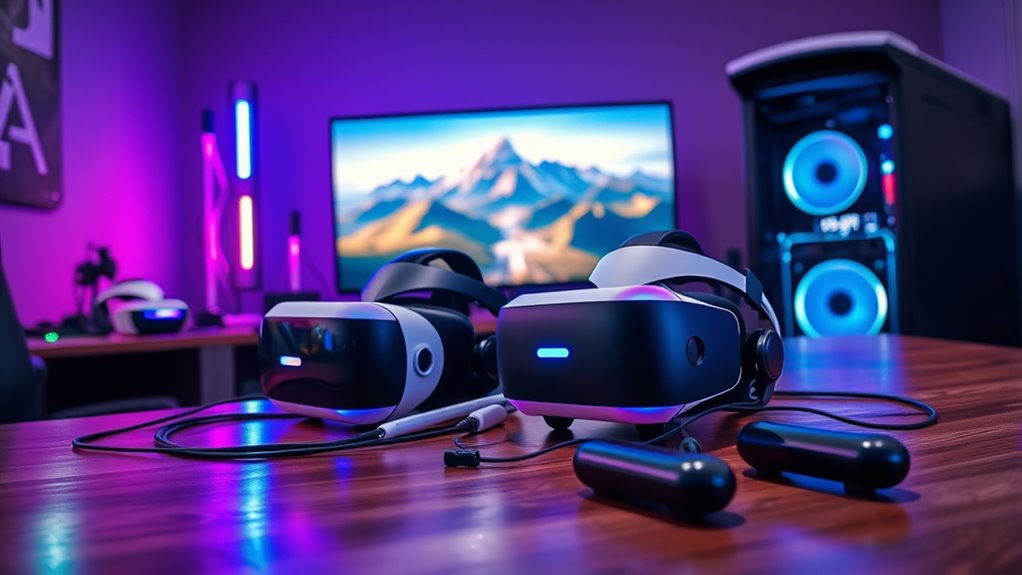

Using two VR headsets on a PC opens up exciting possibilities for immersive gaming, collaborative experiences, and shared virtual environments. You can engage in multiplayer games or explore virtual worlds together, creating a unique social dynamic. However, you’ll need to guarantee your PC meets the technical requirements, like a powerful GPU and adequate USB ports. You’ll also face challenges with software compatibility and performance optimization. There’s much more to learn about maximizing your dual headset experience.
Understanding the Basics of VR Headsets
Virtual reality (VR) headsets are innovative devices that immerse you in digital environments, offering experiences that can range from gaming to virtual tours. Understanding the different VR headset types is essential for choosing the right one for your needs. There are tethered headsets, which connect to a PC for high-quality experiences, and standalone headsets, providing freedom without cables. The evolution of VR technology has led to improved graphics, better tracking, and more comfortable designs, enhancing your immersive experience. As you explore the possibilities that VR headsets offer, consider how these advancements can transform your interactions with virtual spaces. Embrace this technology, and you’ll find endless opportunities for creativity, connection, and adventure in your digital journey.
Technical Requirements for Connecting Multiple VR Headsets
While connecting multiple VR headsets to a single PC might seem straightforward, it actually requires careful consideration of your hardware and software setup. First, you need a powerful graphics card capable of handling multi display configurations. Not all GPUs support multiple headset connections simultaneously, so check your model’s specifications. Additionally, verify your CPU and RAM are sufficient to manage the increased load from dual headsets. You’ll also face hardware limitations, like the availability of USB ports and HDMI outputs. Finally, consider your power supply; running two headsets demands more energy. By understanding these technical requirements, you can effectively prepare your system for a seamless dual VR experience, allowing you the freedom to explore new virtual domains together.
Software Solutions for Dual VR Headset Setup
To successfully set up two VR headsets on a single PC, you’ll need to explore various software solutions that facilitate this process. One key factor is software compatibility; not all VR applications support dual headset configurations. You’ll want to guarantee that both headsets can run concurrently without conflicts. Tools like SteamVR or specialized software can help manage multiple devices, providing a smoother user interface that allows you to switch between headsets easily. Additionally, consider using virtual desktop environments that can host multiple instances of VR applications. This flexibility lets you experience shared VR spaces or separate experiences, enhancing your freedom to explore. Ultimately, the right software solutions can transform your multi-headset setup into an immersive adventure.
Setting Up Your PC for Multiple VR Headsets
Setting up your PC for multiple VR headsets requires careful consideration of hardware capabilities and configuration. To fully enjoy the dual headset benefits, you’ll need a robust GPU, sufficient USB ports, and a compatible motherboard. Pay attention to user interface design to guarantee seamless shifts between headsets. Here’s a quick reference table to guide your setup:
| Component | Requirement | Recommendation |
|---|---|---|
| GPU | High Performance | NVIDIA RTX series |
| USB Ports | 4+ | USB 3.0 or higher |
| Motherboard | VR Compatible | Check manufacturer |
Exploring Different VR Platforms and Compatibility
As you explore the world of virtual reality, understanding the various platforms and their compatibility with multiple headsets is essential for a best experience. The VR ecosystem diversity allows users to choose from various headsets, each with unique features and capabilities. However, cross-platform compatibility can be tricky. Not all headsets seamlessly integrate with every VR platform, so it’s important to research beforehand. Some platforms support multiple headsets, while others may limit your choices. When using two headsets, ensuring they can communicate effectively within the same ecosystem is significant. This exploration not only enhances your VR experience but also empowers you to select the best hardware to match your preferences and gaming requirements. Embrace the freedom that comes with informed choices!
Collaborative Gaming Experiences With Two Headsets
When you connect two VR headsets to your PC, you open up a world of shared virtual experiences that can enhance your gaming sessions. These shared environments not only allow you to explore together but also encourage cooperative gameplay mechanics that can strengthen teamwork and strategy. With the right setup, you can transform your gaming into an immersive social event that’s both engaging and memorable.
Shared Virtual Worlds
While exploring shared virtual worlds, you’ll discover that collaborative gaming experiences with two VR headsets can elevate your social interactions and immersion to new heights. Engaging in these shared adventures opens up a domain of possibilities for you and your partner, creating immersive interactions that deepen your connection.
- Experience real-time communication in richly designed environments
- Team up to solve challenges or build creative projects together
- Explore expansive worlds that respond to both players’ actions
- Cultivate friendships that transcend physical boundaries
Cooperative Gameplay Mechanics
Cooperative gameplay mechanics in virtual reality offer a unique layer of interaction that enhances the collaborative experience between players. When utilizing two VR headsets on a PC, you can engage in immersive scenarios that require effective cooperation. These experiences often rely on well-defined cooperative strategies, where each player contributes to a shared objective.
Team dynamics become essential as you navigate challenges together, fostering communication and problem-solving skills. Whether you’re solving puzzles or battling foes, the synergy between players elevates the gaming experience. This setup encourages trust and coordination, allowing you to explore the virtual world as a cohesive unit. Ultimately, the ability to combine two headsets opens up endless possibilities for shared adventures, making your gameplay more enjoyable and fulfilling.
Challenges of Using Two VR Headsets Simultaneously
Although the idea of using two VR headsets simultaneously may sound appealing for enhanced immersive experiences, several challenges can arise that complicate this setup. You’ll face hardware limitations that can greatly impact your user experience, as most systems aren’t designed to handle dual headsets efficiently. Here are some key challenges to take into account:
Using two VR headsets simultaneously can enhance immersion, but compatibility, performance, and calibration issues may complicate the experience.
- Compatibility Issues: Not all headsets work well together or with the same software.
- Performance Overload: Running two headsets can strain your PC’s resources, leading to lag or crashes.
- Calibration Difficulties: Ensuring both headsets are correctly calibrated can be time-consuming and frustrating.
- Limited Software Support: Many apps don’t support dual headset functionality, restricting your options.
Navigating these challenges requires careful planning and evaluation of your system’s capabilities.
Tips for Optimizing Performance in Dual Headset Mode
When you’re using two VR headsets on your PC, optimizing performance becomes essential to guarantee a smooth experience. Start by checking your system requirements and adjusting graphics settings to balance quality and performance. Also, managing USB bandwidth effectively can greatly enhance the overall functionality of both headsets.
System Requirements Check
To guarantee a smooth experience while using two VR headsets on your PC, it is vital to check your system’s requirements thoroughly. Understanding your system capabilities can help overcome hardware limitations that may hinder performance. Here are key factors to take into account:
- CPU: Verify your processor can handle dual VR applications.
- GPU: Check if your graphics card meets the demands of rendering two headsets simultaneously.
- RAM: Adequate memory is imperative for smooth multitasking and performance.
- USB Ports: Make sure you have enough high-speed ports for both headsets.
Graphics Settings Adjustment
Adjusting graphics settings is essential for optimizing performance when using two VR headsets simultaneously, and there are several key techniques you can employ. First, prioritize graphics performance by lowering overall settings like texture quality and shadows, which can greatly reduce the load on your system. Next, consider resolution adjustments; lowering the resolution for both headsets can enhance frame rates, providing a smoother experience. You might also want to disable any unnecessary graphical effects, such as anti-aliasing or motion blur, which can strain your GPU. Finally, monitor your frame rates to find the sweet spot between visual fidelity and performance. By carefully tweaking these settings, you can enjoy a more immersive and responsive VR experience without overwhelming your hardware.
USB Bandwidth Management
Optimizing USB bandwidth is just as essential as tweaking graphics settings when it comes to using two VR headsets on a PC. Effective USB bandwidth allocation and hub optimization can greatly enhance your experience. Here are some tips to help you get the most out of your setup:
- Use a powered USB hub: This can help distribute power and bandwidth more effectively.
- Connect headsets directly to the motherboard: Prioritize direct connections for better performance.
- Limit unnecessary devices: Disconnect other peripherals that aren’t in use to free up bandwidth.
- Update drivers regularly: Verify your USB drivers are up-to-date to improve compatibility and performance.
Future Trends in Multi-User VR Experiences
As the landscape of virtual reality continues to evolve, it’s becoming increasingly clear that multi-user experiences will play a pivotal role in shaping the future of social interaction within VR. You’ll find that immersive storytelling will be enhanced by shared narratives, allowing users to explore and influence the same virtual worlds together. This shift not only creates deeper emotional connections but also fosters organic social interactions, blurring the lines between gaming, education, and real-life collaboration. As technology advances, expect platforms that seamlessly integrate multiple headsets, offering a rich tapestry of shared experiences. These innovations will empower you to connect with friends and strangers alike, redefining how we engage with one another in virtual spaces while preserving the freedom to express and explore together.
Frequently Asked Questions
Can I Use Two Different Brands of VR Headsets Together?
You can’t easily use two different brands of VR headsets together due to compatibility issues and brand differences. Each headset has unique software requirements, making seamless integration challenging. You’ll likely encounter performance and functionality limitations.
How Does Latency Affect the Experience With Two Headsets?
Latency synchronization affects your user experience by causing delays between actions and visual feedback. If both headsets aren’t perfectly synced, you’ll notice discrepancies, leading to disorientation or discomfort, diminishing the immersive qualities of virtual reality.
Are There Any Specific Games Designed for Dual Headset Use?
There’re a few multiplayer experiences that support dual headset use, but game compatibility varies. Titles like “Rec Room” and “VRChat” offer engaging interactions, allowing you to share adventures with friends in immersive environments.
Will Using Two Headsets Impact My Pc’s Performance Significantly?
Using two VR headsets can greatly strain your PC’s performance, often dropping frame rates by up to 30%. Meeting higher hardware requirements is essential for smooth operation, as performance benchmarks show substantial differences when multitasking in VR.
Can I Stream Content on Both Headsets Simultaneously?
Yes, you can stream content on both headsets simultaneously, but streaming quality may vary based on headset compatibility and your PC’s performance. Verify your setup supports dual output for the best experience and minimal lag.
