

Watching local TV channels without cable is easier than ever, thanks to a variety of options available today. You can access local broadcasts through antennae, streaming services, and other digital platforms. In this article, you’ll learn the best methods to enjoy your favorite local channels without the expense of a cable subscription.
Using an Over-the-Air Antenna
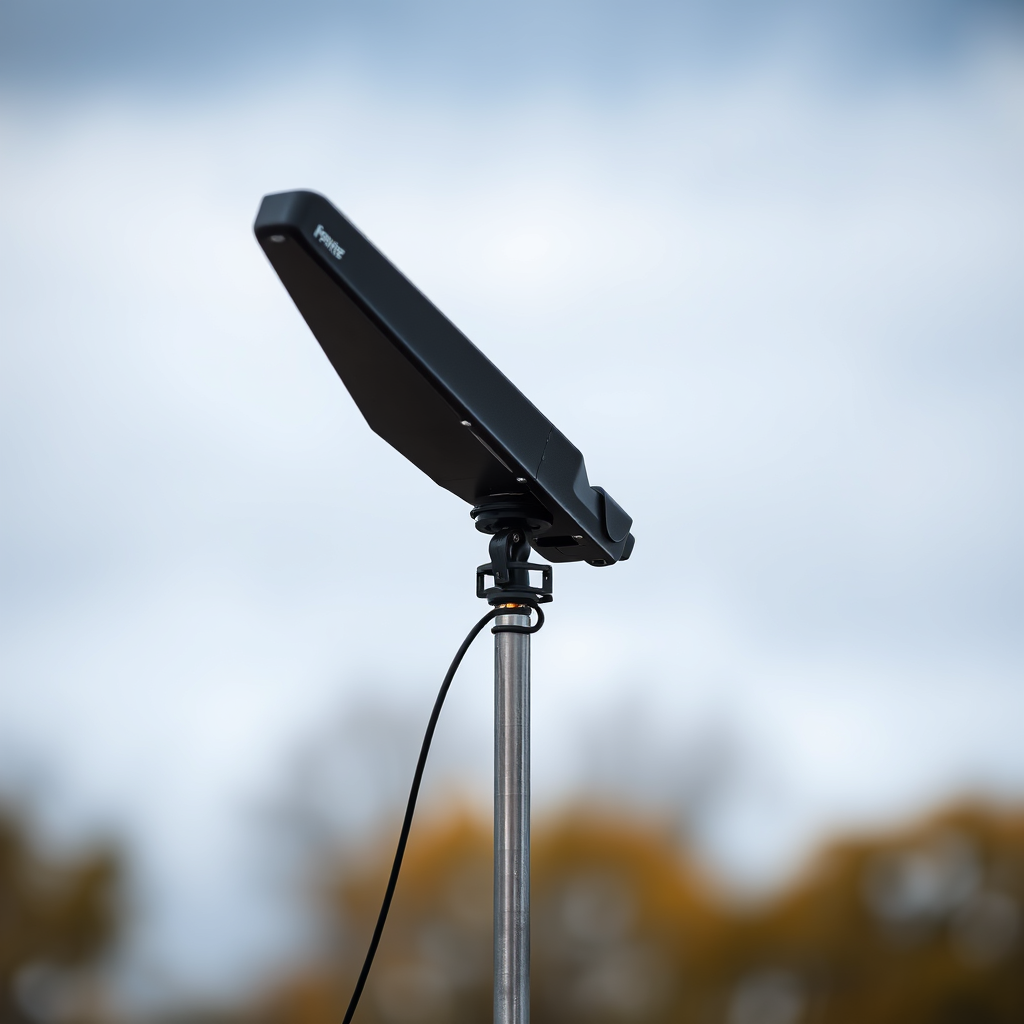
Over-the-air antennas are a fantastic option for anyone looking to watch local channels without incurring monthly fees. These antennas can pick up local broadcast signals for free, allowing you to enjoy popular networks such as ABC, NBC, CBS, and FOX. The setup is straightforward; simply connect the antenna to your TV, perform a channel scan, and you’re ready to go.
The range of over-the-air antennas can vary significantly, with some capable of receiving signals from up to 100 miles away, depending on your location and the presence of obstructions like buildings or trees. There are many types available, from indoor antennas that can be discreetly placed near your television to outdoor antennas that provide stronger reception.
Cost-wise, antennas are a one-time investment that typically ranges from $20 to $100, making them a budget-friendly solution for cutting the cord.
Streaming Services Offering Local Channels
In recent years, streaming services have evolved to include local TV channels, making it easier for viewers to access their favorite shows without a traditional cable subscription. Platforms such as Hulu + Live TV, YouTube TV, and Sling TV offer packages that include local channels, often at a fraction of the cost of cable.
When considering a streaming service, always check the availability of local channels in your area, as this can vary significantly. For instance, YouTube TV is known for its extensive channel lineup that includes many local networks, while Hulu + Live TV has a hybrid model that combines on-demand content with live local broadcasts.
These services also provide the added benefit of cloud DVR capabilities, allowing you to record shows and watch them at your convenience, further enhancing your viewing experience.
Network Apps and Websites
Many major networks, including ABC, NBC, CBS, and FOX, offer free live streaming through their mobile apps or websites. This can be an excellent option for viewers who want to catch live events or news broadcasts without a cable subscription.
While some apps may require a cable login to access full content, many networks provide a selection of live and on-demand programming without any login requirements. This means you can watch popular shows or local news segments without paying a dime, as long as you have an internet connection.
Additionally, these network apps often have features such as customizable notifications for your favorite shows, making it easier to keep up with your preferred programming.
Local TV Channel Coverage by Streaming Service (2024)
| # | Service | Monthly Cost | Local Channels | DVR Feature |
|---|---|---|---|---|
| 1 | YouTube TV | $72.99 | 85+ | Yes |
| 2 | Hulu + Live TV | $69.99 | 75+ | Yes |
| 3 | Sling TV | $40.00 | 30+ | No |
| 4 | FuboTV | $74.99 | 100+ | Yes |
| 5 | Paramount+ | $11.99 | Limited | No |
| 6 | Peacock | $4.99 | Limited | No |
| 7 | AT&T TV Now | $65.00 | 45+ | Yes |
Subscription-Based Options
For those who prefer a more comprehensive solution, subscription-based services like Sling TV and FuboTV offer packages that include local channels. These platforms can be particularly appealing for viewers who want to retain access to a wide range of live programming without the burden of a cable bill.
Sling TV, for example, has different tiers, allowing subscribers to choose the package that best fits their viewing preferences. Its flexibility and competitive pricing make it an attractive option for many. FuboTV, on the other hand, is known for its extensive sports offerings, making it a favorite among sports enthusiasts.
Both of these services often come with free trials, enabling you to test their features and channel offerings before fully committing. This trial period can be a great way to assess whether the service meets your viewing needs.
Digital TV Tuner Devices
Digital TV tuner devices, such as the HDHomeRun, provide a unique way to stream local channels over your home network. These devices connect to an antenna and allow you to watch live broadcasts on various devices, including smartphones, tablets, and smart TVs.
The flexibility of using a digital TV tuner means that you can watch your favorite local channels from anywhere within your home network. Additionally, many of these devices are compatible with popular apps, enabling you to integrate your viewing experience seamlessly across multiple platforms.
Investing in a digital TV tuner can be an excellent choice for families or households where multiple members have different viewing preferences, as it allows for simultaneous streaming on various devices.
Internet Protocol Television (IPTV)
IPTV services are another alternative for accessing local channels via the internet, often at a lower cost than traditional cable. These services deliver programming through an internet connection rather than through traditional broadcast methods.
While IPTV can provide a variety of channels, including local networks, it is essential to research options carefully. The legality and quality of IPTV services can vary significantly, and some may lack the reliability or customer support that more established providers offer.
Always ensure that the IPTV service you choose is reputable and provides the channels you want before subscribing, as many options may not offer a satisfactory experience.
Social Media and Online Platforms
Social media platforms like Facebook Watch and YouTube sometimes stream local events or news, presenting a unique way to access content without subscribing to cable. Local TV stations often utilize these platforms to engage with viewers, providing updates, live broadcasts, and special segments that may not be available elsewhere.By following your local stations on social media, you can stay informed about live events, news broadcasts, and any other content they choose to share. This can be a convenient way to catch up on local happenings without needing a cable subscription.
In conclusion, watching local TV channels without a cable subscription is more accessible than ever, thanks to a variety of options including over-the-air antennas, streaming services, network apps, and more. By exploring these avenues, you can find a solution that suits your viewing needs and budget. Start enjoying your favorite shows and local news today!
Frequently Asked Questions
How can I watch local TV channels without cable?
You can watch local TV channels without cable by using an over-the-air (OTA) antenna, which picks up signals from nearby broadcast towers. Additionally, many streaming services like Hulu + Live TV, YouTube TV, and Sling TV offer local channels in their packages. Subscribing to these services allows you to stream local news, sports, and shows online.
What is the best way to receive local channels without a cable subscription?
The best way to receive local channels without a cable subscription is through a digital antenna. This device captures free broadcast signals from your area, providing access to major networks like ABC, CBS, NBC, and FOX. Ensure you choose a high-quality antenna suitable for your distance from the broadcast towers for optimal reception.
Why should I consider using a streaming service for local TV channels?
Using a streaming service for local TV channels can save you money compared to traditional cable packages while offering flexibility to watch on various devices. Many streaming platforms include local channels in their lineup, allowing you to access live broadcasts and on-demand content. This is particularly beneficial for cord-cutters seeking a more affordable entertainment solution.
Which devices do I need to watch local channels without cable?
To watch local channels without cable, you will need a compatible device such as a smart TV, streaming media player (like Roku or Amazon Fire TV), or a gaming console. If you’re using an OTA antenna, you can connect it directly to your TV or through a digital converter box if your TV does not have a built-in tuner. Most modern devices also support apps for streaming services that provide local channels.
Can I watch local channels online for free?
Yes, you can watch local channels online for free through various platforms that offer live streaming of broadcasts. Websites like Locast provide access to local channels in certain areas at no charge, and many networks have their own apps or websites where you can stream recent episodes for free. However, availability may vary by location and network, so check for options specific to your area.
References
- https://www.researchgate.net/publication/336964215_Watching_Television_without_Cable
https://www.researchgate.net/publication/336964215_Watching_Television_without_Cable - Google Scholar Google Scholar
https://scholar.google.com/scholar?q=watch+local+tv+channels+without+cable - Google Scholar Google Scholar
https://scholar.google.com/scholar?q=streaming+local+tv+channels+without+cable - Google Scholar Google Scholar
https://scholar.google.com/scholar?q=cable+cutting+local+tv+options - Google Scholar Google Scholar
https://scholar.google.com/scholar?q=how+can+i+watch+local+tv+channels+without+cable - how can i watch local tv channels without cable – Search results
https://en.wikipedia.org/wiki/Special:Search?search=how+can+i+watch+local+tv+channels+without+cable - https://www.ncbi.nlm.nih.gov/search/research-articles/?term=how+can+i+watch+local+tv+channels+without+cable
https://www.ncbi.nlm.nih.gov/search/research-articles/?term=how+can+i+watch+local+tv+channels+without+cable

[…] how to stream local broadcasts on Roku, including which methods to check first. If you want live local channels without cable, follow the quickest path and avoid the common dead […]
[…] Streaming services are great for on-demand shows and many live options, but they may cost more and don’t always include every local channel you want. An OTA antenna is a budget-friendly way to get free local channels with no monthly cable bill. This combination—Smart TV apps plus an antenna—often gives the most variety for people cutting the cord. […]