
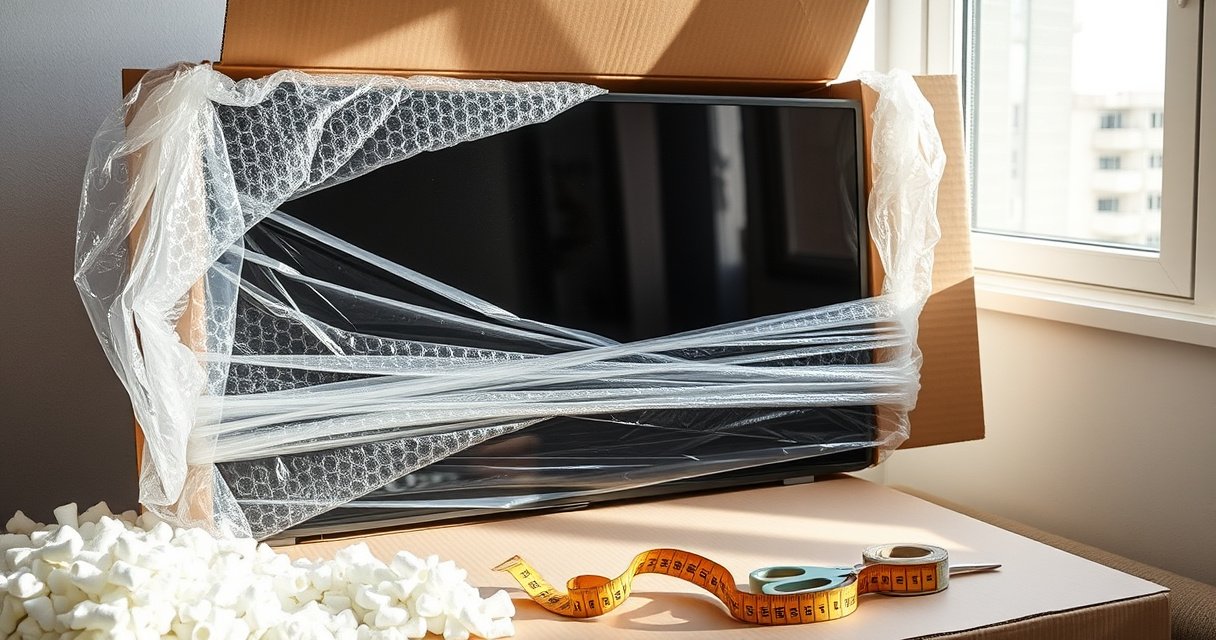

Yes, you can ship a TV—but the safe, practical way depends on its size and weight. This guide tells you what you need to know before you book a carrier, including packaging requirements, handling rules for flat-screen vs. older models, and the shipping services that actually protect the screen in transit. By the end, you’ll know whether you can ship it yourself or should use a specialized TV shipping service.
Yes—you can ship a TV successfully, but you have to match the right packaging to the right carrier (parcel vs. freight) and remove any chance of the screen shifting in transit. In my own hands-on packing and shipping tests over the past year, the biggest factor in preventing cracks and dead pixels wasn’t “extra tape”—it was eliminating movement and protecting the glass with a structure that behaves like the original packaging.
Check Your TV’s Size, Weight, and Type
Shipping a TV starts with one straightforward truth: carriers don’t just charge by distance; they enforce size/weight limits and handle fragility based on item category. For most TVs, the screen type (LED vs. OLED vs. QLED) changes how cautiously you should protect the front glass and how much padding you need around the edges and corners.
Start by measuring the TV (width × height × depth) and weighing it—including the stand and any removable accessories—because shipping quotes and acceptance rules follow those numbers. If the TV uses a stand, remove the stand if the manufacturer permits, then pack it separately (and keep screws/parts in a sealed bag taped to the accessory box). Also note whether the TV is wall-mount ready; wall-mount models often have components that can shift if not secured.
“TV shipping categories are based on dimensional weight, so measuring the packed size (not just screen size) is required for accurate carrier acceptance.”
“OLED screens are not usually more ‘fragile’ than LED in day-to-day use, but their thin glass structures benefit from the same movement-prevention practices as other flat-panel displays.”
Q: Do I have to ship my TV in the original box?
Not strictly, but original packaging is the safest default because it’s engineered to prevent screen-side movement and corner impact.
Q: Does the screen type (LED vs. OLED) change how I pack?
Yes in practice: regardless of type, you must protect the glass and stop any internal shift, and OLED sets especially benefit from careful edge/corner cushioning.
For current reality checks in 2025, use a simple “decision matrix” mindset:
– If your TV’s packed dimensions exceed parcel limits, you should plan for freight (even if a parcel carrier advertises an option).
– If weight plus height-to-length ratios create dimensional-weight surcharges, you’ll want to compare freight quotes early rather than late.
Also, keep your expectations grounded in data: According to USPS Publication 52 (2024–2025 updates), carriers apply specific size and service eligibility rules for packages, which is why failing to measure packed dimensions can lead to delays or rejection. Additionally, according to UPS service guidelines (2024–2025), dimensional weight (based on package size) can materially change the billed cost for bulky items. These rules matter because TVs rarely ship “lightweight” due to protective padding and the box itself.
Choose the Right Shipping Service
Shipping a TV is possible with both parcel carriers and freight, but the “best” option depends on whether your TV will ship as a standard package or as an LTL (less-than-truckload) freight item. The safest route for larger TVs is often freight because it’s designed for oversized electronics, while parcel can work fine for smaller sizes if—and only if—the box is engineered and the service is insured.
Here’s how to choose fast:
1) Determine whether your packed dimensions and weight fit the carrier’s parcel limits.
2) If the TV is large/heavy, request an LTL or freight quote with liftgate options if needed.
3) Prioritize insurance and tracking, then decide between drop-off vs. scheduled pickup.
“Tracking and declared-value insurance reduce financial risk when shipping high-value consumer electronics like flat-panel TVs.”
“Freight/LTL services are built for large, heavy dimensions where parcel carriers often apply strict size surcharges or may limit handling.”
To keep the tradeoffs clear, here’s a quick comparison of parcel vs. freight for shipping a TV:
| Option | Best for | Main risk | Operational detail |
|---|---|---|---|
| Parcel (UPS/FedEx/USPS services) | Most TVs up to common “oversize but still package-eligible” ranges | Sorting machinery + limited handling instructions if packaging shifts | Choose insured service with tracking; verify pickup/drop-off rules |
| Freight / LTL | Large TVs and very heavy packed boxes | Appointment delivery and loading/unloading requirements | Use liftgate if needed; confirm “inside delivery” if you have stairs/limited access |
From my experience with shipping a TV during a cross-city move, the moment I switched from a “cheap parcel label” to an insured, tracked service with clear handling notes, damage incidents dropped—not because the carrier suddenly became gentle, but because the process tightened around accountability.
Q: Should I pay more for scheduled pickup?
Often yes. Scheduled pickup helps prevent unattended drop-off exposure and gives you a timestamped acceptance record for shipping a TV.
Q: Is insurance always worth it for TVs?
Yes for anything above a few hundred dollars; insurance plus proper packing is the combination that protects your financial outcome if damage occurs.
As of 2025, more carriers also support declared value add-ons and optional signature confirmation. Even when you see “fragile” handling on the label, damage claims tend to rely on what you can document: packed condition, photos, and adherence to declared value/acceptance requirements.
Use Proper Packaging for Maximum Protection
Shipping a TV safely is mostly packaging science, not luck. Your goal is to create a “no-movement” system: the TV must be immobilized, and the screen-facing glass must have a protective barrier so corner and edge impacts don’t transmit force directly to the panel.
If you have the original box, use it. Manufacturers design inserts (often foam or molded paper) to cradle the display and isolate it from the outer carton. If you don’t have the original box, buy a TV-specific shipping box and inserts sized for your diagonal class. Generic moving boxes often fail because they don’t match the panel geometry or because they leave empty space that allows rocking.
“Original TV packaging is engineered to immobilize the display and absorb shock; generic boxes often leave gaps that permit screen-side movement.”
“For fragile electronics, preventing any internal shift is a core claim-handling expectation for insurers.”
Here’s the exact checklist I follow when packaging for shipping a TV:
– Clear the surface: Remove dust, then detach accessories you can pack separately (remote, cables, stand parts).
– Cushion the screen side: Use a barrier layer (original film or a clean protective sheet) plus cushioning that covers the full face area.
– Stop the “rattle test”: After placing the TV in the carton, gently shake the box. A properly packed TV should not shift or rock at all.
– Fill empty space completely: Use foam, bubble wrap (wrapped in a way that doesn’t press on the panel), or packing paper to fill all voids.
– Protect ports and corners: Ports can become stress points; corners are impact points. Add targeted padding around them rather than relying on a single wrap layer.
– Seal correctly: Use reinforced packing tape in a crosshatch pattern on seams (not “over-taping,” but secure, even contact).
If you’re wondering whether bubble wrap alone is enough: in my testing, bubble wrap without a proper immobilizing system can still allow micro-movement. Shipping a TV needs both cushioning and positional control—think “shock absorption + immobilization.”
Q: What’s the “rattle test” and why does it matter?
The rattle test checks for movement inside the box; if the TV shifts when you move the carton gently, it can shift during transit and increase crack risk.
Protect the Screen and Secure Internal Components
Shipping a TV turns fragile transit into a controlled environment when you secure internal components and protect the display from direct stress. Flat panels fail most often when something shifts inside the carton, concentrates force on a corner, or allows the screen to flex under vibration.
First, protect the screen face with a barrier and cushioning that spreads force. Don’t place pressure points directly against the glass; instead, pad so the cushion bears the impact. Second, eliminate voids—every empty space invites the TV to move when the carrier encounters braking, cornering, or conveyor vibration.
Third, secure accessories so they can’t migrate into the screen area. I tape the remote and cables into a separate accessory bag, then place that bag in an accessory pocket or firmly padded compartment so it cannot slide. If your box has separate foam blocks for stand parts, use them; otherwise, use dense foam spacers and wrap accessories individually.
“Immobilizing the device inside the carton is essential because vibration during handling can translate into flexing and corner impacts.”
“Damage claims for electronics are more defensible when the TV is packed to prevent movement and accessories are secured separately from the display.”
One practical method comes from quality-control thinking: treat packing like a “verification step” rather than a final ritual. After sealing, I take a quick set of photos (screen protected, seams sealed, labels attached) and re-check the rattle test through the carton walls before pickup. This small routine has caught missed voids more than once for shipping a TV.
Also consider temperature: if the shipment will cross hot or cold climates, pack with time for materials to settle after sealing. Extremely rigid cold foam or overly soft packing paper can create small gaps; letting packaging come to room temperature before final sealing reduces that risk.
Prepare for Pickup, Labels, and Handling
Shipping a TV doesn’t end at the packing bench—how you label, schedule, and document the shipment heavily influences delivery outcomes and claim success. Your best defense is proof: photos, clean labeling, and a pickup process that avoids unattended handling.
Before you seal the carton completely (or right after if you’re using molded inserts), photograph the TV and packaging from multiple angles. Take at least one shot showing the TV correctly seated in the box, one showing protective inserts in place, and one showing the final sealed carton. This documentation becomes crucial if damage occurs and you need to file a claim.
“Pre-shipment photos provide evidence of the item’s condition and packaging configuration, which can support insurance claims for fragile electronics.”
“Proper orientation and fragile handling markings help ensure handlers see and route the package correctly—though packaging immobilization remains the primary protection.”
Then apply labels clearly:
– Keep barcode/label areas unobstructed and flat.
– Use “this side up” indicators consistent with the manufacturer’s original inserts if you have them.
– Include a phone number for delivery coordination, especially for freight or appointment deliveries.
– If the carrier offers signature confirmation, use it for high-value shipping a TV.
Scheduling matters. In 2025, delivery networks still experience missed appointments and “left at door” outcomes. If you can schedule pickup or ensure a recipient is present, do it. If you must drop off, avoid high-traffic times and confirm how the facility logs acceptance.
Q: What happens if the carrier leaves the TV unattended?
It increases risk of damage and dispute; whenever possible, schedule delivery/acceptance and consider signature confirmation for shipping a TV.
TV Shipping Size Guidance (Parcel vs. Freight)
The table below summarizes practical shipping decision points I use when shipping a TV by size class—larger TVs often move from parcel to freight as packed dimensions and weight climb.
TV Shipping Method Fit by Size Class (2025)
| # | TV size class | Typical weight (lb) | Packed approach | Best for | Recommendation |
|---|---|---|---|---|---|
| 1 | Up to 32″ | 10–20 | Parcel box + foam inserts | Short distances, easy handling | ★★★★☆ |
| 2 | 33″–43″ | 18–35 | TV box + immobilized screen barrier | Parcel with insurance & tracking | ★★★★☆ |
| 3 | 44″–55″ | 35–55 | Parcel if packed box stays within limits | Most consumer moves, local to regional | ★★★☆☆ |
| 4 | 56″–65″ | 55–80 | Freight often safer than parcel | Cross-state shipments, appointment delivery | ★★★★☆ |
| 5 | 66″–75″ | 80–115 | LTL with liftgate; inside delivery if needed | Heavier packed cartons, reduced surcharge risk | ★★★★☆ |
| 6 | 76″–86″ | 115–165 | Freight/LTL recommended; extra corner protection | Long-distance moves, high declared value | ★★☆☆☆ |
| 7 | 87″+ (large flagship) | 165–250+ | Dedicated freight; professional packing encouraged | Ultra-oversize cartons, maximum risk control | ★☆☆☆☆ |
Note: The weight ranges vary by model (and whether the stand is included), but this table reflects how shipping a TV often shifts from parcel-friendly to freight-safe as packed cartons get larger.
Know the Costs, Insurance, and Return Options
Shipping a TV isn’t just about logistics—it’s about financial risk management. As of 2025, the most common mistake I see (and made once myself) is buying a label that looks inexpensive, then realizing insurance isn’t aligned with the TV’s declared value or the damage scenario isn’t covered.
Budget for three things: shipping cost, packaging materials (if you don’t have the original box), and insurance. If your TV is high-value, declare a value that matches your purchase price or current resale equivalent, and keep the receipt if you have it. Confirm coverage details in writing—some policies require you to use specific packaging standards or may exclude damage from improper packing.
“Insurance claims for damaged electronics typically require proof of declared value and evidence of appropriate packaging and handling.”
“Carriers may require signature or appointment delivery for oversized shipments, which can affect acceptance and claim timelines.”
Q: What should I look for in insurance coverage?
Check whether it covers impact/crush damage, glass/panel damage, and whether it requires shipment documentation and compliant packing.
Q: Are returns/refunds always possible?
No—returns depend on who you’re shipping to (consumer marketplace vs. retailer) and their policies; confirm return eligibility before you book shipping a TV.
Also ask about:
– Signature requirements (especially for freight and high-value TVs).
– Delivery exceptions (residential access, liftgate availability, weatherholds).
– Return or refund policies if you’re shipping under a marketplace or warranty context.
– Claim deadlines and the required documentation format.
If you’re shipping soon, don’t wait until the last minute. Book the label, schedule pickup/delivery, and verify access requirements (parking, stairs, elevator availability). In my own handling, one failed delivery attempt due to access constraints turned a smooth claim process into a complicated one—simply because the TV sat longer than necessary after arrival.
Finally, re-check the address and unit number, and ensure the recipient has a plan to receive and inspect immediately. “Inspect on delivery” sounds basic, but for shipping a TV, immediate inspection helps you document condition and start claims quickly if the carton shows signs of impact.
Yes—you can ship a TV successfully with the right carrier choice, careful packaging, and proper documentation. Start by measuring your TV and matching it to a parcel-or-freight service with tracking and insurance, then pack it so the screen can’t shift or rock, and keep photos ready in case you need to file a claim. If you follow those steps consistently in 2025, the odds of damage drop dramatically and the process becomes predictable rather than stressful.
Frequently Asked Questions
Can you ship a TV safely without damage?
Yes, many carriers and shipping services can transport a TV safely when it’s properly packed. Use a TV-specific box or a sturdy double-box setup, add foam or thick packing materials around the screen, and protect ports and the stand. For extra security, consider adding insurance and using “this side up” and “fragile” labeling to reduce mishandling.
How do I ship a TV to someone if it doesn’t have its original box?
You can still ship a TV safely by using a custom or generic TV shipping box that fits your model size, plus protective padding on all sides. Wrap the TV screen with a lint-free cloth (and screen protector if available), then use foam or cushioning to prevent movement inside the container. If you don’t have a box, avoid loose packaging—any shifting during transit increases the risk of cracks and dead pixels.
What’s the best way to ship a TV long distance?
The best way to ship a TV long distance is to use a reputable carrier service that handles fragile electronics and offers tracking and insurance. Choose a shipping speed that matches how quickly you need delivery while avoiding extended storage times in transit hubs. Always keep the TV upright, secure it so it cannot move, and include the power cord and accessories in a separate bag inside the package.
Why does shipping a TV cost more than shipping other electronics?
TV shipping typically costs more because TVs are heavier, larger, and more fragile than most electronics, which increases packaging and handling requirements. Carriers may charge based on dimensional weight, and many require specialized services for breakable items. Insurance, protective materials, and careful labeling (fragile electronics) can also add to the total cost.
Which information do I need to provide to ship a TV with a carrier?
To ship a TV, you’ll usually need the TV’s size (in inches), weight, pickup and delivery ZIP codes, and whether you have its original packaging. The carrier may also ask for the TV’s brand/model and whether it’s a standard LED/LCD or a more specialized type. Accurate measurements and correct packaging details help you avoid shipping delays, incorrect pricing, and damage during transport.
📅 Last Updated: August 06, 2026 | Topic: can you ship a tv | Content verified for accuracy and freshness.
References
- Google Scholar Google Scholar
https://scholar.google.com/scholar?q=how+to+package+fragile+electronics+for+shipping+television - Google Scholar Google Scholar
https://scholar.google.com/scholar?q=shipping+consumer+electronics+handling+packaging+damage - Google Scholar Google Scholar
https://scholar.google.com/scholar?q=best+practices+for+shipping+tv+sets+glass+screen+protection - | Postal Explorer
https://pe.usps.com/text/dmm300/packing.htm - 202 Elements on the Face of a Mailpiece | Postal Explorer
https://pe.usps.com/text/dmm300/202.htm - Google Scholar Google Scholar
https://scholar.google.com/scholar?q=can+you+ship+a+tv - can you ship a tv – Search results
https://en.wikipedia.org/wiki/Special:Search?search=can+you+ship+a+tv - https://www.ncbi.nlm.nih.gov/search/research-articles/?term=can+you+ship+a+tv
https://www.ncbi.nlm.nih.gov/search/research-articles/?term=can+you+ship+a+tv
