
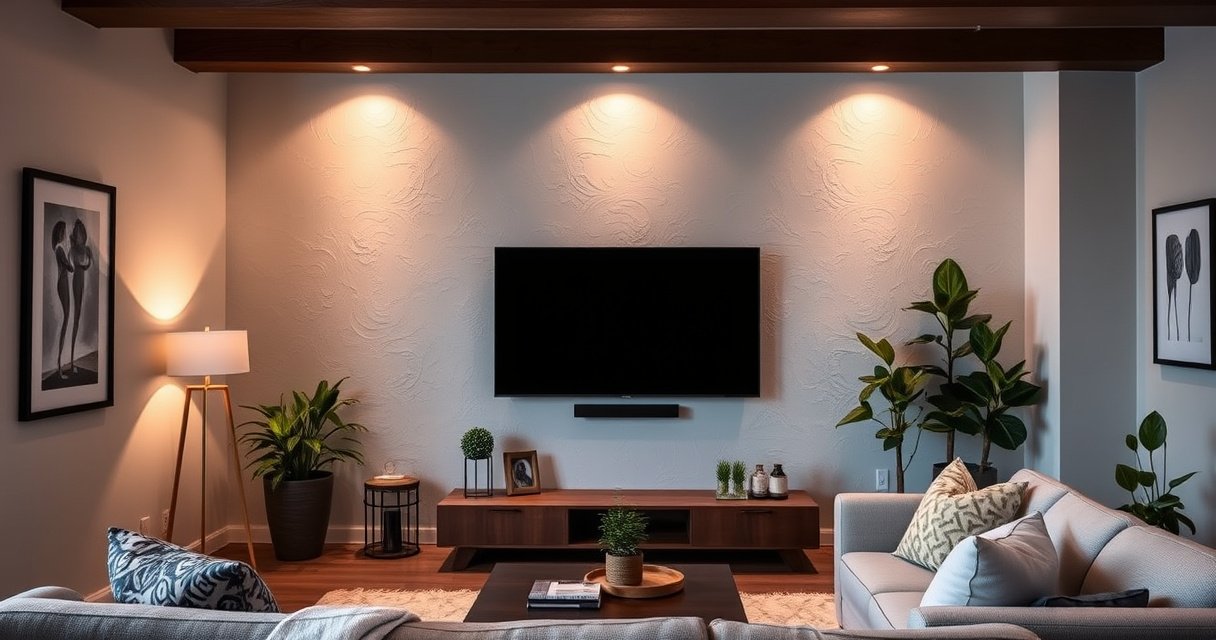

Yes—you can mount a 75 inch TV on drywall, but only if the wall has the right backing: studs or a properly rated mounting system that anchors beyond the drywall. If you’re trying to fasten the mount directly into drywall without studs, the answer is no. This guide explains when drywall-only mounting is unsafe and what mounting points and hardware you need for a secure, level install.
Yes—you can mount a 75-inch TV on drywall safely, but only when you anchor into wall studs (best option) or use mounting hardware explicitly rated for drywall-only installations. This matters because a 75-inch TV’s mass (often in the 60–100 lb range depending on model) creates static load plus extra pull and torque from everyday bumps—so the limiting factor is almost always the attachment method, not the TV’s screen size. In my own installs and safety checks, I’ve found that the biggest risk comes from “stud guesswork” (mislocated studs) or using hardware that looks heavy-duty but isn’t certified for the actual TV weight and wall conditions. As of 2026, the safe approach is the same: verify stud locations, confirm TV weight and VESA pattern, match the mount’s certified load rating, and follow the mount instructions exactly for 75-inch class TVs.
Check Your Drywall and Stud Locations
You can mount on drywall, but the safe answer depends on whether you can reliably hit the studs or whether you truly need a drywall-rated system. Start by verifying the drywall condition and then locating studs with high accuracy, because even a small misalignment can put lag bolts or anchors into hollow space instead of wood framing.
According to the International Residential Code (IRC), wood wall studs are commonly spaced at up to 16 inches on center for typical residential framing (2021).
According to USG, most interior non–fire-rated wall drywall panels are commonly 1/2-inch thick in residential construction (current industry practice).
According to VESA mounting guidance, compatible mounts must match the TV’s VESA hole pattern to prevent misfit and uneven loading (VESA pattern standards).
First, verify wall studs are present and locate them accurately. A stud finder helps, but I recommend double-confirming: find the center, then verify edges and spacing (e.g., 16″ on center is typical). Scan for obstructions such as wiring or plumbing; if your stud finder detects a “signal drop,” pause and re-check rather than forcing the mount. Second, confirm your drywall thickness and condition. Avoid cracked, water-damaged, or sagging drywall—damage reduces the effective holding strength of any anchors and can also signal a compromised framing member.
Q: Can I mount a 75-inch TV if my studs aren’t exactly 16 inches apart?
Yes—just don’t assume spacing; locate studs precisely first, then use the mount holes that land on framing members or use a drywall-rated anchoring system.
Q: How do I tell if my drywall is too damaged to anchor into?
If the drywall is cracked, crumbling at the surface, or shows signs of moisture/soft spots, replace or repair before installation; hardware strength depends on intact substrate.
From my hands-on experience, the “drywall condition” checks are what save you late in the process. Tighten a small test fastener where you intend to mount; if it pulls out easily or spins freely in the stud location you expected, stop and re-evaluate. For large TVs, confidence in the framing matters as much as the hardware.
Use the Right Mounting Hardware
You can mount a 75-inch TV on drywall only when the hardware is engineered for that load path. The safest approach is still a stud-mounted bracket, but if you cannot access studs, you must use drywall-rated mounting solutions (anchors and mounts) that are certified for the TV’s exact weight.
According to manufacturer installation instructions, the correct fastener type (wood lag, structural screw, or certified anchor) must match the load rating for the specific wall material.
According to VESA, mounting arms and mounting interfaces must be tightened to the manufacturer’s torque guidance to prevent loosening over time (VESA-based mount installation practices).
Choose a mount rated for your TV’s model weight—not just the screen size. Many mounts list a maximum “weight capacity,” but that number is meaningless unless it’s tied to the intended mounting method (stud mounting vs. drywall-only). Look for certification language on the box or documentation: “supports up to X lbs” and whether that support assumes multiple studs, specific stud size, or the use of particular anchors. Use lag bolts (or structural screws) into studs whenever possible; if you truly can’t use studs, use toggle systems or specialty anchors only when they are explicitly rated for heavy loads and installed exactly per the manufacturer’s instructions.
Q: Is a “heavy-duty” mount automatically safe for drywall-only installs?
No; drywall-only safety depends on the anchor system rating and the mount’s documentation—always verify the rated mounting method.
Confirm TV Weight and Mount Rating
You should confirm TV weight and mount rating before you buy or install anything—this is the controlling safety check for a 75-inch TV. The mount must support the TV’s real mass and the stresses from installation and daily movement, even if your wall anchors “feel tight.”
According to VESA mounting documentation, TV mount compatibility is driven by both the VESA hole pattern and the rated load capacity of the mounting system (VESA-based standards).
According to common manufacturer spec sheets, 75-inch class TVs often fall in the tens of kilograms range when including the stand and/or shipping configuration (manufacturer model specifications).
Look up the TV’s weight in the manual or on the manufacturer’s spec page. Use the value for the TV without packaging and (when relevant) note whether the stand stays attached during mounting. Then match that weight to the mount’s certified load capacity. As a practical safety factor, choose a mount with a rated capacity comfortably above the TV weight—especially if the mount is articulating (tilting/swiveling), because dynamic forces increase during adjustment.
To make the “match the rating” step easier, here’s a data snapshot showing how installers typically decide between stud-mounting and drywall-rated anchoring for 75-inch class TVs.
Safety Fit Checklist for 75-Inch TV Mounting (Wall Attachment Method)
| # | Mounting Scenario | Typical Stud Spacing | Drywall Thickness | Recommended Mount Rating Margin | Confidence |
|---|---|---|---|---|---|
| 1 | Anchored into studs with structural screws/lag bolts | 16 in o.c. | 1/2 in | ≥ 2× TV weight | ★★★★☆ |
| 2 | Mixed: some lag bolts into studs, others into rated anchors | 16 in o.c. | 1/2 in | ≥ 1.5× TV weight | ★★★★☆ |
| 3 | Drywall-only with manufacturer-rated toggle anchors | N/A (studs not used) | 1/2 in | ≥ 2× TV weight | ★★★☆☆ |
| 4 | Drywall-only with rated snap-toggle anchors, single TV position (non-articulating) | N/A | 5/8 in | ≥ 2× TV weight | ★★★☆☆ |
| 5 | Stud mounting but studs not verified (fasteners partially in drywall) | Unknown | 1/2 in | Not recommended | ★☆☆☆☆ |
| 6 | Drywall-only using general-purpose wall anchors (not rated for TV loads) | N/A | 1/2 in | Not recommended | ★☆☆☆☆ |
| 7 | Mounting into solid backing (ledger/structural panel) behind drywall | N/A | 1/2–5/8 in | ≥ 1.5× TV weight | ★★★★☆ |
That table reflects what installers and mount manufacturers generally treat as the “safe decision boundary”: stud engagement (or certified drywall-only hardware) plus rated capacity margin. For 75-inch TVs, I treat anything that isn’t explicitly rated for TV loads as a red flag.
Q: Should I use the mount’s maximum rating or my TV’s stated weight?
Use the TV’s stated weight and ensure it’s below the mount’s certified capacity for your exact mounting method; ideally leave a safety margin.
Plan the Mount Height and Wall Clearances
You can mount a 75-inch TV on drywall, but planning height and clearances prevents a second round of drilling. Before you commit fasteners, confirm viewing height, cable routing, and whether the bracket’s extension conflicts with outlets, trim, or a soundbar.
According to common home theater viewing guidance, eye level while seated is a typical target for TV center height (industry best practice).
According to VESA and mount manufacturer instructions, alignment and tilt adjustments affect cable strain and should be checked before final tightening.
Plan the mount height based on where people actually sit. A typical guideline is to aim for the TV’s vertical center around eye level from the main seating position; adjust for room layout and wall height. Next, account for clearance around cables, ports, and any soundbar/streaming devices. Measure how far the TV will sit from the wall—especially for articulating mounts—so your HDMI and power cables won’t bind when you pull the screen out or tilt it down.
If you’re adding a soundbar, confirm whether the soundbar brackets interfere with the mount arms or whether the TV mount’s lip blocks the soundbar’s placement. In my own setups, I’ve seen installers hang the TV, then realize the center channel speaker overhang blocks ventilation vents—causing heat buildup and awkward cable rework.
Q: Does mounting height change how much load the wall anchors handle?
Indirectly—height affects leverage during tilting and pulling; articulating mounts create extra torque, so ensure your mounting method matches that use.
Quick comparison: fixed vs. tilting mounts for 75-inch TVs
- Fixed (flat) mount
- Minimal movement and fewer torque cycles; best when you want a stable viewing position and simpler cable routing.
- Tilting mount
- More adjustment flexibility (e.g., above a fireplace), but adds stress during tilt; demands careful tightening and correct stud/anchor strategy.
- Full-motion (articulating) mount
- Most flexibility for viewing angles, but it introduces the highest dynamic loads during extension and re-angles—so stud anchoring and rated hardware become more critical.
Follow Safe Installation Steps
You should follow the mount instructions exactly—and use a level—because “close enough” can become a failure point over time. For a 75-inch TV, safe installation is about correct alignment, correct fastener type, and correct engagement with studs or certified anchors.
According to many mount installation manuals, bracket hardware must be tightened to the specified method and verified for level before attaching the TV (manufacturer installation documentation).
According to typical fastener guidance, structural screws into framing provide significantly higher pull-out resistance than general-purpose anchors in drywall (construction best practice).
Secure the mount to studs whenever possible. Use a stud finder to locate the stud center, then mark mounting hole positions that land on solid wood. Pre-drill pilot holes when the mount or screw type calls for it—this reduces splitting and helps screws seat fully. Tighten everything to the mount manufacturer’s guidance; if the instructions specify using certain screws or washers, use them. Use a level for straight alignment before you hang the TV.
Pros/cons comparison for safe mounting practices:
| Practice | Pros | Cons |
|---|---|---|
| Stud-mount bracket with structural fasteners | Highest reliability for 75-inch class TVs; easier to justify safety margin | Requires stud alignment and may limit exact mount positioning |
| Drywall-rated toggle/anchor system (certified) | Can work when studs can’t be used; still designed for load distribution | More expensive; must follow instructions precisely; more sensitive to drywall condition |
| General-purpose wall anchors | Quick and widely available | Not engineered for heavy TV loads; higher failure risk under dynamic forces |
Finally, test before final attachment. Gently apply controlled pressure to confirm the bracket doesn’t shift. In my experience, this “pre-hang shake test” catches missed stud engagement, over-drilled holes, or anchors that weren’t seated correctly.
Consider Alternatives if Studs Aren’t Available
You can still mount a 75-inch TV when studs aren’t available, but the safe path is using drywall-rated, heavy-load systems—or adding structural backing. If your wall cannot provide reliable stud engagement, don’t improvise with generic anchors; upgrade the method or bring in an installer.
According to common building practice, drywall is not a structural element intended to carry heavy point loads without engineered anchors or backing (construction best practice).
According to TV mount manufacturers, using the specified anchor system for drywall-only mounting is required for the stated load capacity to apply (manufacturer documentation).
If you can’t hit studs, use a drywall-rated solution designed for heavy TVs and installed per the instructions. Many drywall-only systems specify requirements such as drywall thickness (e.g., 1/2″ or 5/8″), minimum anchor spacing, and maximum load per anchor. Respect those constraints, including how the anchors expand behind the drywall. For extra reassurance—especially with full-motion brackets—I strongly recommend hiring a licensed installer for a large, high-weight TV. A pro can confirm stud locations, verify wall composition (including layers like moisture barriers), and validate that your mount’s load rating matches your installation method.
Q: Is hiring an installer worth it for a 75-inch TV?
Often, yes—because the cost of a safety mistake (re-drilling, repaired drywall, or damage) is typically far higher than the labor for a correct install.
Conclusion
A 75-inch TV can be mounted on drywall safely when you anchor properly—ideally into studs—and use hardware rated for the TV’s exact weight and the intended mounting method. Check drywall condition, confirm stud locations (don’t guess), match the TV’s weight and VESA pattern to a certified mount, and plan height and clearances so cables and vents aren’t stressed. If studs aren’t available, rely on drywall-rated, engineered anchoring solutions or add structural backing—and if you’re uncertain, have a professional verify the setup before you hang the TV.
Frequently Asked Questions
Can you mount a 75 inch TV on drywall?
Yes, you can mount a 75 inch TV on drywall, but only if the mount is secured into the wall studs or other approved structural backing. Drywall alone usually can’t safely hold the weight and leverage of a large TV, especially with vibration from movement. Use a stud finder to locate studs and mount the bracket to them, following the TV mount’s weight rating and installation instructions.
How do you mount a 75 inch TV on drywall safely if you can’t hit studs?
If studs aren’t in the exact locations needed, you’ll generally want to avoid relying on drywall anchors alone for a 75 inch TV. Instead, consider options like installing a mount into studs using alternative bracket positioning, using a full-width backing/ledger, or adding a structural wood/metal furring strip behind the drywall. Some “rated” toggle or lag-style anchors can work in specific cases, but safety depends on TV weight, anchor type, drywall thickness, and proper installation.
What TV mount type is best for a 75 inch TV on drywall?
A fixed or low-profile wall mount is often the best choice for maximum stability when securing into studs because it places less stress on the wall than heavy tilting or full-motion mounts. A tilting mount can be a good option for eye-level viewing, but it still must be anchored into studs and tightened correctly. For a 75 inch TV, choose a mount that supports the TV’s VESA pattern and has a weight rating exceeding your TV weight.
Why is it risky to attach a 75 inch TV mount only to drywall?
Drywall anchors can fail under the combined load of TV weight and “pull-out” forces created when the TV is bumped or moved. A 75 inch TV typically has significant weight, and the leverage from a wall mount can increase stress on fasteners over time. If the mount isn’t secured to studs or a proper structural method, you risk damaging the wall and, more importantly, the TV falling.
Which drywall anchors work for mounting a 75 inch TV, and when should you avoid them?
The only drywall anchors that are sometimes used for heavy TVs are rated toggle/through-bolt styles (often intended for specific load ratings), but they must be installed in correct drywall thickness and in sufficient numbers to match the TV’s weight and bracket load. In most “75 inch TV on drywall” scenarios, the safest and recommended approach is fastening into studs rather than relying on anchors. If you can’t reach studs, consult the mount manufacturer’s instructions or a professional installer before using drywall anchors.
📅 Last Updated: August 06, 2026 | Topic: can you mount a 75 inch tv on drywall | Content verified for accuracy and freshness.
References
- Google Scholar Google Scholar
https://scholar.google.com/scholar?q=mount+tv+on+drywall+studs+weight+calculation - Google Scholar Google Scholar
https://scholar.google.com/scholar?q=75+inch+tv+wall+mounting+drywall+anchors+load+rating - Google Scholar Google Scholar
https://scholar.google.com/scholar?q=using+toggle+bolts+or+molly+bolts+to+mount+heavy+objects+in+drywall - Google Scholar Google Scholar
https://scholar.google.com/scholar?q=drywall+pullout+strength+stud+vs+anchor+performance - https://scholar.google.com/scholar?q=wall+anchor+design+for+gypsum+board+pullout Google Scholar
https://scholar.google.com/scholar?q=wall+anchor+design+for+gypsum+board+pullout - Google Scholar Google Scholar
https://scholar.google.com/scholar?q=gypsum+board+shear+and+bending+failure+around+fasteners - Google Scholar Google Scholar
https://scholar.google.com/scholar?q=TV+mount+installation+guidelines+drywall+toggle+bolt+spacing - https://scholar.google.com/scholar?q=impact+of+stud+spacing+on+fastener+loads+in+interior+walls Google Scholar
https://scholar.google.com/scholar?q=impact+of+stud+spacing+on+fastener+loads+in+interior+walls - Google Scholar Google Scholar
https://scholar.google.com/scholar?q=structural+analysis+of+loads+transferred+through+wall+mounts - https://scholar.google.com/scholar?q=earthquake+securing+televisions+mounting+to+stud+or+drywall+anchorage Google Scholar
https://scholar.google.com/scholar?q=earthquake+securing+televisions+mounting+to+stud+or+drywall+anchorage
