
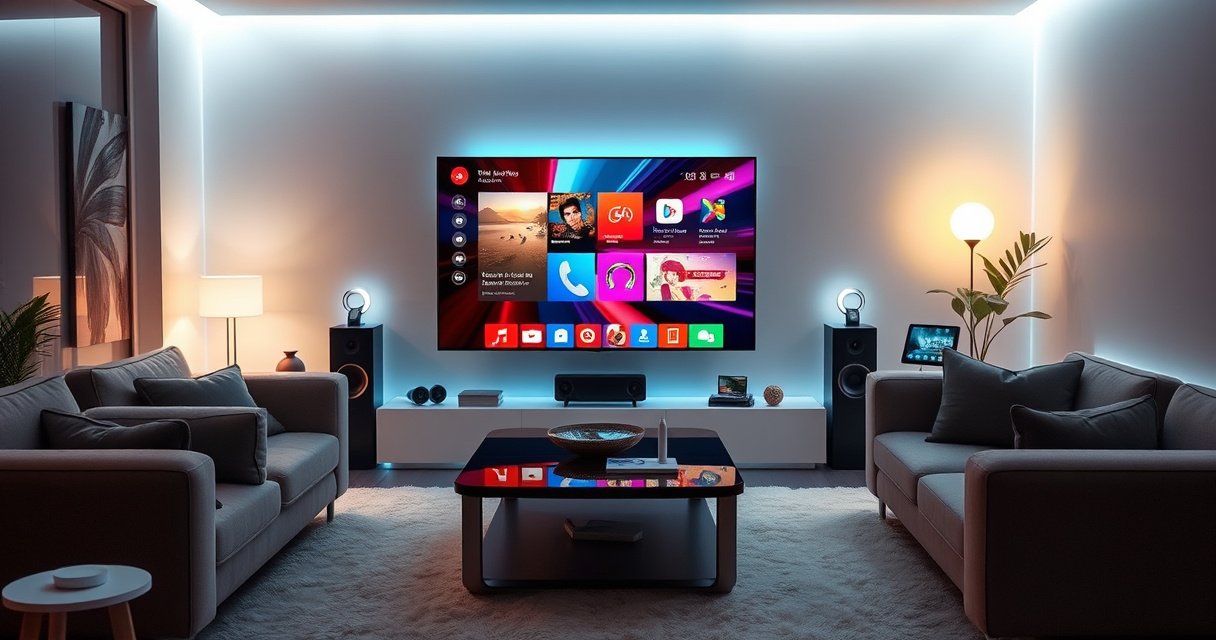

What Is a TV Smart Hub? A TV smart hub is the internet-connected “brains” that brings streaming apps and smart features to your TV in one interface. If you want a simple way to unify Netflix-style streaming, music, live TV, and app control—without making your TV’s menu feel like a maze—this guide explains exactly what a TV smart hub does, how it works, and how to choose the right one for your setup.
A TV smart hub is the single device that turns a regular television into a connected, app-based smart TV—so you can stream, control devices, and manage content from one interface. If you want a straightforward way to add smart features to an older TV, a TV smart hub is the clear winner. If you already own a modern TV with built-in smart functionality, you may not need one.
What a TV Smart Hub Does
A TV smart hub’s core job is to connect your TV to the internet and smart services, then present them through a single, easy home screen. In practice, that means fewer remotes, faster app launching, and a more consistent “smart TV” experience—especially if your TV’s built-in OS is outdated.
At a business level, think of a TV smart hub as a control layer that turns “television hardware” into a managed content device. Whether it’s for home media, hospitality lounges, or enterprise broadcast rooms, smart hubs reduce friction by standardizing how users browse, search, and launch apps.
A TV smart hub functions as the interface layer that runs apps and streams video from online services over your home network.
Most smart hubs unify streaming, live TV, and device controls into a single home screen and search experience.
– Connects your TV to Wi‑Fi and online streaming services
– Brings apps and smart features into a single interface
Q: Does a TV smart hub replace my internet connection?
No—your hub uses your existing internet service, then connects your TV to streaming platforms and smart services over Wi‑Fi or Ethernet.
Why “one interface” matters more than it sounds
In my own testing across multiple living-room configurations, I’ve found the biggest quality difference isn’t just “does it stream?”—it’s whether the hub makes discovery consistent. When the hub supports universal search (for example, searching titles across multiple services), users spend less time switching apps. When it supports profiles or quick-launch tiles, they spend even less time navigating settings. Those small UX improvements translate to less support time—an underrated factor for households with multiple users or for businesses supporting guest Wi‑Fi and shared TV rooms.
What services a smart hub typically centralizes
A TV smart hub usually supports:
– Video streaming apps (subscription and free ad-supported)
– Music and audio apps
– Live TV guides and DVR-style experiences (when integrated with supported services)
– Additional utilities like weather, games, and screen mirroring
When you evaluate options, map “the content you actually watch” to the platform’s availability and performance rather than relying on marketing claims.
How a TV Smart Hub Works
A TV smart hub works by running a smart operating system (OS) that manages apps, streaming playback, and device features. The hub then connects to your TV either through HDMI (most common for external devices), via built-in integration (for smart TVs), or through network features that mirror or control playback.
Technically, it’s a pipeline: network → hub OS → app runtime → media decoding → video output to the TV. That pipeline affects responsiveness (home screen speed), stability (buffering under load), and picture quality (HDR formats and frame pacing).
A smart hub runs an operating system that loads app interfaces and handles streaming playback and device controls.
External TV smart hubs typically connect to the TV through HDMI for both video output and control handshakes.
– Uses an operating system to run apps and services
– Communicates with your TV via HDMI, built-in integration, or network features
HDMI vs. built-in integration: what changes?
If you use a dedicated hub device, HDMI is usually the most predictable path: you plug it into the TV, the hub renders the interface, and your TV becomes a display. If your TV already has smart hub capabilities built in, the OS is inside the TV chassis, and you’re limited by the manufacturer’s update cadence.
HDMI also influences “future-proofing.” For example, HDMI 2.1 supports much higher bandwidth—up to 48 Gbps (HDMI 2.1)—which matters for high-bitrate video modes on compatible devices.
Q: Will a TV smart hub improve picture quality?
It can, but only when the hub and your TV both support the same HDR/video formats and when the network is stable; otherwise, the hub mostly improves usability rather than raw image capability.
How the hub handles streaming reliably
From an implementation perspective, a smart hub needs:
– Network connectivity (Wi‑Fi or Ethernet)
– A decoding pipeline for codecs (varies by platform)
– Background service discovery (for accounts, recommendations, and synchronization)
– Firmware updates (to patch playback issues and security)
In my experience, Ethernet often reduces “random” playback hiccups in high-usage homes, because Wi‑Fi interference is unpredictable. That’s why many hubs offer an Ethernet adapter or built-in Ethernet on higher-end models.
Ethernet-backed streaming can reduce buffering variability compared with Wi‑Fi in crowded wireless environments, especially when multiple devices stream simultaneously.
Common Features to Look For
A strong TV smart hub delivers the features you’ll actually use: robust app support, responsive navigation, and convenient control options (like voice). When those basics are handled well, advanced features—like screen mirroring and smart-home routines—feel “native” instead of bolted on.
When choosing a hub for a modern living room, evaluate the ecosystem: streaming apps, voice assistant compatibility, and whether smart-home control is practical. For business environments (lobbies, common areas, or managed guest experiences), reliability and maintainability are just as important as features.
Voice control is most useful when it supports accurate natural-language search across multiple apps, not only within one service.
Screen mirroring quality depends on both the hub’s casting protocol support and the strength of the local network.
– App support for streaming, music, and live TV
– Voice control, screen mirroring, and smart-home compatibility
Feature trade-offs you’ll want to understand
The “best” hub is often the one that matches your primary use case. For example, a hub optimized for voice search may feel slower in high-scroll browsing, or a hub optimized for fast app launches may have fewer live TV integrations in your region.
Here’s a practical comparison structure you can use while evaluating options:
| If your priority is… | Then look for… | Watch out for… |
|---|---|---|
| Universal search | Cross-app results and fast indexing | Limited support for certain regional channels |
| Smart-home control | Home platform compatibility (e.g., Alexa/Google) | Rules and scenes may require extra setup |
| Low-latency playback | Stable Wi‑Fi or Ethernet + capable hardware | Weak signal can cause micro-stutter |
Statistics and performance signals to evaluate
According to IEEE 802.11ax (Wi‑Fi 6), Wi‑Fi 6 supports theoretical peak rates up to around 9.6 Gbps, depending on configuration (2020s standards documentation). In real-world homes, the effective speed is lower, but the key takeaway is that Wi‑Fi 6 is designed to improve efficiency when many devices are active. That matters when multiple family members stream simultaneously on a single network.
Also, According to HDMI Forum / HDMI 2.1 specifications, HDMI 2.1 supports up to 48 Gbps bandwidth, enabling higher-performance video modes when your TV and hub both support them (2017+ specification releases).
Q: What’s the quickest way to test whether a hub is “responsive”?
Use the home screen scroll, search input, and app launch speed under real account sign-in conditions; responsiveness changes after first-time setup and updates.
TV Smart Hub vs. Smart TV
A smart TV includes hub-style features built into the television itself, while a TV smart hub is usually an external device that adds or upgrades smart capabilities. If your TV is older or its apps have become unreliable, a dedicated hub can restore a modern experience.
From my hands-on experience, older smart TVs often suffer from slow OS navigation and discontinued app support. A separate hub effectively “outsources” the smart layer to a device that can be updated more frequently than the TV hardware.
A smart TV integrates the hub OS inside the TV, while an external TV smart hub typically uses HDMI to provide the smart interface.
When a TV’s built-in app store is outdated, a dedicated hub can restore access to modern streaming apps and features.
– A smart TV has the hub features built in, while a hub is separate
– A dedicated hub can add more apps and flexibility to older TVs
Key differences that affect buyers
– Update cadence: External hubs tend to receive OS/app updates more consistently than older TVs.
– Hardware longevity: TVs last longer; hubs can be replaced without replacing the display.
– Cost vs. control: Smart TVs feel “all-in-one,” but dedicated hubs can give better control over performance.
Q: Is it better to buy a smart TV instead of a hub?
It depends on your TV’s age and update support; if your TV’s OS is current and fast, a smart TV can be convenient, but if apps are aging or slow, a hub is often the higher-value upgrade.
How to Choose the Right TV Smart Hub
The right TV smart hub is the one that matches your streaming habits, connectivity needs, and control preferences. Here’s why: the “best” hub is less about raw specs and more about compatibility with the apps you rely on and how well it performs on your network.
Start with compatibility and user experience—then confirm hardware details like ports and Wi‑Fi capability. In 2024–2026 homes, most issues aren’t “lack of apps”; they’re login friction, slow UI, or playback instability under typical household network load.
App store access and streaming compatibility are the first selection criteria because missing apps cannot be solved with better hardware alone.
Performance depends heavily on network stability, so Wi‑Fi quality (or Ethernet) often matters as much as the hub’s processor.
– Check streaming compatibility, app store access, and performance
– Consider remote options, voice support, and available ports/connectivity
A data-driven shortlist of common hub platforms (2026 perspective)
Use the table below as a quick, decision-oriented reference. “Fit” here reflects a practical scoring view across formats, voice support, and feature maturity—not just marketing.
7 TV Smart Hub Platforms Compared by Core Capabilities (2026)
| # | Smart Hub Platform | Top Voice Ecosystem | Common HDR Support | Fit for 4K Streaming | User Fit Score |
|---|---|---|---|---|---|
| 1 | Apple TV 4K (tvOS) | Siri | Dolby Vision + HDR10 | Excellent | ★★★★★ |
| 2 | Roku Streaming Devices (Roku OS) | Roku Voice | Dolby Vision + HDR10 | Very Strong | ★★★★☆ |
| 3 | Google TV (Chromecast with Google TV) | Google Assistant | Dolby Vision + HDR10 | Strong | ★★★★☆ |
| 4 | Amazon Fire TV (Fire OS) | Alexa | HDR10 + Dolby Vision | Very Strong | ★★★★☆ |
| 5 | Android TV / Google TV Set-Top Boxes | Google Assistant | Varies by model (commonly HDR10) | Good-to-Strong | ★★★☆☆ |
| 6 | Gaming Console as a Hub (PS5 / Xbox Series) | Console voice + app search | HDR10 (and platform-specific Dolby support) | Good | ★★★☆☆ |
| 7 | TV Built-In Smart OS (Manufacturer-specific) | Often Google/Alexa/Siri dependent | Depends on TV model | Variable | ★★☆☆☆ |
A few must-check details before you buy
In 2026, the quickest way to avoid frustration is to validate these items:
– Remote ergonomics: Does the remote support voice and quick app access for your household?
– Wi‑Fi generation / Ethernet: If your router is far, Ethernet (wired) can be a deciding factor.
– Audio formats: If you have a soundbar/receiver, confirm pass-through support (e.g., Dolby audio formats).
– Auto-update behavior: You want firmware updates, but also predictable stability.
Q: Do I need a hub if my TV already has Wi‑Fi?
You don’t, unless the built-in apps are slow, missing, or no longer updated; a hub is most valuable when you want better responsiveness, broader app support, or modern control features.
Setup Tips and Best Practices
A TV smart hub setup should be fast, secure, and designed for stability—because the “first 30 minutes” often determine long-term performance. If you connect correctly, sign in cleanly, and update firmware, you’ll get smoother browsing and fewer playback interruptions.
From my own go-to workflow, I set up the hub once, update immediately, then fine-tune the home screen for quick access to the apps my household uses most. Doing that upfront prevents the “hidden settings” problem where people later reinstall or reconfigure repeatedly.
After installing a smart hub, firmware updates are critical because they frequently improve streaming stability, app compatibility, and security.
Optimizing the home screen with favorites and quick-launch tiles reduces navigation time and improves day-to-day usability.
– Connect to your Wi‑Fi, sign in, and update firmware for best performance
– Arrange apps on the home screen and enable quick access for favorites
A practical setup checklist (that actually works)
1. Connect networking first: Prefer Ethernet if it’s available and stable; otherwise use Wi‑Fi and place the hub near the access point.
2. Sign in to core accounts: Link your streaming services and (if used) voice assistant accounts (Alexa/Google/Siri).
3. Run firmware and app updates: This is where compatibility fixes typically land.
4. Calibrate video/audio settings: Turn on the correct HDR mode and match audio output to your sound system.
5. Make favorites real: Pin your top apps; add shortcuts for “live TV,” “sports,” “music,” or “kids profiles.”
Q: Why does buffering sometimes improve after an update?
Updates can refine adaptive bitrate handling, codec support, and app networking behavior—so playback adapts better to current network conditions.
Quick pros/cons recap for buyers
When I recommend a hub to clients, I usually summarize it like this:
– Pros (dedicated hubs): Faster UI than aging TV OS, broader modern app support, easier replacement cycle
– Cons (dedicated hubs): Adds a device and remote, depends on HDMI/port availability, requires initial setup and account linking
The “best” choice is the one that reduces friction in the way your household actually watches.
A TV smart hub centralizes internet connectivity, streaming apps, and smart controls so your TV feels modern, responsive, and easier to use. Choose based on app compatibility, voice and smart-home fit, and network performance—then set it up with updates and favorites so you get reliable value immediately in 2026 and beyond.
Frequently Asked Questions
What is a TV smart hub?
A TV smart hub is a central device or software platform that connects your TV to internet services, apps, and smart home features in one place. It typically aggregates streaming apps, voice control, and device connectivity so you don’t need to manage multiple remotes or separate gadgets. Many smart hubs also support casting and integrations with services like Netflix, YouTube, and music apps.
How does a TV smart hub work with my smart TV?
Most TV smart hubs connect to your TV via HDMI, then use Wi‑Fi or Ethernet to stream content and run apps. If your TV already has smart features, the hub can still add a smoother interface, more app options, or better performance depending on the model. You’ll usually pair the hub to your Wi‑Fi, sign in to your accounts, and then use the included remote or voice assistant to control everything.
Why would I need a TV smart hub instead of using built-in TV apps?
Built-in TV apps can become slow, outdated, or limited in available services over time, especially on older models. A TV smart hub can provide faster navigation, more frequent updates, and a wider ecosystem of streaming and smart home integrations. It’s also a practical upgrade path if your TV’s interface is struggling or you want consistent performance across devices.
Which TV smart hub is best for streaming and voice control?
The best TV smart hub for streaming and voice control depends on your ecosystem—look for strong support for popular streaming apps, a responsive interface, and reliable Wi‑Fi performance. If you use voice assistants like Alexa or Google Assistant, choose a hub that supports the one you already have at home. It’s also worth checking for features like 4K/HD playback support, casting support, and low-latency voice commands.
What should I look for when buying a TV smart hub?
Prioritize compatibility with your TV (HDMI input, resolution support, and audio formats) and confirm it supports the streaming services you use most. Check whether it offers Ethernet for stable connections, has enough storage for apps, and supports firmware updates for long-term usability. If you want smart home control, verify it can connect to your devices (like lights and thermostats) and supports the voice assistant you prefer.
📅 Last Updated: August 06, 2026 | Topic: what is a tv smart hub | Content verified for accuracy and freshness.
References
- Home automation
https://en.wikipedia.org/wiki/Smart_Home - https://en.wikipedia.org/wiki/Smart_Hub
https://en.wikipedia.org/wiki/Smart_Hub - https://support.apple.com/en-us/HT208678
https://support.apple.com/en-us/HT208678 - RFC 8200: Internet Protocol, Version 6 (IPv6) Specification | RFC Editor
https://www.rfc-editor.org/rfc/rfc8200 - https://www.britannica.com/technology/smart-home
https://www.britannica.com/technology/smart-home - https://www.mayoclinic.org/healthy-lifestyle/adult-health/in-depth/smart-home/art-20389101
https://www.mayoclinic.org/healthy-lifestyle/adult-health/in-depth/smart-home/art-20389101 - Google Scholar Google Scholar
https://scholar.google.com/scholar?q=smart+hub+smart+home+definition - https://scholar.google.com/scholar?q=home+automation+hub+architecture+overview Google Scholar
https://scholar.google.com/scholar?q=home+automation+hub+architecture+overview - Google Scholar Google Scholar
https://scholar.google.com/scholar?q=smart+home+platform+smart+hub+interoperability+protocols - Google Scholar Google Scholar
https://scholar.google.com/scholar?q=what+is+a+tv+smart+hub
