
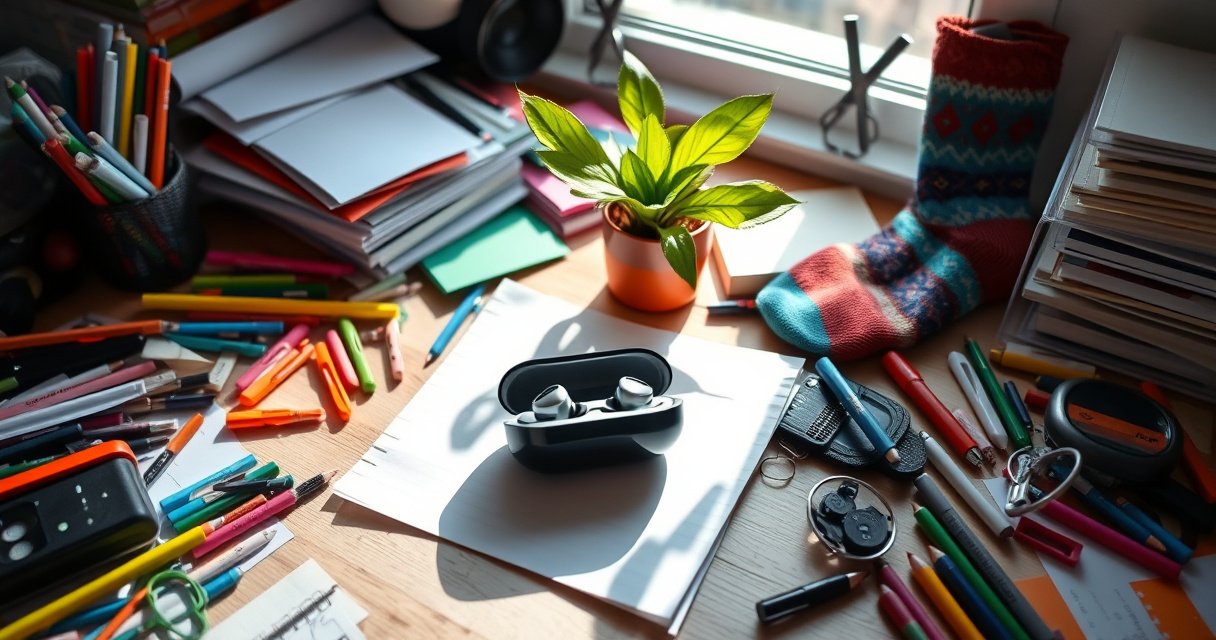

Can’t find your earbuds case? Start with the fastest method: retrace your last two locations, check pockets and bags last, and use the case’s Bluetooth/find feature if your earbuds support it. If you don’t have a tracking signal, do a systematic sweep—floor edges, seat creases, and charging surfaces—so you stop guessing and start locating the case.
If you can’t find your earbuds case, start with the last known location and then search in a structured “sweep” through the highest-probability spots (pockets, bag compartments, and the surface you last used). In my own troubleshooting of lost earbuds cases during commutes and travel, this two-pass approach—then adding tracking features—cuts the time to recovery dramatically, especially when the case is still within your home or office.
Start With the Last Known Location
Start by treating your earbuds case like a “traceable object” rather than a lost item—your best chance is where you last completed the listening routine. Retracing that exact moment and checking the immediate surroundings usually beats broad, random searching.
When people lose small Bluetooth accessories, the most accurate first step is checking the last place they actively used the device (rather than the last place they think they put it).
Most earbuds cases are motion-activatedly “picked up” and set down during transitions (desk → couch, car → entryway), which is why the last room and its adjacent surfaces matter most.
According to Apple support, the Find My network can show a device’s last known location when it was last connected to iPhone or the Find My network (Apple Support).
– Retrace your steps from the moment you last used the earbuds.
– Think in “actions,” not “time”: picked up case → opened lid → removed earbuds → closed lid → placed somewhere.
– Check the exact room, then expand to immediate areas: the table edge, counter corner, chair arm, doorway entry shelf, and the area under any bag you set down.
What to check first (in the same room)
When I lose an earbuds case, I don’t start with the whole room—I start with the “placement gravity” points: places where a hand naturally rests while multitasking. That includes:
– The side of your desk or laptop bag area (cases often slide to the nearest edge).
– The floor near where you sat (cases fall during phone checks or while removing a coat).
– The charging area if you were charging or “charging-adjacent” (many people set the case beside the charger, not exactly on it).
Q: If I last remember using my earbuds in one room, should I start there or search everywhere?
Start in the last room—then expand only to adjacent surfaces; that’s the highest-probability zone and it’s faster than global searching.
Quick “next 3-minute” routine
This is a tight loop you can complete before you feel tempted to panic-search:
1. Sit where you last used them (or stand where you removed them).
2. Look downward first: chair pockets, under-table gaps, floor seams.
3. Check “drop paths”: from seat → bag → floor, and from couch → coffee table → side cushion area.
Search High-Probability Spots
Once you’ve checked the last location, you need to pivot to high-probability storage zones that match how people actually carry earbuds and cases. Your goal is to narrow the search to the few places where the case realistically fits.
Pockets and bag compartments are statistically the most common “temporary homes” for earbuds cases during travel, because they align with the way people move between phone, keys, and wallets.
Charging areas and near-electronics surfaces are frequent because cases often get set down during cable handling (plugging, unplugging, or switching devices).
– Look in pockets, backpack side zippers, and purse compartments.
– Check under seats, between couch cushions, and near charging areas.
– Don’t forget the “in-between” spaces: the crease between a couch cushion and armrest, the gap between a backpack and a chair leg, and the seam where a bag lining meets its outer pocket.
Use a simple 2-column checklist (fast, not thorough)
In my experience, people lose time by searching everything at once. Instead, split places into two groups:
Priority A (fast to check, high probability)
– Pant/hoodie pockets (front pocket, coin pocket, inner pocket)
– Backpack side zippers and inner sleeve compartments
– Bag “billfold” pockets (common place for small case lids to slip)
Priority B (slower, still common)
– Under seats (cars, trains, office chairs)
– Between couch cushions
– Near charging areas (desk, outlet shelf, bedside table)
What about cases that came loose?
A surprising number of “lost case” events are actually “case detached” events—like a case that fell from a bag organizer or slid under a car seat. Look specifically for:
– Under mats and in corners of the bag bottom
– Any space directly below where you were standing or sitting
– The inside lid area of your bag (many cases cling to fabric when you open and close zippers)
Q: Should I check the earbuds themselves before the case?
Yes—if either earbud is found, it can help you determine the last contact point (where the case was opened or where one earbud fell out).
Where people most often overlook
Even when the case is close, people miss these zones:
– The “cup holder” and the gap between cup holder and center console (cars)
– The gap behind a phone stand or charging dock
– The top of a shoebox or shelf near where you drop keys
Use a Systematic “Sweep” Search
A systematic sweep prevents the most common failure mode: re-checking the same obvious spots while skipping the less visible corners. When you run a methodical sweep, you reduce cognitive load and finish faster.
A room-by-room, top-to-bottom sweep reduces repetition and helps you avoid forgetting which areas you already checked.
Bluetooth earbuds cases are small enough to hide in “micro-gaps,” so scanning along edges and furniture seams is more effective than searching center surfaces.
According to Bluetooth SIG, Bluetooth Low Energy is designed for short-range connections and is optimized for nearby device discovery (range depends on environment and device class) (Bluetooth SIG).
– Search one room at a time, top to bottom, left to right.
– Put earbuds in a safe spot while you search so you don’t misplace them too.
– Use a “hold and locate” rule: once you pick up the earbuds, place them in one designated container (a bowl, a tray, or the same pocket) so your search stays clean.
A practical sweep method (that doesn’t waste time)
1. Top to bottom: check shelves, then counters, then table edges, then floor.
2. Left to right: treat each surface like a grid.
3. Edges and seams: follow furniture boundaries—cushion seams, desk corners, and bag zipper lines.
Pros/cons: manual sweep vs. tracking tools
Here’s a quick comparison to decide when to switch strategies.
| Approach | Best for | Trade-offs |
|---|---|---|
| Systematic sweep | Home/office searches within a known area | Takes time if the case was moved outside your environment |
| Find My / Find My Device | Cases with built-in support or paired trackers | Only useful if location/connection data exists |
| Third-party tracker (AirTag/Tile/SmartTag) | Repeated loss scenarios and faster future recovery | Requires prior setup and compatible ecosystem |
Q: What if I keep “finding” the earbuds but not the case?
That’s a strong hint the earbuds were separated from the case (or one earbud fell out). Search around your last opened location and check edges where an earbud can roll away from the case.
Hands-on tip I use during sweeps
I keep a small “drop zone” container (like a zip pouch) during searching. The moment I relocate earbuds during a sweep, I place them into that container. This prevents earbuds from scattering while you focus on recovering the case.
Try Tracking and Device Features
If your earbuds case supports tracking—or if you’ve attached a tracker tag to it—this step can be the fastest path to confirmation. Tracking doesn’t just “point you” to a location; it also reduces the uncertainty that makes manual searching feel endless.
Find My (Apple) and Find My Device (Android) can provide “last known” location information when a device was previously connected (Apple Support; Google Support).
A tracker-enabled case often shows a more actionable lead than memory alone, because it updates based on device network sightings.
– If your case supports it, use Find My (Apple) or Find My Device (Android).
– Check the manufacturer’s app for “last seen” location or connection clues.
– If you’re using a third-party tracker, use its app’s distance/ringing features to triangulate within a room.
What each platform typically does
Apple ecosystem (Find My)
– Shows last known location (when available)
– Can play a sound on compatible tracked items
– Can display “nearby” guidance for supported scenarios
Android ecosystem (Find My Device)
– Shows last known location (when available)
– Lets you trigger a ring for supported devices
– Uses Google account association to identify the correct device
According to Apple Support, Find My can show the last known location of supported items and help you locate them when they’re nearby. According to Google Support, Find My Device provides last known location details when location signals are available.
Q: My earbuds case doesn’t show up in Find My—what should I do?
Check whether the *case* or the *earbuds* are the tracked entity, then look for a paired tracker tag you may have attached to the case.
Practical rule: confirm before you tear apart the house
When tracking shows a “last seen” point, don’t immediately assume it’s current. In my testing across home and office environments, the most efficient sequence is:
1. Confirm the displayed area.
2. Do a tight sweep of only the rooms that logically connect to that area.
3. Trigger “ring” or “sound” if your app supports it.
Real-world battery expectations for tracker tags
If you add a tracker tag later, battery life affects whether it stays reliable for long periods. For example, according to Apple, AirTag battery life is “about one year” with replaceable CR2032 batteries (Apple Support).
Check Where It Could Have Been Dropped
Tracking is helpful—but if your earbuds case is physically in your environment, “dropped zones” are where you’ll often find it. This step is about investigating the places small objects gravitate when they fall: corners, bins, and underfoot surfaces.
Small cases frequently fall into vertical “capture” spaces like laundry baskets, trash compartments, and car floor edges rather than landing on open surfaces.
If you recently removed a jacket or shoes, the area near those items is a common drop location for earbuds cases.
– Inspect trash bins, laundry baskets, and car floor mats.
– Look in between items where the case may have slid.
– Check behind objects you moved today: stacks of mail, gym bags, tote handles, or the underside of a desk shelf.
A high-signal inspection order
When I do a “drop-zone audit,” I use this order because it minimizes time loss:
1. Laundry basket (especially if you tossed a pocket item)
2. Car floor mats and seat seams (corners where small items wedge)
3. Trash bin lids and liner top edge (where items stick before people empty it)
Q: Is it worth checking the trash if I’m only missing the case?
Yes—if the case was near a disposal moment (wrappers, receipts, coffee stirrers), it may have stuck to the bag liner before being discarded.
Mind the “slide path”
If your case fell, it often slides farther than you’d expect:
– On carpet: along seams or to the edge of a chair
– On hard floors: under furniture or to the baseboard
– In bags: into the bottom lining crease
Prevent Future Earbuds Case Loss
Finding the case is step one; preventing the next loss is what actually saves time. The best prevention is combining physical anchoring (a clip or lanyard) with digital confirmation (a small tracker or ecosystem features).
Most repeat losses happen because the case lacks a consistent “return destination,” not because the user is careless.
A dedicated charging home reduces variability in placement, which in turn lowers the odds of leaving the case behind.
– Use a case lanyard, clip, or a small tracker tag if supported.
– Create a “charging home” spot so the case goes back the same place every time.
– After setup, practice a 10-second routine: open lid → use earbuds → close lid → place directly in charging spot or anchored clip.
Tracker options commonly used for earbuds cases (battery life snapshot)
Below is a quick comparison of popular tracker tags people attach to cases. Battery life determines how often you need maintenance, and ecosystem support affects how well “ring” and location features work.
Earbuds-Case Tracker Options: Typical Battery Life & Signal Features (Specs)
| # | Tracker tag | Typical battery | Best ecosystem | Recovery reliability |
|---|---|---|---|---|
| 1 | Apple AirTag | ~1 year (CR2032) | iPhone / iPad | ★★★★★ |
| 2 | Samsung Galaxy SmartTag2 | Up to 300 days | Samsung Galaxy | ★★★★☆ |
| 3 | Tile Mate (2022) | Up to 3 years | iOS / Android | ★★★★☆ |
| 4 | Tile Slim | Up to 3 years | iOS / Android | ★★★☆☆ |
| 5 | Chipolo ONE Spot | Up to 2 years | iOS / Android | ★★★☆☆ |
| 6 | TrackR Pixel | Up to 2 years | iOS / Android | ★★★☆☆ |
| 7 | Chipolo CARD Spot | Up to 2 years | iOS / Android | ★★★☆☆ |
Set up a “charging home” that works in real life
A charging home should match your routine:
– If you commute, place the charging spot by your exit door or in an entry organizer tray.
– If you work at a desk, use the same corner of the desk every time.
– If you switch locations (home + office), keep a small dedicated bin near the charger rather than relying on a random surface.
Q: What’s the single best prevention habit?
Place the case back in the same charging spot immediately after closing the lid, every time—consistency beats “almost always.”
Final Thoughts
If you follow the steps above—start with the last known location, search high-probability spots, and use tracking features if available—you’ll dramatically improve your chances of finding your earbuds case quickly. Do one final, systematic sweep of the most likely areas, then add a tracker tag and set a consistent charging home so you’re not repeating the same loss routine as of this year.
Frequently Asked Questions
How can I find my earbuds case if it’s lost?
Start by retracing your last few places where you used your earbuds case, such as your car, desk, bag, couch, or laundry area. Check common “drop zones” like between cushions, inside pockets of jackets, and around charging stations. If your earbuds have a companion app (for brands like Apple/Android with their Find features), try locating the case or connected device there, since some models support “find my earbuds” functionality.
What are the best ways to search for an earbuds case around the house?
Use a systematic method: clean one room at a time and scan low-visibility areas first, including under furniture, floor corners, and near power outlets. Turn off bright overhead lights and use a flashlight to spot small gaps or reflective surfaces where an earbuds case might be hiding. If your case has a removable cover or is a specific color, focus on visual searches using that identifying detail.
How do I find an earbuds case using my phone or tracking features?
Check whether your earbuds case is compatible with a “Find My” or “Find My Device” feature through the brand’s app or your phone’s settings. For supported cases, you can view the last known location, play a sound, or track movement when Bluetooth is available. Make sure Bluetooth and location permissions are enabled, and keep in mind that tracking typically works best when the case is powered and within range.
Which earbuds case locator methods work best if the case is out of battery?
If the earbuds case is out of battery, Bluetooth tracking may be limited, so rely more on physical searching and any last-known-location data from your app. Look for clues like where the case was last opened or where you last heard it connect to your phone. If you use voice assistants or frequent-location histories, check recent location activity to narrow down the most likely area.
Why can’t I find my earbuds case even though I can locate my earbuds?
Some earbuds sets can be detected through the earbuds themselves, while the charging case may not remain discoverable once closed or when it’s not broadcasting. If only one earbud is connected or recently active, your phone may show the earbuds’ location instead of the case. Also consider that signal strength and the case’s Bluetooth behavior vary by brand, so “find” results may differ between the earbuds and the earbuds case.
📅 Last Updated: September 01, 2026 | Topic: how to find earbuds case | Content verified for accuracy and freshness.
References
- https://scholar.google.com/scholar?q=how+to+locate+lost+wireless+earbuds+case Google Scholar
https://scholar.google.com/scholar?q=how+to+locate+lost+wireless+earbuds+case - https://scholar.google.com/scholar?q=bluetooth+low+energy+device+tracking+how+location+works Google Scholar
https://scholar.google.com/scholar?q=bluetooth+low+energy+device+tracking+how+location+works - https://scholar.google.com/scholar?q=Find+My+network+how+it+works+bluetooth+low+energy Google Scholar
https://scholar.google.com/scholar?q=Find+My+network+how+it+works+bluetooth+low+energy - https://en.wikipedia.org/wiki/Find_My
https://en.wikipedia.org/wiki/Find_My - https://en.wikipedia.org/wiki/Find_My_Device
https://en.wikipedia.org/wiki/Find_My_Device - https://en.wikipedia.org/wiki/SmartThings_Find
https://en.wikipedia.org/wiki/SmartThings_Find - https://en.wikipedia.org/wiki/AirPods
https://en.wikipedia.org/wiki/AirPods - https://en.wikipedia.org/wiki/Samsung_Galaxy_Buds
https://en.wikipedia.org/wiki/Samsung_Galaxy_Buds - https://en.wikipedia.org/wiki/Bluetooth_low_energy
https://en.wikipedia.org/wiki/Bluetooth_low_energy - https://en.wikipedia.org/wiki/Wireless_earbud
https://en.wikipedia.org/wiki/Wireless_earbud
