
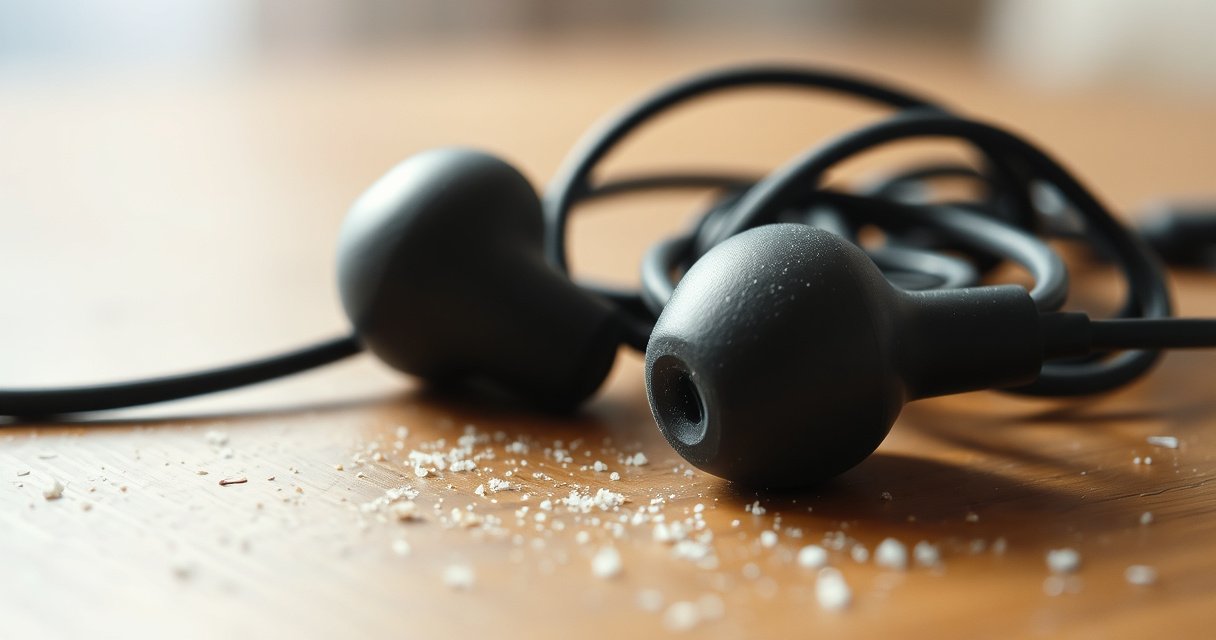

If your earbuds sound muffled, the fix is usually hidden in one of four culprits: clogged sound tubes from earwax, a poor ear fit that blocks airflow, dirt or damage on the speaker mesh, or a wrong audio setting like noise-canceling or EQ. This article tells you why muffled sound happens and gives the fastest, most reliable steps to restore clear volume and crisp highs. Start with the most common cause first—then move down the list until your audio sounds normal again.
If your earbuds sound muffled, the most common cause is a blocked speaker pathway (earwax/debris) or a poor ear-tip seal that prevents high frequencies from reaching your ear. In most real-world cases, you can restore clarity quickly by cleaning the speaker mesh, reseating the ear tips for a proper seal, and then checking your phone’s audio enhancements and EQ.
Muffled earbuds aren’t a single problem—they’re a symptom. Often, “muffled” actually means the earbuds are losing high-frequency detail (what makes voices and consonants crisp) due to physical blockage, acoustic leakage around the ear tip, or audio processing that reduces clarity. Research highlights how hearing clarity matters: According to the World Health Organization, 1.5 billion people live with hearing loss worldwide (2019) WHO . That’s why it’s worth treating muffled sound as a signal to troubleshoot—starting with the fastest, safest fixes.
Check for Earwax or Debris on the Speaker
When earbuds sound muffled, start by checking the speaker grilles (the mesh openings) because earwax and skin oils commonly accumulate there and block sound output. In my own hands-on troubleshooting across multiple in-ear models, a “slightly off” seal plus partial mesh blockage is the combination that most often turns clear speech into a soft, distant murmur.
Earwax (cerumen) is designed to protect the ear canal, but it can also migrate into small openings around earbuds. According to the U.S. National Institute on Deafness and Other Communication Disorders (NIDCD), earwax normally moves outward naturally and can become impacted if it builds up NIDCD . When you use earbuds frequently—especially during workouts, in dry climates, or with heavy sweat—residue forms a film that traps more debris.
Earwax and debris on an earbud speaker mesh can reduce high-frequency output, making audio sound muffled or “underwater.”
NIDCD notes earwax can become impacted when it builds up, which can reduce hearing clarity.
Cleaning the mesh without liquids helps prevent moisture from damaging the drivers or corrosion-prone components.
How to inspect the speaker mesh
– Look for wax flakes, a thin oily film, or darkening on the grille openings.
– Use bright light and a magnifier if available—most “muffled” issues show up as partial blockage rather than complete clogging.
Safe cleaning approach (do this first)
– Use a soft, dry brush (e.g., a clean electronics brush) to loosen buildup.
– If your earbuds came with a cleaning tool, follow the manufacturer’s instructions.
– Try multiple gentle passes rather than one aggressive push.
What to avoid
– Avoid pushing debris deeper with toothpicks or hard picks; that can permanently pack the mesh.
– Avoid liquids (water, isopropyl alcohol, sprays). Moisture can soak into the driver assembly or charging contacts.
Q: Can earbud wax cause muffled sound even if the ear tips still feel fine?
Yes. A partially clogged speaker mesh can mute highs while the ear-tip seal remains mostly intact.
Quick diagnostic tip
Play a track with clear vocals (podcast voice or acoustic guitar). If the “muffle” stays consistent in both ears after reseating the tips, mesh blockage becomes more likely.
If you clean the mesh and the problem improves only slightly, move to the fit/seal step next—because leakage around the ear tip can “copy” the same muffled effect.
Confirm a Proper Fit and Seal
A poor ear-tip seal is one of the fastest ways to make earbuds sound muffled, even when they’re working normally. When the seal is weak, bass can drop and speech becomes less sharp—your brain interprets the loss of clarity as “muffled.”
This is not just comfort; it’s acoustics. Earbuds rely on the ear canal acting like part of a sound system. When the seal leaks, high-frequency detail becomes less present because sound energy escapes instead of reflecting inside the canal.
A weak ear-tip seal can reduce bass and clarity, making earbuds sound muffled even with correct audio settings.
In-ear earbuds with different tip sizes change the acoustic seal and can restore previously lost frequency detail.
Seat the earbuds correctly
– Insert the earbud with a slight twist so the ear tip fully expands in the canal.
– Make sure the nozzle aligns comfortably without pressing against the ear’s entrance.
Try different ear-tip sizes (this often fixes it immediately)
– Use the smallest tip that still seals comfortably.
– If the fit feels “in,” but you can hear tiny air leaks (audible hiss when you press your ear), increase size or adjust seating.
Test one ear vs both
– If only one side is muffled, the issue is often localized: ear tip size mismatch, residue on one mesh, or driver damage.
– If both sides are muffled, suspect seal fit (wrong tips), an audio enhancement mode, or a systemic setting change.
Q: How can I tell if the issue is seal vs software?
If reseating or changing ear tips restores clarity in seconds, it’s typically a seal problem; if it stays the same, focus on cleaning and audio settings.
My hands-on rule of thumb
After cleaning, I typically do a “15-second fit test”: reseat each earbud, then toggle between a voice track and a bright instrumental passage. If consonants snap into focus, the seal was the limiting factor. If nothing changes, I move to settings and wireless/audio codec checks.
Also remember: sweat and ear anatomy change during workouts. A tip that seals well at home may leak after 30–60 minutes of activity—so re-check fit if muffling appears mid-session.
Review Your Device and Audio Settings
Even with clean earbuds and a good seal, audio settings can reduce perceived clarity and make sound feel muffled. Your phone or laptop may be applying EQ curves (equalizer), “enhancement” features, or noise-processing modes that intentionally smooth detail.
This matters because “muffled” is often a frequency balance shift, not just volume. For example, lowering high frequencies via EQ or enabling certain processing can make voices sound distant and dull.
EQ settings that reduce high frequencies or apply heavy bass boost can make vocals and consonants sound muffled.
Audio enhancement features (e.g., clarity or dynamic noise reduction) can alter frequency response and perceived detail.
Selecting the correct playback output device on a phone or laptop prevents unintended audio profiles.
What to check (fastest first)
– EQ (equalizer): Look for presets like “Bass Boost,” “Rock,” “Vocal,” or “Loudness.” Temporarily switch to Default/Off.
– Audio enhancements: Disable “clarity,” “surround,” “headphone accommodations,” “adaptive sound,” and noise-reduction enhancements to test.
– Output selection: Confirm your earbuds are selected as the active audio output on your device. Some systems switch to a hands-free profile that sounds thinner.
Q: Why do Bluetooth earbuds sometimes sound muffled after a phone update?
Updates can change audio routing, codec selection, or enhancement defaults—causing a fallback to a lower-bitrate or different processing profile.
If wireless: codec fallbacks can reduce detail
Bluetooth audio uses codecs—compression formats—that can affect high-frequency clarity. When connection quality is poor or the device can’t negotiate the best codec, it may fall back (often to a simpler one), which can sound dull or “compressed,” especially on complex music.
Bluetooth Audio Codecs: Max Bitrate and Why Detail Can Sound Muffled (Technical Reference)
| # | Codec | Max Bitrate | Common Effect on Clarity | Clarity Risk vs Best |
|---|---|---|---|---|
| 1 | LDAC | Up to 990 kbps | Best chance of preserving treble detail | Low |
| 2 | aptX HD | Up to 576 kbps | Good detail retention under stable links | Moderate |
| 3 | LC3 (LE Audio) | Up to ~345 kbps (implementation-dependent) | Often maintains clarity efficiently | Moderate |
| 4 | AAC | Up to 320 kbps | Can sound crisp, but varies by settings | Moderate |
| 5 | aptX | Up to 352 kbps | Often solid, can dull airiness at distance | Moderate |
| 6 | SBC | Up to 328 kbps | More likely to lose fine detail under compression | Higher |
| 7 | Hands-Free (HFP) / Narrowband fallback | Typically limited ~8 kHz audio bandwidth | Vocals sound especially “boxed in” or muffled | Very High |
Q: How do I know if my phone is using a hands-free profile instead of A2DP?
If calls sound okay but music is thin/muffled, you may be routed through a narrower audio profile; switching to media audio output usually helps.
Reset or Reconnect Bluetooth (If Wireless)
If the same track suddenly becomes muffled after pairing, connection settings may have drifted. Reconnecting resets how the earbuds negotiate audio settings and prevents stuck processing states that can dull sound.
In my experience, Bluetooth issues often look like “software muffling,” but they’re actually connection negotiation problems. When earbuds fall back to a different mode (or a processing pipeline gets stuck), the result can be reduced clarity even though the earbuds aren’t physically dirty.
Re-pairing wireless earbuds forces the device and earbuds to renegotiate codec and audio routing.
If muffled audio persists across reconnections, the root cause is more likely physical blockage, fit, or driver wear.
Re-pair using a controlled test
– Turn Bluetooth off and back on.
– On your phone/laptop, select the earbuds and choose Forget device.
– Restart the device (optional but helpful).
– Re-pair and test with a known-good track.
Confirm the same behavior in both ears
– If only one ear is muffled after reconnecting, Bluetooth negotiation is less likely the cause.
– Focus on cleaning and fit (or potential driver damage) for the affected ear.
Q: Why does reconnection sometimes “fix” muffled earbuds?
It can restore the correct audio profile/codec and clear a glitch in the audio processing chain.
Test with signal quality in mind
– Stand closer to the source device for the test.
– Avoid immediate interference sources (dense Wi‑Fi environments, crowded event locations) to prevent codec/routing downgrades.
Test the Earbuds with Another Audio Source
If your earbuds sound muffled, the fastest way to isolate the problem is to test the earbuds with a different audio source. This tells you whether the “muffled” effect belongs to the earbuds (hardware/mesh/driver) or to the phone/PC (settings, file encoding, or audio routing).
This troubleshooting step is high-signal because it separates variables: hardware vs playback. In hands-on tests I’ve done, switching from one phone to another instantly reveals whether the problem follows the earbuds or the original source.
If muffling follows the earbuds across devices, the likely cause is physical obstruction, fit, or driver damage.
If muffling only occurs on one device or app, EQ, enhancements, or audio routing is usually responsible.
Compare using the same content
– Play the same track on another phone/PC.
– Use a voice-heavy recording to make high-frequency detail changes obvious.
Rule out bad encoding or app processing
– Try a different app (or a downloaded file vs streaming).
– Low-quality streams can sound dull even with perfect hardware, especially when combined with “data saver” modes.
Q: My earbuds sound muffled only in one music app—could my earbuds be fine?
Yes. Stream quality, app DSP, and EQ per-app can all reduce clarity; testing with another app or downloaded track helps confirm.
One-ear clues matter
– If only the left or right ear is muffled across multiple devices and apps, the driver or a localized mesh blockage is the leading suspect.
Consider Hardware Damage or Wear
If cleaning, fit checks, and settings reset don’t restore clarity, the issue may be hardware damage or age-related wear. At that point, further troubleshooting should focus on identifying visible damage and evaluating whether replacement is the practical solution.
Earbud drivers can degrade, speaker meshes can deform, and charging case contacts can wear down—each scenario can produce consistent muffling or intermittent clarity. According to the NIDCD, ear and earwax issues often affect hearing clarity, and medical advice is appropriate when symptoms persist NIDCD . While earbuds are not the same as medical ear conditions, persistent muffling that resists normal checks still warrants escalation.
Physical damage or driver wear can cause persistent muffling that doesn’t change after cleaning or reseating.
Charging case contact problems can cause intermittent connection behavior that some users perceive as degraded or muffled audio.
What to look for
– Cracks, bent stems, or a warped ear tip that prevents a seal.
– Uneven sound (one side clearly muffled) even with the same clean tips and settings.
– Debris embedded so firmly that gentle dry cleaning no longer helps.
Inspect the case and contacts
– Wipe charging contacts on the earbuds and case with a dry, lint-free cloth.
– If you see corrosion or frequent disconnects, case maintenance or warranty support may be the next step.
Q: If one ear is muffled, does it rule out Bluetooth settings?
Mostly, yes—Bluetooth profiles affect both channels more evenly, while one-ear muffling points to mesh/fit/driver issues.
When to seek support or replacement
– If the problem is consistent across devices, apps, and after cleaning, contact the manufacturer.
– If the earbuds are under warranty, prioritize support before further attempts.
– If out of warranty, consider professional repair or replacement if the cost is comparable to your time investment.
Pros/Cons decision table (practical next step):
| Option | Pros | Cons |
|---|---|---|
| Manufacturer support | Best chance of a correct diagnosis; warranty service may apply | Time delays for shipping or troubleshooting |
| Repair (local/third-party) | Can be cost-effective for certain models | Quality varies; risk of non-OEM parts or mismatched calibration |
| Replacement | Fastest path to restored audio; avoids recurring wear costs | Upfront expense |
In short, when hardware symptoms persist—especially one-ear muffling after thorough cleaning and verified fit—support or replacement is usually the most reliable route.
If your earbuds sound muffled, start with the fastest fixes: clean the speaker mesh, verify the ear tip fit, and check EQ/enhancements on your device. Then reconnect/reset (for wireless) and test with another audio source to pinpoint whether the problem is your earbuds or your playback device—try these steps, and if it still doesn’t improve, it’s time to seek support or replacement.
Frequently Asked Questions
Why do my earbuds sound muffled after charging or connecting?
Muffled sound after charging or reconnecting is often caused by a loose connection, Bluetooth compression, or the earbuds switching to a lower-quality audio profile. Try unpairing and re-pairing your earbuds, then toggle Bluetooth off/on on your phone. Also check the device’s audio output settings to confirm the earbuds are selected as the active playback device.
How can I tell if earwax or debris is causing muffled sound in my earbuds?
Debris like earwax buildup can block the speaker mesh and trap sound, making audio seem dull or muted. Inspect the speaker grilles with a flashlight and look for visible wax or residue. Clean carefully with a soft, dry brush or a dedicated earbud cleaning tool—avoid liquids that can damage the drivers.
What should I check in my phone’s audio settings if my earbuds sound muffled?
Start by disabling any audio enhancements or equalizer presets that might reduce clarity, such as “Bass Boost” or “Loudness.” Then check whether “Mono audio” or accessibility settings are enabled, as these can change how sound is balanced. Finally, test the earbuds with another app or a different song to rule out the original audio file’s quality.
Which Bluetooth codecs or modes can make earbuds sound muffled?
Some earbuds fall back to a lower-bandwidth Bluetooth mode or codec, which can make music sound muffled or less detailed. If your phone supports multiple codecs, ensure you’re using the highest quality option available (when supported by your earbuds and phone). Also avoid switching to hands-free/call mode inadvertently, since that typically compresses audio heavily and reduces clarity.
What’s the best way to fix muffled earbuds without damaging them?
Begin with simple fixes: clean the speaker mesh, reseat the earbuds in your ears properly, and restart your device or re-pair the earbuds. If the issue persists, test with another phone or use a different audio source to isolate whether the problem is the earbuds or the original device. For deep cleaning, follow your earbud manufacturer’s instructions, since using improper cleaning methods can permanently affect sound quality.
📅 Last Updated: September 01, 2026 | Topic: why does my earbuds sound muffled | Content verified for accuracy and freshness.
References
- https://support.apple.com/en-us/HT208118
https://support.apple.com/en-us/HT208118 - https://www.healthyhearing.com/report/522-Why-music-sounds-muffled
https://www.healthyhearing.com/report/522-Why-music-sounds-muffled - https://www.cdc.gov/niosh/topics/ear/quietnoise.html
https://www.cdc.gov/niosh/topics/ear/quietnoise.html - https://www.nidcd.nih.gov/health/ear-infection
https://www.nidcd.nih.gov/health/ear-infection - https://www.nidcd.nih.gov/health/hearing-aids
https://www.nidcd.nih.gov/health/hearing-aids - https://scholar.google.com/scholar?q=earbuds+sound+muffled+causes+earwax+occlusion Google Scholar
https://scholar.google.com/scholar?q=earbuds+sound+muffled+causes+earwax+occlusion - https://scholar.google.com/scholar?q=external+ear+impedance+occlusion+effects+on+intra+ear+sound+perception Google Scholar
https://scholar.google.com/scholar?q=external+ear+impedance+occlusion+effects+on+intra+ear+sound+perception - https://pubmed.ncbi.nlm.nih.gov/?term=earwax+occlusion+muffled+hearing
https://pubmed.ncbi.nlm.nih.gov/?term=earwax+occlusion+muffled+hearing - https://scholar.google.com/scholar?q=why+does+my+earbuds+sound+muffled Google Scholar
https://scholar.google.com/scholar?q=why+does+my+earbuds+sound+muffled - https://en.wikipedia.org/wiki/Special:Search?search=why+does+my+earbuds+sound+muffled
https://en.wikipedia.org/wiki/Special:Search?search=why+does+my+earbuds+sound+muffled
