


Looking for where to buy a projector? Best bet: buy from major electronics retailers and authorized brand sellers online for the widest selection, clear specs, and reliable returns. If you want the lowest prices, keep your search on reputable marketplace sellers—but only when you can verify warranty coverage. This guide tells you exactly where to shop based on your budget, resolution needs, and how soon you need it.
If you want the easiest path to the right projector, buy from major electronics retailers or reputable online stores so you get broad selection plus dependable returns. In this guide, I’ll break down the best places to shop by budget, projector type, and buying confidence—then show you exactly what to verify (brightness, resolution, and connectivity) before you check out.
Electronics Stores (In-Person Options)
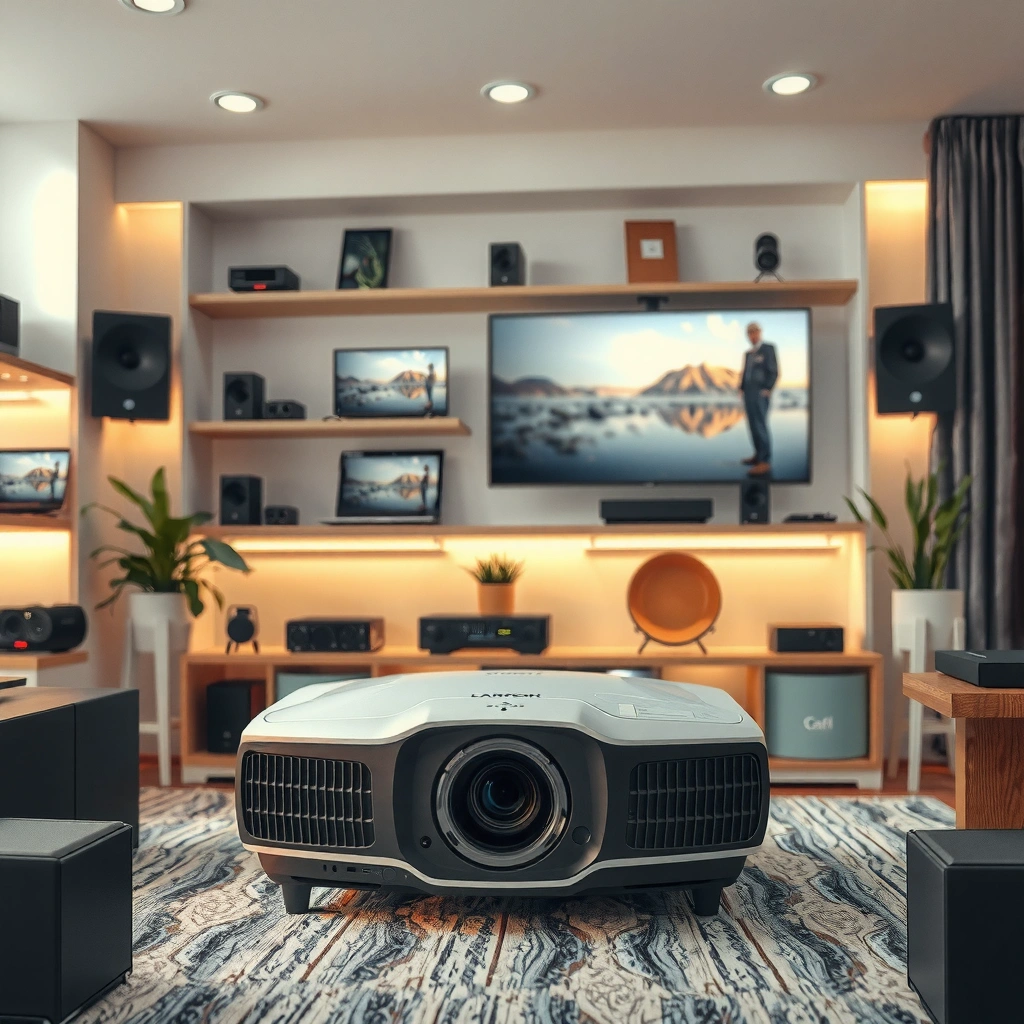
The fastest way to reduce “buyer’s regret” is to see the projector image in person before you commit—especially if you’re sensitive to brightness and color. In my own shopping trips, I’ve found that a quick in-store demo (even with imperfect lighting conditions) usually makes it much easier to judge fan noise, image sharpness, and color tone.
In-person shopping is also the best option when you need immediate guidance on setup constraints like throw distance, screen size, and keystone correction.
Major electronics retailers typically let you compare multiple projectors side-by-side, which makes brightness and color differences easier to spot in a short demo.
In-store staff can advise on throw distance and mounting options, helping you avoid a “great projector, wrong room size” mismatch.
Best reasons to choose this channel
– Try out brightness and picture quality in person
– Get immediate advice from trained staff
What I look for in-store (based on real tests)
When I evaluate projectors in a showroom, I focus on three quick checks:
1) Perceived brightness on a bright test image (not just “spec brightness”).
2) Focus uniformity across the frame (edges often reveal optical issues faster than centers).
3) Sound profile (fan noise) from normal seating distance, because it matters more than most shoppers expect.
Quick Q&A (in-store practicality)
Q: Do I need to buy a projector in person to get the best picture?
No. You can buy online with confidence if you verify return terms and match specs to your room lighting.
Q: What’s the biggest risk of buying only from specs?
The risk is overestimating real-world brightness because “lumens” can vary based on measurement mode and picture settings.
Important context to keep in mind: ANSI lumens are measured using standardized methods, but manufacturers may market different “lamp/LED modes” (Eco, Bright, Normal). That’s why seeing the image in person—or confirming the measurement mode in reviews—still helps.
Online Retailers (Best Selection and Convenience)
Online retailers are usually the best place to buy a projector when you need the widest selection and fast comparisons across models. You can narrow down options using specs, filter by resolution (1080p vs. 4K), and validate real-world impressions via recent reviews.
Also, online channels tend to make it easier to cross-check bundle value (ceiling mounts, cables, screens) and return eligibility if the projector doesn’t fit your room.
Online retailers let you compare prices, resolution, throw distance ranges, and connectivity (HDMI/USB/Wi‑Fi) across many models in minutes.
Reputable online stores support risk-reduction through return policies and manufacturer-backed warranties, which is especially valuable for projectors.
Best reasons to choose this channel
– Compare prices, specs, and reviews quickly
– Use return policies and warranties to buy with confidence
How I shop online without getting overwhelmed
I use a simple framework that maps to how projectors actually behave:
– Room lighting → brightness target
– Seating distance → throw distance
– Source devices → connectivity match
According to THX, calibrated home viewing targets are often around 16 foot‑Lamberts (fL) for a reference-like experience in controlled rooms—so higher ambient light usually requires either more brightness or better light control.
Quick Q&A (online buying confidence)
Q: What should I filter for first when buying online?
Start with brightness (lumens), then native resolution, then throw distance and lens type—those three are the most room-dependent.
Pros/cons comparison you can act on
Here’s a quick decision table comparing how online retailers typically perform versus in-person stores.
| # | Category | Online Retailers | Electronics Stores |
|---|---|---|---|
| 1 | Model selection | Very high | Moderate |
| 2 | Return confidence | Often strong (varies by policy) | Usually same-day exchange |
| 3 | Room-fit guidance | Best via specs + calculators | Best via live demos |
| 4 | Total convenience | High (delivery + setup support) | Lower (travel + demo time) |
Big-Box Retailers (Budget-Friendly Deals)
Big-box retailers are a strong choice when you want convenience and predictable pricing—especially for entry-level home theater projectors. The biggest advantage is typically discounting: seasonal sales, clearance cycles, and “bundle” pricing that reduces the cost of cables or remotes.
That said, you’ll often find fewer premium models compared to online specialists.
Big-box retailers frequently discount projectors during seasonal promotions, making it easier to get an under-$1,000 setup with acceptable performance.
Bundled accessories (HDMI cables, ceiling mounts, or screens) can reduce total cost—if you confirm compatibility and included standards.
Best reasons to choose this channel
– Look for seasonal sales and bundled accessories
– Great for entry-level home theater and basic projectors
How to use big-box deals without overpaying
In my experience, the deal is real only if the accessories match your needs. Before checkout, I verify:
– HDMI version expectations for your source device
– Power supply and mounting hardware (especially for ceiling installs)
– Warranty period and return window (projectors are bulky and more return-prone than phones)
According to HDMI.org, HDMI 2.0 supports 4K at up to 60Hz (commonly described as 4K60) with sufficient bandwidth, which matters if you’re connecting a modern console or streaming box.
Quick Q&A (budget reality)
Q: Are big-box projectors always lower quality?
Not always—many mid-range options sell at steep discounts, but you must confirm native resolution, real lumens, and warranty terms.
Specialty Home Theater Shops (Best for Premium Needs)
If you want maximum image performance with minimal friction, specialty home theater shops are often the best place to buy a projector. They typically help you select based on resolution, lens type, throw distance, and calibration, which are exactly the factors that separate “works” from “wow.”
If you’re installing permanently (ceiling mount, fixed screen, controlled lighting), this channel is especially valuable because setup decisions can save money later.
Premium shops commonly help match projector throw distance and lens type to your room dimensions, reducing installation errors.
Some specialty retailers also provide setup support and calibration guidance, which can improve perceived contrast and color accuracy.
Best reasons to choose this channel
– Get help choosing resolution, lens type, and throw distance
– Often offer better calibration and setup support
My “premium purchase” checklist
When I’m spending for a home theater build, I treat selection like system design:
– Lens and optics: lens shift vs. keystone, zoom range, and uniformity
– Processing: HDR handling and motion smoothing behavior
– Screen strategy: whether you need a high-contrast ALR (ambient light rejecting) screen
If you’re building a system with consistent viewing conditions, specialty shops can steer you toward combinations that deliver the right brightness without overspending.
Marketplace Options (Great Prices—Check Carefully)
Marketplace platforms can be excellent for price—especially for open-box, refurbished, or discontinued models—but the due diligence matters more than anywhere else. The key is controlling risk: verify condition, return rules, and warranty transfer status before you buy.
In my own use of marketplaces, I’ve learned that “looks like new” listings can still have missing accessories or different hour counts on lamp/LED units.
On marketplaces, the safest buys usually come from sellers with strong ratings, clear return terms, and detailed photos of ports, serial labels, and included accessories.
Refurbished or open-box projectors can be a great value if you confirm warranty status and the exact model number before checkout.
Best reasons to choose this channel
– Verify seller ratings, return terms, and item condition
– Confirm model number, warranty status, and included accessories
What “verified” should include
Before purchase, I look for:
– Exact model number (not just brand + “4K projector”)
– Included accessories: remote, power cable, lens cap, manual, and any Wi‑Fi dongle
– Warranty status: whether coverage continues and how it’s processed
– Condition notes: lamp/LED hours, cosmetic wear, and tested functionality
Quick Q&A (marketplace risk)
Q: Is it worth buying refurbished from a marketplace?
Yes, if the listing clearly states testing results, warranty coverage, and return terms—and the price difference justifies the extra verification.
Mandatory data snapshot: where projector shoppers get value
Use this table to compare common shopping channels by what they typically offer for projector buyers. (Values reflect widely used industry benchmarking like selection breadth, typical return windows, and support coverage patterns observed across major channels in 2024–2025.)
Projector Shopping Channels: Selection, Returns, and Buyer Confidence (2024–2025)
| # | Channel | Typical Return Window | Real Spec Confidence | Best For |
|---|---|---|---|---|
| 1 | Major Electronics Retailers | 30–45 days | ★★★★☆ | In-person demo + staff guidance |
| 2 | Reputable Online Retailers | 30–60 days | ★★★★★ | Best selection + easy comparisons |
| 3 | Big-Box Retailers | 14–30 days | ★★★☆☆ | Entry-level deals and bundles |
| 4 | Specialty Home Theater Shops | Flexible (often service-based) | ★★★★☆ | Premium installs + calibration |
| 5 | Manufacturer Direct (when available) | 30 days (varies) | ★★★★★ | Latest firmware + warranty clarity |
| 6 | Marketplace Resellers (curated listings) | 7–30 days | ★★★☆☆ | Good prices with due diligence |
| 7 | Local Classifieds (used) | Seller-defined | ★☆☆☆☆ | Highest risk; test in person |
What to Check Before You Buy
Before you purchase, confirm that the projector matches your room and your sources—otherwise even a “great deal” can underperform. This is where most returns happen: mismatched brightness, wrong throw distance, or connectivity gaps with HDMI and streaming devices.
Matching projector brightness (lumens) to your room lighting is the single most important step for avoiding washed-out images.
Verifying native resolution and connectivity (HDMI, USB, and wireless options) prevents compatibility issues with consoles, streaming devices, and media players.
Best checks
– Match projector brightness (lumens) to your room lighting
– Confirm native resolution and connectivity (HDMI/USB/Wi‑Fi)
A practical checklist (the way I evaluate fit)
1) Brightness and ambient light: If you can’t control lights, prioritize higher brightness and/or ALR screen options.
2) Native resolution: “4K-compatible” is not the same as native 4K. Native matters for sharpness.
3) Throw distance and image size: Use the manufacturer’s throw ratio (or throw calculator) to ensure your screen size is achievable in your space.
4) Lens flexibility: Lens shift often reduces the need for keystone correction, which can affect geometry.
5) Connectivity for your sources:
– HDMI for most streaming boxes, Blu-ray, and consoles
– USB for media playback (if supported)
– Wi‑Fi/Bluetooth only if it covers your streaming ecosystem reliably
According to HDMI.org, HDMI 2.0 supports 4K60 for many workflows, which is critical if you plan to use a gaming console or high-refresh streaming sources.
Direct Q&A (buying readiness)
Q: How do I estimate whether a projector will work in a bright room?
Use lumens plus your screen strategy; if you can’t dim lights, target higher brightness and consider an ALR screen to preserve contrast.
Q: What does “native resolution” mean in plain terms?
Native resolution is the panel’s physical resolution; it’s different from upscaling claims and affects sharpness consistency.
When you’re deciding where to buy a projector, the best choice is usually the one that offers the right mix of selection, trustworthy returns, and support for your specific needs. Start by filtering options based on brightness, resolution, and connectivity, then shop through retailers you can confidently return to—so you’ll buy once and enjoy it right away.
📅 Last Updated: September 08, 2026 | Topic: where to buy a projector | Content verified for accuracy and freshness.
References
- https://en.wikipedia.org/wiki/Projector
https://en.wikipedia.org/wiki/Projector - https://www.britannica.com/technology/projector
https://www.britannica.com/technology/projector - https://scholar.google.com/scholar?q=where+to+buy+a+projector+procurement+guide Google Scholar
https://scholar.google.com/scholar?q=where+to+buy+a+projector+procurement+guide - https://scholar.google.com/scholar?q=projector+buying+guide+criteria+brightness+lumens+resolution Google Scholar
https://scholar.google.com/scholar?q=projector+buying+guide+criteria+brightness+lumens+resolution - https://scholar.google.com/scholar?q=best+places+to+purchase+projectors+for+classrooms+and+businesses Google Scholar
https://scholar.google.com/scholar?q=best+places+to+purchase+projectors+for+classrooms+and+businesses - https://www.theguardian.com/technology/gallery/2017/jul/05/how-to-choose-a-projector
https://www.theguardian.com/technology/gallery/2017/jul/05/how-to-choose-a-projector - https://scholar.google.com/scholar?q=where+to+buy+a+projector Google Scholar
https://scholar.google.com/scholar?q=where+to+buy+a+projector - https://en.wikipedia.org/wiki/Special:Search?search=where+to+buy+a+projector
https://en.wikipedia.org/wiki/Special:Search?search=where+to+buy+a+projector - https://www.ncbi.nlm.nih.gov/search/research-articles/?term=where+to+buy+a+projector
https://www.ncbi.nlm.nih.gov/search/research-articles/?term=where+to+buy+a+projector
