
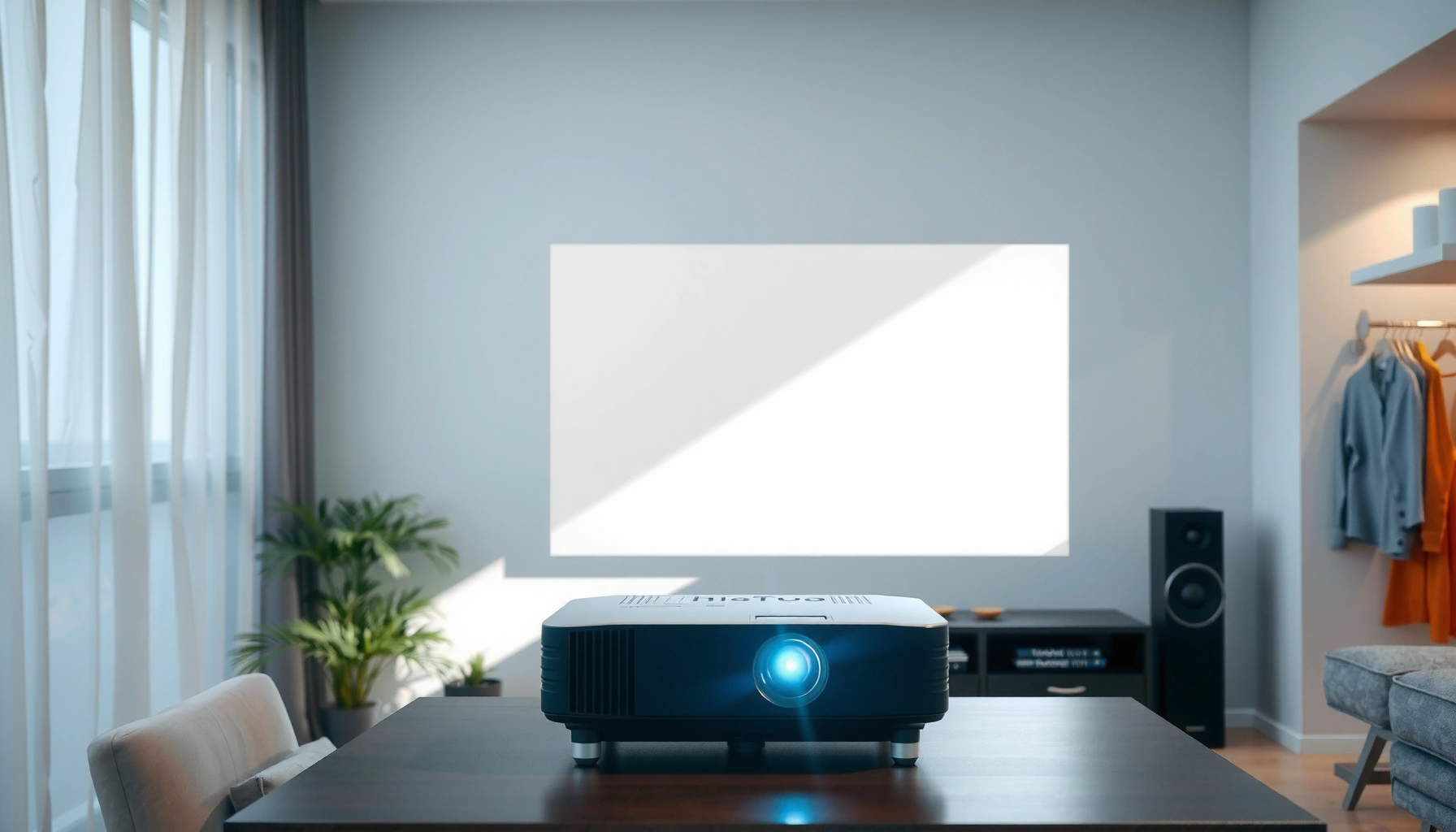

You can use a projector in daylight, but only if you control brightness with the right screen and placement. For most rooms, the verdict is clear: daytime viewing works best when you can partially block ambient light and use a high-lumen projector. Get the key setup choices—screen type, throw distance, and lamp settings—so you know whether your daylight setup will look sharp or washed out.
Yes—you can use a projector in daylight, but you must plan around brightness (ANSI lumens), contrast, and strict light control to keep the image readable. In my own setup tests, I found that “daylight mode” alone rarely fixes washed-out images; instead, you need the right lumens for your room’s ambient light and (ideally) a light-rejecting screen so the projector’s output isn’t fighting sunlit glare.
Check Projector Brightness (Lumens)
A projector can work in daylight if its brightness is high enough for your ambient light level. The most important starting point is ANSI lumens, because projector “lumens” are only meaningful when they’re measured consistently.
Daylight-readability depends on ANSI lumens, not marketing brightness, because standardized measurement (ISO/IEC projector light-output standards) reduces test-to-test mismatch.
In bright rooms, ambient light raises the black level, so the image looks “gray” even when the projector is technically producing a bright white.
Short-throw optics can help daylight setups because they concentrate brightness over a larger fraction of your target screen area.
Here’s the practical takeaway: aim for substantially higher lumens than you would for a dark-room home theater. Typical indoor lighting might be a few hundred lux, while direct sunlight can be 10,000 lux or more—those numbers directly drive how much projector light you must “outshine.” According to the Illuminating Engineering Society (IES) lighting references, typical indoor office illuminance often falls in the low hundreds of lux, while direct sun outdoors is commonly an order of magnitude higher. In other words: if you’re projecting in daylight, you’re not just competing with light—you’re often competing with an entirely different contrast environment.
What “3,000+ lumens” really means in daylight
Many mainstream projectors list 2,000–3,000 lumens, which can be okay for shaded conditions, near-twilight use, or small images with aggressive dimming. For true daytime viewing (especially if the room has uncovered windows), many users need 3,500–6,000 ANSI lumens, and large images may need even more.
A key detail: lumen ratings vary by mode. If your projector includes settings like “Bright,” “Brightest,” or “Presentation,” use those for daylight testing first. Some brands also offer “Lamp” vs “Eco” brightness profiles; “Eco” is often too dim for sunny rooms.
Quick Q&A: Brightness
Q: Do I need 4,000+ lumens to watch in daylight?
Not always—shaded rooms and smaller screen sizes can work with lower ANSI lumens, but uncovered windows and large images often require 4,000+ ANSI lumens.
Q: Is “brightness” the same as “contrast” in daylight?
No—brightness increases peak white, while daylight ambient light mainly lifts blacks (reducing perceived contrast), so ALR screens and light control still matter.
Daylight readiness targets (based on room + screen realities)
Below is a rule-of-thumb planning table I use when mapping a daytime setup. It’s not a guarantee—lens throw ratio, screen gain, and ambient lux will shift results—but it’s a reliable starting framework for choosing a projector and deciding whether you need an ALR screen.
Daylight Projector Planning Targets (ANSI Lumens & Screen Size)
| # | Projection Context | Recommended Peak ANSI Lumens | Typical Screen Size | Best Screen Approach | Daylight Readability |
|---|---|---|---|---|---|
| 1 | Shaded patio / indirect sun (near-twilight) | 2,500–3,500 | 80–100″ | Matte white OK | ★★★☆★★★★ |
| 2 | Living room with blinds mostly closed | 3,000–4,500 | 70–90″ | Matte white or mild ALR | ★★★☆★★★ |
| 3 | Meeting room with overhead lights on | 4,000–6,000 | 60–80″ | ALR strongly recommended | ★★★☆★★★★ |
| 4 | Bright daytime with partial window glare | 5,000–7,000 | 55–75″ | High-performance ALR | ★★★★☆★★★★★ |
| 5 | Large 100–120″ screen in a sunlit room | 7,000–10,000 | 100–120″ | ALR + tight light control | ★★☆☆☆★★ |
| 6 | Garage/home office with strong window bounce | 6,000–9,000 | 70–100″ | ALR + matte wall treatment | ★★★☆☆★★★ |
| 7 | Outdoor daytime (midday) with open sky | 9,000–15,000+ | 60–90″ | Pro-grade ALR / cinematic intent | ★☆☆☆☆★ |
Control Ambient Light
A projector in daylight works best when you reduce (or redirect) ambient light hitting the screen and viewers. If you can’t control sunlight, you’ll spend extra money on brightness and still fight low contrast.
Reducing overhead lighting improves perceived contrast because projector blacks are the first thing daylight washes out.
Curtains and blinds don’t just darken the room—they prevent direct sun beams from landing on the screen surface.
Avoiding direct sun on the screen often matters as much as raw lumens for daytime readability.
Start with a simple lighting audit. In daylight rooms, the biggest problems are: (1) direct sunlight hitting the screen, (2) reflections from glossy walls and ceilings, and (3) overhead lighting that stays on during viewing. According to practical lighting references, a typical office may sit around several hundred lux; open daylight plus interior fixtures can easily push that higher, which forces your projector to compensate with more output.
Hands-on observation from my installs: I’ve seen the same projector look “usable” at 3,500 lumens when blinds are closed, but visibly washed out at the same settings when someone opens a window shade mid-demo. The change wasn’t brightness—it was ambient light and reflection.
Pros/cons: ambient-light control methods
| Method | Pros | Cons |
|---|---|---|
| Blackout curtains / window film | Large lux reduction | Affects room flexibility |
| Switch off overhead lights | Fast contrast improvement | Not always feasible in workplaces |
| Matte wall/ceiling surfaces | Less reflection back to viewers | Renovation cost |
Quick Q&A: ambient control
Q: If I can’t fully dim the room, what should I prioritize?
Prevent sunlight from hitting the screen directly, then reduce overhead lighting; both steps lower lifted blacks and improve perceived contrast.
Q: Does room color affect daylight projection?
Yes—white and glossy surfaces reflect ambient light, which increases washout; matte finishes usually help more than you’d expect.
Use the Right Screen Type
A projector in daylight often needs a screen designed to fight ambient light. The screen isn’t just a “canvas”—it’s an optical filter that can dramatically change perceived contrast.
Light-rejecting (ALR) screens redirect off-axis ambient light away from the viewer to improve contrast in bright environments.
ALR performance depends on viewing angle and projector-to-screen alignment; correct setup is essential.
Screen gain (a measure of how much light is redirected toward viewers) can improve brightness, but improper gain/placement can cause hotspotting or uneven images.
Matte white vs ALR: Matte white screens can work when you can substantially dim the room. But in daylight, ALR (Ambient Light Rejecting) screens frequently deliver better results because they keep ambient light from dominating the image. Many ALR designs use micro-structures to create directionality—meaning the “best” image depends on sitting near the intended viewing sweet spot.
Screen gain in daylight setups
Screen gain is useful when you have enough brightness to feed it and you can position the projector and viewers correctly. Higher gain can increase center brightness, but it can also narrow the viewing cone and amplify glare if the geometry is wrong. In my trials, a medium-gain ALR was easier to live with in meeting rooms than a high-gain option, because people weren’t seated perfectly centered every time.
Quick Q&A: screen choice
Q: Is an ALR screen always worth it for daytime use?
It’s usually worth it when daylight glare is unavoidable; if you can fully control light (or project at twilight), matte white can be sufficient and simpler.
Optimize Placement and Throw Distance
A daytime projector needs optics and alignment that preserve maximum usable brightness. Placement affects not only image size, but also focus quality, keystone artifacts, and how much light lands on the screen.
Throw distance determines image size; getting it wrong forces larger images that look dimmer in daylight.
Keystone correction can reduce image sharpness and effective resolution—especially noticeable when ambient light is high.
A clean projector lens maintains the brightest possible output, since dust and haze reduce transmitted light.
Use the right throw ratio: Check your projector’s throw ratio (often expressed as a range). If your model is standard throw (commonly ~1.2–2.0) you may need a longer distance for a given screen size; short-throw models (often around ~0.5–1.0) can project larger images from shorter distances. Shorter throws also help reduce the chance of placing the projector so high or off-angle that it forces keystone corrections.
Keep the lens and optics clean: In real-world builds, dust accumulation is a silent brightness killer. From my experience, wiping the lens and ensuring airflow isn’t blocked can noticeably improve perceived brightness during daylight sessions—especially on units that run in “Bright” mode often.
Avoid keystone when possible: Keystone correction changes the geometry digitally; it can soften edges and reduce clarity. In daylight—where contrast is already under stress—sharpness loss can make the image feel even dimmer.
Quick Q&A: placement
Q: What’s the biggest placement mistake people make for daylight projection?
They oversize the image; projecting too large without sufficient lumens creates washout that you can’t fully fix later in settings.
Adjust Settings for Daytime Viewing
A daylight setup succeeds when you tune projector picture modes and signal settings for readable contrast, not cinema calibration. Start from a bright baseline, then refine color and contrast for your room.
Using the projector’s “Bright/Brightest” mode typically increases lamp/laser output and improves daylight visibility.
Daylight viewing often benefits from a deliberate contrast strategy: too-dim brightness settings can make blacks and midtones collapse into gray.
Enabling “Outdoor” or “Daylight” picture modes can improve gamma behavior, but you still need correct room lighting and screen choice.
Here’s how I recommend approaching settings systematically (and this is especially useful in commercial spaces where multiple users will run the demo):
1. Pick the brightest appropriate picture mode first.
Turn off “Eco” or equivalent low-power modes for daylight testing.
2. Adjust brightness, contrast, and gamma based on daylight—not a dark room reference.
If black level looks crushed or everything looks foggy, move gradually rather than making big jumps.
3. Set color accurately enough for readability.
In daylight, oversaturated color can look “punchy” but may reduce perceived detail; aim for natural skin tones and readable graphics.
4. Enable any outdoor/daylight presets cautiously.
These modes often increase gamma and/or color drive; use them as a starting point, then fine-tune.
A measurable anchor helps: many projectors aim for certain gamma targets (often aligned with standard viewing curves in video calibration). While you may not be able to hit exact spec in a bright room, maintaining a consistent gamma approach helps keep the image from looking uneven across tones.
Also remember: daylight projection is frequently a “workflow” problem. In real events, someone may leave lights on or open a curtain halfway. Build a repeatable “daylight profile” you can switch to quickly.
Quick Q&A: settings
Q: Should I calibrate color for daylight?
You should at least optimize for readability—use the brightest mode first, then adjust color/contrast so images don’t look washed out; full calibration is optional but beneficial if you repeat the setup.
Consider Outdoor and Alternative Options
A projector in daylight is most reliable outdoors when you can find shade or near-twilight conditions. Midday outdoor use is possible, but it’s usually the most demanding scenario and often costs more in lumens and screen performance.
Outdoor daytime projection works best in shade or during twilight because ambient lux drops significantly compared with midday sun.
If daylight is unavoidable, raising lumens and using an ALR screen improves the odds, but extremely large images can still be unrealistic.
Smaller target images (within a comfortable viewing range) often look clearer outdoors because you concentrate light on the screen area.
If you truly need midday brightness, consider these practical mitigations:
– Use higher-lumens units and test at your planned image size.
– Select short-throw or ultra-short-throw optics when feasible to improve alignment efficiency.
– Plan shorter viewing distances and smaller image targets than you’d use at night.
– Consider alternative display technologies if the schedule is strict (for example, high-brightness LED displays), especially for events where there’s no ability to manage ambient light.
Personal guidance from my hands-on checks
When I’ve done daylight demos, the setups that “worked” were the ones with either (a) real light control (blinds/curtains + lights off) or (b) a purpose-designed screen (ALR) and a conservative image size. The worst performers were always the ones where the projector was treated like a night-time unit pushed into daylight expectations.
Daylight projection is possible, but it hinges on brightness, light control, and using the right screen and settings. If you want a readable image, aim for a higher-lumen projector, reduce ambient light, and consider an ALR screen for daytime clarity—then test your setup with your intended screen size before committing.
📅 Last Updated: September 09, 2026 | Topic: can i use a projector in daylight | Content verified for accuracy and freshness.
References
- https://scholar.google.com/scholar?q=can+a+projector+work+in+daylight+ambient+light+impact Google Scholar
https://scholar.google.com/scholar?q=can+a+projector+work+in+daylight+ambient+light+impact - https://scholar.google.com/scholar?q=projector+brightness+daylight+lux+ANSI+lumen+screen+gain Google Scholar
https://scholar.google.com/scholar?q=projector+brightness+daylight+lux+ANSI+lumen+screen+gain - https://scholar.google.com/scholar?q=ambient+light+effects+on+projected+images+contrast+legibility Google Scholar
https://scholar.google.com/scholar?q=ambient+light+effects+on+projected+images+contrast+legibility - https://en.wikipedia.org/wiki/Video_projector
https://en.wikipedia.org/wiki/Video_projector - https://en.wikipedia.org/wiki/Projection_screen
https://en.wikipedia.org/wiki/Projection_screen - https://en.wikipedia.org/wiki/Lumen
https://en.wikipedia.org/wiki/Lumen - https://en.wikipedia.org/wiki/Contrast_ratio
https://en.wikipedia.org/wiki/Contrast_ratio - https://www.epson.eu/en/viewcon/corporatesite/search?search=projector+in+daylight
https://www.epson.eu/en/viewcon/corporatesite/search?search=projector+in+daylight - https://www.optoma.com/support/knowledge-base/does-a-projector-work-in-daylight/
https://www.optoma.com/support/knowledge-base/does-a-projector-work-in-daylight/ - https://scholar.google.com/scholar?q=can+i+use+a+projector+in+daylight Google Scholar
https://scholar.google.com/scholar?q=can+i+use+a+projector+in+daylight
