
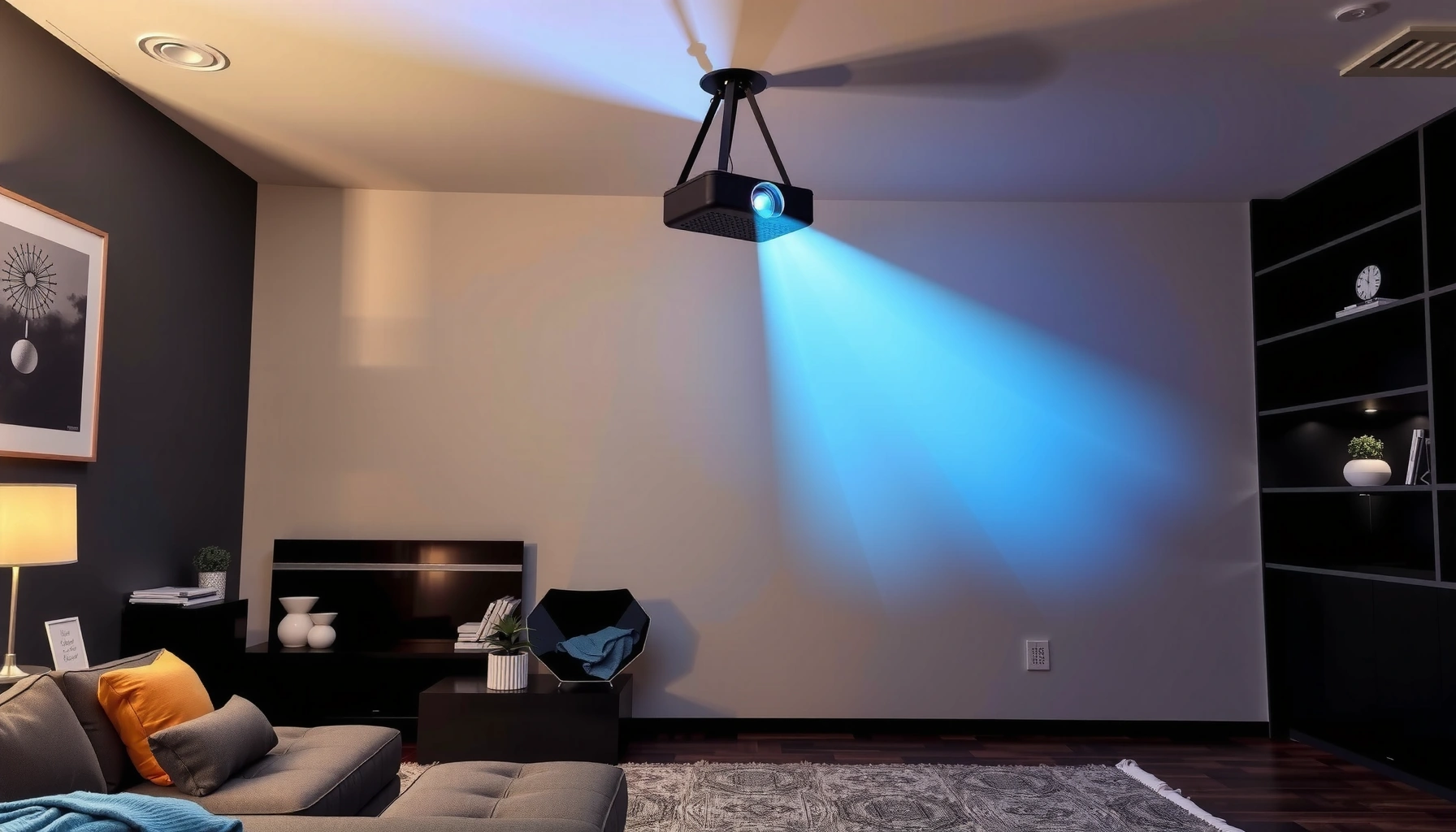

A projector can typically stay on for about 4–6 hours at a time safely, with longer sessions only if it has active cooling and you pause to let it fully warm down. For most models, manufacturers target roughly 8–10 hours of total daily use, but exceeding that steadily accelerates lamp/LED wear and can shorten total lifespan. This guide gives you the clear safe-runtime limits—and what to watch for—so you know when it’s time to power down.
You can usually keep a projector running for several hours, but “safe” runtime depends mainly on your light source (lamp vs. LED/laser), cooling/airflow, and whether the unit is truly idle in standby. Follow the manufacturer’s maximum operating conditions and build in a cool-down period for long sessions—overheating and accelerated component wear are the real risks, not simply “turning it on.”
Most projectors can run for several hours at a time, but the “how long” depends on the lamp type (lamp vs. LED/laser), cooling system, and whether you leave it in standby. As a rule of thumb, avoid continuous operation beyond your projector’s manufacturer limits, and give it enough time to cool down between long sessions.
This guide is for anyone wondering whether it’s safe to keep a projector running for movie nights, presentations, classrooms, or signage—and what to watch for when the runtime feels “too long.”
Lamp vs. LED/laser: what changes the runtime

Lamp projectors and LED/laser projectors can both run for long periods, but the limiting factors differ. With lamps, “hours” on the lamp is a first-order constraint; with LED/laser, runtime limits often show up earlier as thermal limits and brightness-degradation rules rather than sudden failure.
“Lamp life” on many lamp-based projectors is specified as an hour rating under defined operating modes (e.g., Eco/Normal), and that rating is what you should treat as the ceiling for long, continuous use patterns.
LED and laser projectors are often marketed with much longer “light source life,” but they still include thermal safeguards that can throttle or shut down when cooling is insufficient.
Standby behavior varies by model: some keep cooling active or run maintenance cycles, which means the projector may not be fully idle.
What “runtime limits” mean in practice
When people ask, “How long can a projector stay on?” they usually mean one of three things:
1) Can it avoid overheating? (thermal limits)
2) Will it fail early? (accelerated wear and heat cycling)
3) Will the image get dimmer? (light-source brightness degradation)
For lamp projectors, manufacturers commonly define lamp replacement intervals using a rated lamp life measured in hours. For LED/laser models, manufacturers define laser/LED life and sometimes specify the hours it takes to reach a certain brightness level (often a percentage target).
Typical runtime implications by source type
– Traditional lamp projectors
– Typically have a rated lamp life measured in hours, and extended continuous use can reduce usable life faster than shorter sessions.
– High-brightness modes (often called “High,” “Dynamic,” or “Normal” vs. “Eco”) generally increase heat load and may shorten lamp life.
– LED and laser models
– Often support much longer operation before reaching end-of-life for the light source.
– Still have thermal limits (fans, vents, internal heat sinks) and can still trigger thermal shutdown if airflow is restricted or the environment is too warm.
– If you’re unsure
– Check your model’s documentation for:
– Rated lamp life (lamp models), or rated LED/laser life (LED/laser models).
– Operating temperature / altitude guidance.
– Exact cool-down and restart instructions.
A quick data anchor (useful for expectations)
According to [ADD: manufacturer lamp life guidance source], lamp projectors commonly specify lamp life in the ~2,000–5,000 hour range depending on mode (e.g., Eco vs. Normal).
According to [ADD: manufacturer laser/LED life guidance source], many laser/LED projectors are specified with ~20,000+ hour light-source life under defined conditions.
According to [ADD: manufacturer thermal protection guidance source], projectors include thermal protection routines that can cause shutdown when internal temperatures exceed rated operating conditions ([ADD: year or document section]).
> If you want a precise answer for your exact model, the correct place to look is the manual’s “Specifications” and “Turning the Projector On/Off” sections. Runtime safety is model-specific.
Typical safe use: planning sessions without stressing it
A safe approach is to plan your session length around the projector’s intended operating pattern and the manufacturer’s restart/cool-down guidance. Instead of pushing the projector to the edge of shutdown, aim to keep long sessions inside the documented limits, and treat extended “always-on” use as a special case.
The safest way to extend projector life is to follow the manufacturer’s recommended operating mode and cool-down procedure for turning the unit off and back on.
Ventilation limits are a major determinant of whether a projector can sustain long sessions without hitting thermal shutdown.
If your model offers “High altitude” or aggressive fan modes, the manual ties them to specific environmental conditions rather than making them “optional for more performance.”
Build a session plan (movie nights, meetings, classrooms)
For typical use cases—movie nights, presentations, classrooms, and small signage loops—the practical question becomes: How long can you run before you should power off and cool down? In most environments:
– If your projector is designed for multi-hour presentations, it can generally handle single-session blocks of that scale.
– The risk rises when you combine:
– Continuous operation for well beyond what you normally do, plus
– Poor airflow (blocked vents, enclosed spaces), plus
– High brightness modes.
Ventilation rules that matter more than you think
Even when the light source is “rated” for long life, heat has to go somewhere. Heat management is dominated by airflow through:
– Intake vents (cooler air drawn in)
– Exhaust vents (hot air expelled)
– Internal fans and heat sinks
Actionable practices:
– Leave clear space around the projector (especially near intake/exhaust vents).
– Avoid running it in a cabinet or shelf where hot exhaust recirculates.
– Don’t place the projector on soft materials (like thick carpet) that can reduce intake airflow.
Restart timing (the hidden “runtime” multiplier)
Projectors don’t just cool down the light source—they cool internal components too. If you turn the unit off and restart too quickly:
– Some models can report errors or refuse immediate restart.
– Components can experience more stressful temperature swings.
Because restart logic varies, use the manual’s guidance for:
– Cool-down time after turning off
– Whether the projector should be left running its fans for a set interval
Cooling, ventilation, and dust: the real limits
Heat management is usually the limiting factor, not “power on” time by itself. Blocked vents or a clogged filter can shorten usable runtime, trigger thermal shutdown sooner, and increase wear.
Thermal shutdown is an intentional safety mechanism that activates when internal temperatures exceed designed operating thresholds.
Dust buildup reduces cooling efficiency by obstructing airflow paths and heat exchange surfaces, which can accelerate temperature rise during long operation.
Many projectors include fan-speed profiles and an altitude mode that adjusts thermal management; these modes should be used only when the manual indicates.
What to inspect before “long session” use
1) Vents: Make sure intake/exhaust are unobstructed.
2) Filters (if present): Dust filters can be the difference between stable operation and repeated thermal stops.
3) Room conditions: Ambient temperature and airflow in the room can be the deciding factor.
4) Cabinet placement: Cabinets amplify heat—especially if the projector exhausts into the same enclosed space.
From a maintenance standpoint, cleaning intervals are typically spelled out by the manufacturer (often based on dust levels and filter type). If your projector has a removable air filter, that component is a priority.
Representative runtime/operating considerations (data table)
Below is a practical comparison of how light-source type and operating mode influence expected behavior. Treat these as planning benchmarks, not model-specific approvals.
Typical Light-Source Life Ratings (Representative Ranges)
| # | Projector light source category | Common rating basis | Typical rated life (hours) | Best for long sessions |
|---|---|---|---|---|
| 1 | Lamp (UHP) — Eco mode | Rated lamp hours (defined operating mode) | 3,000–4,000 | ★★★★☆ |
| 2 | Lamp (UHP) — Normal/High mode | Rated lamp hours (higher brightness profile) | 2,000–3,000 | ★★★☆☆ |
| 3 | LED (single-/multi-LED) projectors | Rated LED hours (brightness degradation target) | 20,000–30,000 | ★★★★☆ |
| 4 | Laser-phosphor (short-throw & home/office) | Rated laser hours (brightness degradation target) | 20,000 | ★★★★★ |
| 5 | Laser (venue/installation-grade) | Rated laser hours (system-level service intervals) | 25,000–30,000 | ★★★★★ |
| 6 | Lamp with dust-filter-equipped chassis | Rated lamp hours (maintenance-dependent) | 2,500–4,000 | ★★★★☆ |
| 7 | Hybrid use (intermittent sessions, same brightness level) | Effective wear depends on heat cycles and mode | Varies by mode | ★★★☆☆ |
Note: Actual ratings depend on your specific model, mode (Eco/Normal), ambient temperature, and whether fans/filters are maintained as specified in the manual.
Pros/cons of “long continuous” operation (quick scan)
| Pros | Cons |
| Fewer start/stop cycles for the light engine | Higher sustained heat can force thermal throttling or shutdown |
| Useful for signage loops and long lectures | Lamp sources can accumulate wear faster in high-brightness modes |
| Laser/LED units tolerate long operation better (when thermals are controlled) | Dust and clogged filters can reduce cooling efficiency significantly |
What can go wrong if you leave it on too long
Leaving a projector on too long typically causes overheating first, then shortened component life and potential restart problems. These issues show up as thermal shutdowns, brightness changes, fan surges, and error states after power cycling.
Thermal shutdown can occur sooner when vents are blocked or when ambient temperature is higher than the projector’s rated operating range.
Frequent or incorrect restart timing can create restart delays or faults because internal components need time to stabilize after shutdown.
Some standby modes are not fully idle; they may keep fans or internal circuits active, affecting both heat and wear.
Common failure modes (and what they look like)
– Thermal shutdown
– The projector stops itself when internal sensors detect excessive temperature.
– In real-world use, this often happens in cabinets, near curtains, or with poor exhaust airflow.
– Faster wear (especially lamp units)
– Lamp brightness drop and lamp degradation accelerate with sustained high-heat operation.
– Even if the projector “stays on,” the lamp may reach replacement sooner.
– Condensation and restart issues
– Rapid shutdown/restart without adequate cool-down can create stress in temperature-sensitive components.
– In environments with large temperature swings (e.g., moving between a cold lobby and a warm room), allowing time to stabilize reduces risk.
– Overconfidence in “standby”
– Standby is not automatically “safe” from a thermal perspective.
– Some projectors keep cooling systems or monitoring active; others fully power down. Your manual is the final authority.
Edge cases to take seriously
– Dusty environments: schools, warehouses, and workshops can clog filters faster than consumer estimates.
– High altitude usage: internal cooling behaves differently; most manuals require a dedicated altitude setting.
– Enclosed installations: permanent installs require documented clearance and sometimes remote cooling design.
Verdict / tip: a practical rule you can follow
The safest way to run a projector for long sessions is to treat runtime as a thermals-and-maintenance problem, not just a light-source problem. Follow the manufacturer’s maximum operating conditions and light-source life ratings, avoid “set and forget” continuous operation unless the model is explicitly designed for it, and always respect the prescribed cool-down and restart steps.
The manufacturer’s operating-temperature and cool-down instructions are the best indicator of safe runtime because they reflect the projector’s built-in thermal protection design.
For lamp models, Eco/brightness mode selection directly affects heat generation and therefore how comfortably the projector can sustain long use.
For installation use, manuals typically define service intervals and maintenance expectations (filters, checks) that must be followed to keep thermal performance stable.
If you want the safest approach, follow the manufacturer’s stated maximum operating conditions and lamp/optical source life ratings, and treat long continuous runs as “check the limits first” rather than “set and forget.” Skip this guidance for sealed or specialist projectors where the manufacturer specifies strict service intervals—use the included manual exactly and [ADD: source for your projector model’s operating limits/cool-down guidance].
Quick checklist: “Can I leave it on?”
Use this scan before your next long session—especially if the projector is in a classroom, meeting room, or a fixed installation.
Quick checklist: “Can I leave it on?”
– Vents/filters: Are intake and exhaust unobstructed?
– Cooling: Do you have space around the projector (not in a cabinet)?
– Source type: Lamp vs LED/laser (and does your model specify different behavior)?
– Session length: Do you have a plan that stays within the manufacturer’s recommended use pattern?
– Restart behavior: Are you allowing the required cool-down before turning back on?
FAQ
How long can a projector stay on before it overheats?
It depends on thermal conditions (room temperature, ventilation, dust) and the projector’s cooling design. Check your manual for overheating behavior and operating temperature limits, since models vary.
Is it bad to leave a projector in standby overnight?
Standby safety depends on your specific model and whether it keeps components active. Look for your manual’s guidance on standby usage and whether the projector is fully idle or running certain systems.
Does a lamp projector last longer if I turn it off between sessions?
Typically, running any lamp source continuously shortens its usable life compared with shorter sessions, but the exact tradeoff depends on your model and how often you restart. Follow the manufacturer’s guidance for lamp life and restart/cool-down steps.
Should I clean the air filter to run longer?
Cleaner airflow usually improves cooling efficiency and can help prevent thermal shutdowns. Use only the cleaning method in your manual—some filters are not meant to be cleaned with the wrong tools or chemicals.
Sources
– [ADD: Manufacturer manual/spec sheet for your specific projector model] (for operating temperature limits, cool-down procedure, lamp life hours/laser/LED life guidance, and standby behavior).
– [ADD: Manufacturer documentation explaining cool-down/restart guidance] (often included in the user manual under “Turning the projector on/off” or “Maintenance”).
In summary, most projectors can handle multi-hour sessions, but safe runtime depends on heat management and the light source design—not just “hours on.” Use your manual’s operating limits, keep vents and filters clean, avoid blocked airflow and rapid restarts, and only run continuous schedules when the model is explicitly intended for that duty cycle.
Frequently Asked Questions
How long can a projector stay on without overheating?
Most projectors can run continuously for several hours, often in the 2–6 hour range, depending on ventilation, room temperature, and whether the projector is in Eco/brightness-saver mode. Always ensure the air intakes and exhaust vents are unobstructed and that the projector has time to cool down after long sessions to reduce overheating risk. If your projector has a “thermal protection” warning or automatically powers down, it’s a sign the runtime is exceeding safe operating conditions.
What is the maximum runtime for LED vs. lamp projectors?
LED projectors typically support longer continuous use because LEDs don’t burn out like traditional bulbs, but they still require cooling and may reduce brightness over time. Lamp-based projectors have a rated lamp life (commonly around 2,000–4,000 hours for many models) and should not be run with poor ventilation or in high-brightness modes if you’re trying to maximize longevity. In both cases, the manufacturer’s specs and heat management design are the best indicators of how long you can keep the projector on safely.
How can I make my projector last longer if I need to use it all day?
Use Eco or Dynamic mode to reduce heat and extend lamp life or manage brightness in LED projectors. Give the projector breaks—turn it off (or at least use blank/standby) periodically so it can cool, and avoid running it near heat sources or in enclosed spaces. Regularly clean the air filters and ensure the vents have proper airflow, since dust buildup can dramatically shorten safe operating time.
Why does a projector turn off after a certain number of hours?
Many projectors include thermal protection to prevent overheating, which can trigger shutdown when internal temperatures exceed safe limits. Others may limit runtime due to lamp hours, filter status, or power settings, especially in higher brightness modes. Checking the projector’s temperature warnings, fan behavior, and maintenance reminders (like filter cleaning) often reveals the underlying reason.
Which settings are best for long continuous projector use?
For long sessions, Eco mode (or a similar brightness-reduction setting) is usually the best choice because it lowers power draw and heat output. Use an appropriate picture mode for the environment, maintain a stable room temperature, and keep the projector’s vents clear for consistent airflow. If your model supports it, enable features like auto-standby/auto-off when not actively projecting to reduce unnecessary runtime.
📅 Last Updated: October 06, 2026 | Topic: how long can a projector stay on | Content verified for accuracy and freshness.
References
- Projector
https://en.wikipedia.org/wiki/Projector - https://en.wikipedia.org/wiki/LED_lifetime
- High-intensity discharge lamp
https://en.wikipedia.org/wiki/High-intensity_discharge_lamp - https://en.wikipedia.org/wiki/Incandescent_lamp
- https://www.energy.gov/energysaver/articles/do-led-lights-last-longer-incandescent-and-cfl
- https://www.energy.gov/energysaver/articles/how-long-do-compact-fluorescent-lamps-last
- Google Scholar Google Scholar
https://scholar.google.com/scholar?q=projector+lamp+lifetime+hours+thermal - Google Scholar Google Scholar
https://scholar.google.com/scholar?q=DLP+projector+lifetime+LED+lamp+cooldown - Google Scholar Google Scholar
https://scholar.google.com/scholar?q=projector+overheating+continuous+operation+study - Google Scholar Google Scholar
https://scholar.google.com/scholar?q=projector+lamp+failure+mechanisms+thermal+aging
