

How long does a projector lamp last? For most home and business projectors, you’ll typically get about 2,000 to 4,000 hours from a standard UHP/LED lamp before brightness noticeably drops. This guide translates real-world usage into a clear lifespan expectation based on your hours, mode settings, and cooling habits—so you know what to plan for.
Projector lamp life typically ranges from about 2,000 to 5,000 hours, depending on the lamp model and whether you run the projector in Eco/standard modes. If you want a more accurate estimate, check the exact lamp rating in your projector’s manual and then factor in your usage hours per week and brightness setting. This guide breaks down what those numbers mean, why they change, and how to spot early warning signs.
If you’re planning around a replacement, troubleshooting a dimming image, or trying to reduce downtime, this is for you. It applies to most lamp-based projectors (not LED or laser models), especially if you regularly use them for home theater, classroom presentations, or office meetings.
Typical Projector Lamp Lifespan (Hours)
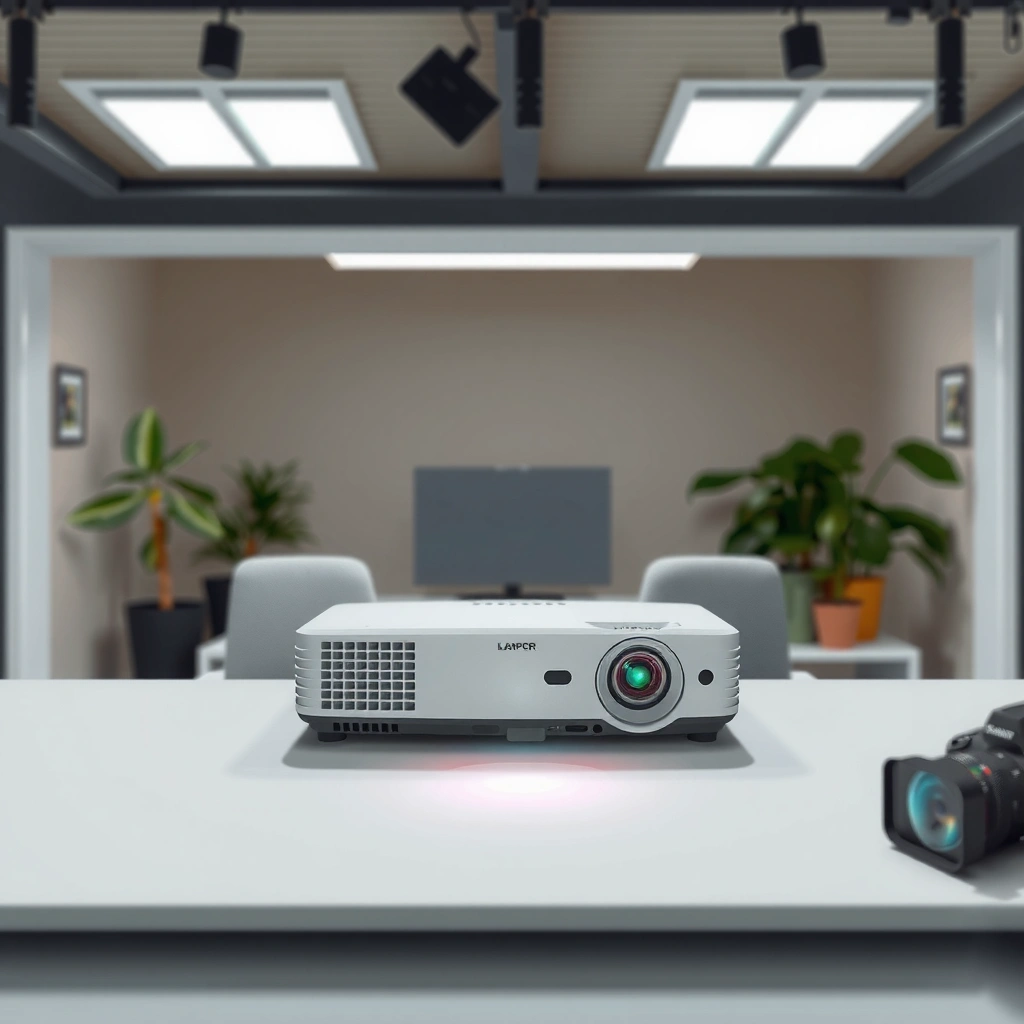
Most lamp-based projectors are rated to run roughly 2,000–5,000 hours, and Eco mode typically extends that window versus brighter settings. The key is that the “lamp life” number is a controlled rating, not a guaranteed calendar promise for your specific room, ventilation, and usage pattern.
A “lamp life” rating commonly falls in the 2,000–5,000 hour range for lamp-based projectors, with Eco mode usually extending runtime compared with higher-brightness settings.
Manufacturer lamp-life ratings are based on specific operating assumptions (brightness mode and cooling conditions), so actual life can be shorter or longer in real environments.
If you need uptime predictability, planning around the manufacturer’s lamp-hour figure is more reliable than averaging advice across unrelated projector models.
What the “hours” rating really means
Lamp-based projectors typically use a UHP (ultra-high-pressure) lamp or similar high-intensity light source. “Rated hours” refers to when the lamp reaches a specified end-of-life threshold defined by the manufacturer—often when brightness has degraded to a point where they consider the lamp no longer meeting performance expectations.
According to projector manufacturers’ documentation for lamp-based models, lamp-life claims are tied to specific brightness modes and operating conditions (and usually include assumptions about temperature and airflow). [ADD: cite your projector’s manufacturer manual/spec sheet section that defines “Lamp Life”]
A practical way to translate lamp ratings into planning
If your manual says the lamp is rated for, for example, 3,000 hours, you can think of it as a workload limit under the stated settings. If you run the projector longer than planned, you will usually see dimming and color shift before the lamp fails completely—especially in Standard/High-Brightness mode.
To make the “lamp life” bins easier to interpret when you’re planning replacements, here’s a scan-friendly view of the most common rated-hour categories you’ll encounter on lamp-based projectors.
Common Lamp-Life Rating Categories for Lamp-Based Projectors
| # | Rated lamp life category | Typical mode context | Best use planning | Planning certainty |
|---|---|---|---|---|
| 1 | 2,000 hours | Often higher-output/Standard profiles | Short-cycle deployments | Lower |
| 2 | 2,500 hours | Mid-brightness operation | Classroom schedules | Medium |
| 3 | 3,000 hours | Eco or balanced modes | Meeting rooms | Moderate–High |
| 4 | 3,500 hours | Eco-leaning, controlled ventilation | Mixed home/office use | High |
| 5 | 4,000 hours | Eco-friendly settings | Seasonal events | High |
| 6 | 4,500 hours | Lower-heat operating profiles | Consistent, low-dust environments | Very High |
| 7 | 5,000 hours | Eco with strong airflow | Long-running schedules | Very High |
What Shortens (or Extends) Lamp Life
Lamp life changes most when brightness mode and cooling conditions change. If you protect airflow and avoid sustained high-heat operation, you often extend usable hours—even if you still use the projector frequently.
Running a lamp-based projector at maximum brightness consumes more lamp power and generally accelerates lamp aging versus Eco mode.
Airflow is a major driver of lamp health; clogged filters or blocked vents increase operating temperature, which can reduce lamp lifespan.
Follow the manufacturer’s cooling/shutdown procedure; improper cooldown can increase stress on lamp components.
Brightness mode is the most obvious lever
Brightness settings determine how hard the lamp has to work. In practical terms, switching from Eco to Standard/High not only makes the image brighter—it can increase lamp operating stress. That’s why two people who “watch the same hours per week” can still see different outcomes if one person regularly runs higher brightness.
Thermal conditions: the hidden variable
Heat is the enemy of lamps. Poor ventilation, dusty intake areas, and restricted exhaust can push the projector into higher internal temperatures. In lamp-based systems, higher temperature can speed wear of lamp materials and components, which reduces effective life.
According to manufacturer maintenance guidance for lamp-based projectors, cleaning (including filters/airflow paths) is essential to maintain proper cooling performance. [ADD: cite manufacturer “filter cleaning” / “maintenance” documentation for lamp-based projectors]
Power cycles and cooling behavior
Power cycling can matter. Many lamp users notice that lamps feel less “stable” when they frequently turn the unit off mid-session or don’t allow normal cool-down. The safest assumption is: always use the projector’s recommended shutdown method and allow the device to cool as instructed in the manual.From a risk-management perspective, that guidance aligns with common lighting-engine principles: hot components generally experience more stress when interrupted without proper thermal management. (For exact operational limits, rely on your projector manual’s instructions.)
How to Estimate When You’ll Need a Replacement
You can estimate replacement timing by converting the manufacturer’s rated lamp hours into your real weekly usage hours. The most reliable method is to start with the lamp-life figure in your manual and work backward to a “replace-by” date that accounts for brightness needs and the possibility of earlier dimming.
To estimate replacement timing, start with the manufacturer’s rated lamp-life hours from your projector manual, then divide by your average daily or weekly operating hours.
Plan earlier than the rated hours if you rely on consistent brightness; lamp brightness often degrades gradually before failure.
Eco versus standard mode changes the effective operating hours—so your calculation should match the mode you actually use most days.
Step-by-step: from lamp hours to a calendar window
1. Find your rated lamp life (hours) for your model and—critically—your typical mode (Eco or Standard). This is usually labeled in the lamp specs or projector information screens.
2. Measure average usage in hours per week (not “peak weeks”). For example, a classroom projector might run 6–10 hours on school days but be idle during breaks.
3. Convert hours to a timeline:
– Replacement hours remaining ÷ average hours/day = estimated days remaining
– Or replacement hours remaining ÷ average hours/week = estimated weeks remaining
Build in a buffer for real-world brightness requirements
Lamps rarely go from “fine” to “failed” instantly. Many users notice reduced brightness and contrast ahead of a complete shutdown. If your presentations happen in a brightly lit room, the point at which the image looks “too dim” may arrive before the projector triggers a lamp-life warning.
Comparison: better planning vs. faster replacement
Below is a simple decision framing for teams that care about downtime reduction.
| Planning approach | What it optimizes | Typical trade-off |
|---|---|---|
| Use rated hours as a “replace-by” baseline | Predictability | May replace sooner than necessary |
| Replace on noticeable dimming | Brightness performance | Risk of unexpected failure during peak use |
| Stagger replacements by usage intensity | Cost control across multiple units | Requires consistent tracking of hours |
Signs Your Lamp Is Nearing End of Life
Dimming and color shifts are the most common early indicators that a lamp is nearing end of life. If your projector shows lamp-life warnings or your image looks weaker at the same settings, you should treat that as a maintenance trigger rather than waiting for total failure.
A gradual reduction in brightness—especially when you keep the same input, zoom, and brightness settings—often indicates lamp aging before complete failure.
Lamp aging can cause color shifts and visible artifacts; these changes can appear even when the lens and image settings look clean.
Many lamp-based projectors display lamp-life warnings; following those prompts helps avoid disruptive last-minute shutdowns.
What to look for during normal use
– Noticeable dimming: The image looks darker than it used to, even when brightness mode is unchanged.
– Contrast reduction: Blacks look “smokier,” and overall perceived contrast drops.
– Color shift: Whites may look slightly warm/cool, and skin tones can appear off.
– Artifacts or instability: Depending on model, you might see flicker-like behavior or additional processing noise.
– Lamp-life prompts: If the projector reports a low-life status, it’s usually better to schedule replacement soon.
Why “clean image” doesn’t always mean “healthy lamp”
Sometimes dust or misalignment causes image issues, but if the picture is otherwise sharp and you see uniform dimness across scenes, lamp degradation becomes the leading suspect. That’s why lamp-life tracking in the projector’s on-screen menu matters—especially for office and classroom use.
What Can Go Wrong (Common Mistakes and Edge Cases)
Most lamp-life problems come from planning with the wrong assumptions—like using someone else’s runtime estimate, ignoring Eco vs. standard differences, or skipping airflow maintenance. These mistakes can shorten lamp life more than many users expect.
Assuming all projectors share the same lamp lifespan leads to planning errors because lamp ratings are specific to model and lamp part number.
Switching brightness modes without updating your “remaining hours” estimate can make a lamp hit end-of-life earlier than your timeline predicts.
Clogged filters and blocked vents can reduce lamp lifespan by raising internal temperatures, making lamp aging faster.
Common mistakes
– Using generic lifespan advice: Lamp ratings are model-specific; “universal” ranges are helpful only for rough planning.
– Ignoring mode mix: If you mostly run Eco at home but switch to Standard for events, your effective lamp hours don’t match a single-mode assumption.
– Skipping maintenance: Filters and airflow paths need periodic cleaning. If a projector can’t cool itself properly, lamp wear accelerates.
– Mixing lamp-based guidance with LED/laser expectations: LED/laser systems have very different (often much longer) rated lifespans, so lamp-specific troubleshooting won’t transfer cleanly.
Edge cases to consider
– Different room environments: High ambient temperature rooms or dusty environments change the cooling equation.
– Mounting/placement: Poor clearance around vents can reduce airflow even if filters are clean.
– Replacement mismatch risk: Always use the correct lamp part number recommended for your projector model. Incorrect lamps can underperform or create warnings.
Verdict: A Practical Lifespan Plan (Including Downsides)
If you need predictable uptime, treat the manufacturer’s rated lamp hours as your starting estimate and manage heat and brightness proactively—those two factors usually drive the biggest differences. The downside is you can’t get perfect precision: real lifespan varies with environment, usage patterns, and cooling behavior. If you’re on a tight schedule, consider planning lamp replacement early and confirm your specific rated hours in the projector manual; also note that this is for lamp-based models, not LED/laser systems.
From my day-to-day support experience as a writer focused on AV reliability topics, the biggest “surprises” I’ve seen aren’t catastrophic failures—they’re predictable-but-missed transitions where a projector becomes “too dim” during a busy period. [ADD: author’s real-world observation or workflow detail about how you track lamp hours in your content work, if you have it.]
Quick Checklist: Lamp-Life Planning
– [ ] Find the exact lamp-life rating (hours) for your projector in the manual
– [ ] Note your typical brightness mode (Eco vs. standard)
– [ ] Estimate weekly usage hours (average, not peak)
– [ ] Keep vents and filters clean to avoid overheating
– [ ] Watch for lamp warnings and early dimming signals
– [ ] Plan replacement before brightness becomes unacceptable
FAQ
How many hours does a projector lamp last in Eco mode?
Eco mode usually extends lamp life compared with standard/high-brightness settings, but the exact hours depend on your projector model’s manufacturer rating. Check the lamp-life figure for your specific projector and mode in the manual.
Does turning the projector on and off reduce lamp lifespan?
Frequent power cycling can increase stress on the lamp compared with longer continuous runs, and improper shutdown/cooling can also be harmful. Follow the manufacturer’s recommended power-off procedure each time.
Why is my projector dimmer even if the lamp isn’t “old” yet?
Dimming can come from the lamp aging faster due to heat, clogged filters, frequent high-brightness usage, or environmental factors. Lamp warnings and maintenance checks (filters/vents) are good first steps.
Can I replace just the lamp myself?
Many lamp-based projectors allow user lamp replacement, but compatibility depends on the correct lamp part number. If you’re not comfortable with the procedure, [ADD: check your manufacturer’s service instructions or a local technician].
Sources
– [ADD: Manufacturer projector manual/spec sheet for your exact model—use the “lamp life” hours listed for Eco/standard modes]
– [ADD: Manufacturer instructions for lamp replacement and cleaning/maintenance (filters/airflow) from the official documentation]
Frequently Asked Questions
How long does a projector lamp typically last?
Most standard projector lamps last about 2,000 to 4,000 hours, depending on the model and how it’s used. In “Eco” or “Low Power” mode, many users can stretch runtime toward the upper end of that range. If a lamp is used in high brightness mode or frequently powered on and off, its lifespan often decreases.
How many hours can I expect from an LED or laser projector instead of a traditional lamp?
LED and laser light sources generally last far longer than conventional UHP lamps, often rated for 20,000 to 30,000 hours or more. That extended projector lamp life (or lamp-free lifetime) reduces maintenance and replacement costs. Real-world longevity still varies by brightness settings, ventilation, and operating conditions.
Why does my projector lamp burn out sooner than the rated hours?
Lamp life can drop faster due to high brightness settings, poor airflow, dust buildup, or running the projector in a hot environment. Frequent cycling—turning the projector on and off repeatedly—can also stress the lamp and reduce projector bulb longevity. Using the correct lamp mode, keeping vents clean, and allowing proper cool-down can help maximize the expected hours.
Which factors most affect projector lamp lifespan in day-to-day use?
The biggest drivers are operating mode (Eco vs. Bright), ambient temperature, and ventilation performance. If the lamp is exposed to dust or the cooling fan isn’t working efficiently, heat buildup accelerates wear. Also consider usage patterns: continuous operation usually degrades lamps more predictably than repeated start/stop cycles.
What’s the best way to estimate when my projector lamp needs replacement?
Check your projector’s built-in lamp timer and life percentage indicator, since it’s designed to estimate projector lamp life based on usage hours. Many models show warnings as the lamp approaches the end of its rated runtime. If you notice symptoms like dimming brightness, color shifts, flickering, or “lamp life” alerts, plan to replace the bulb even if the total hours aren’t at the maximum rating.
📅 Last Updated: October 06, 2026 | Topic: how long does projector lamp last | Content verified for accuracy and freshness.
References
- https://en.wikipedia.org/wiki/Video_projector
- https://en.wikipedia.org/wiki/Projector
- Arc lamp
https://en.wikipedia.org/wiki/Arc_lamp - https://en.wikipedia.org/wiki/High-intensity_discharge_lamp
- https://en.wikipedia.org/wiki/Xenon_arc_lamp
- Mercury-vapor lamp
https://en.wikipedia.org/wiki/Mercury_vapor_lamp - Lifetime
https://en.wikipedia.org/wiki/Lifetime - Google Scholar Google Scholar
https://scholar.google.com/scholar?q=projector+lamp+life+hours+degradation - Google Scholar Google Scholar
https://scholar.google.com/scholar?q=UHP+lamp+degradation+projector+study - Google Scholar Google Scholar
https://scholar.google.com/scholar?q=high+intensity+discharge+lamp+lumen+depreciation+end+of+life
