
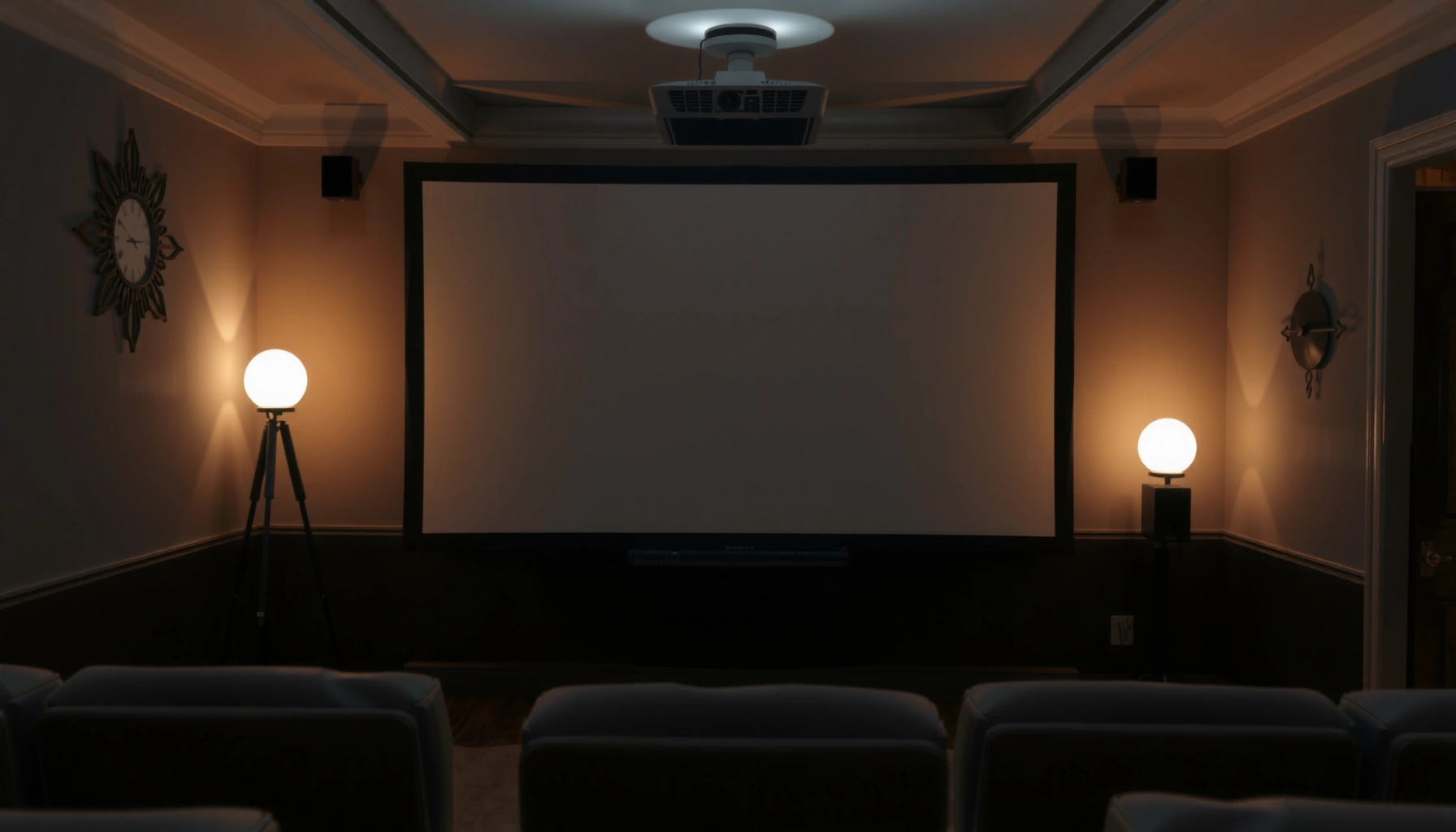

The best answer to how many lumens is best for a projector depends on how bright your room is—but there’s a clear target for each setup. For a dimmed room or home theater, 1,500–2,500 lumens is the sweet spot for crisp images. In a brighter living room with some ambient light, go higher—about 2,500–3,500 lumens—to keep whites clean and text readable.
If you’re wondering how many lumens is best for a projector, a good rule of thumb is: choose brighter for light-controlled rooms and lower brightness for darker rooms. As a starting point, aim for ~2,000–3,000 lumens for a typical living room with some ambient light, and ~3,000–5,000+ lumens if you’ll watch in brighter rooms or larger screens. In this guide, you’ll learn how to pick lumens based on room brightness, screen size, and lamp/LED vs laser specs.
If you’re choosing a projector for movies, sports, or gaming and you don’t want to end up with a washed-out image, this is for you—especially if you’re comparing advertised “lumens” that can mean different things across manufacturers.
Lumens 101: What “brightness” actually affects
Projector lumens tell you how much light the projector can output, but how bright the image looks depends heavily on your room and screen. In practice, the “best lumens” for a projector is the number that lands enough usable light on your specific screen size while you maintain acceptable contrast.
Here’s why projector lumens aren’t a one-number guarantee:
– Perceived brightness is contextual. The same projector will look dimmer as you increase screen size, and it will look dimmer again when you watch with lights on.
– Room surface reflections matter. Light bouncing off white walls, shiny floors, or a bright ceiling can “lift” blacks and reduce perceived contrast—even if your projector lumens sound high.
– Spec definitions can vary. Manufacturers may quote brightness using different standards or measurement approaches, so treat lumen numbers as a directional guide rather than a final verdict.
Projector “brightness” is measured as light output (lumens), but viewing brightness is constrained by screen size and ambient light.
If the projector lumens are spread across a larger image area, the same total light results in lower brightness per unit screen area.
To make fair comparisons, look for the stated measurement standard for projector brightness in the manufacturer’s documentation.
A few anchor points to keep your expectations realistic
– According to the ANSI/IES standard approach commonly associated with “ANSI lumens,” projectors are evaluated using a defined set of measurement windows, not just a single peak reading. [ADD: source for ANSI lumens / brightness measurement standard used]
– In real rooms, even moderate ambient light can noticeably reduce perceived black levels, which is why “good projector lumens” often correlates with how much you can control light (curtains/blinds).
– As of 2024–2026, manufacturers still vary in how they present brightness for LED and laser models versus lamp-based models, so always verify whether the lumen spec is measured in a specific mode. [ADD: manufacturer documentation source for each standard/mode]
The fastest way to estimate the best lumens
The fastest path to the right projector lumens is to start with your light conditions, then sanity-check with screen size. This prevents the common mistake of buying for the “brightest possible” room scenario and paying for unnecessary brightness.
For most people, this is the most reliable workflow:
1. Choose a viewing light level: dark room, partial light control, or bright room.
2. Pick a starting projector lumen range:
– Dark room: you can often go lower (you prioritize contrast).
– Some ambient light: often ~2,000–3,000 lumens is a practical target for a living room.
– Bright room / big screens: frequently ~3,000–5,000+ lumens to keep the image vivid.
3. Match it to your intended screen size—bigger screens require more projector lumens to maintain brightness per image area.
Ambient light is usually the dominant factor in perceived brightness, even when two projectors have similar advertised lumens.
A projector designed for a bright-room scenario typically needs higher projector lumens to preserve midtones and reduce washed-out appearance.
Screen size increases the required projector lumens because the light output must cover more surface area.
Screen size sanity-check (the “multiplier” step)
After you pick a preliminary lumen range, confirm your screen size:
– If you’re targeting very large images (for example, large living-room screens), assume you’ll need to move upward in the projector lumens range.
– If you’re staying in a moderate screen size and can dim the room, you can often choose fewer lumens and spend elsewhere (better optics, higher contrast modes, better processing).
Screen size and throw distance: the lumens “multiplier”
The best projector lumens for a given screen depends on how much of the projector’s light actually lands on that screen size. If you go larger, change your throw distance, or use zoom, you effectively change how “concentrated” the brightness is.
Projector setup details that influence the real-world brightness include:
– Screen size (diagonal width/height). Larger screens spread the same light farther, lowering brightness per unit area.
– Throw distance and lens zoom. Throw distance and zoom settings can affect how effectively light reaches the screen; a lens set for maximum throw may not deliver identical brightness compared with another zoom position.
– Lamp/LED/laser mode settings. Many projectors reduce brightness in ECO/lower-power modes to extend lamp life or reduce fan noise—so the “brightest” projector lumens spec may only apply to a specific mode.
For projector brightness planning, larger screen sizes require higher projector lumens to maintain similar perceived brightness.
Throw distance and zoom can change effective brightness because they affect how much of the projector’s output reaches the screen.
Eco modes typically reduce projector lumens to extend light-source life; confirm brightness per mode in the manual or spec sheet.
Practical example (what this means in everyday installs)
If you’re deciding between two projector models that look similar on paper, compare:
– The advertised lumens in the same picture mode (often “High” vs “Eco”)
– Whether the model supports a consistent brightness mode for gaming or sports
– Your likely screen diagonal and whether you’ll use lens zoom to land in range
Light conditions matter more than the number on the box
The quickest way to avoid a washed-out projector image is to align projector lumens with your ambient light, not your shopping headline. In most living rooms, curtains/blinds can change the result as much as (or more than) adding a few hundred or even a thousand lumens.
Here’s what matters most when choosing projector lumens:
– Daytime viewing = higher burden. Daylight contributes glare and raises overall room luminance, which reduces perceived contrast.
– Even “multi-use” rooms often need partial control. Sheer curtains, blackout shades, or at least reducing direct sunlight can drastically improve perceived image depth.
– Contrast and image stability are quality multipliers. Two projectors with the same projector lumens may look different because of contrast performance, brightness uniformity, and how stable output is over time.
Ambient light reduces perceived contrast, so matching projector lumens alone may not prevent a washed-out look.
Light control measures (blinds/curtains) improve perceived brightness and black levels without changing the projector hardware.
Brightness uniformity and contrast can influence perceived “brightness” as much as total lumens in darker scenes.
Lamp/LED vs laser: how output behavior affects “best lumens”
When you choose projector lumens, you’re not only buying brightness—you’re also buying how that brightness holds up:
– Lamp projectors generally produce maximum brightness initially, then output declines over the lamp’s rated life.
– Laser and some LED systems typically advertise longer rated lifetimes; output may still decline, but the spec is usually framed as sustained light output over time.
– Real-world guidance depends on the manufacturer’s light-output lifespan and mode impacts. Use the manufacturer documentation for brightness decay behavior and lumen ratings by mode. [ADD: manufacturer doc about rated light output and decay model]
What can go wrong (common mistakes and edge cases)
Even with the right projector lumens target, several issues can still ruin perceived image quality. This section covers the most common pitfalls that lead to “it looked great in the store” disappointments.
Common mistakes to avoid
– Buying for the biggest room scenario. You may overpay for projector lumens you only need rarely; match your routine viewing conditions.
– Ignoring screen type and surface. Wall paint, screen reflectivity, and gain affect how much light returns to your eyes, which changes effective brightness.
– Relying only on advertised brightness numbers. Without the measurement standard and mode context, projected “lumens” can be misleading. [ADD: source for brightness measurement standards]
– Forgetting maintenance and mode changes. Lamp output degrades; ECO modes may reduce projector lumens meaningfully even if the image still looks “fine” to you.
Quick comparison: what to prioritize if the room is brighter than expected
Below is a practical way to balance projector lumens with image quality factors:
| Priority | Choose this when… |
|---|---|
| Higher projector lumens | You frequently watch with lights on or near windows. |
| Better contrast/processing | You watch movies at night and care about dark-scene depth. |
| Uniform brightness | You hate “hot spots” or brightness falloff across the image. |
If projector lumens are specified for one mode but you plan to use another (Eco/Smart), your effective brightness may be lower than the headline number.
Reflective surfaces and high-gain screens can make “enough lumens” look brighter, while low-gain screens can make the same projector seem dimmer.
Verdict / tip: Pick lumens by room first, then screen size
If you want the safest buying strategy, choose projector lumens based on room light control first, then adjust upward for your screen size. The tradeoff is straightforward: more brightness can help in daytime, but it may come with downsides like cost, heat, noise, or reduced contrast in certain modes.
Here’s the balanced guidance:
– If you typically watch with lights off or heavy light control, you can often get away with fewer projector lumens and emphasize contrast and picture quality.
– If you’ll watch in brighter rooms or use larger screens, prioritize higher projector lumens—and be ready to check performance in your actual viewing mode.
For most home setups, aligning projector lumens with ambient light yields a better result than chasing the highest advertised number.
Bigger screens demand more projector lumens to avoid a dim, washed-out image.
Skip this approach / be extra cautious if the projector’s lumens spec is not clearly documented in its manual (including mode and measurement context) or if you’re comparing models that document brightness using different measurement methods—use the manufacturer’s documentation rather than guessing.
Lumens quick table: practical ranges by room and screen
Below is a fast reference to narrow projector lumens decisions before you compare models. Use it as a starting point, then validate with the manufacturer’s mode-specific brightness specs and your actual screen size.
Recommended Projector Lumens by Room Light & Screen Size (Starting Ranges)
| # | Viewing setup | Typical screen | Start with projector lumens | Risk of “washed out” |
|---|---|---|---|---|
| 1 | Dedicated dark room (lights off) | 70–95 in | 1,200–2,500 | ★☆☆☆☆ |
| 2 | Dark room + occasional lamp (very light control) | 80–100 in | 1,800–3,000 | ★☆☆☆☆ |
| 3 | Living room with blinds/curtains (some ambient light) | 90–110 in | 2,000–3,500 | ★★☆☆☆ |
| 4 | Bright evenings / lights on (partial control) | 85–120 in | 3,000–5,000 | ★★★☆☆ |
| 5 | Daytime viewing near windows (high ambient) | 100–130 in | 4,000–6,500+ | ★★★★☆ |
| 6 | Large-screen theater-style (light-controlled) | 110–150 in | 3,500–6,000 | ★★☆☆☆ |
| 7 | Multi-use room (bright by default) | 80–110 in | 3,000–5,500+ | ★★★☆☆ |
Quick checklist (scan/save)
– Room light level: dark / some ambient / bright
– Typical screen size (inches)
– Viewing distance (affects throw/zoom setup)
– Projector mode you’ll use most (eco/normal/high)
– Whether the lumen spec includes a measurement standard or method
– Screen type (wall vs dedicated screen material)
Before choosing projector lumens, confirm the brightness measurement context and the mode you will actually run.
If your room is bright, improve light control first; then choose projector lumens to compensate for remaining ambient light.
FAQ
How many lumens do I need for a bright living room?
A practical target is often ~3,000–5,000+ lumens, especially if you can’t fully control daylight—final choice depends on screen size and how “bright” the room really is.
Will a higher-lumen projector always look better?
Not necessarily. Higher projector lumens can help, but contrast, brightness uniformity, and image processing still affect perceived quality—especially in dark scenes.
Do I need a projector with thousands of lumens for nighttime movies?
Usually you can go lower in a dark room because ambient light is minimal. Start with room conditions first, then size up only if you’re using a large screen.
Do projector eco modes change brightness a lot?
Yes. Eco/lower-power modes typically reduce projector lumens to extend lamp/laser life, so your real-world image can be dimmer than the brightest stated output—check the specs/manual for each mode.
Should I choose lumens or screen size first?
Screen size first, in practice. Projector lumens requirements rise as screen size grows, so the best way is: pick your screen size/desired image, then select lumens to match your room light.
Sources
– [ADD: Manufacturer documentation/spec sheets for “brightness/lumens” measurement method for the specific projector type(s) referenced (lamp vs LED vs laser), ideally citing the exact standard used.]
– [ADD: Source for general projector brightness measurement standards and definitions from an official standards body or manufacturer documentation.]
Pick projector lumens by room light control first, then adjust for your screen size and the specific picture mode you’ll actually use. If you watch in daylight or bright evenings, aim higher projector lumens (often 3,000–5,000+) and verify mode-specific brightness specs; if you watch mostly in a darker room, you can prioritize contrast and spend less on raw brightness. The most reliable result comes from matching projector lumens to real viewing conditions—not just the biggest number on the box.
Frequently Asked Questions
What is the best number of lumens for a home theater projector?
For a dedicated dark-room home theater, many people find 1,500–2,500 lumens to be a sweet spot for a bright, watchable image. If you’ll use the projector in a room with some ambient light, look closer to 2,500–4,000 lumens. Screen size and seating distance matter just as much as lumens, so matching the lumens to your target screen size helps you avoid a dim picture.
How many lumens do I need for a living room with ambient light?
In living rooms where lights can’t be fully controlled, you generally need more lumens to maintain contrast and image clarity. As a practical guideline, aim for about 3,000–4,500 lumens (or higher for larger screens) if the room stays moderately bright. Using a high-gain screen, positioning the projector to reduce glare, and closing blinds can also make the projector feel significantly brighter than its rated lumens alone.
Which lumens rating is better for a projector: LED, laser, or lamp output?
The “best lumens” choice isn’t directly tied to whether a projector uses lamp, LED, or laser; what matters is the projector’s brightness performance in your conditions. Laser and lamp models can both deliver strong lumen output, but some “brightness” specs can be measured differently, so look for real-world brightness claims like ANSI lumens. Always check reviews and consider factors like throw distance, calibration mode, and whether the lumen rating changes in the brightest picture mode.
Why do projector lumens look different in real life than the spec sheet?
Projector manufacturers often advertise brightness under ideal conditions, and your actual brightness can drop with factors like picture mode, lens settings, and calibration. Screen size is a major reason—when you increase screen size, the same lumens are spread over more area, reducing brightness per square foot. Ambient light also washes out contrast, making the image appear less vibrant even if the projector’s rated lumens are unchanged.
How do I choose the right lumens for my screen size?
Start by matching lumens to the size of your screen: larger screens require more projector brightness to avoid a dim image. A common practical target is roughly 20–30 foot-Lamberts for home theater in a dark room (then choose a higher brightness if your room is bright). If you know your desired screen size and throw distance, you can estimate the needed lumens more accurately and ensure the projector delivers a clear, bright picture.
📅 Last Updated: October 06, 2026 | Topic: how many lumens is best for a projector | Content verified for accuracy and freshness.
References
- Google Scholar Google Scholar
https://scholar.google.com/scholar?q=best+projector+brightness+lumens+foot-lamberts+ambient+light - Google Scholar Google Scholar
https://scholar.google.com/scholar?q=ANSI+lumens+calculation+projector+brightness+screen+size - Google Scholar Google Scholar
https://scholar.google.com/scholar?q=projector+brightness+recommended+lumens+in+living+room+home+theater - Video projector
https://en.wikipedia.org/wiki/Video_projector - https://en.wikipedia.org/wiki/ANSI_lumens
- https://en.wikipedia.org/wiki/Lumen
- Foot-lambert
https://en.wikipedia.org/wiki/Foot-lambert - Projection screen
https://en.wikipedia.org/wiki/Projection_screen - CODATA Values of the Fundamental Constants
https://physics.nist.gov/cgi-bin/cuu/Value?lm - https://www.britannica.com/science/lumen
