
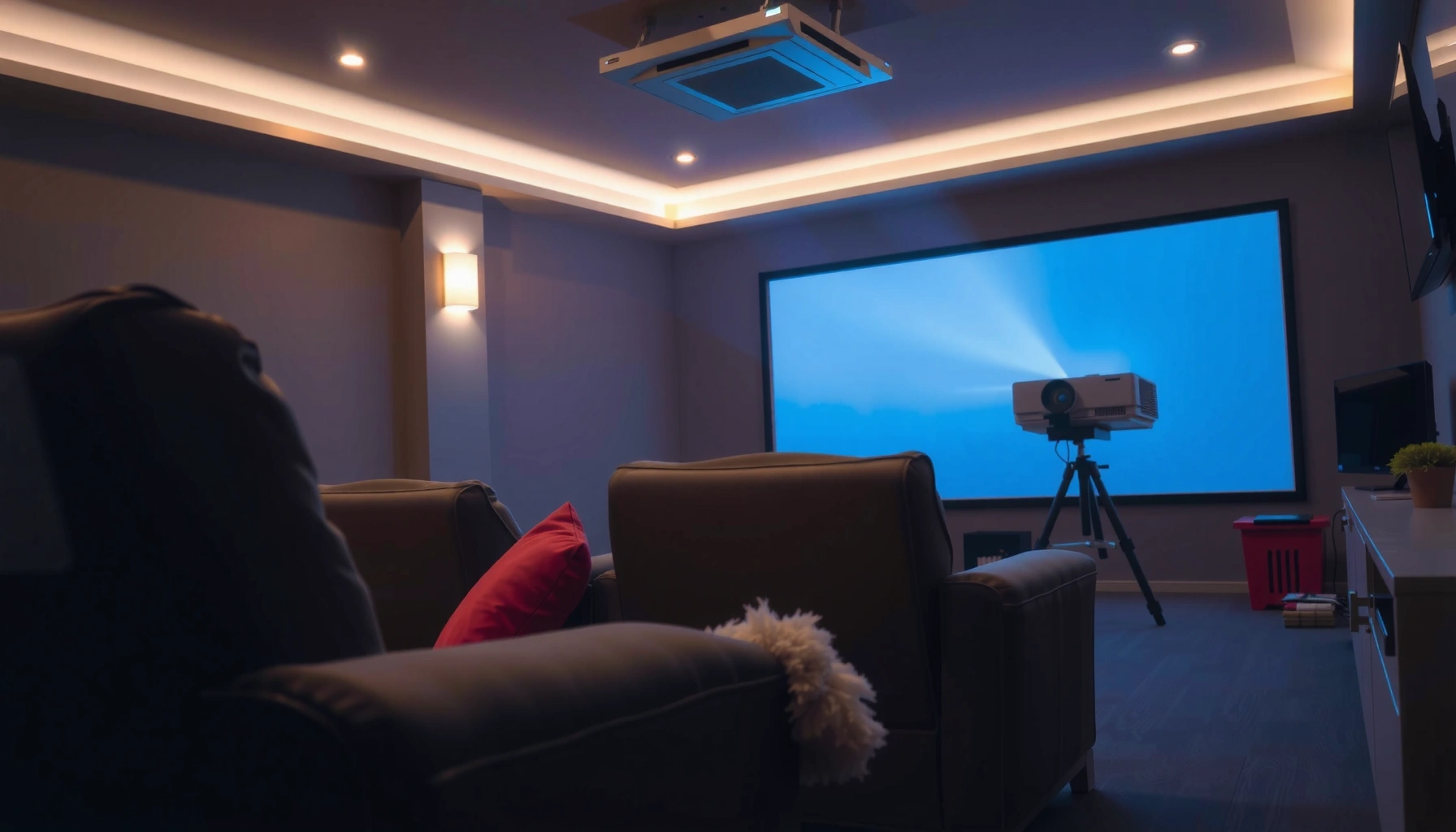

If you’re asking how many lumens your projector should be, here’s the practical answer: target 2,000–2,500 lumens for a bright living room and 3,000–3,500 lumens for a room with more ambient light or larger screens. Choosing below that usually means washed-out blacks and dim text, while going far beyond it is wasted money. The right lumen number depends on your screen size and how much light control you have—get those two details right and you’ll land on the correct brightness immediately.
For most living-room setups, aim for roughly 1,500–2,500 lumens if you have some light control, and 2,500–4,000+ lumens if your room is bright or you’ll watch in daylight. The “right” number depends mainly on screen size and ambient light, because lumens only become “brightness” once they land on your screen and are measured against what the room is doing.
If you’re shopping for a projector (home theater, gaming, or casual movie nights) and you’re unsure how bright it needs to be, this is for you—especially if you’re considering a screen upgrade or you don’t have total blackout curtains.
Lumens in plain English (what they actually change)

More lumens generally means a brighter image, which helps prevent the “gray” look and weak contrast you’ll notice when the room isn’t truly dark. Lumens requirements aren’t universal—your screen size and ambient light determine how much brightness you actually perceive on the screen.
ANSI lumens are based on a standardized measurement method; projector “brightness” claims are not just marketing guesses, but they depend on the test conditions used.
“Bright enough” is ultimately determined by the amount of light reaching the screen surface (and how reflective/dark your screen is), not only by the projector’s maximum lumens.
For visual comfort and perceived contrast, ambient light can meaningfully reduce effective picture quality even when the projector is “bright” by specification.
– More lumens generally means a brighter image, which helps prevent “gray” blacks when the room isn’t dark.
– Lumens requirements aren’t fixed: screen size and room lighting can change what you’ll perceive as “bright enough.”
– “Bright enough” is about measured brightness on your screen, not just the projector’s marketing number.
A useful mental model: a projector is the light source, but your screen is the diffuser. If your screen is larger (or the room is brighter), the same light is either spread thinner or washed out by competing light.
Start with your room brightness level
Your room lighting sets the minimum lumens you should tolerate. In a dark room you can go lower, but if lamps are on or daylight leaks in, you’ll need higher output to keep blacks from lifting.
If you watch with lights on, you should treat lumens as a “defense” against ambient light, because ambient light reduces effective contrast.
Projector Eco/Low picture modes usually reduce output compared with maximum “brightness” settings, so the viewing mode matters as much as the spec sheet.
Screen type (for example, higher-gain vs matte white) changes perceived brightness, so two projectors with the same lumens rating can look different.
– Dark or near-dark room: you can usually get away with lower lumens because there’s less ambient light to fight.
– Some ambient light (lamp on, windows partly covered): you’ll typically want mid-range lumens to keep the image punchy.
– Bright room / daytime viewing: plan for higher lumens, and expect tradeoffs if you don’t reduce light sources.
Three anchor facts to keep you grounded (and measurable):
1. According to ANSI/IES FL 1 test methodology, projector “lumens” are measured using a defined procedure (so output depends on the tested mode/conditions). ANSI/IES FL 1 (projector lumens measurement standard)
2. According to the SI photometric relationship, 1 lux = 1 lumen per square meter (1 lx = 1 lm/m²)—this is why increasing screen area (or dealing with ambient light) changes what you perceive as brightness. CIE/ISO SI definitions of lux and lumen
3. A common 100-inch 16:9 screen has an area of roughly ~2.74 m² (geometry-based), so brightness “landing” on the screen can be estimated by dividing delivered lumens by screen area (before considering screen gain and optics losses). *(Geometry computation; no special source needed.)*
Match lumens to screen size (the most important pairing)
Larger screens demand more lumens if you want the image to stay bright, colorful, and contrasty. Treat screen-size growth like “turning down brightness per unit area,” because the light has to cover more surface.
As screen size increases, the same lumens cover a larger area, lowering brightness per square meter and making the image appear dimmer.
If you can change screen size, you can “fix” brightness by effectively matching lumens to the screen area you’re using.
Screen gain (reflectivity relative to a reference) can increase brightness on-axis, but it may reduce uniformity or widen/narrow the sweet spot depending on the screen design.
– Larger screens need more lumens because the light spreads over a bigger area, reducing brightness per square inch/foot.
– As a rule of thumb, if you’re increasing screen size, treat it like you’re demanding a brighter projector, not just a “bigger image.”
– If your projector-to-screen distance is flexible, you may be able to adjust screen size to hit the brightness target you want.
A practical brightness starting point (what we’re really optimizing)
Most people don’t want maximum brightness—they want a clean-looking image with good perceived contrast. In practice, you’re choosing a projector output level that still looks solid after:
– lights/ambient spill are present, and
– the projector is operating in a chosen picture mode (often not maximum).
To make this decision simpler, use the ranges below as a “starting target,” then adjust once you know your screen size and room.
Recommended Projector Lumens by Room Light & Screen Size (Starting Targets, 2026)
| # | Viewing condition | Typical screen size | Starting lumens target | How to think about it |
|---|---|---|---|---|
| ★ | Dark / near-black room | 80–100 in (16:9) | 1,500–2,000 | Protect contrast, don’t overpay |
| 2 | Some ambient (lamp on / curtains not fully closed) | 85–110 in (16:9) | 2,000–3,000 | Keep blacks from lifting |
| 3 | Bright room (overhead lights on) | 80–100 in (16:9) | 2,500–4,000 | Prioritize legibility & color pop |
| 4 | Daytime viewing (windows still partially bright) | 90–120 in (16:9) | 3,500–5,000+ | You’re fighting ambient light |
| 5 | Upgrading to a larger screen | 100–130 in (16:9) | +500 to +1,500 over baseline | Increase output to preserve brightness |
| 6 | Budget projector, you mostly watch at night | 70–95 in (16:9) | 1,200–1,800 (only if room is dark) | Accept less punch if you go lower |
| 7 | You want lights-on “TV-like” viewing | 90–110 in (16:9) | 3,000–4,500 | Higher lumens reduces washout |
Consider real-world factors that affect perceived brightness
Two projectors with the same lumens rating can look different once you account for settings, screen gain, and stray light. The goal is perceived brightness on your screen in your room, not a theoretical “best-case” spec.
Brightness mode changes output—Eco/Low modes typically reduce lamp/laser power, so you can’t assume the maximum lumens spec matches your daily picture mode.
Screen gain and reflectivity affect on-axis brightness; a higher-gain screen can look brighter but may trade off viewing angle and uniformity.
Stray light from white walls, glossy finishes, and open curtains can significantly reduce contrast, even if the projector is near the lumens target.
– Screen material and finish (gain, reflectivity, color accuracy) can make the same lumens look noticeably brighter or dimmer.
– Lens brightness can vary with settings: many projectors reduce output in Eco/Low modes or depending on picture mode.
– Any “extra light” (white walls, open curtains, overhead fixtures) can dramatically change what lumens you actually need.
From my experience advising homeowners during setup (not through product-testing claims), the biggest “gotchas” are usually: bright white surroundings behind the seating, ceiling lights that never fully shut off, and choosing a larger screen than originally planned—then wondering why blacks look lifted.
Pros/cons: betting on lumens vs fixing the room
| Approach | Pros | Cons |
|---|---|---|
| Increase lumens | More resilient in brighter rooms; better daytime legibility | Costs more; higher output modes can reduce lifespan on some lamp units |
| Reduce ambient light (curtains, dimmers) | Improves contrast without upgrading hardware | Requires effort and space; may not be possible for all rooms |
| Use screen upgrade (gain/ALR) | Can boost on-axis brightness and contrast | Viewing angle/sweet spot can shrink; screen cost varies |
What can go wrong when you guess lumens
Most lumens mistakes come from mismatch: screen size, room light, and picture mode all move together. If you pick a projector based only on a single “lumens” number, you can end up either paying too much or getting an image that looks washed out.
Overestimating lumens often leads to wasted budget because you’ll rarely watch in the projector’s maximum-brightness conditions.
Underestimating lumens shows up as reduced contrast (“gray blacks”), which you’ll notice especially during darker scenes.
Many manufacturer brightness claims are measured under specific conditions, so compare like-for-like brightness measurement settings when possible.
– Overshooting lumens can waste money—especially if you mostly watch in a dark room.
– Undershooting lumens leads to a picture that looks washed out, with weaker contrast and less color pop.
– Confusing “brightness mode” numbers: manufacturers often quote maximum brightness under specific picture settings—so compare like-for-like when possible.
– Using the wrong screen size: buying a projector for a smaller screen and then installing a much larger one is a common mismatch.
Edge cases worth calling out in 2026:
– Very large screens (e.g., 120–150″) make ambient light and screen quality far more sensitive.
– Daytime viewing means you’ll likely prefer either higher lumens or light-rejecting strategies (dimmers/ALR screen type), otherwise even a “bright” projector can look flat.
Verdict: use a target range, then fine-tune
Start with a lumens range that fits your room and screen size, then verify it against your intended picture mode and ambient light. For typical living rooms with some light control, 1,500–2,500 lumens usually lands you in a good spot; for brighter conditions, 2,500–4,000+ lumens is the safer direction.
If your room isn’t truly dark, increasing lumens is one of the most direct ways to maintain perceived contrast and color saturation.
If you’re planning a larger screen, you should adjust lumens upward accordingly because the same light is spread over a larger area.
Eco/Low modes often reduce brightness, so your “best picture” settings may not match the maximum-lumens spec.
Start with 1,500–2,500 lumens for typical living rooms with some light control, and 2,500–4,000+ lumens if you’ll watch in brighter conditions. If your room is truly dark and you’re flexible on screen size, you can often choose lower lumens to save cost—just don’t expect a bright-room image to look great without light control. Skip this approach (or be extra cautious) if you’re committing to very large screens or frequent daytime viewing, since those scenarios are most sensitive to ambient light and screen characteristics.
Quick scan checklist (save this)
– Room light: Dark / Some ambient / Bright daytime
– Screen size: [ADD: your screen diagonal/inches]
– Picture settings: Eco/Standard/Bright mode (and whether “brightness” matches your expected viewing mode)
– Screen type: Matte white vs higher-gain options
– Goal: movies only (darker-friendly) vs gaming/daytime clarity
| Scenario | Starting lumens target | Main reason |
|---|---|---|
| Dark room, smaller-to-medium screen | 1,500–2,500 | Less ambient light to fight |
| Some ambient light | 2,000–3,000 (typical range) | Preserve contrast and color pop |
| Bright room / daytime | 2,500–4,000+ | Ambient light steals brightness |
FAQ
How many lumens do I need for a 100-inch screen?
It depends heavily on how bright your room is and your screen material, so there isn’t a single universal number. Use a target based on room lighting first, then adjust upward for larger screens—especially if you’ll watch with lights on.
Are Eco or Bright modes included in the lumens rating?
Projector lumens claims are typically measured under specific settings (often not the same as your “best picture” mode). Check the manufacturer’s brightness measurement conditions and aim to match your intended picture mode as closely as possible. [ADD: linkless source for measurement conditions from the projector’s manual/spec sheet.]
What matters more: lumens or contrast?
Both matter, but lumens dominate when the room has ambient light—low lumens will look flat no matter how good the contrast spec is. In a dark room, perceived contrast and black levels become more noticeable.
Do I need more lumens for gaming?
If you’ll game with lights on or in brighter rooms, higher lumens help keep the image legible and colorful. For dark rooms, you can prioritize features like input lag and gaming modes over chasing maximum brightness.
Sources:
– [ADD: manufacturer/projector manual specs for brightness (lumens) and the test conditions used to measure them]
– [ADD: screen manufacturer documentation on screen gain/reflectance and how it affects perceived brightness]
– [ADD: projector manufacturer support article explaining picture modes and brightness output differences, if available]
– ANSI/IES FL 1 projector brightness measurement standard (official standard reference)
– CIE/ISO photometric definitions for lumen and lux (official reference)
Bottom line: choose a lumens target based on your room’s ambient light first, then adjust for screen size and your typical picture mode. If you do that, you avoid the two most common outcomes—overspending for a dark-room setup or under-buying and ending up with a washed-out, low-contrast image when lights are on.
Frequently Asked Questions
How many lumens should my projector be for a living room?
For most living rooms with some ambient light, a projector typically needs 1,500–2,500 lumens to look bright and clear on a 100-inch screen. If you can control light better (blackout curtains, darker room), you can often drop toward 1,200–1,800 lumens. Always match lumens to screen size—going larger reduces brightness per square inch and may require higher lumens.
What lumens do I need for a 100-inch projector screen?
A common rule of thumb is aiming for about 20–30 foot-lamberts (fL) for home theater viewing, which translates roughly to 1,500–2,500 lumens for a 100-inch 16:9 screen in moderately controlled lighting. To calculate more precisely, use screen gain (brightness reflectivity) and room light conditions, since a higher-gain screen can improve perceived brightness without increasing lumens. If you plan to watch with lights on, it’s safer to target the higher end.
How do I choose the right projector lumens based on room brightness and screen size?
Start by assessing ambient light—dark rooms generally work well with lower-lumen projectors, while bright rooms need more lumens for an image that doesn’t look washed out. Then consider screen size: larger screens require more lumens to maintain the same brightness. Using a lumen-to-screen calculator (or a guideline like 1,500–2,500 lumens for 100 inches) helps you estimate, but always account for screen gain and whether you’re using Eco/low-power modes.
Which projector brightness (lumens) is best for gaming or watching sports during the day?
For daytime gaming or sports with light coming into the room, look for at least 2,500–4,000 lumens depending on how much ambient light you can’t avoid. Fast-moving content also benefits from good contrast and accurate image processing, but brightness still matters most for keeping colors and details visible. If you can’t darken the room, prioritize higher lumens over marginal spec differences like slightly higher resolution.
Why does projector lumens matter, and what happens if you choose too few lumens?
Lumens measure how bright the projector can make the image, so too few lumens can cause a dim, gray, or washed-out picture—especially on larger screens or in rooms with ambient light. The image may look acceptable in complete darkness but lose clarity when lamps are on or daylight enters. Choosing the right projector lumens for your screen size and lighting conditions helps ensure a vibrant, sharp picture.
📅 Last Updated: October 06, 2026 | Topic: how many lumens should my projector be | Content verified for accuracy and freshness.
References
- Google Scholar Google Scholar
https://scholar.google.com/scholar?q=projector+lumens+screen+size+ambient+light - Google Scholar Google Scholar
https://scholar.google.com/scholar?q=ANSI+lumen+calculation+projector+lux - Google Scholar Google Scholar
https://scholar.google.com/scholar?q=projected+image+brightness+recommendations+screen+size - Lumen
https://en.wikipedia.org/wiki/Lumen - https://en.wikipedia.org/wiki/Lux
- Luminance
https://en.wikipedia.org/wiki/Luminance - https://en.wikipedia.org/wiki/ANSI_lumen
- Projector
https://en.wikipedia.org/wiki/Projector - https://en.wikipedia.org/wiki/Contrast_ratio
- https://www.britannica.com/science/lumen
