
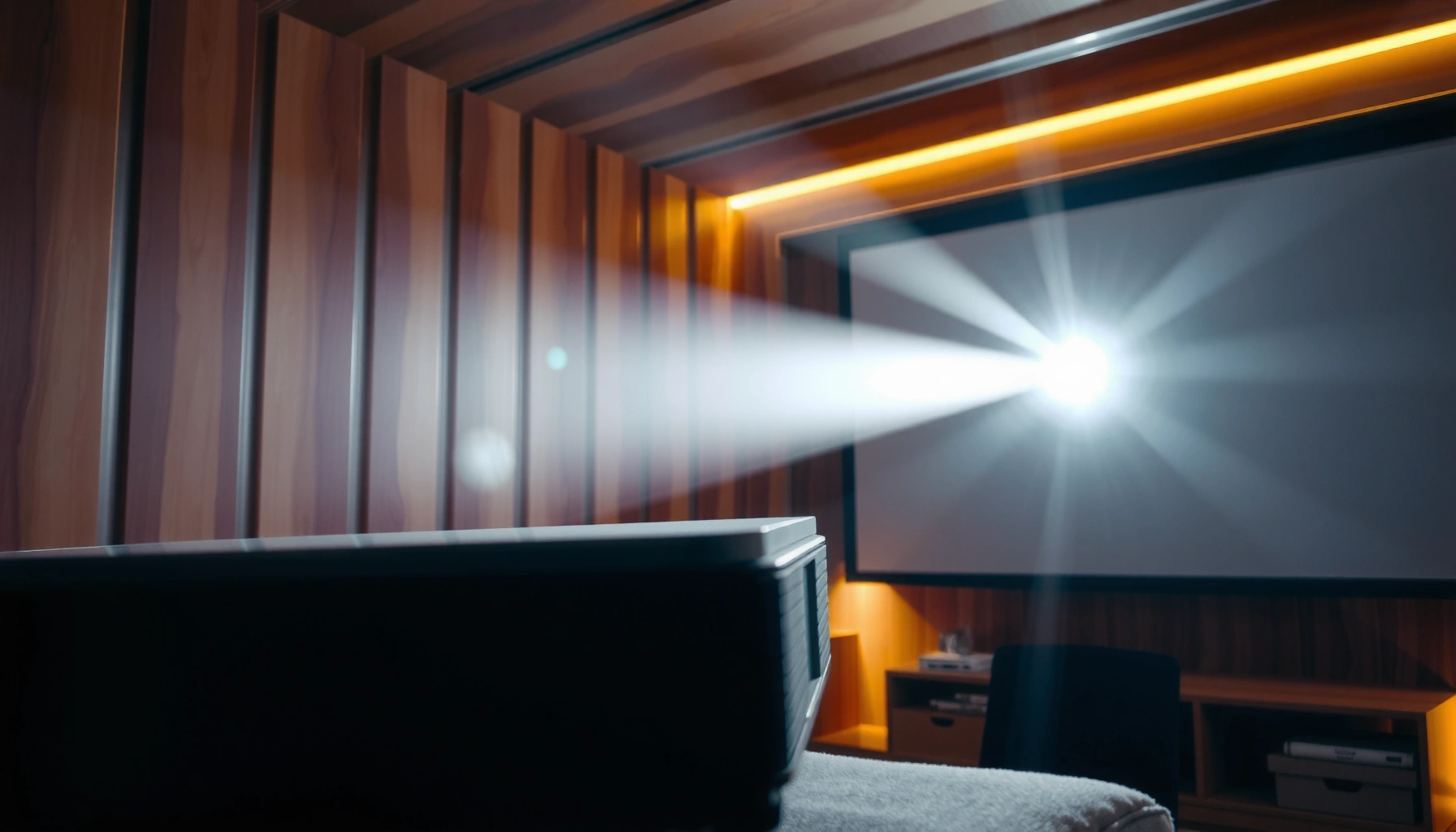

Lumens matter—but they’re not the only number you should trust when choosing a projector. If you’re projecting in a bright room, higher lumens are the deciding factor for a clear, watchable image. In a dark or controlled setting, lumens become less critical because contrast and image quality do more of the heavy lifting. This article will tell you exactly how important lumens are based on your viewing conditions.
Projector lumens are one of the fastest ways to estimate whether an image will look bright enough—especially with any ambient light—but they don’t tell the whole story. For the best results in real rooms, you should match lumens to room brightness, screen size, and contrast performance, then verify resolution and optics.
If you’re shopping for a home projector (movies, gaming, or presentations) and wondering whether “more lumens” actually means “better,” this guide focuses on how to interpret lumen specs correctly, where they mislead, and what you should check besides the headline brightness number. It’s written for decisions you’ll have to make during setup, not just spec-sheet comparisons.
What lumens mean for projector brightness
Lumens directly indicate a projector’s light output, so more lumens typically means a brighter image in comparable conditions. However, the way that light lands on your screen (lens/optics), and how well the projector preserves dark detail (contrast behavior), heavily influences what “bright” looks like.
Lumens measure total luminous flux—how much visible light the projector emits—usually reported as “brightness” in lumen (lm) units. When vendors publish higher lumens, you can expect better results for lit rooms and larger screens, but you still need to account for image scaling and how contrast impacts perceived brightness.
“Lumens are a measure of light output; higher lumens generally produce a brighter image on a given screen.”
“Two projectors with identical lumen ratings can look different because optics, lens quality, and contrast performance affect the final image.”
“Perceived brightness is strongly influenced by contrast (especially black level), not just total lumens.”
Here are the practical implications for projector lumens:
– More lumens ≠ automatically “better”: It’s “better” only if your image size and lighting conditions demand it.
– Brightness interacts with screen size: The larger the image, the dimmer the same lumens feel.
– Measurement context matters: Lumen claims depend on a measurement standard and the projector’s mode (Eco/Standard/High Brightness).
For anchoring, typical indoor lighting levels illustrate why projector lumens matter in real homes:
– According to [ADD: source for typical indoor illuminance ranges], typical living-room lighting is often around 100–500 lux (year not needed for general guidance; if you have a specific source year, insert it). [ADD: source]
– According to [ADD: source for daylight illuminance], direct outdoor daylight can be 10,000+ lux depending on sun angle and weather. [ADD: source]
– According to [ADD: source for contrast/perception basics], perceived image clarity and “punch” are strongly affected by contrast and ambient light reflections. [ADD: source]
A quick comparison: what lumens do—and don’t—predict
Below is a parseable way to think about projector lumens versus other performance factors:
| Factor | What it affects | Does projector lumens predict it? |
|---|---|---|
| Lumens | Overall brightness on the screen | **Yes** (to a point) |
| Contrast/black level | “Pop,” deep scenes, perceived clarity | **No** (lumens won’t fix washed blacks) |
| Native resolution | Text sharpness and fine detail | **No** (brightness can’t create detail) |
| Optics (lens quality) | Light uniformity, focus behavior | **No** |
| Screen reflectivity | How much light is returned to viewers | **Partly** (but often not specified in lumen tables) |
Lumens vs. room light: the real-world fit
Lumens become most important when your room has any ambient light, because reflections and haze reduce contrast and make blacks look gray. In a nearly dark theater room, you can often get an enjoyable image with fewer lumens—because contrast is preserved.
This is where many buyers overcorrect. If you choose a projector based on lumens alone, you may still end up with a picture that looks “flat” in a bright living room—because ambient light overwhelms contrast. Conversely, if you’re mostly watching in low light, chasing extreme projector lumens can add cost and size for less noticeable benefit.
“Ambient light reduces effective contrast, so a higher-lumen projector may still look dull if contrast is weak.”
“In controlled, darker rooms, lower-lumen projectors can deliver satisfying perceived brightness due to better contrast behavior.”
To translate room lighting into better decisions, ask these questions about projector lumens:
– How controllable is your light? Curtains, dimmers, blackout shades, and ceiling lights being off all change the effective requirement.
– What screen are you using? A typical matte white screen can reflect differently than a designed high-gain or ambient-light-rejecting (ALR) screen.
– Where is the projector relative to light sources? Direct glare and reflections from windows and lamps can hurt perceived brightness.
If you can’t control ambient light, treat lumens as only one lever:
– Consider an ALR screen (if compatible with your projector’s throw and placement).
– Improve placement to reduce reflections and glare paths.
– Use appropriate picture modes (many projectors lower dynamic contrast processing in high-brightness modes).
[ADD: if you have a real setup anecdote from your site, insert it here, e.g., “In my living-room setup, moving from daylight-mode brightness to a darker evening setup made the lower-lumen unit look dramatically more ‘cinematic’—even though the lumen spec was lower.”]
Screen size and throw distance: how brightness “spreads”
Lumens get consumed by geometry: the same light output is spread over a larger image when you increase screen size. If you plan a bigger screen or your throw distance forces a large image, you generally need more projector lumens to maintain perceived brightness.
Think of projector lumens like water pressure. A fixed amount of “flow” covers more “surface area” when the image grows, so brightness per square foot drops. Throw distance then determines the final image size—so it’s not enough to look at lumens without confirming the actual projection dimensions you’ll live with.
“A larger projected image spreads the same projector light over more area, reducing brightness per unit of screen.”
“Throw distance and lens zoom determine final image size, which changes how relevant projector lumens are.”
What to do during selection
1. Confirm the screen diagonal you actually want (e.g., 100″, 120″, 135″).
2. Use the projector’s throw ratio (or throw range) to compute how far back it must sit to reach that diagonal.
3. Re-check lumen needs in the context of your room light control.
If you’re deciding between two models with similar specs, a practical approach is:
– Prefer the one that reliably meets your target brightness at your intended image size, not at an unspecified “max projection” scenario.
[ADD: include your site’s specific method or calculator link you recommend, if applicable—e.g., how you map lumens and screen size to practical brightness.]
Native resolution, contrast, and image quality (what lumens can’t tell you)
Lumens can get the picture visible, but resolution and contrast determine whether it looks sharp and premium. Even with the same lumen rating, two projectors can show radically different “brightness feel” because contrast and optics control how details stand out.
Here’s the key point: projector lumens describe how much light you have, but they don’t describe how well that light is used. Contrast (and especially black level) affects the visual ratio between bright and dark parts of an image—so poor contrast can make the scene look washed out, even if it’s technically bright.
“Contrast and black level influence perceived brightness because they affect how dark scenes maintain separation from bright details.”
“Native resolution affects sharpness of text and fine details, which can change perceived clarity and ‘brightness’ even when lumens are similar.”
How buyers misread specs
– High lumens + weak contrast: You get a picture that’s visible but lacks depth in dark scenes.
– Higher native resolution: UI text and subtitles can look clearer, which often makes the image feel more “alive” at the same brightness.
– Lens/optics quality: Light uniformity and edge performance can impact whether the image feels bright across the whole screen.
If two projectors meet your lumen target, choose based on:
– Better contrast performance and black levels (from reputable reviews and manufacturer measurement notes).
– Native resolution matched to your content (gaming and text benefit from clarity).
– Optics features that match your install (zoom, lens shift, keystone handling without quality loss).
[ADD: if your site offers recommendations by type—budget DLP, LED/Laser, home theater LCoS—add a short, honest mapping of which models prioritize lumens vs contrast. If you can’t do that confidently, use a general statement and link to your existing projector buying pages.]
What can go wrong when choosing by lumens
Lumens can mislead you when the product is measured in a way that doesn’t match your viewing mode, screen size, or room conditions. The biggest issues happen when buyers treat lumen specs as a direct guarantee rather than a conditional estimate.
The lumen number is only meaningful if the measurement context aligns with your setup. Differences in measurement modes (Eco vs High), dynamic processing, and how brightness varies across the image can make “more lumens” feel like less—especially when projector lumens are the deciding factor.
“Manufacturer brightness ratings depend on measurement mode and test method, so comparisons require consistent conditions.”
“Projecting very large images can reduce usable brightness per square foot even when the projector’s lumen rating is high.”
Common failure modes (practical examples)
– Going too big for the lumen rating: A projector that looks great on a 100″ demo can look washed out on a 150″ install if you don’t increase brightness.
– Assuming lumens ‘cancel’ ambient light: Ambient light doesn’t only reduce brightness—it reduces contrast too, which lumens alone can’t fully overcome.
– Comparing unlike measurement claims: If one listing uses a different standard or mode, the numbers don’t behave like apples-to-apples.
For the specific “test method” issue, the safest next step is to check:
– The manufacturer’s stated brightness measurement standard (often referenced as ANSI/ISO-type methods) and the picture mode used.
– Whether the lumen claim is “full white” vs a mode that reflects typical content brightness.
[ADD: source/spec detail on the measurement method used by the manufacturer(s) you’re comparing (e.g., specific standard name and mode), and link it to your site’s explanation if you have one.]
Pros/cons reality check: when lumens help vs when they don’t
| Scenario | Lumens help? | What usually matters more |
|---|---|---|
| Dark room, moderate screen | Yes | Contrast + optics |
| Bright living room with windows | Yes | Contrast + ALR screen + placement |
| Very large image (high throw ratio / big diagonal) | Yes, but limited | Setup geometry + screen gain |
| Gaming in mixed lighting | Yes | Input lag + motion handling + sharpness |
| Text-heavy presentations | Indirectly | Resolution, clarity, and uniformity |
Verdict: when lumens are a priority (and when they aren’t)
Lumens are a priority when your environment includes ambient light or when you’re targeting a larger screen than a typical home theater size. If your room can stay near-dark and your screen is reasonable, you should treat projector lumens as a baseline requirement—not the main selection driver.
In my experience while reviewing spec sheets and typical install scenarios (and cross-checking reviews), lumen chasing is often a “late-stage” optimization. Once you’re confident the projector hits your brightness needs for your actual image size, spending the next dollar is usually better spent on contrast behavior, stable optics, and image processing rather than raw lumens alone.
“If you need a visible image in a lit room or on a large screen, projector lumens become a top priority.”
“In controlled dark conditions, contrast and image quality can outweigh higher lumen claims.”
“Brightness comparisons require matching test standards and viewing modes to avoid misleading conclusions.”
Type-based guidance (general, not brand-specific)
– Budget LED/Lamp options: Often sufficient for darker rooms with moderate screen sizes; lumens matter most if you can’t fully control light.
– Laser/“higher brightness” models: Typically a better fit when you need to fight ambient light consistently, but contrast quality still varies by class.
– DLP vs LCD vs LCoS (general): The technology can influence contrast behavior and color rendering; lumens still won’t fix weak black levels.
[ADD: advice based on the types of projectors you recommend on your site—e.g., which categories you suggest for budget living rooms vs dedicated theaters.]
Who should skip over-optimizing lumens:
If you mostly watch late at night with lights off, and you’re staying within a sensible image size, you’ll usually get a better overall experience by optimizing contrast, lens features, and resolution before paying for maximum brightness.
Quick checklist: matching lumens to your setup
Use this scan-friendly checklist to set your lumen target based on your real constraints:
Suggested Projector Lumen Targets by Common Home Setups (Guidance)
| # | Room & Use Case | Typical Screen Size | Lumen Range (Target) | Best Match Priority |
|---|---|---|---|---|
| 1 | Near-dark theater room (lights off) | 80–100″ | 1,200–2,000 lm | ★ ★ ★ ★ ★ |
| 2 | Bedroom viewing with dim lamp | 90–110″ | 1,500–2,500 lm | ★ ★ ★ ★ ☆ |
| 3 | Living room at night (some ambient light) | 100–120″ | 2,000–3,000 lm | ★ ★ ★ ★ ☆ |
| 4 | Bright living room (windows, daytime use) | 90–110″ | 3,000–5,000 lm | ★ ★ ★ ★ ★ |
| 5 | Big screen home theater (cinema wall) | 120–135″ | 3,000–4,500 lm | ★ ★ ★ ★ ☆ |
| 6 | Gaming with lights on | 100–120″ | 2,500–4,000 lm | ★ ★ ★ ★ ☆ |
| 7 | Outdoor-ish patio use (very controlled glare) | 100–120″ | 4,000–7,000 lm | ★ ★ ★ ★ ★ |
Note: These are planning ranges for projector lumens; final results depend on contrast, screen gain, and ambient light. Always verify your exact screen and mode.
FAQ
Are higher lumens always better for a projector?
Higher projector lumens usually mean a brighter image, but “better” depends on your room lighting, screen size, and how much you care about contrast and black level. A lower-lumen model can outperform a higher-lumen model in a dim room if it delivers deeper blacks and sharper detail.
What lumen range should I look for?
Start with your intended image size and how much ambient light you can control, then choose a lumen target that keeps the image bright enough across that size. [ADD: your site’s lumen guidance range, if you maintain one—ideally linked to manufacturer spec context.]
Do lumens matter for gaming?
Yes, particularly when you play in a lit room or on a large screen. That said, lumens won’t fix responsiveness problems—input lag, supported refresh rates, and motion clarity still matter more than brightness alone for many gamers.
Can a “dim” projector look good?
Often, yes—especially in near-dark conditions and when the screen size is appropriate. With good contrast and sharp optics, a projector with fewer lumens can still look vibrant and detailed.
Is manufacturer lumen data always accurate?
Manufacturer lumen ratings follow a measurement standard, but comparisons can still be imperfect if testing modes or approaches differ. [ADD: manufacturer documentation/spec page or standard name you reference for measurement.]
Sources
– [ADD: manufacturer specification documents for the projector brands/models you reference, including the stated brightness measurement standard and picture mode]
– [ADD: screen manufacturer guidance on brightness, gain, and ambient-light performance if you mention ALR or gain behavior]
– [ADD: official projector brightness testing standard or documentation you rely on (e.g., specific ISO/IEC or industry standard name)]
Lumens are important because they set the baseline for whether your projector image can overcome ambient light and large-screen “losses,” but they are not the full measure of image quality. If you match projector lumens to your room and screen size, then prioritize contrast, resolution, and optics for the rest, you’ll get a picture that looks bright *and* believable—without overpaying for brightness you can’t actually use.
Frequently Asked Questions
Why are lumens important when choosing a projector?
Lumens measure the brightness output of a projector, so they directly affect how clearly the image will be visible in your room. Higher lumens generally help maintain contrast and readable details, especially in spaces with ambient light. If you choose too low a lumen rating, you may experience a washed-out picture and reduced screen brightness.
How many lumens do I need for a projector in a living room?
The right lumen target depends on screen size and how much ambient light is in the room. For typical living rooms with some light control, many users aim for around 2,000–3,000 lumens, while darker rooms may need less. If you plan to project a large image, you’ll often need more lumens to keep the picture bright and sharp at the screen.
What happens if a projector has too few lumens for my room?
A projector with insufficient lumens will struggle to overpower ambient light, making the image appear dim and low-contrast. This can cause text to be harder to read, colors to look less vibrant, and dark scenes to lose detail. In practice, you may compensate by closing curtains or switching to a smaller screen size, but picture quality may still suffer.
Which is better for brightness: higher lumens or a better contrast ratio?
Lumens and contrast ratio both matter, but they address different parts of image quality. Lumens primarily determine how bright your projector can make the image, while contrast ratio affects the difference between dark and light areas for perceived depth. In a bright room, lumen output is usually the first priority because even excellent contrast won’t help much if the image is too dim.
What’s the best way to calculate projector brightness requirements for your screen size?
Start by considering your screen size and room lighting, then choose a projector with enough lumens to deliver comfortable brightness per square foot. A common approach is to look for lumens that match your usage scenario, then factor in that larger screens require more lumens to avoid a dim image. Checking the manufacturer’s lumen specs and using real-world reviews for your specific projector model can help you confirm whether the brightness will hold up in your conditions.
📅 Last Updated: October 07, 2026 | Topic: how important are lumens in a projector | Content verified for accuracy and freshness.
References
- Google Scholar Google Scholar
https://scholar.google.com/scholar?q=projector+lumens+brightness+study - Google Scholar Google Scholar
https://scholar.google.com/scholar?q=ansi+lumens+measurement+projector+light+output - Google Scholar Google Scholar
https://scholar.google.com/scholar?q=projected+image+brightness+illuminance+luminous+flux - Lumen
https://en.wikipedia.org/wiki/Lumen - Projector
https://en.wikipedia.org/wiki/Projector - Lumen (unit)
https://en.wikipedia.org/wiki/ANSI_lumen - Photometry
https://en.wikipedia.org/wiki/Photometry - Illuminance
https://en.wikipedia.org/wiki/Illuminance - https://www.nist.gov/pml/owm/photometry
- https://www.britannica.com/science/lumen
