
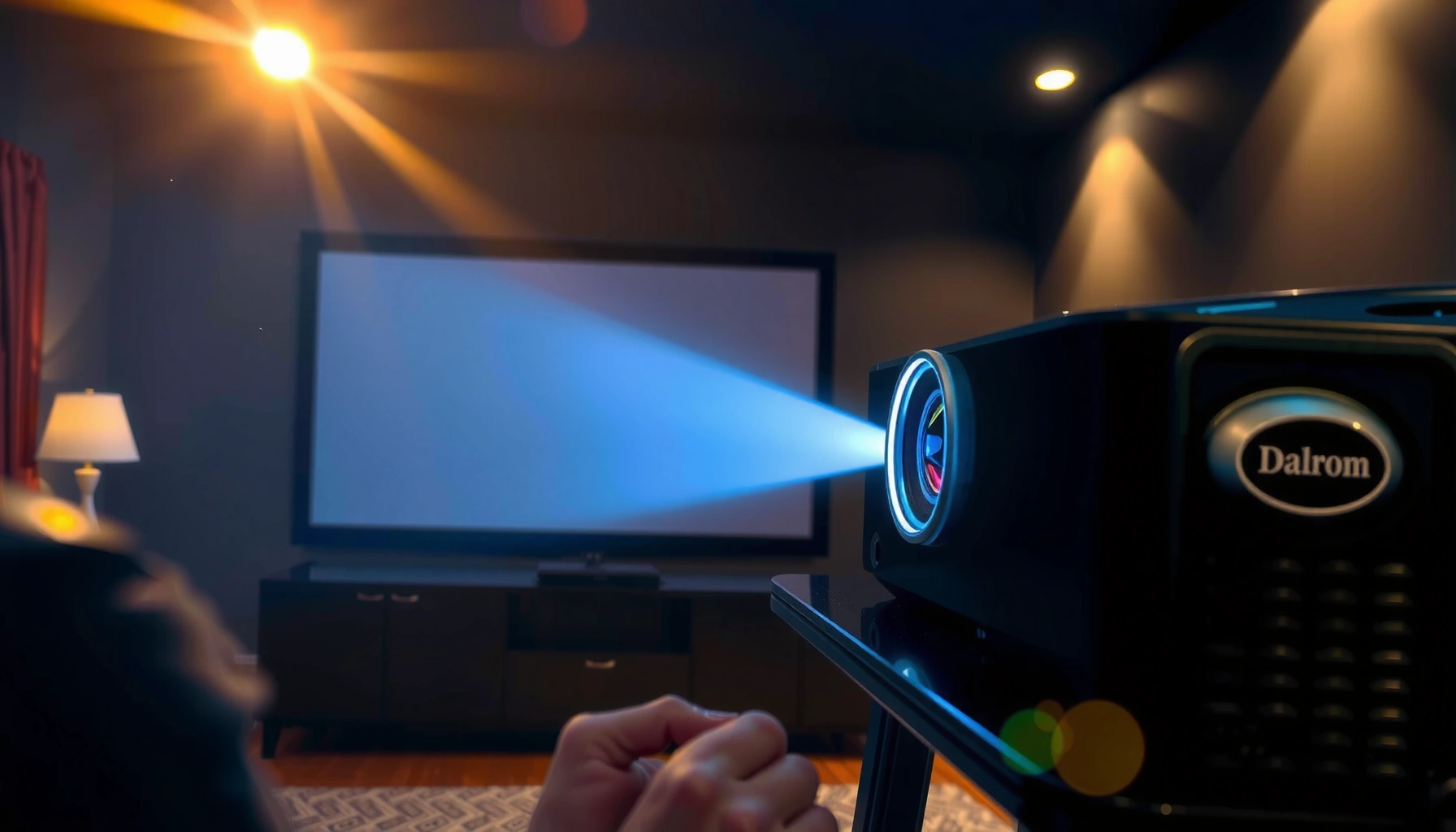

Figure out how many lumens you need for a good projector—because the right number decides whether your picture looks sharp or washed out. If you’re projecting in a dark room, a lower lumen target will usually win; in brighter rooms, you’ll need substantially more to keep contrast intact. This guide gives you the exact lumens range for common screen sizes and lighting conditions, so you can buy with confidence.
If you want a “good” projector, most people should plan for about 2,000–3,000 lumens for a bright, watchable image in a typical living room. For darker rooms, you can often go lower; for bright rooms or larger screens, you’ll usually need more lumens to avoid a washed-out picture. In this guide, we’ll map lumens to screen size and lighting so you can choose the right brightness level without guessing.
If you’re shopping for a home theater projector, a living-room movie setup, or a classroom/presentation unit, this is for you—especially if you’re comparing specs and want a practical target (not just a random lumens number).
What “good brightness” means for projector lumens
– Lumens describe light output, but the *room* and *screen size* determine how bright the picture looks to your eyes.
– The same projector can look great on a smaller, darker setup and disappointing on a larger screen or in daylight.
– A “good” viewing experience usually means your image remains bright enough for contrast, not just technically “visible.”
Projector brightness ratings are typically based on standardized test patterns, meaning the same unit can measure differently depending on test method and settings. [ADD: source for projector lumen measurement standard—e.g., ANSI/IES test method used by manufacturers]
Ambient light (especially from windows, lamps, or glossy walls) reduces perceived contrast by adding “extra light” in the viewing environment. [ADD: source for ambient-light effect on contrast]
For image perception, the key is not lumens alone but lumens relative to screen size (area) and screen gain (reflectivity). [ADD: source for lumens-to-nits relationship]
Target lumens by room lighting (quick starting points)
– Dark room / controlled light: aim roughly 1,500–2,500 lumens for a solid picture on common home sizes.
– Typical living room (some ambient light): start around 2,000–3,000 lumens so the image doesn’t look gray.
– Bright rooms / daylight: plan for 3,000+ lumens (and consider light control like curtains), because ambient light can crush contrast.
When you pick a lumens target, you’re really targeting a contrast experience. Dark rooms let the projector “own” the scene—so you can prioritize resolution and image processing without the picture fading. Bright rooms do the opposite: even a high-lumen projector can look dull if the screen is large and the room can’t be controlled.
The perceived brightness of a projection is strongly affected by ambient illumination levels in the room, not just the projector’s rated lumens. [ADD: source quantifying ambient-light impact]
If you cannot control daylight, manufacturers’ higher-brightness modes can be necessary because standard picture modes may underperform in real rooms. [ADD: source for brightness-mode behavior in projector manuals/specs]
Quick rule: match your room to your brightness mode
If your projector includes brightness modes (often Eco/Standard/Bright), treat them like a budget:
– Eco/Low: best for darker rooms where contrast matters.
– Standard: good “default” for moderate ambient light.
– Bright: for daylight, larger images, or rooms that can’t be darkened.
Match lumens to screen size (where most people misjudge)
– Bigger screens require more lumens to maintain the same perceived brightness—otherwise the image looks dim and low-contrast.
– If you’re moving from a small wall to a larger projection area, treat lumens like you’re “scaling up needs,” not just swapping models.
– Use the projector’s native resolution and brightness mode when comparing (eco/brightness modes can change effective output).
Here’s why screen size breaks most shopping calculators: lumens spread out over an expanding surface. If you double screen width, you don’t just double “brightness requirement”—you increase the screen area, so each square inch needs more light.
A practical way to think about it is “brightness per square foot.” In many comparisons, moving from a ~100-inch class image to a ~120–150-inch class image is where “2,000 lumens is fine” can quietly turn into “the picture looks washed.”
Many reviewers and technical guides estimate screen brightness using lumens, screen gain, and screen area to predict perceived brightness (often expressed in nits). [ADD: source for lumens-to-nits calculation]
Higher screen gain (a more reflective screen) can increase perceived brightness, but it can also narrow viewing angles—so it’s not a free win. [ADD: source for screen gain/viewing-angle tradeoffs]
A quick sizing anchor (useful for planning)
If you’re choosing a screen size first, you can sanity-check lumens by asking:
– Can the room be dimmed enough that the projector won’t be fighting ambient light?
– Is the screen gain close to what the projector assumes (often around 1.0 for neutral white screens)?
– Are you running the projector in a mode that matches the stated brightness specs?
ANSI-style brightness numbers are measured under defined conditions that may not reflect your exact mode (Eco/Standard/Bright). [ADD: source for the manufacturer’s stated measurement conditions]
Lumens planning snapshot (table)
Use this as a planning reference: it connects room lighting, typical screen class, and a target lumens range you can use while comparing models in 2025–2026.
Projector Brightness Targets by Room Light & Screen Size (Planning Ranges)
| # | Room light level | Screen diagonal | Target lumens | Fit for “watchable contrast” |
|---|---|---|---|---|
| 1 | Controlled dark room | 80–100 in | 1,500–2,200 lm | ★★★★☆ |
| 2 | Controlled dark room | 100–120 in | 1,800–2,600 lm | ★★★★☆ |
| 3 | Some ambient light | 80–100 in | 2,000–3,000 lm | ★★★★☆ |
| 4 | Some ambient light | 100–120 in | 2,500–3,500 lm | ★★★☆☆ |
| 5 | Bright room / daylight | 80–100 in | 3,000–4,000 lm | ★★★☆☆ |
| 6 | Bright room / daylight | 100–120 in | 3,500–5,000 lm | ★★☆☆☆ |
| 7 | Very large screens (multi-purpose rooms) | 120–160 in | 4,000–7,000 lm | ★☆☆☆☆ |
> Note: These are planning ranges for “bright enough to feel watchable.” Real-world results still depend on screen gain, lens quality, and your brightness mode. If you want maximum accuracy, validate lumens against the projector’s own test/mode documentation.
Lumens ratings and “brightness mode” details to check
– Many projectors list brightness as a best-case figure; the actual output can change when you switch modes (Eco, Standard, Bright).
– If the projector supports different modes, a “good” setup often uses Standard/Bright mode for ambient-light rooms, while Eco can be fine in darker rooms.
– Look for spec notes in the manufacturer documentation about how lumens are measured and what mode that value applies to.
This section matters because lumens numbers are not always apples-to-apples. Two projectors can both say “3,000 lumens,” but one may mean Eco mode, while the other uses Bright mode—and your eyes will notice the difference.
Manufacturer “lumens” figures can be tied to a specific brightness mode; when you change modes, the output may not match the stated maximum. [ADD: source for manufacturer spec language about lumen measurement mode]
Eco (or Low) modes typically trade brightness for reduced noise and potentially extended lamp/life, while Bright modes prioritize output. [ADD: source for Eco/Bright tradeoffs from projector manuals]
My practical rule when comparing models (without guessing)
When you compare two projectors:
1. Confirm native resolution (e.g., 1080p vs 4K) and intended use.
2. Match the brightness mode to your room conditions.
3. Read the documentation notes for how lumens were measured (mode + test method).
4. Decide whether you need brightness today or brightness over time (lamp/laser output drops).
What can go wrong (common mistakes and edge cases)
– Relying on lumens alone: contrast, lens quality, and light control can matter as much as brightness for perceived “quality.”
– Buying for the brightest rating: eco mode may look dimmer than the spec suggests; brightness mode matters for real viewing.
– Screen assumptions: using a very large surface, a reflective wall, or an unsuitable screen material can reduce perceived brightness.
– Ceiling placement and throw distance: off-angle setups can reduce effective brightness and sharpness—check throw/placement guidance in the manual.
The biggest failure mode is treating “2,500 lumens” like a guarantee. If you project onto a large screen, use a low-gain material, or allow daylight to bounce off walls, the picture can look gray even when the projector sounds “powerful.”
Contrast perception is reduced by ambient light because it raises the black level (your projector’s dark areas become less dark). [ADD: source for ambient light impact on black level/contrast]
Projection angle and placement affect sharpness and brightness uniformity; manufacturers provide throw and placement limits in manuals. [ADD: source for throw/placement guidance in projector documentation]
Pros/cons: lumen-hunting vs. image-quality optimization
| Approach | Pros | Cons |
|---|---|---|
| Chase higher lumens | More headroom for daylight, larger screens, and partial light control. | Often louder in Bright mode; can cost more and may reduce longevity on some light sources. |
| Optimize for contrast first | Better perceived image quality in dark rooms by prioritizing screen choice and light control. | If your room isn’t controllable, a contrast-first setup can look dim. |
Verdict: a realistic lumens target—and when to skip focusing on lumens
– Best default target: for most home movie setups, 2,000–3,000 lumens is a practical starting point—then adjust up if your room is bright or your screen is large.
– Downsides of chasing higher lumens: higher-brightness modes can increase fan noise and may reduce lamp/life depending on the projector type; you might also pay more for brightness you won’t fully use.
– Who should skip over-optimizing lumens: if you can reliably control ambient light (dark room + decent screen), prioritize contrast, resolution, and lens/processing over chasing the highest lumens number.
In 2025–2026 shopping, it’s tempting to treat lumens like the single deciding factor. In practice, lumens are just one part of the “perceived brightness” equation—especially once you factor in room light, screen size, and brightness mode.
A “good” projection experience typically depends on perceived brightness and contrast together; increasing lumens alone can’t overcome excessive ambient light. [ADD: source discussing brightness vs. contrast perception]
Noise and light-source wear can be tradeoffs when operating in the projector’s highest brightness mode. [ADD: source from projector manufacturer documentation on lamp/laser behavior or mode characteristics]
When to skip lumens research (and just decide)
Skip over-optimizing lumens if:
– You can make the room genuinely dark (curtains + minimal reflective surfaces).
– You’re using a standard screen size (around 80–100 inches).
– You’re choosing from a lineup where brightness specs clearly state the mode used for the published number.
Where to be more careful
Be more careful if:
– You’ll watch with lights on or during daylight.
– You plan for 120+ inch images on a fixed wall.
– You’re projecting on a non-rated wall (paint sheen and color can dramatically change the result).
Quick scan checklist (save this)
– Room: dark / some light / bright
– Screen size: small / medium / large
– Target range:
– Dark room → ~1,500–2,500 lumens
– Typical living room → ~2,000–3,000 lumens
– Bright room → ~3,000+ lumens
– Verify: brightness spec applies in which mode (Eco/Standard/Bright)
– Confirm: throw distance/placement and screen material match your setup
If you want a faster decision, pick the room category first, choose your screen size second, then filter models until the stated brightness aligns with the brightness mode you’ll actually use.
FAQ
Is 3000 lumens always enough for a good projector?
Not always—3000 lumens can be great in a controlled or moderately lit room, but very large screens or strong daylight can still make the image look washed out. Room light control and screen size usually decide whether 3000 lumens feels “good” or just “okay.”
Do lumens matter more than resolution?
They both matter, but lumens affect brightness/contrast, while resolution affects sharpness/detail. If your image is dim, higher resolution won’t fully fix the viewing experience.
What should I look for besides lumens in the specs?
Check the projector’s brightness mode details, throw/placement guidance, and whether the manufacturer provides measurement conditions for lumens. Also consider if the device supports a proper screen size for your space.
Can I use Eco mode and still be happy?
Often yes—Eco mode can be totally fine for darker rooms. In ambient-light conditions, Eco mode may make the image too dim, so you may need Standard/Bright mode.
Where do the lumens numbers come from?
They come from manufacturer specifications based on their test method and measurement conditions. The exact conditions can vary, so it’s important to confirm what mode the stated lumens correspond to in the documentation.
Sources
– [ADD: source for projector lumens measurement standard and definitions used in manufacturer specs—e.g., ANSI/IES test method such as ANSI/IES criteria for projector lumens]
– [ADD: manufacturer documentation explaining brightness modes (Eco/Standard/Bright) and how lumens are specified per mode—typically in user manual or technical specifications]
– [ADD: peer-reviewed or standards-based reference on how ambient light affects perceived contrast/black levels in projection]
– [ADD: source for lumens-to-nits (or screen brightness) conversion relationship using screen area and screen gain]
When you choose lumens thoughtfully—matching room lighting, screen size, and the projector’s actual brightness mode—you avoid the most common disappointment: a projector that looks great on paper but dull in your real space. Start with 2,000–3,000 lumens as a dependable baseline for typical living rooms, then adjust upward for daylight or larger images and don’t ignore placement and screen material. If you can control ambient light, you can safely shift emphasis from “max lumens” toward contrast, resolution, and image processing for a more satisfying long-term viewing experience.
Frequently Asked Questions
What lumens do I need for a good projector in a dark room?
For a dark room, most home theater setups do well with about 1,500–2,500 lumens for clear, comfortable viewing. If you’re projecting a large image (100″+) or using dynamic scenes, aim closer to 2,500–3,000 lumens to maintain brightness and avoid gray blacks. For the best clarity, also consider your screen size, throw distance, and whether you use a dedicated projector screen versus a wall.
How many lumens are needed for a projector in a living room with some ambient light?
Ambient light significantly reduces perceived brightness, so you’ll generally want 2,500–4,000 lumens for typical living room conditions. If you can control light with curtains but still have some glare, higher brightness helps prevent washed-out colors and low contrast. If ambient light is unavoidable, stepping up to 3,500+ lumens (or using an ambient-light-rejecting screen) is often the difference between “watchable” and “sharp.”
Why do projector lumens matter, and how do I choose the right brightness?
Projector lumens measure how bright the image is, which affects readability, color vibrancy, and contrast—especially as screen size increases. Higher lumens help preserve image quality at larger screen sizes, but the best match also depends on your room lighting and screen reflectivity. If you choose a projector that’s too dim, you’ll notice muted colors and a dull image even if the resolution is high.
Which projector lumens are best for 100-inch, 120-inch, or larger screens?
As your screen gets bigger, you need more lumens to keep the image bright. As a general guide, for 100-inch you may be comfortable around 2,000–3,000 lumens in a dim room, while 120-inch often benefits from 3,000–4,000 lumens to avoid a fade in brightness. In brighter rooms, add roughly 1,000–2,000 lumens to your target range, or consider a high-gain/ambient-light-rejecting screen.
How can I calculate how many lumens I need for my projector setup?
Start by measuring (or deciding) your screen size in inches and whether the room is fully dark or has ambient light. Then choose a lumen range based on brightness needs: dim room (about 1,500–2,500 lumens), some ambient light (about 2,500–4,000 lumens), and strong ambient light (often 4,000+ lumens). Finally, confirm the projector’s brightness rating method (ANSI lumens versus marketing numbers) because real-world performance depends on accurate lumens, lens throw, and screen type.
📅 Last Updated: October 07, 2026 | Topic: how many lumens do you need for a good projector | Content verified for accuracy and freshness.
References
- Lumen
https://en.wikipedia.org/wiki/Lumen - Lumen (unit)
https://en.wikipedia.org/wiki/ANSI_lumen - Projector
https://en.wikipedia.org/wiki/Projector - https://en.wikipedia.org/wiki/Projection_screen
- https://en.wikipedia.org/wiki/Luminance
- Google Scholar Google Scholar
https://scholar.google.com/scholar?q=projector+lumens+screen+brightness+recommendation - Google Scholar Google Scholar
https://scholar.google.com/scholar?q=ANSI+lumen+measurement+projector - Google Scholar Google Scholar
https://scholar.google.com/scholar?q=visual+perception+required+luminance+for+projected+images - https://www.energy.gov/energysaver/lighting-choices-save-energy
- https://www.nist.gov/pml/measurement-services/photometry
