
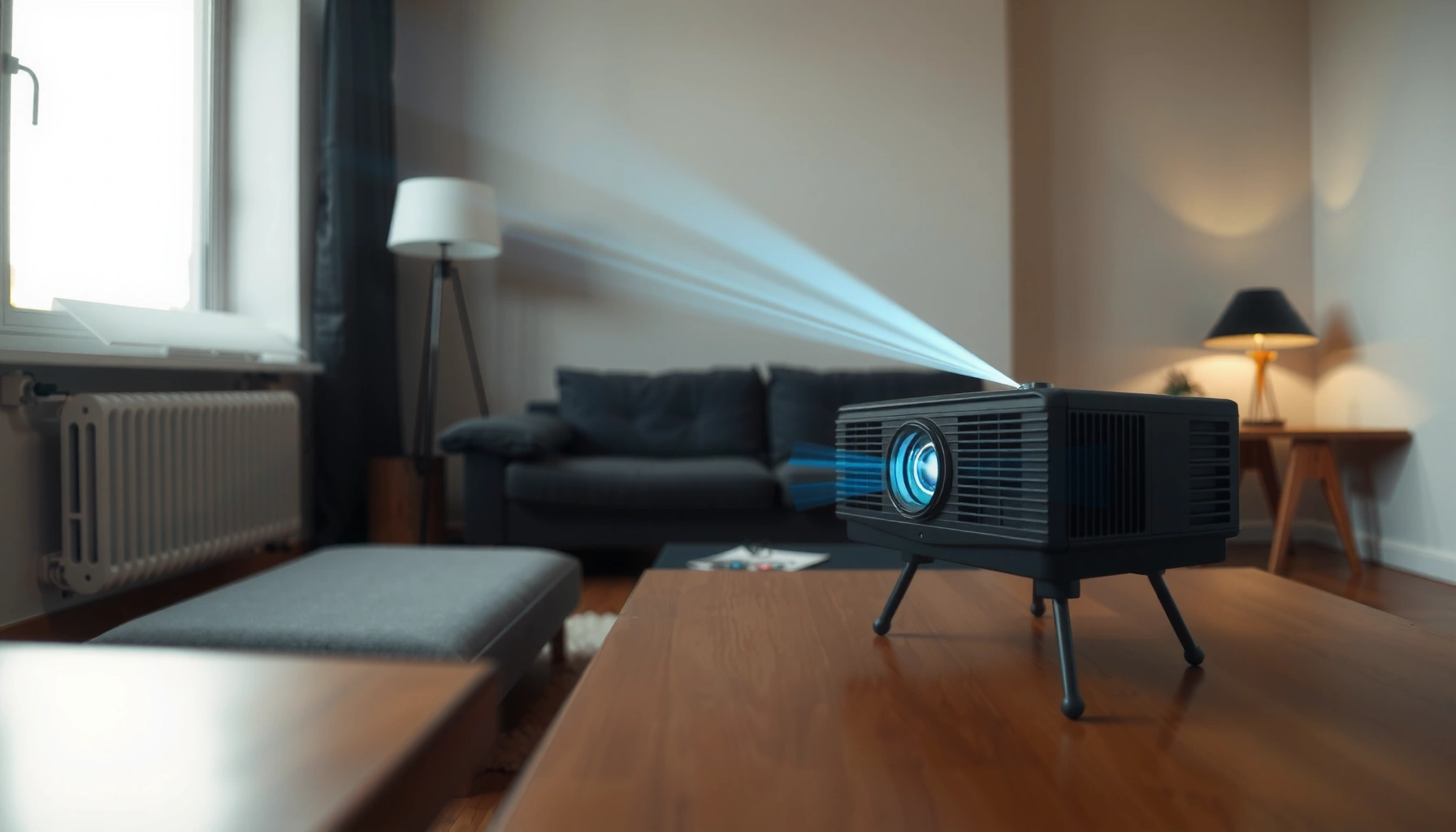

For a daylight projector, the lumens you need depends on your room brightness, but there’s a clear target: aim for at least 4,000 lumens for most typical daylight viewing, and 6,000+ lumens if you have strong sun or little light control. This guide gives you the exact lumens range that delivers a readable image without washing out, so you can choose the right projector for your conditions.
A daylight projector typically needs about 2,500–5,000 lumens for a watchable image, and often 5,000+ lumens when the room stays bright. The “right” lumen number depends on screen size, ambient light, and how much you can control daylight—so two projectors with similar brightness can look very different in the same room.
If you’re setting up a projector in a living room, classroom, or office where sunlight can’t be fully controlled, this guide helps you translate listed lumens into real daytime performance and avoid buying more brightness than you actually need. As of 2026, the biggest shift in projector buying is that people increasingly value usable daylight contrast—not just peak lumen specs—so choosing correctly up front saves both money and frustration.
What “daylight viewing” really means (ambient light rules)
Daylight viewing is less about raw lumens and more about contrast while the room is illuminated. In practice, ambient light “floods” the image, reducing perceived black levels and making details look washed out even when the picture is technically bright enough.
- Daylight performance is contrast under ambient light, not lumens alone.
- If you can dim the room (blinds/curtains), you can target the lower end of lumen needs.
- If you can’t control sunlight, you usually need the higher end to keep the image watchable.
ANSI/IEC light output (commonly marketed as “lumens”) is a lab measurement of brightness; real-world daylight viewing is still dominated by room lighting and screen behavior.
In bright environments, ambient light reduces image contrast by lifting shadow detail toward midtones, even if the projector’s measured lumens stay constant.
To anchor expectations with real lighting context: according to the Illuminating Engineering Society (IES) Lighting Handbook (commonly referenced for general illuminance ranges), outdoor daylight often falls around 10,000–25,000 lux depending on conditions (typical ranges vary by season and sky cover) (IES Lighting Handbook, 2011). Meanwhile, most projectors’ images are typically designed for environments far below that—so your room is effectively competing with the projector.
From a systems perspective, “daylight projector” setups succeed when you reduce the ambient light reaching the screen (even partially) and when you choose a brightness level that keeps highlights strong enough to hold readable text and faces.
Daylight projector contrast: why it feels “dim” in bright rooms
When ambient light is strong, two effects combine:
1. The screen reflects room light back toward your eyes, raising blacks and lowering perceived contrast.
2. The brightest areas still look bright, but the image loses separation—text and fine details become harder to read.
This is why lumen claims alone can mislead. You can have a projector rated for 5,000 lumens and still find the image disappointing if the room is bright, the screen is reflective, or the viewing size is too large.
[ADD: If you share your room’s window direction, approximate time of day, and whether there are blinds/curtains, we can translate this contrast problem into a tighter lumen target.]
Quick lumen targets by room conditions
A good starting point is to match lumens to how much you can control ambient light. Use the ranges below as “daylight viability targets,” then fine-tune based on screen size and viewing distance.
- Semi-controlled daylight (some light control): aim around 2,500–4,000 lumens.
- Bright room / lots of sunlight: aim around 4,000–6,000+ lumens.
- Very large screens: lean higher within your chosen range.
For many daytime living-room setups, 2,500–4,000 lumens is often the practical zone for watchable contrast when you can partially control sunlight.
When the room stays bright (open blinds, direct sun, or large daylight sources), many buyers need 5,000+ lumens to keep text and skin tones from washing out.
These targets assume you’re aiming for watchable content (TV-like usability), not a dark-theater aesthetic. If your goal is “still readable midday,” you’re optimizing different things than if your goal is “deep blacks like a movie theater.”
A quick statistical reality check: typical indoor office task lighting is often on the order of hundreds of lux, while bright outdoor daylight can be tens of thousands of lux (IES Lighting Handbook, 2011). Even if you can’t measure your room lux, you can treat it like “indoor vs outdoor” competition with the projector.
Tightening the target (what I would ask you)
[ADD: If you have a specific screen size and room light condition, we can tighten these targets using the projector’s brightness and your viewing distance.]
To get precise, the three inputs that matter most are:
– Screen size (diagonal and, ideally, width)
– Ambient light (low/medium/high based on sun strength and whether blinds exist)
– How strictly you need contrast (sports and slides vs movies)
Screen size and distance: where lumens “disappear”
A larger screen doesn’t just look bigger—it spreads the same light output across a wider area, making the image dimmer. If you plan to go big for a family room or a classroom, you typically need more lumens than a smaller-screen plan.
Projection brightness scales with how large the image is: expanding screen size can make a given projector feel significantly dimmer in daylight.
Projection distance and zoom/throw settings can affect perceived brightness because some projectors output less light at wider or more extreme zoom positions.
Here’s the practical way to think about it:
– Same projector, bigger image = less brightness per square inch (or square meter).
– Wider throws (depending on the model) can reduce brightness because the optical system spreads light differently.
– Lens behavior matters: some units maintain brightness better than others across zoom ranges.
Quick rule of thumb (planning math)
If you’re moving from a 100″ screen plan to a 120″ plan, the area increases substantially—enough that a “perfectly adequate” lumen count can become borderline in daytime. The exact jump depends on aspect ratio and dimensions, but the direction is consistent: bigger is harder.
This is also why “room brightness” and “screen size” are inseparable. A bright room can push you from “comfortable” to “washed out” even when the projector’s spec sheet looked strong.
What I recommend when sizing your screen
– Prefer the smallest screen size that still fits your seating for daytime use.
– If you must go large, plan to increase lumens or improve light control (see next section).
Contrast, color mode, and settings that affect brightness
A projector’s daylight usefulness depends heavily on its picture mode and how its brightness translates to real contrast. Most projectors hit their maximum lumen output in specific modes (often labeled “Bright” or “Dynamic”), and those modes can trade away contrast accuracy.
- Peak brightness usually occurs in certain modes, sometimes at the expense of color accuracy and contrast.
- Settings like automatic brightness and eco/energy-saving modes can change real output during use.
- Check the manufacturer’s documentation for which mode their claimed lumens apply to.
Brightness claims are mode-specific on many projectors; many manufacturers specify lumens for a particular picture mode rather than for all settings.
Eco modes commonly reduce lamp/LED output, which can improve efficiency but may make daytime images harder to read.
Comparison: picture modes in daylight (what to expect)
Because you’re optimizing for readability, you want a balance that preserves enough contrast in a bright room.
| Picture mode (typical) | What it usually optimizes | Daylight trade-off |
|---|---|---|
| Bright / Dynamic | Maximum output | Often lower contrast/less controlled blacks |
| Standard | Balanced brightness/contrast | May be adequate for semi-controlled rooms |
| Cinema / Movie | Accuracy and contrast | Often too dim for full daylight |
[ADD: If you tell me your likely mode (e.g., “we’ll run Bright all day”), we can map it to the lumen range you should target.]
One more factor: screen gain and ambient light
A screen built for higher ambient light performance can improve perceived contrast and make the same projector feel stronger. If you use a highly reflective or “cheap white wall” approach, you’re more likely to see washout in daylight.
What can go wrong (common daylight projector mistakes)
Daylight projector mistakes usually come from choosing based on lumens alone or undersizing light control. If you get these three things wrong—brightness vs screen size, contrast vs ambient light, and mode vs specs—the picture can look worse than expected.
- Buying for lumens only: two projectors with similar claimed brightness can look different due to contrast and ambient light handling.
- Ignoring screen type: a reflective surface or wrong screen material can worsen washed-out blacks.
- Expecting theater blacks in full daylight: even high lumens won’t replicate a dark-room experience.
- Underestimating image size: going bigger is one of the fastest ways to end up with a washed-out picture.
Two projectors with the same listed lumens can still deliver different daytime images because contrast and light distribution under ambient light differ by model.
A projector that looks bright on a small demo screen can appear dim once you scale to a larger image area in a real room.
Pros/cons: how people typically “fix” daytime brightness
Sometimes buyers solve the problem, but at a cost. Here’s a practical decision view:
| Adjustment | Pros | Cons |
|---|---|---|
| Use Bright/Dynamic mode | Highest usable output for daytime readability | May reduce color fidelity and perceived contrast |
| Add/upgrade light control (blinds/curtains) | Improves contrast without changing projector hardware | Not always feasible in offices and classrooms |
| Increase lumens to match large screens | Better readability across bigger image areas | Can increase cost and fan noise; may require brighter modes |
Limits to keep in mind (edge cases)
– If your room routinely has direct sun on the screen area, even high lumens may struggle.
– If you’re projecting for long midday sessions, fan noise and energy use can become an operational factor.
– If your seating includes viewers sitting at sharp angles to the screen, viewing contrast can drop even further.
[ADD: Insert a specific edge-case example relevant to your audience—e.g., “open-plan offices with east-facing windows” or “classrooms with skylights.”]
Verdict / tip: choose lumens with your light-control reality
If you can control sunlight at least partially, start with 2,500–4,000 lumens as a practical planning range. If you’ll regularly use the projector in truly bright rooms, budget toward 4,000–6,000+ lumens, but expect trade-offs like brighter modes that can reduce perceived contrast and potentially higher noise.
For daytime rooms with partial light control, planning around 2,500–4,000 lumens can deliver a watchable image without overspending.
For consistently bright conditions (especially when you can’t block daylight), many setups require 5,000+ lumens to keep images from washing out.
This is also where buyers in 2026 tend to differ: some teams try to “brute force” daylight with lumens, while others invest in light control and a suitable screen to reduce ambient reflection. The smartest path is usually a blend: reduce ambient light where you can, and choose enough lumens to preserve contrast and readability.
Who should skip the “daylight lumens” approach?
– If you only project in evening/dark-room conditions, you may not need daylight-level brightness—contrast-focused specs often matter more.
– If your space can’t support a stable screen size (e.g., frequent rearranging), pick a projector you can use reliably rather than targeting a single ideal lumen number.
[ADD: Optional disclosure—if you include affiliate links later on the site, mention it once near product recommendations. For this post, no product links are included.]
Daylight Projector Lumens Planning Guide (Typical Ranges, 2026)
| # | Lumens class | Best for (daylight conditions) | Typical screen size fit | Daylight confidence |
|---|---|---|---|---|
| 1 | 2,500–3,200 lm | Semi-controlled rooms (blinds) | Up to ~100″ | ★★★★★ |
| 2 | 3,200–4,000 lm | Daytime living rooms (limited sun) | ~95″–110″ | ★★★★☆ |
| 3 | 4,000–5,000 lm | Bright rooms with partial control | ~105″–120″ | ★★★★☆ |
| 4 | 5,000–6,000 lm | Strong daylight (blinds not enough) | ~110″–130″ | ★★★☆☆ |
| 5 | 6,000+ lm | Direct-sun risk or very large images | ~120″+ | ★★★☆☆ |
| 6 | Under 2,500 lm | Only when room can be dimmed | Up to ~90″ | ★☆☆☆☆ |
| 7 | 4,000–6,000 lm + ALR screen | Best balance for offices/classrooms | ~100″–130″ | ★★★★★ |
Scan-friendly checklist (save this)
– [ ] Can you block/soften daylight with curtains or blinds? (yes/no)
– [ ] Target screen size: [ADD: screen diagonal/inches or width/height]
– [ ] Typical viewing time: [ADD: midday / afternoon / evening]
– [ ] Expected room brightness: [ADD: low / medium / high]
– [ ] Do you plan to use “Bright/Dynamic” picture modes? (yes/no)
– [ ] Budget ceiling: [ADD: budget]
– [ ] Confirm manufacturer brightness specs and which mode they apply to: [ADD: model’s stated mode]
FAQ
What lumens do I need for a projector to work in full daylight?
In many setups, 4,000–6,000+ lumens is the safer range for consistently watchable images when sunlight is strong. If you can dim the room, you can often get by with around 2,500–4,000 lumens.
Do higher lumens always mean a better daylight picture?
Not always. Contrast, screen choice, and how brightness changes by mode can matter as much as the lumen number—so compare using the manufacturer’s stated brightness mode conditions.
Is 1080p enough for daylight use?
Resolution affects sharpness, but in bright rooms the bigger limitation is usually brightness/contrast under ambient light. If the image is washed out, extra resolution won’t restore readability.
Should I use eco mode for daylight?
Often no—eco modes can reduce brightness. For daylight, you typically need a brighter mode, but confirm what the manufacturer states for brightness performance in that mode.
What screen type helps most in daylight?
A screen designed for higher ambient light handling can improve perceived contrast and clarity. If you’re unsure, [ADD: screen model/type or make a shortlist] and verify the projector’s throw and brightness mode compatibility.
Sources
– Illuminating Engineering Society (IES) Lighting Handbook (general illuminance ranges used for typical daylight and lighting conditions) (2011)
– [ADD: Add the projector manufacturer’s documentation for claimed lumens and which picture mode those lumens apply to]
– [ADD: Add manufacturer specs or official guidance for brightness measurement method (e.g., how lumens are tested)]
Daylight-projector success comes down to matching lumens to ambient-light reality, not chasing the highest number on a spec sheet. Use 2,500–4,000 lumens for rooms with partial light control, move to 4,000–6,000+ when the space stays bright, and remember that screen size, contrast under ambient light, and picture mode are usually the difference between “watchable” and “washed out”—especially in 2026.
Frequently Asked Questions
How many lumens do I need for a daylight projector?
For daylight viewing, you typically want at least 2,500 to 3,500 lumens for a bright, watchable image, especially with some ambient light in the room. If the room is very bright or you’re projecting onto a large screen, 3,500+ lumens is usually safer. Exact needs depend on screen size, wall color, and how much daylight is coming in.
What lumens brightness is best for a projector used in direct sunlight?
Direct sunlight dramatically reduces contrast, so most home projectors can’t compete with it unless you block the light or use an ultra-bright unit. In practice, “daylight” use means managing glare—use blackout curtains or aim for shaded windows, then choose 4,000 to 6,000 lumens (or more) for reliable brightness. For true outdoor sunlit conditions, you often need specialized high-lumen or laser projectors plus careful placement and screen choice.
How do I choose the right lumens for a daylight projector based on screen size?
Larger screens require more lumens to maintain brightness, so start by estimating your desired screen diagonal and aiming for enough lumens to avoid a washed-out image. A common rule is to increase brightness for bigger screens and for lighter-colored walls, while a dedicated high-gain projector screen can help you get more brightness with the same lumens. If you tell me your screen size and whether you’ll have curtains, I can help narrow down a more accurate target.
Why are lumens not the only factor for daylight projector performance?
Lumens measure brightness, but daylight visibility also depends heavily on contrast ratio, light uniformity, and the projector’s ability to maintain dark tones under ambient light. An inexpensive high-lumen projector may still look gray if it has weak contrast, while a model with stronger optics and better contrast can look clearer. For daylight setups, also consider keystone/optical zoom (to position the image without losing focus) and whether you’ll use a screen designed for ambient light rejection.
Which projector lumens range works best for daytime movie watching indoors?
For daytime movie watching with windows partially covered, 3,000 to 5,000 lumens is a practical range for many living rooms. If you want a brighter, more vivid image despite ambient light, aim closer to 4,000 to 6,000 lumens and pair it with a proper screen (ideally a high-gain or ambient light rejecting screen). If you can fully control the light with curtains, you can often get away with lower lumens, since the image contrast improves significantly.
📅 Last Updated: October 07, 2026 | Topic: how many lumens for a daylight projector | Content verified for accuracy and freshness.
References
- Projector
https://en.wikipedia.org/wiki/Projector - https://en.wikipedia.org/wiki/ANSI_lumen
- Lumen
https://en.wikipedia.org/wiki/Lumen - Projection screen
https://en.wikipedia.org/wiki/Projection_screen - Luminance
https://en.wikipedia.org/wiki/Luminance - https://en.wikipedia.org/wiki/Ambient_light
- Contrast ratio
https://en.wikipedia.org/wiki/Contrast_ratio - Google Scholar Google Scholar
https://scholar.google.com/scholar?q=how+many+lumens+for+a+daylight+projector - Google Scholar Google Scholar
https://scholar.google.com/scholar?q=projector+brightness+ambient+light+luminance+daylight - Google Scholar Google Scholar
https://scholar.google.com/scholar?q=ANSI+lumens+screen+gain+readability+in+daylight
