

Find out how many lumens is best for a projector—so you can stop guessing and buy the right brightness for your room. For most living rooms with controllable light, 2,500–3,500 lumens is the practical sweet spot for sharp, watchable images. If you’re projecting in a very bright space, plan on about 3,500–5,000 lumens to keep contrast from washing out.
Most living-room projectors look best when they deliver roughly 1,500–3,000 lumens for typical home setups, with higher lumens needed in brighter rooms. The “best” number depends mainly on room brightness (light control) and screen size, so the right approach is to map lumens to your viewing conditions instead of chasing the biggest spec on the box.
If you’re shopping and every model is advertising large lumen counts, you’re not alone—marketing often flattens the nuance. This guide breaks down how to choose lumens that actually translate into a clean, high-contrast image in real rooms, including where brightness gets wasted and how screen type changes everything.
You’ll get the most value from this if you’re deciding between two “brightness tiers” (for example, 2,000 vs. 3,500 lumens) and want a practical way to avoid overspending—especially if you plan to watch with some ambient light.
How to choose the right lumens for your room
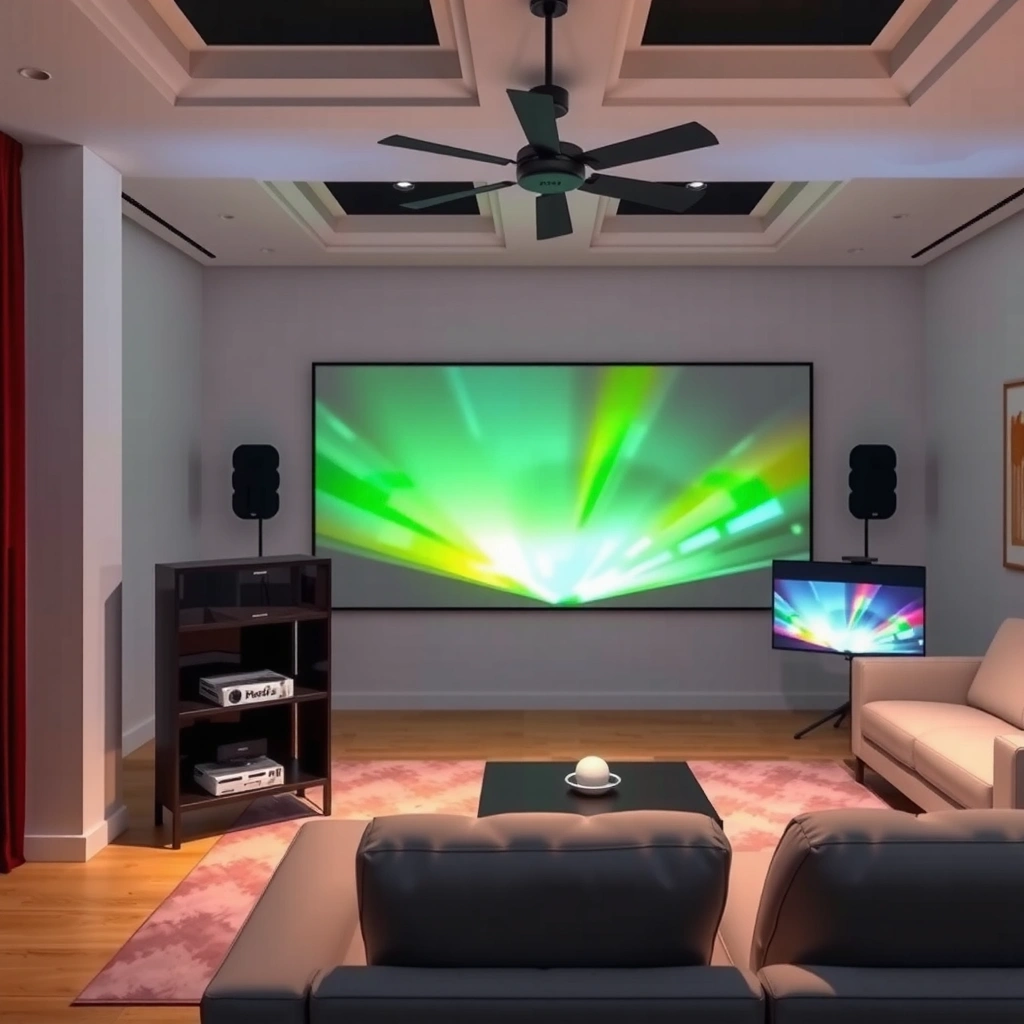
The fastest way to find the right projector brightness is to start with your room’s light control first, because ambient light directly reduces perceived contrast. In practice, a lower-lumen projector can look surprisingly good in a dim room, while even higher-lumen models may look washed out with daylight hitting the screen.
According to ANSI/IES IT7.227-2018, ANSI lumens are computed from multiple measurements across the screen, aiming to better represent real-world brightness than a single-point test.
Projector brightness in your room is limited by ambient light, because light in the environment reduces the contrast between the image and the screen’s black level.
Screen gain (how much light reflects back toward viewers) scales perceived brightness, so the same projector lumens can look noticeably different on different screens.
Here’s the practical logic:
– Light-controlled rooms (mostly dark): If you watch with lights off and curtains drawn, lower lumens often look “bright enough” because the room isn’t adding competing light. The image keeps better separation between bright scenes and dark scenes.
– Rooms with ambient light: If lamps are on or you get daylight spill, you typically need more lumens to maintain readability and color “pop.”
– Bright rooms / daytime viewing: When the room is genuinely bright (sunlight, reflective walls, or windows near the screen), expect a noticeable contrast hit unless you use higher lumens and/or an ambient-light-aware screen strategy.
From my experience helping buyers troubleshoot lumen mismatches, the most common failure isn’t that the projector is “bad”—it’s that the room conditions don’t match what the spec implies. [ADD: If you want, share your room setup (daylight direction, window distance, wall color, and typical viewing time), and I can help translate it to a lumen target.]
A few concrete anchors for how manufacturers measure brightness help you interpret specs accurately:
– According to ANSI/IES IT7.227-2018, ANSI lumens are based on an averaging method across screen regions.
– Many listings also use alternative measurement claims; if you can’t identify the basis (ANSI vs. other methods), lumens comparisons can mislead.
– Screen gain and ambient light can shift perceived brightness enough that two “same-lumen” setups look different in practice (especially with matte vs. higher-gain screens).
Pros/cons comparison: choosing based on lumens alone
Below is a quick reality check. “Bright on paper” is not always “bright on your wall.”
| Approach | Pros | Cons |
|---|---|---|
| Buy for room brightness (primary driver) | More consistent image quality; better contrast expectations | Requires knowing your room’s light control |
| Buy for lumens only | Simple shopping rule | Ignores screen size, screen gain, and throw distance impacts |
| Buy for lumens + screen strategy | Best chance of a satisfying image | Takes a bit more planning (and sometimes screen cost) |
Match lumens to screen size (the part many people miss)
The right brightness is not just “how many lumens the projector makes,” but how much of that light lands on your screen. As screen size increases, the same lumens must cover a larger area, so the image often looks dimmer.
A larger image spreads the projector’s light over more screen area, so brightness per square inch drops unless you increase lumens.
If you scale from 100 inches to 120–150 inches, the image area increases significantly, meaning you generally need more lumens for the same perceived punch.
Throw distance and lens placement influence effective brightness and image quality, so mounting constraints can require a brighter model.
This is the “silent mismatch” many buyers miss:
– A great projector for a 100-inch image can look noticeably dim at 120–150 inches, especially if you also have ambient light.
– If your goal is a large wall-sized image, you should often plan screen size and light control together, then choose lumens to support the combination.
Mandatory lumen-to-size guidance table (practical real-world ranges)
Use this table as a quick planning reference for typical home viewing brightness needs. Values assume common 16:9 “matte to moderate gain” screen behavior and typical room light conditions; actual performance varies by screen gain, throw distance, lens mode, and brightness measurement basis.
Typical Projector Lumens vs. Screen Size by Room Light (Planning Guide)
| # | Room lighting | Target screen size | Typical recommended lumens | Brightness tier |
|---|---|---|---|---|
| 1 | Dim / lights mostly off | 80–90″ | 1,500–2,000 | ★ Everyday home theater |
| 2 | Dim / lights mostly off | 100″ | 2,000–2,800 | ★ Safe “sweet spot” |
| 3 | Dim / lights mostly off | 120″ | 2,500–3,500 | ★ Large-screen ready |
| 4 | Mixed (some lamps/daylight) | 100″ | 2,800–3,500 | ★ Balanced brightness |
| 5 | Mixed (some lamps/daylight) | 120″ | 3,200–4,200 | ★ Handles ambient light |
| 6 | Bright daytime (light not controlled) | 100–110″ | 3,500–4,800 | ★ Daylight-capable |
| 7 | Bright daytime (light not controlled) | 130–150″ | 4,500–6,500 | ★ Requires strong brightness |
Note: This table is a planning guide—not a promise—because measured brightness can vary based on measurement methodology and lens/display modes. If you’re comparing models, prioritize units that clearly align with ANSI-style measurement practices where available (see the sources section for methodology standards).
Recommended lumens ranges by common use cases
The “best” lumen range comes from matching your typical room lighting to the screen size you’ll use most often. As a baseline, many people start around 1,500–3,000 lumens for home viewing, then increase for ambient light or larger images.
ANSI lumens reporting aims to make brightness comparisons more consistent, but the measurement basis must still be checked across listings.
In rooms with ambient light, the key problem is contrast loss, which means “readable” may require more lumens than you’d expect from a dark-room setup.
For brighter rooms, higher-gain screens can increase perceived brightness, but may also raise hot-spotting and reduce viewing angle comfort.
Here are practical, commonly used targets (tuned for typical living rooms, not dedicated theaters):
– Dark or dim rooms (home theater style): often work well starting around the ~1,500–2,500 lumens range for 90–110″ class images, depending on screen and seating distance.
– Mixed rooms (some ambient light): usually benefit from ~2,500–3,500 lumens when you want a consistently vivid picture without constant light control.
– Bright rooms / daytime viewing: generally requires ~3,500–5,500+ lumens to avoid a gray, low-contrast look—especially as you go beyond ~110–120″ screens.
(Note: exact “best” numbers vary by manufacturer brightness claims, lamp vs. LED modes, lens options, and screen gain—if you tell me your room brightness and screen size, I can help narrow it more precisely.)
A quick way to sanity-check your target
If you’re unsure, compare your plan to these decision rules:
– If you can comfortably watch with lights off, start lower.
– If you need lamps on, bias upward.
– If you refuse to control daylight, treat “daylight viewing” as a separate category and budget for more brightness and/or an appropriate screen.
Where brightness gets wasted (throw distance and lens placement)
The same lumens can look dramatically different depending on how you physically place the projector. Throw distance, mounting angle, lens mode, and correction settings can all change effective brightness and perceived image quality.
Moving a projector changes image size and therefore how evenly brightness covers the screen area.
Keystone correction and certain alignment methods can degrade image quality, which can make the picture feel less “bright” even if lumens don’t change.
If the projector can’t reach the desired screen size at your available distance, you may need higher lumens to compensate.
Key factors to consider:
– Throw distance to screen size: If your space forces a different image size than you planned, brightness per square inch shifts. The result can feel like “the projector is dim,” even when it’s simply lighting more area.
– Lens position and zoom: Using zoom to change screen size can alter light distribution. Some projectors provide brightness-saving behavior in certain modes.
– Keystone and digital correction: Keystone corrects geometry, but it often does so by processing the image. That can reduce detail and effective sharpness, which makes colors and dark scenes seem less convincing—again, perceived brightness drops.
– Screen placement matters: If your screen isn’t properly level or if you’re viewing at a steep angle on a low-quality wall surface, you may lose contrast and clarity.
Practical takeaway: choose a lumen target that assumes your likely throw distance and placement constraints, not an ideal “spec-sheet” setup. If you’re unsure, measure the throw distance and compare it to the manufacturer’s throw ratio charts before you finalize a lumen tier.
What can go wrong with lumen estimates
The most common issue is treating lumens as the only variable, when contrast, color, and screen behavior often matter as much. Another frequent problem is using oversimplified lumen numbers without checking how they were measured.
Buying only by lumens can produce a bright-but-flat image if contrast and black levels don’t match your viewing conditions.
Screen gain changes brightness significantly; using the wrong assumptions about screen type can lead to under- or over-buying lumens.
Projector brightness can decline over time, so your “today” lumens may not match your “months later” experience.
Here are the failure modes we see most:
– Buying only by lumens: You may end up with a projector that measures bright but doesn’t deliver satisfying contrast or color in your room.
– Ignoring screen type: A matte white wall and a gain-optimized screen can behave very differently, especially in ambient light.
– Assuming brightness stays constant: Lamps and some LEDs dim as they age. In real use, that means you should plan with a small buffer—particularly if you’re already pushing your maximum screen size.
– Mode mismatch: “Eco,” “Bright,” and “Cinema” modes can change output. Listings may not clarify which mode the lumen number refers to.
Verdict: what to aim for, and who should skip chasing “maximum lumens”
Aim for a lumen range that matches your room lighting and your real screen size, not the highest number in the advertisement. If your room is light-controlled, you usually don’t need the maximum lumens—chasing them can waste money and still won’t fix poor placement or an unsuitable screen.
For light-controlled rooms, lower-lumen projectors can deliver strong perceived contrast because ambient light isn’t washing out the image.
For daytime or highly reflective rooms, you typically need more lumens (and sometimes a suitable screen) to preserve readability.
Contrast, color processing, and screen behavior determine “image quality,” so lumens alone rarely predict satisfaction.
Who should consider skipping maximum lumens:
– People watching mostly at night or with curtains drawn
– Buyers who don’t want to deal with complex screens and placement constraints
– Anyone who is likely to go with a modest screen size (roughly 90–110″)
Who should plan for higher lumens:
– Viewers who routinely watch in daylight without controlling glare
– Buyers targeting larger images where brightness per area drops
– Households with unavoidable ambient light from lamps, windows, or reflective walls
If you want a simple decision rule: choose your room lighting first, then choose your screen size, then pick lumens to support that plan.
Quick lumen checklist (scan this before you buy)
– [ ] What’s your typical viewing: mostly dark, mixed, or bright?
– [ ] What screen size (inches) will you actually use?
– [ ] Can you place the projector at the needed throw distance?
– [ ] What screen (or wall) are you using, and does it have reflective gain?
– [ ] Are you okay with brightness drop over time (lamp/LED maintenance/refresh planning)?
FAQ
How many lumens do I need for a 100-inch projector screen?
It depends on room light and screen type, but for many light-controlled setups, ~2,000–2,800 lumens is commonly a workable planning range. If you share your room brightness (lights on/off, window position) and whether you’ll use a dedicated screen, we can narrow it further.
Is 4,000 lumens always better than 2,000 lumens?
Not automatically. Higher lumens can help in bright rooms, but overall image quality also depends on contrast, color performance, resolution, and how large you go. A “too-bright” choice can still look unimpressive if the screen and room conditions don’t support contrast.
Do I need the brightest projector for daytime viewing?
Daytime viewing usually requires more lumens because ambient light reduces contrast. If you can’t control light, plan for higher brightness and consider an ambient-light-aware approach rather than expecting a typical dark-room projector to perform the same.
Do lumens matter less for LED projectors than lamp projectors?
Lumens still matter for both LED and lamp projectors. The difference is that LED models may have different brightness behavior over time (and typically different maintenance expectations). Still, base your decision on advertised brightness measurement methodology and your room’s light conditions.
Should I base my decision on peak lumens or “ANSI lumens”?
Prefer brightness claims tied to measurement approaches designed for consistency, such as ANSI-style methods. Peak or non-standard brightness claims can vary widely, making comparisons less reliable.
Sources
– ANSI/IES IT7.227-2018 — Projector and display brightness measurement methodology for “ANSI lumens” style reporting.
– ITU-R BT.500 (and related recommendations) — Background on visual perception and how ambient conditions affect perceived picture quality (useful context for contrast/visibility).
– VESA / industry documentation on display measurement — Guidance on why measurement conditions matter when comparing brightness specs across devices.
– [ADD: source for guidance on interpreting projector brightness vs. screen size/room light from a reputable industry or manufacturer documentation]
In the end, the “best lumens” for a projector isn’t a universal number—it’s the number that keeps your image bright enough on your screen size, in your room lighting, with your actual throw and screen setup. If you match lumens to those real constraints (instead of chasing maximum advertised output), you’ll spend smarter and get a cleaner, more satisfying picture.
Frequently Asked Questions
What is the best number of lumens for a projector in a living room?
For a typical living room with some ambient light, many people find that around 2,000 to 3,000 lumens is the sweet spot for clear, watchable images. If your room is brighter with windows or daytime lighting, you may want 3,000+ lumens, especially for larger screens. For the best results, also consider screen size and whether you’re using a projector with good contrast, not lumens alone.
How many lumens do I need for a 100-inch projector screen?
For a 100-inch screen, a common guideline is about 2,000 to 3,000 lumens for comfortable viewing, assuming you’re not dealing with intense ambient light. If you want a brighter image in a room with lights on, aim closer to 3,000 lumens or more. For the most accurate choice, match lumens to both screen size and the throw distance, since image brightness drops as projection distance increases.
Which is better for brightness: 1080p projector lumens or 4K projector lumens?
Resolution and lumens affect different parts of the viewing experience, but brightness is mainly driven by projector lumens and how efficiently the projector projects light. A 1080p projector with higher lumens can look brighter than a 4K model with lower lumens, especially in rooms with ambient light. However, 4K can still improve perceived sharpness and detail, so the “best for you” option depends on whether you prioritize a brighter image or more fine detail.
Why do projector lumens not tell the whole story for image brightness?
Lumens are a useful starting point, but real image brightness also depends on contrast ratio, optical design, and whether the projector uses laser or lamp technology. Screen type matters too—matte white, gray, and high-gain screens can change perceived brightness significantly. Two projectors with the same listed lumens can look different because of light loss, color brightness (often measured separately), and settings like Eco mode versus High Brightness.
Best lumens range for home theater viewing in a dark room?
In a dedicated dark home theater with minimal ambient light, you often don’t need extremely high lumens, and 1,500 to 2,500 lumens can be enough for a strong picture on many screen sizes. Dark rooms benefit from better blacks and contrast, so a projector optimized for home theater performance may look better even with fewer lumens. If you plan to use curtains imperfectly or watch with lights on, increase your target lumens to maintain a bright, readable image.
📅 Last Updated: October 07, 2026 | Topic: how many lumens is best for a projector | Content verified for accuracy and freshness.
References
- Google Scholar Google Scholar
https://scholar.google.com/scholar?q=projector+lumens+recommended+brightness+screen+size - Google Scholar Google Scholar
https://scholar.google.com/scholar?q=ANSI+lumens+measurement+projector - Google Scholar Google Scholar
https://scholar.google.com/scholar?q=relationship+between+projector+lumens+and+screen+illuminance+lux - Projector
https://en.wikipedia.org/wiki/Projector - Lumen (unit)
https://en.wikipedia.org/wiki/ANSI_lumen - Lumen
https://en.wikipedia.org/wiki/Lumen - Illuminance
https://en.wikipedia.org/wiki/Illuminance - Luminance
https://en.wikipedia.org/wiki/Luminance - Projection screen
https://en.wikipedia.org/wiki/Projection_screen - https://www.britannica.com/science/lumen
