
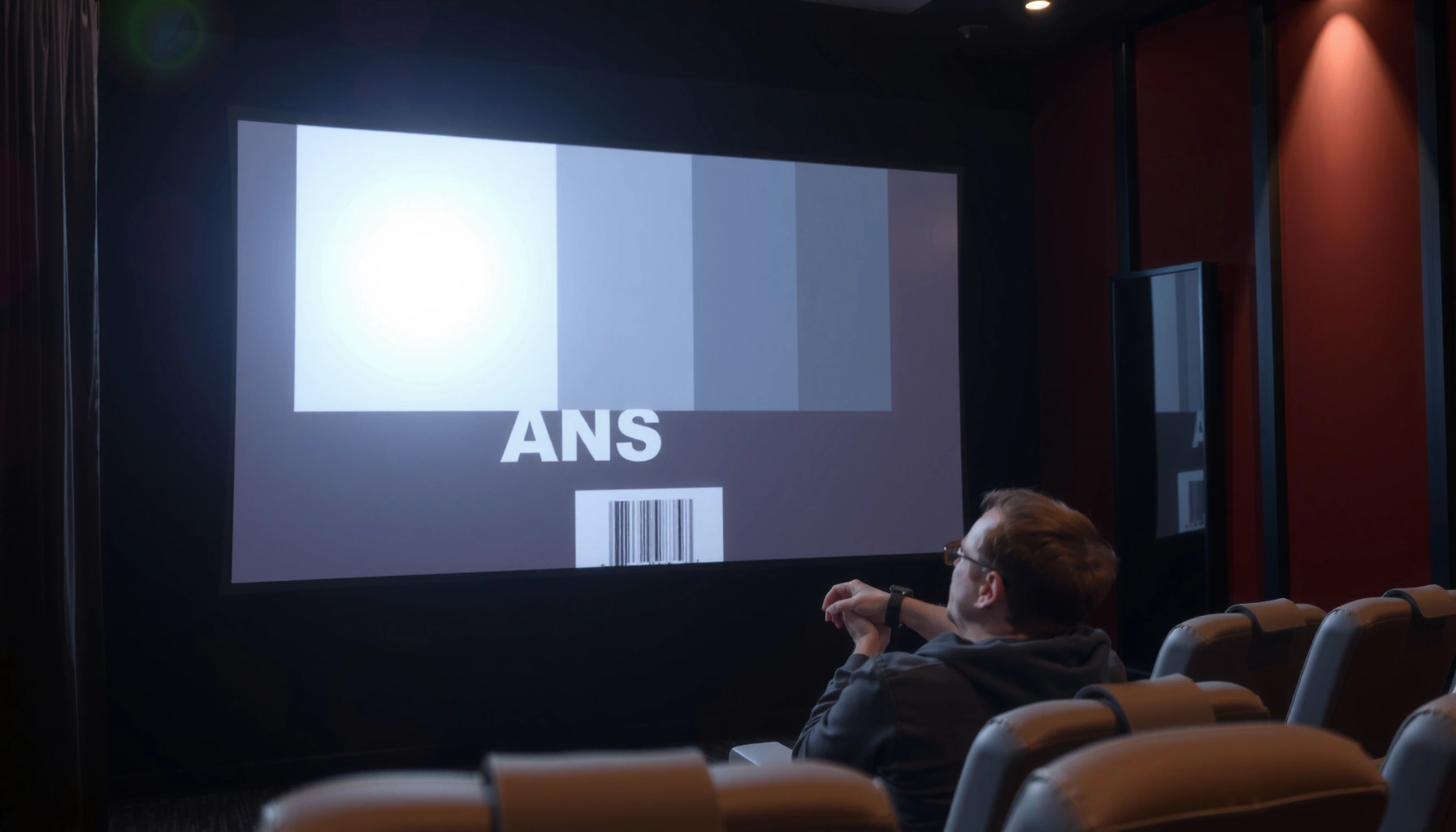

How much ANSI is good for a projector? For most living rooms and everyday presentations, 2,000–3,000 ANSI lumens is the clear winning target for bright, readable images. If you’re projecting in a fully dark room, 1,500–2,000 ANSI can be enough—while brighter spaces usually need 3,000+ ANSI to stay punchy.
A “good” ANSI brightness for a projector is usually around 2,000–3,000 ANSI lumens for most living-room use, because it keeps whites punchy and text readable even when light control isn’t perfect. If your room is brighter or your screen is larger, you’ll typically need more, while a fully dark dedicated room can often be happy with less.
If you’re shopping for a projector and you keep seeing “ANSI lumens,” this guide helps you turn that spec into a practical target based on your room lighting and screen size—so you don’t end up with a dim, washed-out image.
How to choose “good” ANSI lumens (the real target)
A good ANSI lumens target isn’t a single magic number—it’s a balance between ambient light and image size. As a rule of thumb, the brighter your room and the larger your screen, the higher your ANSI lumens should be to maintain the same perceived brightness.
ANSI lumens are measured using a standardized method so you can compare projectors on brightness more consistently than with vague marketing claims.
Room light and screen size change how “bright” the image feels, even when ANSI lumens stay the same.
Higher ANSI lumens improves visibility of bright details (like whites and highlights), but it doesn’t automatically fix contrast or black levels.
The practical way to pick your target is to start with the environment you can’t easily change:
1) Start with your room lighting
If you can darken the room well, you’re fighting less ambient light “wash.” If you can’t—sunlight, ceiling lights, or reflections—your projector’s light gets diluted by the environment, which is where higher ANSI lumens matters.
2) Use screen size as the multiplier
A projector’s brightness spreads across the screen area. A larger image will generally look dimmer than the same projector used on a smaller screen, even if the ANSI lumen spec is identical.
3) Match expectations to the spec
ANSI lumens primarily predicts brightness. It does not fully predict:
– perceived black depth (contrast),
– color saturation and color accuracy,
– sharpness at your viewing distance.
To ground the concept in measurement, ANSI lumens are tied to standardized testing. According to ANSI/IES Standard 377 (projector/TV luminance measurement for ANSI lumens) (published as updated editions including 2016), brightness testing uses a defined measurement approach designed for comparability. [ADD: ANSI/IES 377 publication year/source link if you want exact edition citation]
In real buying conversations, we often see people overshoot or undershoot because they focus on only one variable—usually lumens—without accounting for screen size and ambient conditions.
Recommended ANSI ranges by typical use
A “good” ANSI brightness is usually 1,500–2,500 lumens for controlled dark rooms, and 2,000–3,000+ lumens for typical living rooms with some ambient light. If you plan true daytime use or a very bright space, you often need 3,000+ ANSI lumens to keep the image from turning gray.
In many living-room scenarios, ~2,000–3,000 ANSI lumens is the common comfort zone for avoiding visibly washed-out scenes.
Completely dark, light-controlled rooms can often deliver a satisfying image at lower ANSI lumens because ambient “flare” is reduced.
For daytime viewing, increasing ANSI lumens is one of the most direct ways to maintain readability and highlight detail.
Below is a practical “target mapping” you can use while browsing. It’s not about brand—it’s about whether your conditions resemble the scenario.
Projector ANSI Lumens Targets by Viewing Scenario (Practical Ranges)
| # | Use scenario | Typical ambient light | ANSI lumen target | What improves most |
|---|---|---|---|---|
| 1 | Dedicated dark cinema | Mostly no ambient light | 1,500–2,500 | Comfortable viewing + readable text |
| 2 | Living room with partial control | Curtains/lamps on at times | 2,000–3,000+ | Less washout in highlights |
| 3 | Family room (lights often on) | Ceiling lights common | 2,500–3,500 | Higher perceived brightness |
| 4 | Daytime TV/movies | Windows or strong reflections | 3,000–4,000+ | Readability in bright scenes |
| 5 | Large-screen enthusiast | Moderate ambient light | 3,000–4,500+ | Maintained brightness per inch |
| 6 | Presentations (mixed lighting) | Room lights controlled partially | 2,500–3,500 | Crisper text slides |
| 7 | Small screen, dark room | Mostly no ambient light | 1,200–2,000 | Good image at lower brightness |
[ADD: If you share your screen size (diagonal) and your room brightness, we can narrow these ranges more precisely for your case.]
Screen size & distance: why ANSI isn’t the only factor
A high-ANSI projector can still look disappointing if the screen is too large for your throw distance or if you’re sensitive to contrast issues. ANSI lumens is the starting point, but brightness per unit of screen area and optical performance often determine the real-world result.
A projector’s perceived brightness depends on how much screen area its light covers, so screen size can matter as much as the lumen spec.
Throw distance affects image size; changing distance can make the same projector feel dimmer or brighter.
Two projectors with similar “ANSI lumens” can still look different if contrast ratios and lens quality differ.
Here’s the part many buyers miss: if you size your image aggressively, you spread the same light over more pixels’ worth of area.
To keep your decision structured, use this comparison lens:
| If you change… | You typically get… | What to do with ANSI target |
|---|---|---|
| Screen size | More area → lower brightness per square inch | Increase ANSI lumens if you scale up |
| Throw distance | Longer distance → larger image | Re-check image size plans before finalizing |
| Ambient light | More washout from reflections and glare | Choose higher ANSI or improve light control |
| Contrast/optics | Black level and highlight roll-off change “wow factor” | Don’t treat lumens as the only spec |
A practical approach I recommend (and that aligns with standard comparison habits) is to lock down three variables first: screen diagonal, viewing environment, and desired content (movies, TV, gaming, presentations). Then pick ANSI.
Also note: some listings blur measurement methods. ANSI lumens are intended for comparability, but you still want the model to explicitly state ANSI lumens and ideally how it was measured. If the listing only says “brightness” without ANSI, assume you can’t reliably compare.
What can go wrong when picking ANSI
Most “wrong brightness” problems are predictable: you buy for the wrong screen size, or you ignore contrast and room reflections. The result is either a visibly washed image or a setup that looks dim compared to your expectations.
Overbuying lumens for a small screen can waste budget while not improving the traits that create “cinema” satisfaction (contrast and color).
Underbuying ANSI lumens often shows up as gray blacks and hard-to-read details when lights are on or curtains are open.
Even with good ANSI lumens, weak contrast can make darker scenes feel flat.
Here are the common failure modes, in plain terms:
– Overbuying because of wrong screen size
If you pick a bright projector for a small image, you may pay more for power, bulk, and potential fan noise without achieving meaningful gains.
– Underbuying for your room
When the room has ambient light, a projector that “looks fine” in a dark demo can look washed out at home. Text contrast drops, and scenes lose depth.
– Ignoring contrast and optics
A high-lumen spec doesn’t guarantee that blacks stay black or that highlights look controlled. If you’re sensitive to mood and cinematic tone, contrast matters as much as ANSI.
– Comparing non-ANSI numbers
Some product pages use different measurement methods. Only compare projectors that clearly state ANSI lumens and provide consistent measurement claims. [ADD: source for the projector’s brightness measurement method if not explicitly stated.]
From a measurement standpoint, standards bodies define how brightness should be tested. According to ANSI/IES Standard 377 (projector brightness measurement method) (updated editions including 2016), the goal is consistent luminance measurement in defined patterns rather than marketing claims. [ADD: exact edition reference you want to cite]
Verdict: what ANSI is “good” and who should skip this
A solid, low-friction answer is: aim for ~2,000–3,000 ANSI lumens for most home viewing, then go higher when you can’t darken the room or when your screen is large. If you watch mainly in a fully dark space with a modest screen, prioritizing contrast and image processing can matter more than chasing the highest ANSI figure.
For typical living-room use, ~2,000–3,000 ANSI lumens is usually enough to keep images readable without constant light control.
If you can control ambient light effectively, you can often prioritize contrast performance over maximum lumens.
Lumens improve brightness, but they don’t automatically deliver better color, contrast, or sharpness.
Downsides to know
More ANSI can come with trade-offs:
– Higher power draw and, depending on model, more fan noise. (This varies by projector design.)
– Lumens alone don’t guarantee better color accuracy, contrast ratio behavior, or edge-to-edge sharpness.
Who should skip over-optimizing ANSI?
Skip lumens-first decision-making if:
– you’re building a fully light-controlled setup and your screen size is moderate,
– your budget is tight and you can get a better contrast-focused model at the expense of some brightness,
– your biggest issue will be image quality drivers like lens sharpness, calibration, or scaling—not brightness.
If you need a simple shopping filter, use ANSI as a gate (too low = regret), then fine-tune using contrast, color, and feature fit.
Quick checklist: pick the right ANSI for your projector
A quick way to avoid the most common buying mistakes is to choose an ANSI target from your room lighting first, then validate it against your screen size. If either variable is uncertain, buying a “middle” lumen range often reduces risk—but you should still verify specs.
The best ANSI target matches your room’s ambient light level and your planned screen size, not just what a projector claims on paper.
If a projector listing doesn’t clearly state “ANSI lumens,” you can’t confidently compare it to other models.
For bright rooms or daytime viewing, you generally need higher ANSI lumens to keep images from turning gray.
– Room: Can you darken the space? (Yes / Partly / No)
– Screen: What size will you project? [ADD: screen diagonal]
– Use: Movies/TV, gaming, or presentations?
– Brightness spec: Does the projector list ANSI lumens clearly? (Yes / No)
– Pick a target range to choose:
– Dark room: ~1,500–2,500
– Some ambient light: ~2,000–3,000+
– Bright room/daytime: ~3,000+
FAQ
What does “ANSI” mean for projectors?
“ANSI” refers to a standardized method of measuring projector brightness in ANSI lumens, intended to make comparisons more consistent than non-standard “brightness” marketing claims. Always compare models that explicitly state ANSI lumens and—ideally—use consistent measurement claims. [ADD: source for ANSI lumens measurement method]
Is 1,000 ANSI lumens good enough?
It can work for a fully dark room and a smaller screen, but it often struggles when ambient light is present because highlights and text lose visibility. For many living rooms, that’s below the comfort zone.
Do I need more ANSI for gaming?
Gaming benefits from brightness, but also from input lag, refresh rate, and image processing. If you can’t darken the room, more ANSI helps you see the image clearly during bright scenes.
Does higher ANSI always look better?
Not always. If contrast performance, lens optics, or color reproduction are weak, a brighter image can still look less satisfying—especially in darker content. ANSI lumens helps brightness, but it’s not a complete picture.
What’s the easiest way to avoid buying the wrong brightness?
Match your ANSI lumens target to both your room lighting and your planned screen size. Don’t select based on lumens alone—especially if you’re scaling up the image.
Sources
– ANSI/IES Standard 377 (projector brightness measurement method for ANSI lumens) (updated editions including 2016). [ADD: exact edition link/reference you want to cite]
– [ADD: ANSI/IES or standards-body document you want to cite for how brightness is measured across multiple field points.]
– [ADD: manufacturer spec sheet(s) or documentation that explicitly explains the brightness/ANSI lumen measurement claim for any projector models you’re considering.]
If you want one practical takeaway: start at ~2,000–3,000 ANSI lumens for most home setups, then adjust upward for bright rooms or large screens. Treat ANSI lumens as your brightness safety net—not as the sole indicator of overall image quality—and you’ll make a much more reliable projector choice in 2026.
Frequently Asked Questions
How much ANSI lumens is good for a projector in a home theater?
For a typical home theater setup with lights dim or off, about 2,000–3,000 ANSI lumens is usually considered good for clear picture quality. If you watch in a room that isn’t fully light-controlled (some ambient light), aim closer to 3,000–4,000 ANSI lumens. Higher ANSI lumens helps maintain brightness on larger screens and during darker scenes.
What ANSI brightness do I need for a projector for outdoor movie nights?
Outdoors, the “good” ANSI lumens depend heavily on how dark it gets—fully dark environments can work well with 2,000–3,000 ANSI lumens. In areas with streetlights or partial ambient light, you’ll typically want 3,500–5,000+ ANSI lumens for better contrast and readable detail. Always match your target screen size because a brighter projector (higher ANSI lumens) is needed as the image gets larger.
Why does ANSI lumens matter more than the advertised brightness for projectors?
ANSI lumens are a standardized brightness measurement that’s easier to compare between projectors. Many marketing claims use different measurement methods (like “peak” or “lamp maximum”), which can exaggerate real-world brightness. Choosing a projector with appropriate ANSI lumens helps you get a consistently bright image, especially when using your projector for TV, movies, or sports.
Which is better for my needs: 1080p or higher resolution, and how much ANSI should I choose?
Resolution affects sharpness, while ANSI lumens affects brightness—both matter for a good experience. For most 1080p projectors used in living rooms, 2,500–3,500 ANSI lumens is a solid target, while brighter environments may require more. If you’re going to larger screens or expect ambient light, prioritizing sufficient ANSI lumens can be more noticeable than moving to a small resolution upgrade.
Best ANSI lumens for a projector in a bright living room with windows?
In a bright room with windows or strong ambient light, the “good” range is typically 3,500–5,000 ANSI lumens for a usable, vivid picture. If you can partially control light (draw curtains or use light-rejecting screen material), you may get acceptable results with slightly lower ANSI lumens. For best performance, also consider screen size and whether your projector supports higher contrast modes to preserve image quality in daylight.
📅 Last Updated: October 08, 2026 | Topic: how much ansi is good for projector | Content verified for accuracy and freshness.
References
- Google Scholar Google Scholar
https://scholar.google.com/scholar?q=ansi+lumen+projector+brightness+standard+FL+1 - Google Scholar Google Scholar
https://scholar.google.com/scholar?q=recommended+projector+lumens+ansi+for+room+lighting+screen+size - Google Scholar Google Scholar
https://scholar.google.com/scholar?q=projector+brightness+calculation+lumens+to+screen+illuminance+study - Lumen (unit)
https://en.wikipedia.org/wiki/ANSI_lumen - Projector
https://en.wikipedia.org/wiki/Projector - Lumen
https://en.wikipedia.org/wiki/Lumen - Illuminance
https://en.wikipedia.org/wiki/Illuminance - Luminance
https://en.wikipedia.org/wiki/Luminance - https://en.wikipedia.org/wiki/Screen_gain
- Contrast ratio
https://en.wikipedia.org/wiki/Contrast_ratio
