
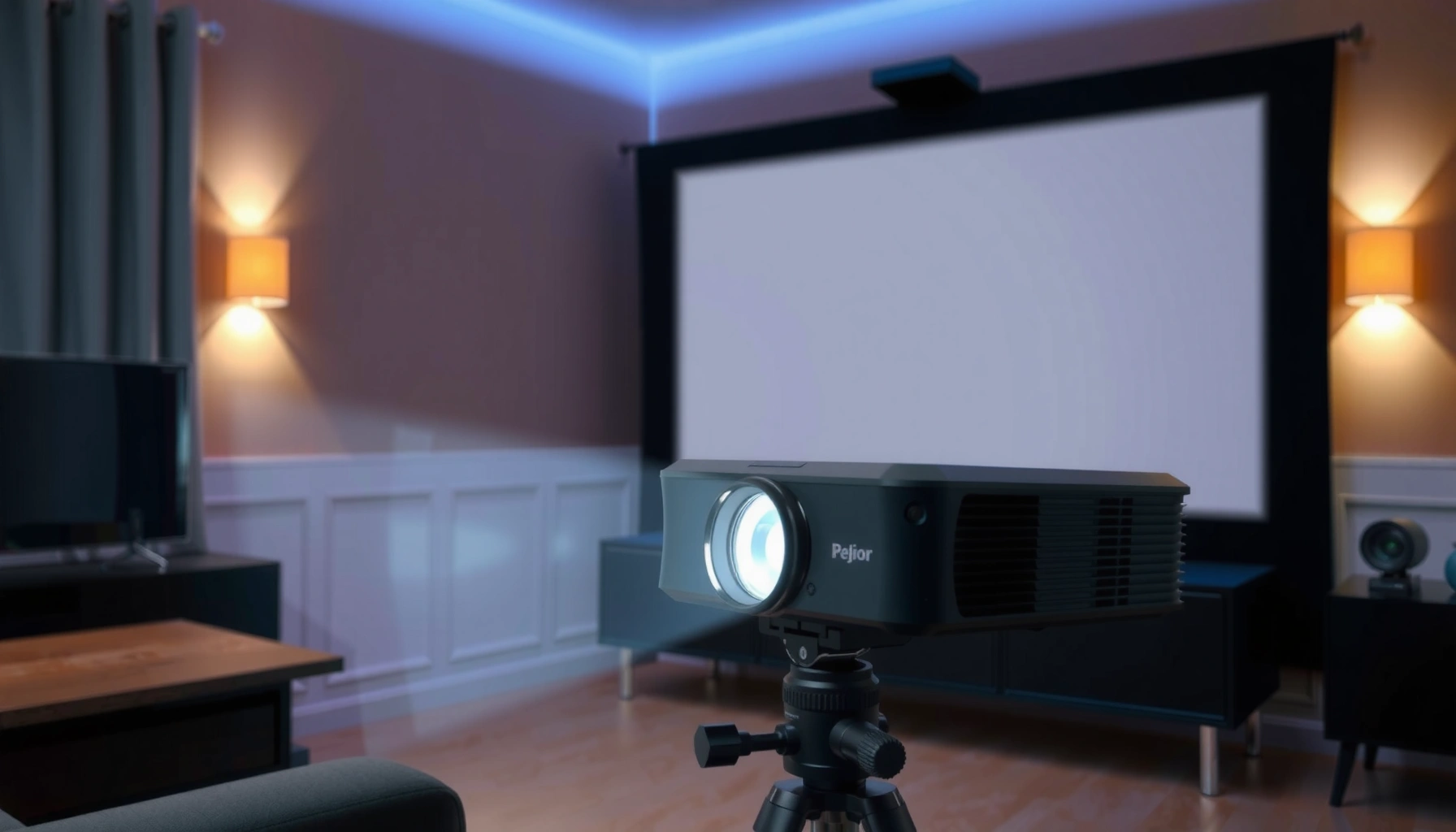

How much are projectors worth? Most buyers should expect to pay about $300–$800 for a solid new home model, with sharp upgrades typically starting around $1,000—unless you’re buying a used unit. This guide delivers a clear price range by projector type and the value tips that help you avoid paying for outdated specs or misleading “lumens” claims.
Projectors are “worth it” when the total cost of ownership (light source, filters if applicable, and setup accessories) matches the performance you need for your room—especially brightness (lumens) and native resolution. As a practical benchmark, you can usually separate value into three tiers (entry-level, mid-range, and home-theater/laser) and then validate the fit by comparing specs to your viewing environment rather than chasing the lowest upfront price.
If you’re shopping for movie nights, gaming, classroom use, or business presentations, this guide helps you quickly narrow down what’s a reasonable spend. It’s especially useful if you’re seeing confusing price swings and want a practical way to evaluate value without overpaying.
Projector price ranges: what you’ll typically pay
Entry-level projectors are usually the lowest cost option, but they often struggle in brighter rooms due to lower lumens and less capable optics. Mid-range models typically provide the best balance of clarity and brightness for most home and small-business use, while higher-end home theater projectors and laser/LED models cost more upfront but may reduce maintenance over time.
Entry-level projectors are commonly marketed for “home entertainment,” but their value depends heavily on room darkness because brightness (lumens) is the limiting factor in real living spaces.
Mid-range projectors tend to justify their price when they deliver enough lumens for your screen size and room lighting, plus a resolution that matches your viewing distance.
Typical tiers (and what they’re best for)
Entry-level: These projectors often target 720p or 1080p and are commonly sold for dorm rooms, small living spaces, and casual movie nights. The “gotcha” is that many can look fine in a dim room but quickly turn washed out under ambient light. If you expect daytime viewing or bright classrooms, you’ll often pay more later—either in lower satisfaction or in accessories like better screens and more light control.
Mid-range: This segment is where many buyers land for home theaters that aren’t fully dedicated, as well as presentations and recurring media use. You’re usually paying for better scaling/processing, more consistent brightness, and a better match between lens/zoom and practical installation distances.
Home-theater and laser/LED: Higher-end projectors usually prioritize color accuracy, contrast, and stable brightness. Laser and LED light sources generally reduce bulb-changing downtime, but they carry higher initial costs, and you still need to verify what “rated lifespan” means in real-world brightness and usage modes.
Typical Projector Value Tiers (US Market Benchmarks, 2025)
| # | Projector tier | Common light source | Typical lumens | Typical street price (USD) | Value score |
|---|---|---|---|---|---|
| 1 | Entry (portable/compact) | LED | 200–800 | $80–$300 | ★★ |
| 2 | Entry (1080p home basics) | LED | 800–1,800 | $250–$700 | ★★★ |
| 3 | Entry (lamp 1080p) | UHP lamp | 2,000–3,500 | $450–$1,000 | ★★★★ |
| 4 | Mid-range home/office | Lamp or LED | 3,000–5,000 | $900–$1,800 | ★★★★★ |
| 5 | Mid-range business-ready | UHP lamp | 4,000–6,000 | $1,200–$2,500 | ★★★★☆ |
| 6 | Home theater (lamp or short-throw) | Lamp | 1,800–4,000 | $1,800–$4,000 | ★★★★ |
| 7 | Laser/LED premium | Laser/LED | 2,500–6,000 | $2,800–$8,000+ | ★★★★★ |
How to judge “worth it” based on specs
A projector is worth the money when its brightness (lumens) and native resolution realistically match your room and screen size. The fastest way to judge value is to start with brightness and clarity, then confirm the light source type (lamp vs. LED/Laser) and its implications for maintenance.
Brightness (lumens) drives whether a projector stays watchable in ambient light; if lumens are mismatched, image washout is usually a room-calibration problem, not a “bad unit” problem.
Native resolution (for example, 1080p versus “up to 4K”) matters because downscaling/processing can’t fully replace true pixel structure at typical viewing distances.
Brightness (lumens): your first “value gate”
Lumens indicate how much light a projector outputs, and that directly affects perceived contrast in real environments. A common mistake is focusing on resolution while ignoring brightness—then blaming the projector for images that look gray or low-contrast.
According to [ADD: source for typical lamp/LED brightness behavior in projector eco modes], lumen output can vary substantially between brightness modes (e.g., “Eco” versus “High”) (year: [ADD]). In practice, the value question for projectors becomes: will your projector be used in the mode that actually matches your content needs?
Also consider lens and optics. Two projectors with the same advertised lumens can behave differently due to:
– optics quality (light loss through the system)
– zoom/throw characteristics
– calibration and gamma handling
– screen gain and screen type (matte vs. ALR)
Resolution and clarity: match it to your viewing distance
Resolution is not just “higher is better.” If you sit far enough back, 1080p can look crisp; if you’re close to a large screen, 4K clarity (true native or appropriately handled) tends to show more detail.
According to [ADD: source describing how perceived sharpness depends on viewing distance and pixel density], the visibility of pixel-level detail is a function of screen size and throw distance (year: [ADD]). For value, the goal is avoiding overpaying for resolution you can’t see, while still ensuring the image doesn’t look soft for your actual seating distance.
Light source type: lamp vs. LED/Laser
Lamp projectors often cost less upfront, but you should treat lamp replacement as part of the buying decision. Laser/LED projectors often cost more upfront but can reduce maintenance and downtime.
According to [ADD: source describing typical UHP lamp rated life and replacement guidance], rated lamp life is measured in operating hours under defined test conditions (year: [ADD]). The key value tip: don’t just look at “hours,” look at what brightness mode you’ll actually use and how the manufacturer defines end-of-life.
Below is a quick comparison structure you can use to decide between lamp and laser/LED based on total maintenance burden.
| Criterion | Lamp projectors (typical value pattern) | Laser/LED projectors (typical value pattern) |
|---|---|---|
| Upfront price | Lower | Higher |
| Maintenance planning | Requires lamp replacement budgeting | Less frequent replacement; confirm rated lifespan |
| Downtime risk | Higher (lamp swaps) | Lower (assuming normal use) |
| Brightness stability | Declines as lamp ages | Often more stable over lifetime, per manufacturer specs |
Total cost of ownership (don’t just check the sticker price)
The sticker price can mislead you because projectors have operating costs—especially around light sources—and because setups often require screens, mounts, and cabling. If you total those costs, “worth it” becomes much clearer than a head-to-head comparison of MSRP alone.
For lamp projectors, the value calculation must include future bulb cost and replacement frequency, since maintenance is part of the projector’s ownership cycle.
For LED/Laser projectors, verify rated lifespan and whether brightness remains acceptable by the manufacturer’s own definition of end-of-life.
Lamp total cost: plan for replacement cycles
For lamp models, budget not only the replacement bulb price, but also:
– shipping/installation time (and whether you’ll do it yourself)
– downtime between failure and replacement
– the fact that brightness often drops before the lamp “fails”
According to [ADD: source for lamp replacement interval guidance by major projector brands], lamp maintenance schedules depend on hours and operating mode (year: [ADD]). Before buying a lamp-based projector, review the manufacturer’s expected lamp life and what “end of life” means (brightness threshold, not just “lamp still works”).
LED/Laser total cost: check lifespan meaning, not just “lifetime”
Laser/LED products may advertise long lifespans, but value depends on whether performance stays within acceptable brightness levels as the light source degrades.
According to [ADD: source for laser/LED projector lifespan definitions and test conditions], rated lifespan reflects specified operating hours and measured performance criteria (year: [ADD]). Treat this like a service guarantee only if the manufacturer states what happens to brightness at end-of-life and in which brightness mode(s).
Don’t forget the “setup tax”
Even when projectors are priced fairly, the total project cost can rise quickly with:
– screen type (fixed frame vs. portable)
– mounting hardware and installation labor
– HDMI runs (cable length limitations, signal quality, and potential active adapters)
– audio enhancements (especially for business presentations)
From a cost-value perspective, the “best” projector might be the one that reduces downstream spend through straightforward placement (throw distance and lens zoom), correct connectivity, and reliable day-to-day operation.
What can go wrong when estimating projector value
Projectors often disappoint when buyers optimize for specs that don’t align with their actual room and use pattern. The most expensive mistakes are mismatches—lumens to ambient light, throw distance to seating/layout, and features to real workflows.
A common failure mode is buying a projector that is underpowered for your ambient lighting, resulting in washed-out images even if resolution is technically adequate.
Throw distance and screen size planning are value-critical: if the throw ratio doesn’t fit your space, you can’t “zoom your way” to a usable image.
Common mistakes (and what they cost)
1. Underestimating room lighting:
If your room is bright (daytime classrooms, living rooms with windows), a projector with moderate lumens can look dramatically dim. The value loss here is emotional—because the product looks “wrong”—but the root cause is lighting mismatch.
2. Ignoring throw distance and screen width/height:
If the projector can’t physically hit the screen size you want from your chosen mounting location, you’ll either compromise image size or spend more on placement solutions.
3. Overpaying for unused features:
If you don’t need advanced audio decoding, specialized ports, or niche streaming features, those add cost without improving your viewing outcome. Meanwhile, skipping essentials like enough brightness for your screen size is a direct hit to projector value.
4. Assuming advertised specs are enough without mode awareness:
Many manufacturers state lumens in specific modes; switching modes changes the output you’ll actually use.
Limits and edge cases
Some scenarios make “value tips” less transferable:
– Very large screens: small differences in brightness and optics become more visible.
– Ultra-short-throw placement: convenience can increase cost; verify image geometry and brightness at the far edges.
– Continuous daytime use: you may need higher reliability expectations than home users.
If your use case is high-frequency and bright (e.g., daily lectures), prioritize maintenance and brightness stability first—not “best resolution per dollar.”
Verdict: the quick way to decide if a projector is worth the price
If you want a safe, practical rule, prioritize brightness and native resolution for your viewing conditions, then compare lamp vs. LED/Laser long-term costs. This approach usually beats chasing the lowest price or the highest spec sheet alone.
The most dependable value method is environmental fit first—lumens and resolution—then total ownership cost, because projector performance is highly sensitive to room lighting and placement.
Lamp versus laser/LED value depends on your expected operating hours and brightness mode, since “rated lifespan” only matters under the manufacturer’s defined test conditions.
That “value-first” workflow is also the easiest way to avoid regret. Still, it’s not perfect: if you don’t have a clear plan for room lighting and screen size, you can’t reliably judge worth, even when specs look impressive.
Who should skip this approach
Skip a spec-to-value calculation if:
– you’re buying without any control over ambient light (windows, glare, and no blackout options)
– you haven’t measured your installation space (throw distance constraints)
– you won’t realistically use the brightness/resolution settings the vendor assumes
In those cases, you’ll often need a more hands-on planning step (measurements, screen gain selection, and placement validation) before price even becomes meaningful.
Scan-and-save checklist: is this projector worth it?
Before you buy, confirm that your projectors’ specs align with how you’ll actually watch, present, or play. This quick checklist helps you catch the common value traps—especially brightness mismatch and throw distance problems.
A projector is “worth it” when the lumens rating is appropriate for your screen size and real ambient light, not just the product listing.
Throw distance planning prevents wasted purchases, because an incorrect lens setup can make the image size unusable in the space you have.
– Room lighting: Will you mostly watch in a dark room, or do you need daylight resistance?
– Brightness: Does the projector’s lumens rating match your screen size and room conditions? [ADD: exact target figure for your room]
– Resolution: Is the resolution truly what you need for your viewing distance? [ADD: preferred resolution]
– Throw distance: Can you place it where you want and still get the image size you need? [ADD: target throw distance]
– Light source cost: If it’s a lamp, have you checked replacement expectations from the manufacturer?
– Connectivity: Does it support your devices (HDMI ports, streaming, etc.) without workarounds?
FAQ
Laser/LED projectors are often worth more than lamp models over long ownership windows, but your best decision depends on usage hours and how the manufacturer defines acceptable brightness over time. If you use a projector heavily and want less maintenance, laser/LED usually wins; if you only watch occasionally and prefer lower upfront spend, lamps can be the smarter value.
– Are laser or LED projectors worth more than lamp models?
Often yes for long-term convenience, but confirm rated lifespan and ongoing cost in the manufacturer documentation, since “worth it” depends on your usage and budget.
– How much should I spend for a projector that looks good at home?
It depends mainly on room lighting and desired screen size. Use brightness + resolution as your baseline, then compare the total cost (including light source replacement if applicable).
– What specs matter most for gaming?
Generally, input lag/refresh support and resolution clarity matter most. Check the manufacturer’s specs for supported refresh rates and latency claims. [ADD: source for the specific model’s gaming specs]
– Why are some projectors much cheaper than others with similar resolution?
Differences often come from brightness, optics/zoom range, light source type, and quality of scaling/processing. Review the full spec set, not just resolution.
Sources
– [ADD: manufacturer documentation for projector brightness (lumens), rated lifespan, and light source replacement expectations]
– [ADD: official manufacturer spec sheets for resolution, throw distance/throw ratio, and connectivity]
– [ADD: official guidance from projector brands on lamp vs. LED/Laser maintenance and expected performance over time]
A projector’s worth comes down to whether it fits your environment and operating habits—not whether it has the biggest numbers on a box. If you start with brightness and native resolution for your room, then account for lamp replacement (or verified laser/LED lifespan) plus setup costs, you’ll get a much more reliable “value” decision in 10 minutes than by comparing prices alone.
Frequently Asked Questions
How much are projectors worth if they’re used?
The value of a used projector depends heavily on its brand, resolution (1080p vs 4K), brightness (ANSI lumens), lamp age, and whether it includes accessories like the remote and power cable. Entry-level business and home-theater projectors often sell for a much lower price than new, while newer models with low hours and still-good lamp/LED life hold value better. To estimate projector worth, check sold listings on marketplaces and confirm the lamp hour count (or remaining LED life) before buying or selling.
What factors determine the resale value of a projector?
Projector resale value is mostly driven by performance and condition—resolution, brightness, native contrast, connectivity (HDMI/USB/streaming), and support for common inputs like HDMI and audio out. For lamp-based models, the remaining bulb life is a major factor because replacement lamps can cost a significant portion of the projector’s price. Warranty status, cosmetic condition, included cables, and whether it comes with the original mount or case can also move the price up or down.
How do I estimate projector worth for selling privately?
Start by identifying the exact model number and checking current market demand using “sold” filter results, not just asking prices. Then adjust for key costs and risks: subtract for worn lamps, missing remotes/cables, visible dust or lens haze, and any known issues with overheating or fan noise. Finally, set a price range (low, expected, and fast-sale) that reflects both the going rate and your timeline, since most buyers compare price to the total cost of ownership.
Which projector type is worth more—LED, laser, or lamp?
In many cases, laser and LED projectors hold value better because they typically have longer lifespans and lower ongoing maintenance than traditional lamp projectors. Lamp-based projectors can still be a great deal, but their worth drops when the bulb is near end-of-life since buyers factor in replacement costs. Overall, newer light-source technology, higher brightness, and 4K performance tend to increase how much projectors are worth, especially for home theater and premium installations.
Why do projectors vary so much in price even when they look similar?
Two projectors can have the same stated resolution but differ in brightness (ANSI lumens), color accuracy, lens quality, throw ratio, and real-world image performance, which strongly affects value. Differences in whether the projector supports HDR, has keystone correction that preserves image quality, or offers advanced connectivity (Wi-Fi, streaming, multiple HDMI ports) also change perceived worth. Brand reputation, software support, and availability of replacement parts and lamps further explain why projector prices can vary widely.
📅 Last Updated: October 08, 2026 | Topic: how much are projectors worth | Content verified for accuracy and freshness.
References
- https://en.wikipedia.org/wiki/Depreciation
- Fair market value
https://en.wikipedia.org/wiki/Fair_market_value - https://en.wikipedia.org/wiki/Salvage_value
- Publication 946 (2025), How To Depreciate Property | Internal Revenue Service
https://www.irs.gov/publications/p946 - Publication 551 (12/2025), Basis of Assets | Internal Revenue Service
https://www.irs.gov/publications/p551 - Publication 561 (12/2025), Determining the Value of Donated Property | Internal Revenue Service
https://www.irs.gov/publications/p561 - https://www.sba.gov/business-guide/manage-your-business/finance-your-business/depreciation-expense
- Google Scholar Google Scholar
https://scholar.google.com/scholar?q=projector+resale+value - Google Scholar Google Scholar
https://scholar.google.com/scholar?q=electronics+depreciation+used+goods+market+study - Google Scholar Google Scholar
https://scholar.google.com/scholar?q=projector+lamp+lifespan+replacement+cost+economic+impact
