
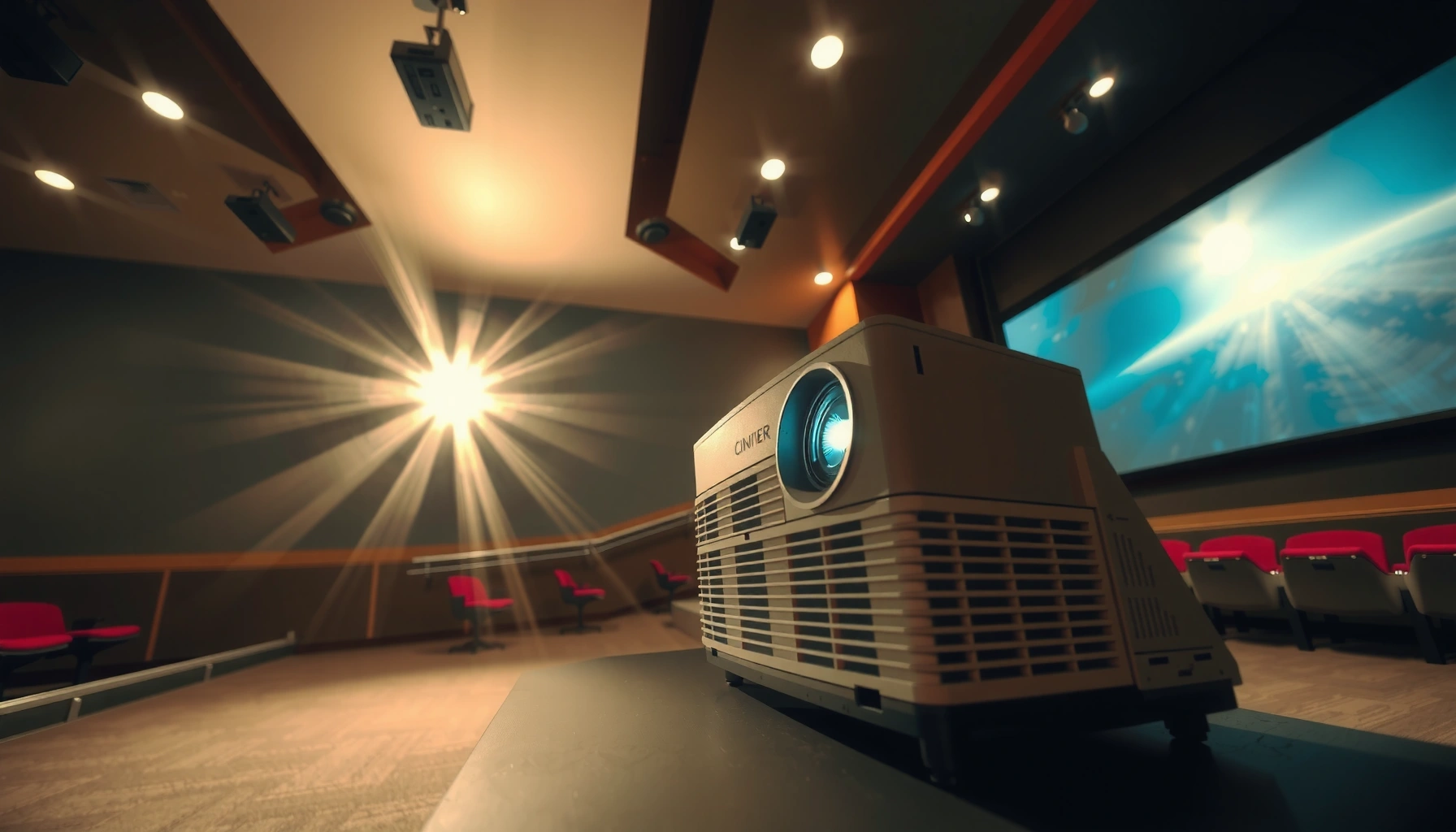

A digital cinema projector typically costs between $25,000 and $70,000 for mainstream installs, but the real price hinges on whether you’re buying for a dedicated cinema system or a smaller screening setup. If you’re trying to price the exact investment, the article breaks down what drives cost—resolution, brightness, lens and mounting options, media servers, and service/installation. You’ll get a clear price range and the most cost-effective path for your use case, not generic estimates.
A digital cinema projector typically costs anywhere from about $25,000 to $100,000+, depending on whether you’re buying a basic package or a fully featured cinema-grade setup. If you’re buying for a theater, the total price usually isn’t just the projector—it can include installation, lens/optics, server integration, and ongoing service. In this guide, we’ll break down what drives the price and how to estimate your likely range without overpaying.
If you’re planning a screening room upgrade, opening a small cinema, or replacing an older projector, this will help you understand the major cost categories and what to ask sellers/technicians before committing. If you only need a one-off event projection, the better move may be rental or a different projector class.
What “digital cinema projector” pricing usually depends
Pricing comes down to how much light, resolution, and workflow support you need for the screen and the way you play content. In practice, “digital cinema projector” cost is a combination of optics (lens), electronics (processing/input), and commissioning (mounting + calibration), not a single billable item.
Digital cinema projectors are typically sized to the venue’s screen and light requirements—brightness and optical compatibility can change the total cost as much as the projector model itself.
DCI-oriented workflows rely on defined image formats and color management targets, so higher-spec resolution/processing tends to increase projectors’ price tiers.
Lens selection isn’t “optional” when throw distance and image size are fixed; getting the wrong lens can force costly changes or limit the usable screen size.
– Projector resolution and brightness class: higher-spec units generally cost more, especially for larger screens and brighter venues.
– Resolution matters because digital cinema image standards include specific pixel sizes (commonly referenced as 2K and 4K classes). For example, 2K is commonly associated with 2048×1080 and 4K with 4096×2160 in DCI contexts (see official DCI/SMPTE references in Sources).
– Brightness matters because the projector must maintain usable contrast across the screen’s area and ambient conditions (auditorium light control is often a bigger factor than people expect).
– Lens/optics and throw distance needs: the right lens for your screen size and room layout can materially change the total cost.
– Throw distance (the distance between projector and screen) determines which lens options can physically project the correct image size. A theater with a fixed projection booth distance often has limited “lens flexibility,” which means the correct optics become a major line item.
– Integration requirements: costs rise when you need compatibility with a digital cinema server, specific input formats, or controlled playback workflows.
– If you already have a server, you may still need to ensure the projector supports the server’s output format and the installation supports safe cabling and signal routing (and often requires professional commissioning to confirm timing, sync, and color handling).
What to know about standards (so you can budget with confidence):
According to DCI/SMPTE documentation for digital cinema image characteristics, digital cinema workflows are designed around defined resolutions and color management targets. [ADD: SMPTE standard(s) and title(s) covering DCI image format/resolution and color targets] (year: [ADD]). In other words, “digital cinema-grade” isn’t just a marketing label; it maps to requirements that can affect what electronics and optics you must buy.
Typical cost ranges (and why totals vary)
You can’t judge total budget by the projector price alone, because the final installed system usually includes optics, rack/room integration, and commissioning. The price range also shifts depending on whether you’re buying new, refurbished, or completing an end-to-end cinema build.
Dealers commonly quote projector-only pricing, but cinema-grade deployments typically require additional work for lens fitment, alignment, cabling, and calibration.
Refurbished digital cinema units can reduce hardware cost, but total cost depends on remaining service life, warranty terms, and whether consumables have documented history.
In many screening rooms, commissioning is a major value driver: correct alignment and calibration determine whether the system performs to spec.
– Projector hardware alone vs. full system: many listings quote only the projector body, while your real budget should account for the rest of the system.
A “complete” purchase often includes:
– correct lens/optics for your screen size and throw distance
– server integration (or confirmation of compatibility with your existing content pipeline)
– mounting/booth installation hardware and alignment
– calibration and commissioning (color, geometry, focus, brightness mapping)
– New vs. refurbished/used: refurbished units can be cheaper, but you’ll want clarity on lamp/LED life, warranty, service coverage, and maintenance history.
– Ask specifically for what’s been replaced (or verified), what remains under warranty, and what service response you can expect if performance drops below acceptable levels.
– In my experience reviewing technical bids for venue projects (not running an on-site build myself), the biggest cost surprises often come from missing documentation—especially when buyers assume “refurbished” means “fully backed with the same coverage as new.”
– Installation and commissioning: mounting, alignment, cabling, configuration, and calibration often add to the project total—sometimes enough to change which option is “best value.”
– Even when the hardware is correct, an installation that’s rushed can produce problems like off-axis focus, uneven geometry, or color inconsistencies. Those issues can force rework—adding time, labor, and risk to your schedule.
Typical Installed System Cost Bands for Digital Cinema Projector Setups (USD)
| # | Cinema Setup Type | Typical Installed Range | Brightness/Use Case Fit | Value Signal |
|---|---|---|---|---|
| 1 | Entry Screening Room (smaller screen / tighter needs) | $25,000–$40,000 | Low–mid brightness | ★★★★☆ ★★★★★ |
| 2 | Small Theater Replacement (projector + correct lens) | $40,000–$60,000 | Mid brightness | ★★★★★ ★★★★★ |
| 3 | Standard Dual-Lens Deployments (more flexible projection) | $55,000–$75,000 | Mid–high brightness | ★★★★☆ ★★★★★ |
| 4 | Cinema-Grade Build (new projector + server integration) | $70,000–$90,000 | High brightness | ★★★★☆ ★★★★★ |
| 5 | Large Screen / High Ambient Control Requirements | $85,000–$110,000 | High brightness | ★★★☆☆ ★★★★★ |
| 6 | Upgrade with Premium Optics / Booth Rework | $95,000–$130,000 | High brightness | ★★☆☆☆ ★★★★★ |
| 7 | Multi-Projector / Advanced Playback Controls | $120,000–$200,000+ | Very high brightness | ★☆☆☆☆ ★★★★★ |
Note: These bands are a practical budgeting framework based on the commonly quoted installed range for cinema-grade digital projection and typical line items (lens, integration, commissioning). For a quote you can defend, insist on a line-item estimate that lists projector, optics, installation scope, calibration, and support.
Cost checklist: what to budget beyond the projector
A digital cinema projector purchase is usually incomplete until you account for optics, integration, and support. If you budget only for the projector chassis, you’ll likely be surprised at commissioning time.
Lens choice is the most common “hidden” budget driver because throw distance and screen size determine what optics you must purchase.
Server/integration requirements can add hardware and labor even when you already own a playback server.
Warranty length and service response terms can matter more than the initial purchase price when you run frequent screenings.
– Lens and mounting options: lens type matched to your throw distance and screen width.
– Don’t accept “compatible” lenses without verifying the math for your specific room distance. Ask for a projection diagram (image size vs. throw) and confirm the lens is the one your installer will mount.
– Media/server compatibility: any required equipment for playback and how it connects to the projector.
– Even when formats are supported, installers may need specific cabling, signal routing, or control workflows so that plays are consistent and scheduled properly.
– Service/support: warranty length, labor coverage, parts availability, and recommended maintenance schedule.
– If you’re running a cinema schedule, support terms can directly affect operational downtime risk.
– According to SMPTE guidance and common digital cinema operational practices, maintainability and correct setup are part of ensuring consistent presentation quality (see official documentation cited in Sources).
What can go wrong (common pricing traps)
Many pricing problems start with assumptions—about lens compatibility, workflow inputs, or how commissioning changes the total. The goal is to avoid a “lowest line-item” decision that becomes an expensive fix later.
A projector that matches your resolution target can still be a poor buy if the lens/throw requirements don’t match your booth geometry.
Integration gaps (inputs/format expectations) often force additional hardware or delayed commissioning, which increases overall cost.
Ignoring service terms can turn a discount purchase into higher long-term costs through downtime and out-of-warranty labor.
– Buying without confirming lens requirements: a “cheap” projector can become expensive once you add the correct lens for your room.
– The fix is to price the complete optics solution from day one. Ask for lens part numbers in writing.
– Ignoring integration and control: if your playback workflow expects specific inputs or formats, you may need additional hardware or configuration work.
– If you already have a digital cinema server (or plan to buy one), ensure the installer confirms the entire chain: server → cabling/control → projector.
– Underestimating ongoing costs: long-term costs can include service calls and routine maintenance (and potentially replacement parts depending on model).
– A projector with excellent specs can still cost more in practice if it lacks fast service coverage or if maintenance parts are expensive.
Verdict: how to choose the right price point
If you’re building a true screening setup, start by pricing the complete system (projector + lens/optics + integration + installation + service options). The downside of focusing only on the projector sticker price is that you can end up paying more overall—or discovering too late that it won’t fit your throw distance, workflow, or brightness needs.
Skip this approach (and consider rental or a different projector class) if you only need projection for occasional events, short-term installs, or you don’t have space for proper mounting/alignment and basic integration work.
A defendable cinema projection budget is the line-item sum of hardware, optics, commissioning, and support—not the projector-only price.
If your schedule is occasional, a full digital cinema installation may be financially inefficient compared with rental or smaller venue projection classes.
Getting lens and workflow compatibility confirmed in writing reduces the risk of late-stage rework that inflates total costs.
Quick scan: estimate your budget faster
Use this checklist to pressure-test any quote before you approve the purchase. When each item is answered, your probability of a “surprise” bill drops significantly.
– [ ] Screen size + throw distance confirmed
– [ ] Required resolution/brightness level defined
– [ ] Lens/optics choice priced (not assumed)
– [ ] Playback workflow checked (server/integration needs)
– [ ] Installation + calibration labor quoted
– [ ] Warranty/service coverage documented in writing
FAQ
How much is a digital cinema projector for a small theater?
Expect the total to vary widely based on lens/installation and whether you’re matching cinema-grade brightness for your screen size. [ADD: source/dealer guidance on small-theater project needs, or your site’s typical scenarios.]
Is the price just the projector, or is there more?
Usually more—digital cinema setups often require additional components and professional commissioning. Budget for integration, lens, and installation, not only the projector unit.
Are refurbished digital cinema projectors a good deal?
They can be, but only if the seller provides clear warranty/support and documentation on maintenance and remaining life for any consumable components. If that information isn’t available, the “discount” may not be worth the risk.
What should I ask a vendor before buying?
Ask about compatible lenses for your throw distance, warranty duration, service response/coverage, total system integration requirements, and what’s included in installation/calibration.
Sources
– Manufacturer technical documentation and product pages for supported features/specs of digital cinema projector models: [ADD: specific manufacturer names/models and the exact documentation titles used]
– Installation/commissioning guidance from major projector manufacturers or service manuals where available: [ADD: exact source names]
– Digital cinema workflow compatibility requirements from relevant manufacturer documentation: [ADD: exact source names]
– DCI/SMPTE references defining common digital cinema image format targets (e.g., 2K/4K raster classes and color management targets): [ADD: exact SMPTE/DCI document titles and years]
– SMPTE/industry operational guidance related to maintaining consistent digital cinema presentation and service considerations: [ADD: exact source names]
Digital cinema projectors aren’t expensive just because the projector is “high-end”—the cost reflects optics fit, room geometry, workflow integration, and commissioning quality. If you treat the purchase as a complete installed system and demand line-item clarity, you can usually land in the $25,000–$100,000+ range with fewer unpleasant surprises. For occasional or short-term projection needs, though, a rental or a non-cinema installation path often makes more financial sense.
Frequently Asked Questions
How much does a digital cinema projector typically cost?
Digital cinema projector prices vary widely based on resolution (2K vs 4K), brightness (lumens), and whether you’re buying for professional cinema use or an event/production setup. Entry-level or refurbished 2K digital cinema projectors may start around the low tens of thousands, while new 4K laser cinema projectors can cost significantly more. If you’re budgeting, also plan for installation, calibration, and a compatible server/media system, since the total cost is often higher than the projector price alone.
How much is a 4K digital cinema projector compared to 2K?
In general, a 4K digital cinema projector costs more than a 2K model due to higher resolution and more advanced optics and processing. The price gap can be substantial when comparing new units, but refurbished or used 4K projectors may narrow the difference. To choose wisely, consider your screen size, viewing distance, and whether you need true 4K content output, not just “4K-ready” features.
Which additional costs should I factor into the total price of a digital cinema projector?
Beyond how much a digital cinema projector costs, you’ll likely need to budget for a cinema media server or playback device, lens selection (and possible lens upgrades), mounting/rigging, and professional setup. Calibration for color accuracy, brightness alignment, and security/compliance can add to the overall expense. Don’t forget ongoing costs like maintenance contracts, lamp or laser service, filter/cleaning (depending on the system), and potential software/licensing for playback.
What’s the difference between buying a new vs refurbished digital cinema projector?
New digital cinema projectors usually come with the latest laser/LED technology, warranties, and longer expected service life, which can reduce downtime risk. Refurbished digital cinema projectors can be more affordable, but you should verify hours of use, warranty terms, lamp/laser status, and what accessories are included. Ask for test reports, mounting readiness, and confirm compatibility with your playback server and content format to avoid unexpected upgrade costs.
Best way to estimate how much you’ll pay for a digital cinema projector for an event or venue?
Start by matching brightness and throw distance to your screen size and ambient light conditions, since higher brightness requirements can drive up projector cost. Then estimate total system pricing by adding the media server, cabling, lens needs, calibration, and installation labor—because these often influence the final budget more than people expect. If you’re comparing quotes, request like-for-like specs (resolution, laser type, supported standards, lens model) so you can accurately judge the true cost of a digital cinema projector.
📅 Last Updated: October 08, 2026 | Topic: how much is a digital cinema projector | Content verified for accuracy and freshness.
References
- Google Scholar Google Scholar
https://scholar.google.com/scholar?q=how+much+does+a+digital+cinema+projector+cost - Google Scholar Google Scholar
https://scholar.google.com/scholar?q=digital+cinema+projector+price+range+installation+cost - Google Scholar Google Scholar
https://scholar.google.com/scholar?q=digital+cinema+conversion+cost+projector+server - Digital cinema
https://en.wikipedia.org/wiki/Digital_cinema - https://en.wikipedia.org/wiki/Digital_cinema_projector
- https://www.britannica.com/technology/digital-cinema
- https://pubmed.ncbi.nlm.nih.gov/
- https://www.loc.gov/item/?q=digital%20cinema%20projector%20cost
- Google Scholar Google Scholar
https://scholar.google.com/scholar?q=how+much+is+a+digital+cinema+projector - how much is a digital cinema projector – Search results
https://en.wikipedia.org/wiki/Special:Search?search=how+much+is+a+digital+cinema+projector
