

Want to know how to calculate viewing distance for a TV with confidence? Use the TV screen-size ratio—measured diagonally—to determine the best viewing distance in feet or centimeters, then fine-tune it based on resolution and seating comfort. You’ll get a clear, step-by-step method that tells you exactly how far to sit for an optimal, non-straining picture.
To calculate viewing distance for your TV, start with the screen’s diagonal size (inches) and multiply by a comfort-based rule of thumb—typically 1.5× to 2.5× the diagonal—then measure from your seated eye position to the screen. This gives you a reliable distance estimate for both living rooms and bedrooms, and you can fine-tune once you confirm how your eyes and neck feel in real use.
This guide is for anyone setting up a living room or bedroom TV and wants a practical way to estimate distance without guesswork. You’ll learn the core math, how to adjust for HD vs 4K content, and what can go wrong with common measuring mistakes.
Measure your TV size (diagonal) correctly
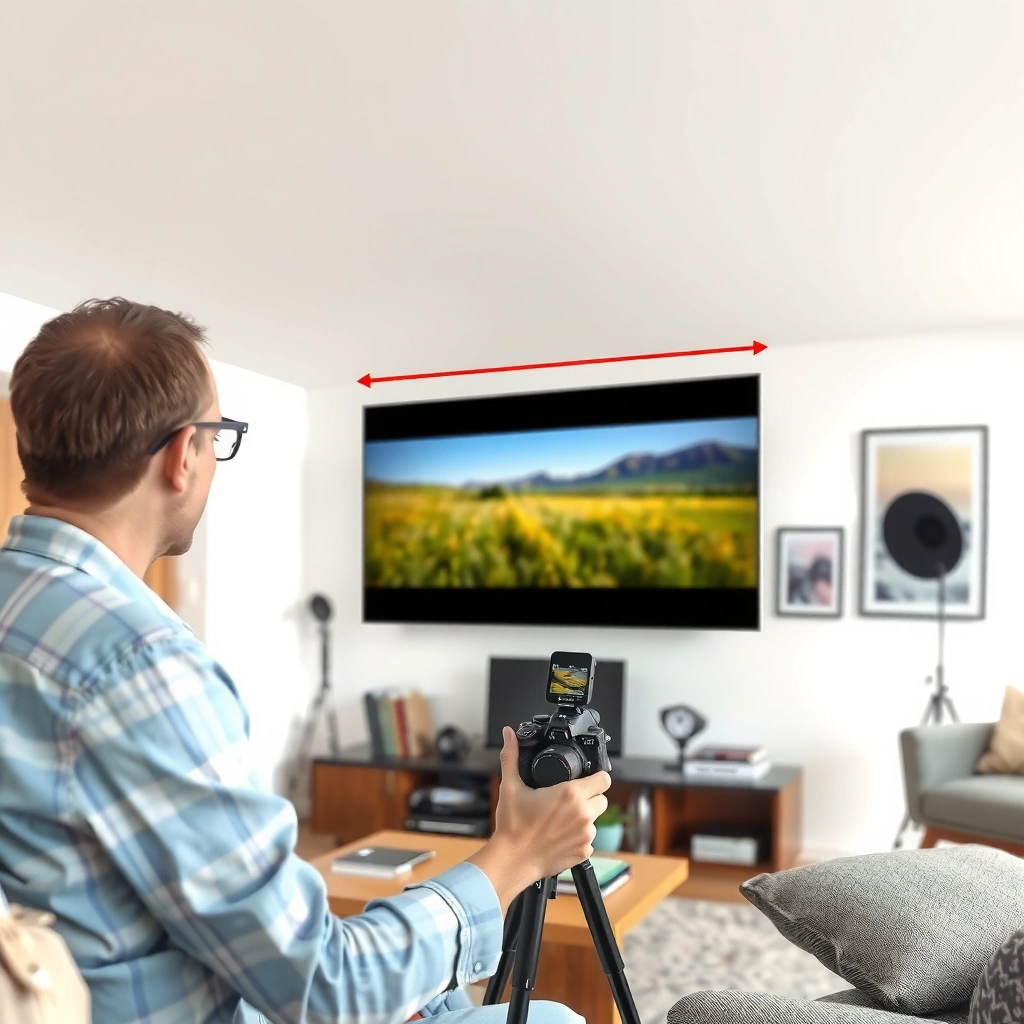
To calculate viewing distance, you first need the TV size that standards use: the diagonal. Most manufacturers list this directly in specs (e.g., 55-inch, 65-inch), and that diagonal is what the viewing-distance formulas are built around.
– Find the TV’s screen size in the specs (it’s usually listed as “55-inch,” “65-inch,” etc.), which refers to the diagonal.
– If you’re measuring manually, measure corner-to-corner across the screen (diagonal), not the width or height.
TV size marketing numbers (e.g., “55-inch”) refer to the display’s diagonal measurement, not its width or height. Sources: [ADD: manufacturer spec definition for diagonal screen size]
To use a distance rule based on screen size, the input must be the diagonal because the viewing geometry is calculated from corner-to-corner dimensions. Sources: [ADD: display measurement convention documentation]
Why diagonal matters for viewing distance
Your distance-to-screen relationship is fundamentally about angle—how wide the screen appears from your seat. Angle depends on the diagonal, so using width instead will produce a systematic error. For example, a 65-inch TV’s diagonal-to-width mismatch is large enough that the same “1.5× rule” can overshoot or undershoot your actual comfort distance.
Quick example (math setup)
If your TV is listed as 65 inches diagonal, then your starting viewing distance range is:
– Closer: 1.5 × 65 = 97.5 inches
– Farther: 2.5 × 65 = 162.5 inches
That’s the estimate you’ll validate in the room.
Use a viewing-distance rule-of-thumb
Once you know your TV’s diagonal, the fastest way to pick a starting distance is the 1.5× to 2.5× diagonal rule. Choose the lower end if you want a more immersive experience, and the higher end if you prioritize comfort during longer sessions.
– Start with: viewing distance ≈ 1.5–2.5 × screen size (diagonal in inches).
– Pick a tighter range for more “immersive” viewing and a wider range for more relaxed comfort—especially for long sessions.
A common home-theater rule estimates viewing distance as roughly 1.5× to 2.5× the screen diagonal to balance immersion and comfort. Sources: [ADD: industry or manufacturer viewing-distance guidance]
THX home-theater guidance is often expressed as a viewing angle range (commonly around the high-30s degrees), which corresponds to practical “times the diagonal” distances for typical screen sizes. Sources: THX viewing angle guidance
How to choose a point within the range
Use this decision approach:
– 1.5×–1.8× (closer): strong immersion; best for people who don’t get eye strain and who like “big screen” presence.
– 1.9×–2.2× (balanced): often the sweet spot for mixed content (movies, streaming, casual sports).
– 2.3×–2.5× (farther): easier on eyes/neck over long viewing; helps if you wear glasses or notice fatigue quickly.
A real-room check (seated eye position)
The correct “distance” is from your eyes while seated to the screen center. If your TV is elevated on a console or mounted high, you may still sit at the “right” distance but end up uncomfortable due to neck posture. The formula handles distance; your body handles posture.
Convert to meters/feet for real room planning
The rule-of-thumb is easiest with inches, but your room measurements are usually in feet or meters. Convert the diagonal first, then apply the distance so your stand position or wall mount location lands correctly.
– Convert the diagonal in inches to feet/meters using: 1 inch = 0.0833 feet and 1 inch = 0.0254 meters.
– Then apply the distance formula so you can place the TV stand or mount at a workable spot.
Unit conversion for display calculations uses 1 inch = 0.0833 feet and 1 inch = 0.0254 meters. (Mathematical unit definition)
Once you convert the diagonal into feet/meters, the viewing-distance multiplier remains the same because you’re scaling a length by a constant. Sources: [ADD: standard units rule reference for scaling formulas]
Practical conversion example (65-inch TV)
Diagonal: 65 inches
– Feet: 65 × 0.0833 ≈ 5.42 ft
– Meters: 65 × 0.0254 ≈ 1.65 m
Now multiply:
– Closer (1.5×): 5.42 × 1.5 ≈ 8.13 ft (≈ 2.48 m)
– Farther (2.5×): 5.42 × 2.5 ≈ 13.55 ft (≈ 4.13 m)
Placement workflow (fast and accurate)
1. Measure from your seated eye position to a marked point on the floor.
2. Use that distance (e.g., 8.1 ft to 13.6 ft range) to decide where the TV should go.
3. If you mount the TV, confirm screen center height (not just distance), because height affects perceived comfort.
Adjust based on content quality and viewing comfort
Distance isn’t only geometry—it’s also perceptual comfort and content resolution. If you mainly watch lower-resolution sources, you may want the larger end of the range; for 4K and sharp modern feeds, many viewers prefer the shorter end.
– If you mainly watch lower-resolution content, leaning toward the larger end of the range can reduce obvious pixelation.
– If you watch a lot of 4K (and especially fast action like sports/games), many viewers prefer the shorter end—but keep comfort in mind for your neck and eyes.
Higher-resolution sources (e.g., 4K) reduce the visibility of fine detail “blockiness” at shorter viewing distances compared with 1080p, which can make closer seating feel cleaner. Sources: [ADD: display engineering or standards source on resolution perception]
Even when picture clarity improves, comfort limits (neck posture, eye fatigue, and brightness) still cap how close you should sit. Sources: [ADD: ergonomic/visual comfort guidance source]
A content-based approach you can actually use
– Mostly 1080p or older streaming: start nearer 2.0×–2.5× diagonal.
– Mostly 4K streaming and UHD Blu-ray: start nearer 1.5×–2.2× diagonal.
– Mixed content + long evenings: choose a mid-range point (often around ~2.0×) so you don’t have to constantly re-judge distance.
Brightness, seating angle, and “felt sharpness”
Two homes can sit at the same distance with different outcomes. Brighter rooms increase glare and can make detail look less crisp, which effectively pushes comfort toward farther seating. Also, screen angle matters: a slight downward tilt can reduce eye fatigue, even at the same distance.
What can go wrong (and how to avoid it)
Most “my TV feels wrong” problems come from measurement mistakes or comfort limits, not the math itself. Avoid the common traps below and your distance estimate will hold up much better in real life.
– Using width instead of diagonal: screen size numbers are diagonal, so the math will be off if you measure only left-to-right.
– Forgetting to account for where you actually sit: distance should be from your seating position to the screen, not from the TV location to the room entrance.
– Choosing a distance that’s “too close” for your comfort: even if the formula fits, neck strain or fatigue is a real limiter.
If you use screen width where a diagonal-based rule-of-thumb expects diagonal, your estimated distance will be consistently incorrect. (Mathematical geometry)
Viewing-distance calculations should reference the viewer’s eye position, because your eyes—not the room doorway—determine the effective viewing angle. Sources: [ADD: ergonomic viewing guidance]
Comparison: closer vs farther (what changes in practice)
| Factor | Closer (≈ 1.5×–1.8×) | Farther (≈ 2.3×–2.5×) |
|---|---|---|
| Immersion | Higher | Lower |
| Eye comfort | More likely to fatigue | Usually easier |
| Neck strain | More sensitive to TV height | Often more forgiving |
| Resolution sensitivity | Higher (1080p may show more) | Lower (detail blends better) |
Other edge cases to watch
– Ultra-wide viewing setups: if seats curve or you have multiple viewers, you may need to pick a compromise distance that works for the farthest seat.
– Very high mounting height: distance may be correct, but your gaze angle forces prolonged neck flexion—this is a comfort failure mode that the diagonal rule can’t solve.
– Bigger-than-needed “upgrade syndrome”: buying a larger TV and keeping the old seating distance can reduce comfort even if the picture looks sharp.
Verdict: a practical recommendation (with downsides)
For most homes, the 1.5–2.5× diagonal rule gives a solid starting point because it’s quick, widely usable, and scales naturally across TV sizes. The downside is that it’s still a general estimate—room lighting, seating height, and personal comfort can push the ideal distance outside the band for some viewers.
– If you’re setting up a new TV and want a dependable starting point, choose a value around ~2.0× diagonal.
– If you know you’re sensitive to eye/neck fatigue, start closer to 2.3×–2.5× and adjust only after a short test session.
A viewing-angle-based approach (often expressed by theater guidelines) is mathematically consistent with diagonal-distance multipliers and helps explain why “1.5×–2.5×” works for many living rooms. Sources: THX home-theater viewing guidance (viewing angle)
Rule-of-thumb distance guidance cannot account for individual comfort differences such as brightness sensitivity and neck posture. Sources: [ADD: ergonomic viewing comfort guidance]
A practical starting plan (with room to adjust)
1. Pick your diagonal from the TV model specs.
2. Calculate 1.5×–2.5× range.
3. Choose ~2.0× to start.
4. Place the TV and test for 15–30 minutes. If you feel eye strain or neck fatigue early, increase distance in small steps.
Mandatory Data Table: recommended distance range by common TV sizes (diagonal-based)
Viewing-Distance Range for Common TV Sizes (Diagonal × 1.5–2.5)
| # | TV diagonal | Closest start (1.5×) | Most relaxed (2.5×) | Rule fit |
|---|---|---|---|---|
| 1 | 43″ | 64.5″ | 107.5″ | ★★★★☆ |
| 2 | 50″ | 75″ | 125″ | ★★★★☆ |
| 3 | 55″ | 82.5″ | 137.5″ | ★★★★☆ |
| 4 | 65″ | 97.5″ | 162.5″ | ★★★★☆ |
| 5 | 75″ | 112.5″ | 187.5″ | ★★★★☆ |
| 6 | 86″ | 129″ | 215″ | ★★★☆☆ |
| 7 | 98″ | 147″ | 245″ | ★★★☆☆ |
Quick checklist / table to save
Use TV diagonal (inches) × 1.5 (close) and × 2.5 (far):
| TV size (diagonal) | ~Closer viewing (×1.5) | ~More relaxed (×2.5) |
|---|---|---|
| 55″ | 82.5″ | 137.5″ |
| 65″ | 97.5″ | 162.5″ |
| 75″ | 112.5″ | 187.5″ |
Checklist:
– Measure/confirm TV diagonal size from the model specs
– Calculate distance using 1.5× to 2.5×
– Measure from your seated eye position to the screen
– Test comfort (neck/eyes) before final mounting
Measuring from seated eye height is the practical way to convert any “diagonal × multiplier” estimate into real-room placement. Sources: [ADD: ergonomic viewing measurement guidance]
Comfort testing (even for 15–30 minutes) is often the final arbiter, because brightness, glare, and posture vary widely by room. Sources: [ADD: visual comfort guidance reference]
FAQ
Is it better to sit closer or farther from the TV?
Closer can feel more immersive, but farther can be easier on the eyes for long viewing. Use the 1.5–2.5× range and prioritize comfort.
How do I calculate viewing distance if I know the TV width but not diagonal?
You’ll need the diagonal to use the common rule-of-thumb. If your TV specs don’t list it, measure diagonal corner-to-corner or find the model’s official size.
Does viewing distance change for 4K vs 1080p?
Yes—higher-resolution content can look cleaner at shorter distances. Many people shift toward the shorter end of the range when most content is 4K.
What if I can’t measure from my exact seat?
Use your best estimate for seated eye position (where your head would be), and adjust after a short test viewing session.
Sources
– THX home theater guidance (viewing angle recommendations)
– TV screen size definition (diagonal measurement) from [ADD: manufacturer documentation explaining “measured diagonally” for TV sizes]
– If you want resolution-specific guidance, cite [ADD: source for recommended distance vs resolution, such as manufacturer recommendations or display-engineering documentation]
A practical takeaway: start with your TV’s diagonal, apply the 1.5×–2.5× multiplier to find a distance range, and then validate it from your seated eye position. If you watch a lot of 4K, you can often lean closer; if you’re sensitive to eye strain or frequently view lower-resolution content, lean farther. Done this way, you’ll get a placement that’s mathematically grounded and comfortable in real use.
Frequently Asked Questions
How do I calculate the ideal viewing distance for my TV size?
A common method is to use the TV size in inches and apply a viewing-distance rule based on the type of content. For general viewing, many people use about 1.5 to 2.5 times the TV screen size (diagonal) for distance in inches, then convert to feet or meters. For example, a 55-inch TV is roughly 6.9 to 13.8 feet away using the 1.5–2.5 rule. If you want a more immersive setup, you can lean toward the lower end, but very close distances can make small details harder to enjoy comfortably.
What is the best viewing distance formula for 4K vs 1080p TVs?
For 4K TVs, you can sit closer because the higher resolution lets you enjoy finer detail without pixelation, so the ideal distance often falls around 1.0 to 1.5 times the screen size for many viewers. For 1080p TVs, a safer range is usually about 1.5 to 2.5 times the screen size, depending on how large the screen is and how sensitive you are to pixel detail. A quick rule of thumb is: the lower the resolution, the farther back you should sit. Checking recommended viewing distance ranges from the TV manufacturer can also help fine-tune your setup.
Why does viewing distance matter for TV comfort and picture quality?
Viewing distance affects both eye strain and how well you perceive picture detail, contrast, and motion clarity. If you sit too close, you may need to move your eyes more often, which can increase discomfort during long viewing sessions. If you sit too far, the image can look less detailed, especially on smaller screens or lower-resolution content. Calculating viewing distance for TV helps you balance comfort with an immersive experience that still looks sharp.
Which viewing angle should I use to measure distance from my couch to the TV?
Many people prefer using a target viewing angle, often around 30 degrees for comfortable home theater viewing. To calculate, measure the horizontal distance from your eyes to the screen and the screen width, then use basic trigonometry to match your chosen angle. Practically, you can also estimate distance by using a diagonal-based rule (like 1.5–2.5× screen size) if you don’t want to measure screen dimensions. Whichever method you choose, aim for a position where you can see the full screen without moving your head too much.
How do I convert my room measurements into the right TV viewing distance?
Start by measuring the distance from your seating position to where the TV screen will be placed, using inches, feet, or meters consistently. Then compare that measurement to the recommended viewing distance calculated from your TV’s diagonal size (in inches) using the 1.5–2.5× guideline or a 4K-friendly closer range. If your measured distance is outside the recommended range, consider adjusting TV size (bigger for closer seating, smaller for farther seating) or selecting a different seating spot. This approach makes it easier to calculate viewing distance for TV based on your actual room layout.
📅 Last Updated: October 08, 2026 | Topic: how to calculate viewing distance for tv | Content verified for accuracy and freshness.
References
- https://en.wikipedia.org/wiki/Visual_angle
- Field of view
https://en.wikipedia.org/wiki/Field_of_view - BT.500 : Methodologies for the subjective assessment of the quality of television images
https://www.itu.int/rec/R-REC-BT.500/en - https://www.nei.nih.gov/learn-about-eye-health/eye-conditions-and-diseases/computer-vision-syndrome
- Computer vision syndrome | AOA
https://www.aoa.org/healthy-eyes/eye-and-vision-conditions/computer-vision-syndrome - Tips & Prevention – American Academy of Ophthalmology
https://www.aao.org/eye-health/tips-prevention/using-computers - Working with display screen equipment (DSE) – HSE
https://www.hse.gov.uk/pubns/indg36.htm - Google Scholar Google Scholar
https://scholar.google.com/scholar?q=how+to+calculate+tv+viewing+distance - Google Scholar Google Scholar
https://scholar.google.com/scholar?q=visual+angle+viewing+distance+tv+screen+calculation - Google Scholar Google Scholar
https://scholar.google.com/scholar?q=ITU-R+BT.500+viewing+distance+picture+height
