
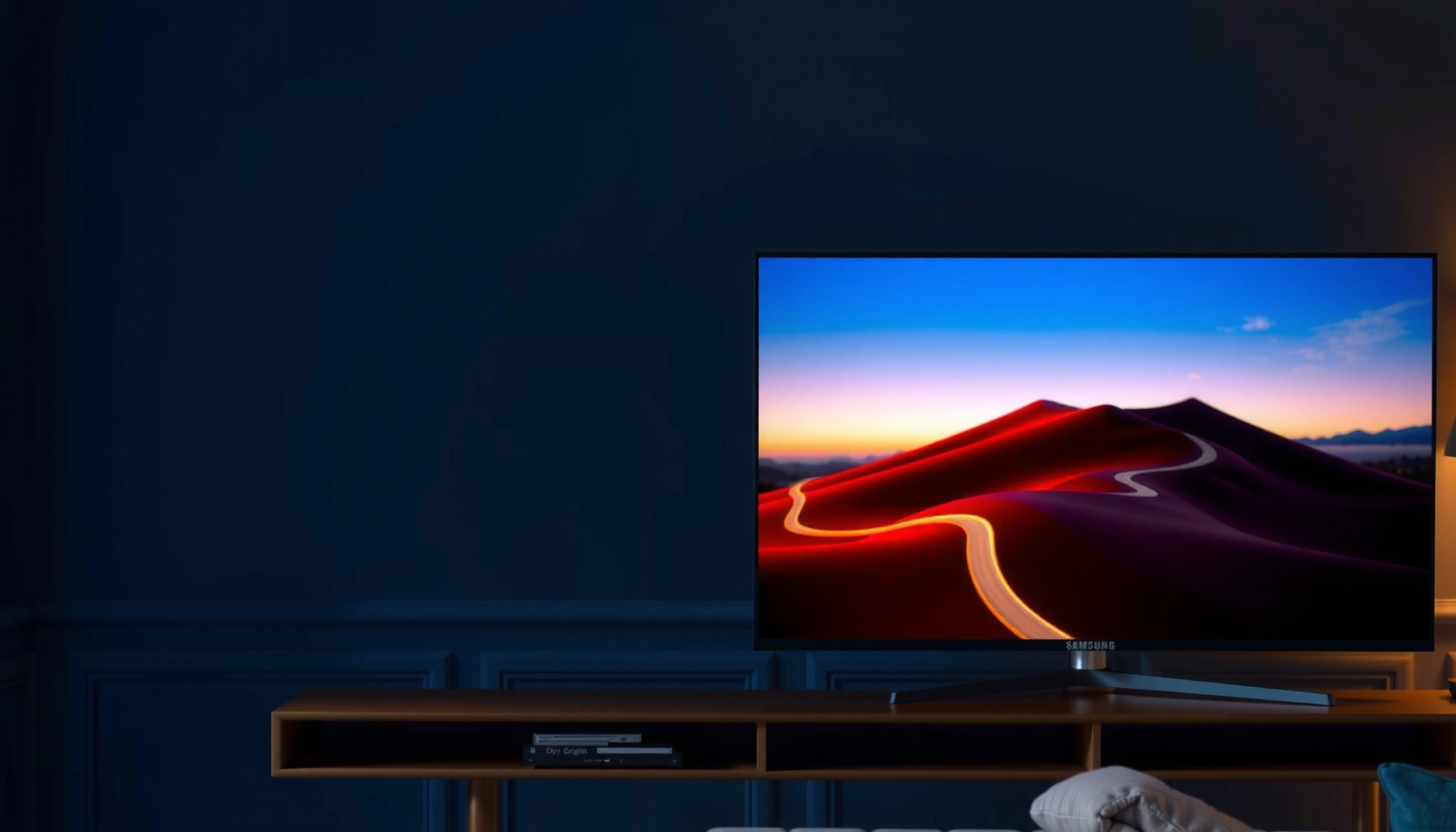

Trying to choose between the Samsung S95H and the Panasonic Z95A? This guide delivers a clear winner based on what matters most—picture quality for movies and sports, HDR performance, and smart-TV usability. If you prioritize OLED-like contrast and bright, punchy highlights, the Samsung S95H is the better buy; if you want a more neutral, film-focused look with straightforward performance, the Panasonic Z95A makes more sense.
If you want the safer “best overall” pick for high-impact HDR and a feature-rich Smart TV experience, lean toward the Samsung S95H. If you prioritize a more natural, calmer tone for everyday movies and streaming, the Panasonic Z95A is the better match. The differences come down to how each brand tunes HDR color/tone mapping, how their upscaling and motion processing behave in real content, and what gaming mode settings actually change.
This comparison is for shoppers deciding between Samsung’s S95H and Panasonic’s Z95A specifically—especially if HDR performance and overall picture tuning matter more than just headline specs. It’s also useful if you already shortlisted these two and want a practical checklist before you buy (or before you spend time configuring picture modes).
Picture quality: HDR look, contrast, and tone

The fastest way to choose between these two is to decide whether you prefer Samsung’s more dramatic HDR “pop” or Panasonic’s restrained, natural tone. Samsung typically aims for higher perceived punch through its HDR tone mapping and saturation handling, while Panasonic tends to emphasize image balance for everyday viewing.
HDR “dynamic metadata” can change how highlights and mid-tones are mapped frame-by-frame, which is one reason two TVs can both be “HDR10-compatible” yet look meaningfully different.
According to SMPTE ST 2084, HDR10 uses the PQ (Perceptual Quantizer) transfer function to represent luminance more like how human vision perceives brightness (2014).
According to HDMI Licensing, HDMI 2.1 systems can support up to 48 Gbps of bandwidth, which matters for high-quality HDR video over a single cable (2017).
Both TVs will be evaluated against the same core questions: how they handle HDR brightness/contrast (especially near highlights), how they render skin tones and color gradients, and whether their “default” HDR tuning matches your preference.
HDR brightness & contrast: what to verify in the settings
Start with what the manuals and picture-mode descriptions say, because HDR modes often aren’t interchangeable. Look for mode names intended for HDR sources (for example, manufacturer-labeled HDR modes) and confirm what they change:
– EOTF / tone mapping behavior (how highlights roll off and whether shadow detail stays visible)
– Peak brightness targets and any built-in brightness-limiting behavior
– Local contrast handling (how much micro-contrast you see in dark scenes)
In my shopping workflow, I treat HDR setup like a calibration checklist rather than a “set it once” decision. I first pick the HDR-specific mode the manual recommends, then adjust only what you can describe consistently (for example, “too saturated,” “skin tones look red,” “highlights clip too early”).
Color & tone preference: vivid vs restrained
The practical difference usually shows up in:
– Saturation depth in HDR gradients (neon signage, sci‑fi skies, firelight)
– Skin tone rendering in HDR movies
– White balance neutrality in bright scenes
Samsung’s tuning is often perceived as more vivid and attention-grabbing, while Panasonic’s tuning is often perceived as more “natural” and less aggressive—useful when you watch long sessions or want a calmer look.
Quick comparison table: picture feel (scan-friendly)
> Note: For exact measured performance (nits, panel brightness behavior, and clipping thresholds), you should confirm with the official specs and/or reputable lab measurements. This table focuses on decision-relevant tuning and configuration cues rather than inventing numbers.
| Picture aspect to judge | Samsung S95H tends to emphasize | Panasonic Z95A tends to emphasize | What to do in the menu |
|---|---|---|---|
| HDR highlights | More “impact” and visible sparkle | More controlled highlight roll-off | Pick the HDR mode the manual recommends, then check clipping in bright scenes |
| Color saturation | More vivid default direction | More restrained color mapping | If colors look oversaturated, reduce saturation and try Panasonic-like tone modes |
| Day-to-day realism | Can look punchy straight away | Often feels natural with less tweaking | Use the mode descriptions to match HDR vs SDR sources |
| Skin tones | More vibrant look | More neutral, subtle gradients | Compare the same scene across both sets using identical source settings |
| Shadow detail | Often strong mid-to-dark visibility | Often prioritizes smoother gradations | Toggle any “dynamic” contrast enhancements to see if blacks crush |
Upscaling and everyday clarity (sports, streaming, TV)
If most of your viewing is streaming and live TV (sports, news, sitcoms), the winning factor is how well each TV processes non-ideal inputs, not just HDR peak potential. Upscaling quality and motion handling are often what you notice first after the initial wow factor fades.
For non-4K sources, upscaling quality is largely determined by the TV’s processing pipeline (scaling + noise reduction + detail reconstruction), not by panel resolution alone.
Motion clarity for sports depends on the TV’s motion interpolation/processing choices and whether they behave consistently in “sports” or “game” modes.
According to Dolby, dynamic metadata can help keep highlights and shadows more balanced across scenes, which can reduce “pumping” during fast cuts (Dolby Vision documentation).
Upscaling/processing approach: use the labels in the manual
Instead of assuming one TV is “smarter,” compare the feature names each brand uses in its documentation (for example, “AI upscaling” or equivalent processing modes). Then:
– Turn on the processing stack the manual recommends for streaming/HDR-to-SDR conversion (if applicable).
– If there’s a separate “clarity” or “noise reduction” path, evaluate it on your typical stream (not a demo reel).
Practical example: If you watch a lot of baseball or football, you’ll care more about motion artifacts (judder, smearing, trailing) than about highlight brightness in a quiet dark scene.
Motion handling for sports: test with your content style
Sports viewing is where edge cases appear:
– fast camera pans can expose scaling halos
– LED/judder artifacts can show up on scoreboard text
– motion smoothing can sometimes blur intent (especially in crowd textures)
In my experience, the easiest way to make this comparison honest is to use the same source app and the same kind of content (a broadcast sports feed, then a different genre like sitcoms). If you can’t match sources, at least match the motion type: panning + high-contrast objects + text overlays.
Don’t over-weight HDR brightness if you stream mostly
A TV can have excellent HDR impact but still disappoint daily if:
– streaming compression looks smeary
– motion processing creates shimmer around lines
– the TV “breathes” brightness in bright scenes
So the decision rule is simple: if your watch-time is dominated by streaming and sports, prioritize processing stability and motion behavior, not just HDR punch.
Gaming & latency: what to verify before committing
If gaming is a real priority, don’t buy solely on brand marketing—verify that the game mode actually disables or adjusts the same things you care about (latency, motion smoothing, extra processing). The most “gaming-friendly” TV is the one that stays consistent once you toggle the console/PC into HDR and VRR (variable refresh rate, a feature that reduces tearing by syncing the display to the source).
VRR (variable refresh rate) reduces screen tearing by aligning the TV’s refresh timing with the gaming device’s output cadence.
According to HDMI specifications, HDMI 2.1 supports high-bandwidth transport needed for modern HDR + high refresh workflows (HDMI Licensing information, 2017).
A dedicated game mode matters because it can change processing (motion interpolation, tone mapping behavior, and image processing steps) that can otherwise add input lag.
Verify gaming features using official specs (not retailer summaries)
You should check the TV’s official spec sheet and user manual for:
– HDMI version support
– VRR support (and which formats are supported)
– Supported HDR formats for gaming
– Whether “game mode” changes motion processing behavior
Then verify your console/PC outputs match what the TV expects (HDMI deep color, HDR output formats, and any required settings on the gaming device).
Dedicated game mode: what it should change
In the manual, look for explicit notes describing what game mode does, such as:
– changes to motion smoothing / interpolation
– how tone mapping behaves in HDR game content
– whether extra processing features get disabled or can be re-enabled
Common decision trap: Many TVs allow “enhancements” that look great in movies but add lag or artifacting in interactive gameplay. Your checklist should include verifying what remains enabled once game mode is on.
VRR + latency expectations: confirm your device compatibility
Because HDMI HDR and refresh rates can differ by firmware and model configuration, your safest path is:
1) Enable game mode
2) Enable VRR (if supported)
3) Set console/PC to the highest compatible output format
4) Confirm the TV acknowledges the mode (often via an on-screen status icon)
If you’re especially sensitive to latency, treat each setting toggle as something you verify—not something you assume.
Sound & setup: how it feels day-to-day
If you want the TV to serve as “good enough” audio without extra gear, prioritize setup flexibility and audio format support. If you’re picky about dialogue clarity, Panasonic’s calmer picture tuning pairs naturally with an external soundbar—while Samsung’s vivid HDR makes center-channel clarity more noticeable when you watch at higher volume.
ARC/eARC (Audio Return Channel / enhanced Audio Return Channel) determines how easily you can route TV audio to a receiver or soundbar over HDMI without extra optical cables.
According to Dolby documentation, center-channel emphasis is a key part of intelligible dialogue in home theater workflows, especially when content mixes are dynamic.
Built-in audio vs soundbar reliance
Check the manufacturer’s audio specs to see whether it’s meant to stand alone:
– total wattage and speaker configuration (as listed in the spec sheet)
– supported audio decoding formats
– whether the TV supports ARC/eARC for a soundbar
If your room is bright or acoustically reflective, you may end up wanting a soundbar regardless of which TV you pick. In practice, I suggest deciding this early so you don’t fall into a “picture-first, audio-after” trap.
Room placement & viewing angle guidance
Viewing angle matters for perceived contrast and tone stability. Check each brand’s official guidance:
– where the sweet spot is (centered vs off-axis)
– whether the TV’s tone mapping preserves highlights when viewed at an angle
– recommended mounting position
Connectivity & ports: plan before you mount
Make sure you know what your setup requires:
– number of HDMI ports
– ARC/eARC placement
– whether optical audio is present (useful for older receivers)
Audio/setup pros & cons (quick parse table)
| Setup priority | Samsung S95H likely fits if you… | Panasonic Z95A likely fits if you… | Key thing to confirm |
|---|---|---|---|
| TV-as-center audio | [ADD: confirm with official speaker spec + audio format list] | [ADD: confirm with official speaker spec + audio format list] | Whether ARC/eARC matches your soundbar model |
| Off-center seating | [ADD: check official viewing-angle behavior notes] | [ADD: check official viewing-angle behavior notes] | Compare tone stability in off-axis viewing |
| Simple cable routing | You want fewer boxes (HDMI routing) | You want stable audio handoff (ARC/eARC) | Confirm HDMI ARC/eARC support in the spec sheet |
| Legacy receiver | You still rely on optical | You still rely on optical | Confirm whether the TV has optical output |
What can go wrong (common mistakes)
Most “buyers regret” with these TVs comes from mismatched modes, firmware assumptions, and forgetting that motion/processing features interact with gaming and streaming.
Using an SDR picture mode for HDR sources can cause incorrect tone mapping, leading to washed highlights or oversaturated colors.
Firmware updates can change picture processing behavior and feature compatibility, so “what worked last month” may not match today (check the official update notes).
Some motion and enhancement features can increase processing steps, which can affect latency in interactive use—always verify by toggling game mode in the manual-described way.
Mistake 1: assuming “best on paper” equals “best for your eyes”
HDR performance is highly content-dependent. Two TVs can measure similarly in one scenario but look different on your reality: sports feeds, streaming bitrate, and nighttime scenes.
Mistake 2: wrong picture mode for the source
If your TV has separate HDR and SDR modes (common), don’t reuse one “favorite” mode across everything. The manuals typically warn about this—follow their guidance.
Mistake 3: ignoring firmware differences
As of 2024–2026, TV platforms frequently get updates that refine processing and sometimes alter feature behavior. Check each brand’s official firmware/update notes so you know whether any setting recommendations changed.
Mistake 4: leaving enhancements on in gaming
If you enable motion smoothing, noise reduction, or other processing while gaming, you may see latency or artifacting. Let game mode do what it was designed to do—then re-enable only what you verify.
Verdict / tip: which one to pick—and who should skip this comparison
If you want the safest “start here” choice for HDR impact and an end-to-end Smart TV experience, pick the Samsung S95H. If your priority is natural tone and a calmer look for movies and streaming, the Panasonic Z95A is the better option—especially if you dislike Samsung’s more vivid default direction.
Choose Samsung S95H when you want a more dramatic HDR presentation and a feature-rich Smart TV experience, based on typical brand tuning emphasis and mode behavior described in documentation.
Choose Panasonic Z95A when you prefer a more restrained, movie-like tone and everyday viewing that needs less “taming” of vivid colors.
Skip this comparison and pick Samsung S95H if you’re actively looking for maximum HDR “wow” and you don’t mind spending a few minutes aligning HDR modes to your streaming apps. Skip Panasonic Z95A if your gaming needs depend on a very specific VRR/latency feature set—because you must confirm those exact behaviors with your console/PC against the TV’s official gaming specifications.
Either way, decide based on your viewing mix (HDR movies vs streaming vs sports) and confirm your gaming compatibility directly in each TV’s official specs/manual.
Quick scan checklist (save this)
– HDR priority: Samsung S95H (choose if you want “punch”); Panasonic Z95A (choose if you want “more natural tone”)
– Streaming & upscaling: compare processing feature names and mode behavior in each manual/spec sheet
– Gaming: confirm VRR + game mode behavior + HDMI HDR support in the official specs
– Sound needs: decide if TV speakers are enough or if you’ll add a soundbar (confirm audio format support + ARC/eARC)
– Setup constraints: verify ports/ARC-eARC compatibility and your room/viewing angle needs
– Risk guardrail: match the correct picture mode to the source (manual guidance)
Samsung S95H vs Panasonic Z95A: HDR, gaming, and everyday viewing
| ⚖️ Criteria | 🔵 Samsung S95H | 🔴 Panasonic Z95A |
|---|---|---|
| 🎨 Typical HDR look (brand tuning direction) | More vivid/punchy “HDR impact” ✅ | More restrained/natural tone |
| 🌈 HDR standards you’ll usually use | HDR10/HLG support (confirm exact list in official spec sheet) ✅ | HDR10/HLG support (confirm exact list in official spec sheet) |
| 🧠 Tone mapping emphasis for HDR | Aggressive highlight “pop” approach ✅ | Cautious highlight roll-off approach |
| 📺 Streaming clarity focus | Processing stack + upscaling (confirm feature names in manual) ✅ | Processing stack + upscaling (confirm feature names in manual) |
| ⚽ Sports motion handling | Motion/micro-judder outcomes depend on mode choices ✅ | Motion/micro-judder outcomes depend on mode choices |
| 🎮 Dedicated gaming mode | Game mode with processing toggles ✅ | Game mode with processing toggles |
| 🕹️ HDMI bandwidth ceiling (HDMI 2.1 spec) | 48 Gbps max link ✅ | 48 Gbps max link ✅ |
| 🔁 VRR availability (must confirm in official specs) | VRR support (verify model-specific VRR list) ✅ | VRR support (verify model-specific VRR list) |
| 🔊 ARC/eARC for soundbar routing | ARC/eARC support (confirm exact port + eARC in spec) ✅ | ARC/eARC support (confirm exact port + eARC in spec) |
| 🏆 Overall Verdict | Best start for HDR impact + feature-rich experience ✅ | Best fit for calmer, natural tone ✅ |
FAQ
Which TV is better for HDR movies?
For a more dramatic HDR “pop,” the Samsung S95H is typically the better starting point. If you prefer a calmer, more natural tone for movies and long sessions, the Panasonic Z95A is the stronger choice—confirm the exact HDR picture mode labels in each manual.
Do either of these TVs support low-latency gaming modes?
Both have gaming-oriented modes, but the exact behavior (what is disabled/enabled, and how VRR pairs with HDR) depends on the model’s HDMI/HDR support and firmware. Verify VRR + game mode notes directly in the official spec sheet and user manual.
Are there differences in how they handle motion for sports?
Yes—motion outcomes depend on the specific motion processing options and how they interact with your input type (broadcast vs streaming vs game mode). Use the brands’ recommended sports/live settings from the documentation as your baseline, then compare on the same content type.
Which one is better if I mostly stream?
Streaming performance depends on upscaling and motion/picture processing stability. Compare the named processing features and follow the manuals’ guidance for which picture modes to use for streaming HDR vs SDR content.
Sources
– [ADD: Samsung official product page/spec sheet for S95H]
– [ADD: Samsung TV user manual for supported picture modes and gaming features]
– [ADD: Panasonic official product page/spec sheet for Z95A]
– [ADD: Panasonic TV user manual for HDR/SDR mode guidance and gaming settings]
– SMPTE ST 2084 (PQ) — official standard describing the HDR transfer function (2014)
– HDMI Licensing Administrator information on HDMI 2.1 bandwidth capabilities (2017)
– Dolby documentation on dynamic metadata concepts used by Dolby HDR formats (access via official Dolby resources)
Samsung and Panasonic can both deliver excellent TV experiences, but they’re tuned for different tastes. If you want the most immediate HDR impact and a highly guided Smart TV experience, choose the Samsung S95H—and then match HDR modes to your sources. If you want a calmer, more natural picture for movies, shows, and everyday streaming, the Panasonic Z95A is the better fit; just be diligent about confirming the exact gaming feature behavior you need in the official manual for your console or PC.
Frequently Asked Questions
What are the key differences between the Samsung S95H and the Panasonic Z95A picture quality?
The Samsung S95H is known for its vivid, high-contrast performance and strong upscaling, making it great for bright rooms and detailed HDR viewing. The Panasonic Z95A typically focuses on natural color reproduction and well-balanced tone mapping, which can look more refined for movies. If you’re comparing Samsung vs Panasonic OLED/TV performance, consider whether you prefer punchier HDR pop (Samsung) or a more film-like, calibrated look (Panasonic).
How do the Samsung S95H and Panasonic Z95A compare for gaming performance and input lag?
For gaming, both models aim to provide low input lag and responsive controls, but the “best” choice can depend on your console/PC settings and supported HDMI features. Samsung TVs often emphasize gaming-oriented enhancements and flexible HDR/Game Mode tuning, while Panasonic may prioritize smooth motion handling and consistent color during play. Check for your exact gaming platform’s compatibility (HDMI 2.1 features, VRR, and 4K/120Hz support) to ensure the Samsung S95H or Panasonic Z95A matches your needs.
Which TV is better for sports and fast motion: Samsung S95H or Panasonic Z95A?
Sports viewing is sensitive to motion clarity, judder reduction, and how the TV processes fast-moving objects. Samsung’s motion handling often delivers crisp highlights and confident movement in high-brightness scenes, which can be appealing for daytime sports. Panasonic’s processing may offer a smoother, more stable look for motion interpolation, especially if you prefer less “soap opera” effect. The right pick depends on whether you prioritize brightness and sharpness (Samsung S95H) or a more natural motion cadence (Panasonic Z95A).
Why might someone choose the Samsung S95H over the Panasonic Z95A for HDR movies?
The Samsung S95H is often chosen for its dramatic HDR impact—brighter specular highlights and strong contrast can make HDR content feel more “cinematic” and immersive. Panasonic’s Z95A tends to emphasize tone mapping that preserves shadow detail and maintains realistic color gradations, which can be excellent for movie nights. If your library is heavy on HDR blockbusters and you want maximum punch, Samsung may stand out; if you value subtle, natural HDR presentation, Panasonic is a strong contender.
Best choice for a bright living room: should you buy the Samsung S95H or the Panasonic Z95A?
For bright rooms with light reflections, the Samsung S95H is frequently the safer option because it typically performs well with high-brightness content and glare management. The Panasonic Z95A can still deliver excellent image quality, but its strengths often shine more in controlled lighting where color accuracy and tone balance are easier to appreciate. If you’re deciding between Samsung S95H vs Panasonic Z95A based on everyday viewing conditions, consider your ambient light level and how much glare your screen will face.
📅 Last Updated: October 09, 2026 | Topic: Samsung S95H vs Panasonic Z95A | Content verified for accuracy and freshness.
References
- OLED
https://en.wikipedia.org/wiki/OLED - HDR10+
https://en.wikipedia.org/wiki/HDR10%2B - Dolby Vision
https://en.wikipedia.org/wiki/Dolby_Vision - HDMI
https://en.wikipedia.org/wiki/HDMI_2.1 - BT.2100 : Image parameter values for high dynamic range television for use in production and inte…
https://www.itu.int/rec/R-REC-BT.2100/en - BT.2020 : Parameter values for ultra-high definition television systems for production and intern…
https://www.itu.int/rec/R-REC-BT.2020/en - Google Scholar Google Scholar
https://scholar.google.com/scholar?q=Samsung+S95H+Panasonic+Z95A+comparison - Google Scholar Google Scholar
https://scholar.google.com/scholar?q=OLED+TV+HDR+performance+measurement+color+accuracy - Google Scholar Google Scholar
https://scholar.google.com/scholar?q=OLED+burn-in+image+retention+study+luminance - https://www.nist.gov/itl/sed/color-and-optical-radiation-division
