
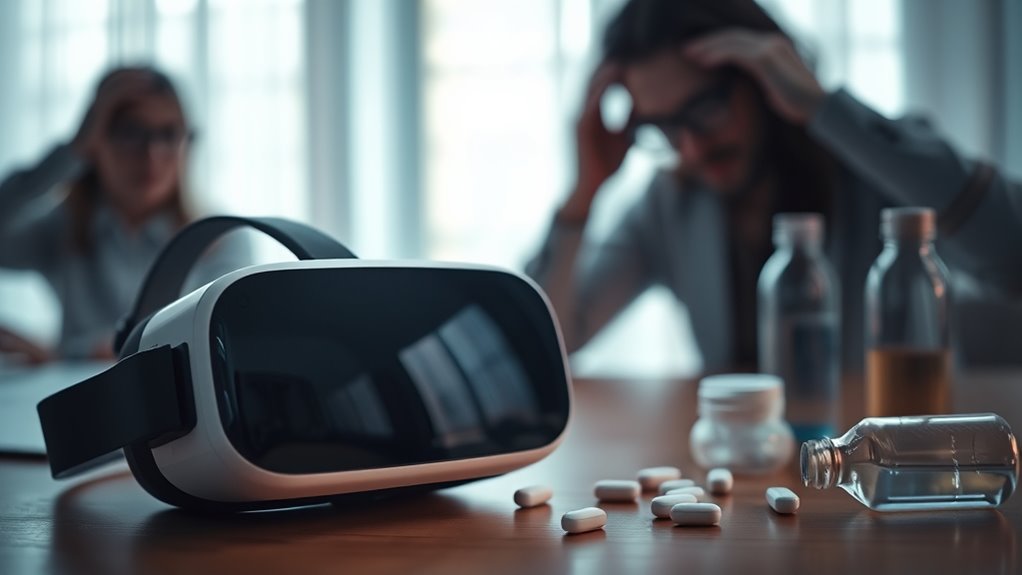

Yes, VR headsets can cause headaches primarily due to eye strain, motion sickness, and discomfort from extended use. Symptoms vary: mild headaches occur after 15-30 minutes, while over two hours can lead to nausea and dizziness. Ergonomics, headset fit, and environmental factors also play an essential role in your comfort. Taking regular breaks is significant in reducing these symptoms, enhancing your overall experience. Explore more about how to mitigate these effects effectively.
Understanding Virtual Reality Technology
As virtual reality (VR) technology evolves, understanding its fundamental components becomes essential for users and developers alike. At its core, VR leverages advanced hardware and software to create immersive experiences that transport you to different environments. Key components include head-mounted displays, motion tracking sensors, and haptic feedback systems, all designed to enhance user interaction and engagement. Virtual reality applications span various fields, from gaming to education and therapy, offering unique ways to experience content. These applications not only provide entertainment but also facilitate learning and emotional connection. As you explore VR, recognizing these essentials will empower you to make informed choices, ensuring that your experiences are both enjoyable and enriching, ultimately enhancing your freedom to explore new realities.
Common Symptoms of VR Headaches
When using VR headsets, you might experience symptoms like eye strain, which can lead to discomfort and headaches. Additionally, motion sickness can manifest as dizziness or nausea, particularly with prolonged use. Understanding the duration of your sessions is essential, as longer periods in virtual environments often exacerbate these issues.
Eye Strain Effects
Although many users enjoy immersive experiences in virtual reality (VR), it’s vital to recognize that prolonged use can lead to eye strain, a common precursor to VR-induced headaches. Eye fatigue often manifests as a feeling of heaviness or tiredness in your eyes, which can diminish your overall enjoyment and focus. Visual discomfort may also arise, characterized by blurred vision or difficulty refocusing after removing the headset. These symptoms can be exacerbated by poor headset fit, screen brightness, or extended gaming sessions without breaks. To mitigate these effects, it’s important to take regular breaks, adjust your headset for comfort, and guarantee proper lighting in your environment. By being mindful of these factors, you can enhance your VR experience while reducing the risk of headaches.
Motion Sickness Symptoms
While many users find VR enchanting, it’s essential to recognize the potential for motion sickness, which can greatly contribute to headaches. Motion sickness triggers in VR often stem from a disconnection between visual input and physical sensations. You might experience dizziness, nausea, or a sense of disorientation. These symptoms arise when your brain struggles to reconcile the rapid movements and visuals with your body’s lack of corresponding motion. To mitigate these effects, employing balancing techniques, such as taking regular breaks, adjusting your headset’s settings, or practicing deep breathing, can help restore equilibrium. Staying aware of your body’s responses during VR sessions enables you to enjoy the experience while minimizing discomfort and the risk of headaches.
Duration of Usage
Longer sessions in virtual reality can exacerbate the risk of headaches, particularly as users may not be aware of how extended exposure affects them. It’s essential to recognize the symptoms that can arise from prolonged use, as they often signal a need for breaks. Starting with short sessions and gradually increasing your time can help mitigate discomfort.
| Duration of Use | Common Symptoms |
|---|---|
| 15-30 minutes | Mild headaches |
| 30-60 minutes | Eye strain, fatigue |
| 1-2 hours | Intense headaches |
| Over 2 hours | Nausea, dizziness |
Paying attention to these signs can help you enjoy VR while minimizing the risk of headaches. Always prioritize your comfort and well-being when immersed in virtual experiences.
How VR Headsets Work
To understand how VR headsets work, you need to take into account three key components: display technology, motion tracking mechanisms, and immersion. The display technology creates the visual experience, while motion tracking guarantees your movements are accurately reflected in the virtual environment. Together, these elements enhance your perception, contributing to a more immersive experience that can sometimes lead to discomfort.
Display Technology Explained
As you immerse yourself in a virtual reality experience, understanding the display technology behind VR headsets is essential to grasping how they create such compelling environments. Two vital factors are display resolution and refresh rates. Higher display resolution enhances image clarity, allowing for more detailed environments that draw you in. A resolution of at least 1080p per eye is recommended for a satisfying experience. Meanwhile, refresh rates, typically around 90 Hz or higher, determine how smoothly animations appear. A higher refresh rate reduces motion blur, which can be important for comfort. Together, these elements contribute markedly to the overall immersion and can influence whether you experience discomfort, highlighting the importance of quality display technology in VR headsets.
Motion Tracking Mechanisms
While engaging in virtual reality, understanding the motion tracking mechanisms is essential for a seamless experience. VR headsets utilize various motion tracking technologies to accurately map your movements in real-time. This process involves sensor calibration, which adjusts the headset’s sensors to your environment for ideal performance.
Here’s a breakdown of the main types of motion tracking:
| Motion Tracking Type | Description | Key Features |
|---|---|---|
| Optical | Uses external cameras | High precision |
| Inertial | Utilizes accelerometers | Lightweight, portable |
| Hybrid | Combines optical and inertial | Balanced accuracy |
| Inside-out | Tracks using onboard cameras | No external setup needed |
Immersion and Perception
The effectiveness of motion tracking mechanisms directly influences the level of immersion and perception experienced in virtual reality. When you wear a VR headset, these systems track your movements with high precision, creating a seamless connection between your actions and the virtual environment. This leads to heightened immersion levels, making you feel as if you’re truly part of the experience. However, if tracking fails or is lagging, perception changes can occur, disrupting your sense of presence and potentially causing discomfort or headaches. Research shows that accurate motion tracking reduces the likelihood of these negative effects, emphasizing its importance in VR technology. By understanding these dynamics, you can better appreciate how immersive experiences are crafted and how to optimize them for your enjoyment.
The Role of Visual Strain
When using VR headsets, visual strain can greatly contribute to discomfort and headaches. The immersive experience can lead to visual discomfort as your eyes struggle to maintain focus on the screen. This constant adjustment may cause focus fatigue, impacting your overall enjoyment and well-being.
| Symptoms | Effects |
|---|---|
| Eye strain | Reduced clarity |
| Headaches | Increased discomfort |
| Fatigue | Lowered engagement level |
Understanding the role of visual strain is essential for optimizing your VR experience. Taking breaks, adjusting headset settings, and ensuring proper lighting can help alleviate these issues. Ultimately, addressing visual strain allows you to enjoy the freedom and excitement VR offers without the burden of discomfort.
Motion Sickness and VR
Motion sickness can greatly impact your VR experience, as the disconnect between visual input and physical motion creates a sense of disorientation. This disorientation often arises from motion sickness triggers, such as lag, rapid movements, and an unsteady frame rate. When your brain receives conflicting information from your eyes and inner ear, it can lead to nausea, dizziness, and discomfort. Many users report these symptoms during intense virtual reality experiences, especially in action-packed scenarios. To mitigate these effects, consider adjusting settings, taking breaks, or gradually acclimating to VR environments. Understanding your limits and recognizing the potential for motion sickness can empower you to enjoy virtual reality without compromising your well-being. Balancing immersion with comfort is key to an enjoyable experience.
Eye Health and VR Usage
Experiencing discomfort from motion sickness isn’t the only concern for users of VR headsets; eye health also plays a significant role in your overall VR experience. Prolonged use can lead to eye discomfort, potentially affecting your vision clarity. It’s essential to understand how VR can impact your eyes.
| Factor | Impact on Eye Health |
|---|---|
| Screen Refresh Rate | Higher rates enhance clarity |
| Distance from Screen | Closer distances may strain eyes |
| Lighting Conditions | Poor lighting increases discomfort |
Being aware of these factors can help you adjust your VR setup for better eye health. Regular breaks and proper distance can mitigate discomfort, allowing you to enjoy your virtual adventures without compromising your vision clarity.
The Impact of Extended Playtime
Extended playtime with VR headsets can greatly increase the risk of eye strain, as your eyes work harder to focus on the virtual environment. Additionally, prolonged use may lead to motion sickness, a common issue for many users. To mitigate these effects, it’s essential to adhere to recommended break frequencies during your sessions.
Eye Strain Concerns
While engaging in immersive virtual reality experiences can be exhilarating, prolonged use often leads to eye strain, a concern that’s increasingly noted among users. Extended playtime can contribute to visual fatigue, ultimately impacting your eye health. Factors like screen distance, brightness settings, and the duration of use all play critical roles in this discomfort.
| Symptoms | Causes | Recommendations |
|---|---|---|
| Eye fatigue | Prolonged screen time | Take regular breaks |
| Dry eyes | Infrequent blinking | Use lubricating drops |
| Blurred vision | Incorrect settings | Adjust headset fit |
To maintain eye health, it’s crucial to manage your VR sessions wisely. Balancing immersion with attention to your body’s signals can enhance your experience while reducing discomfort.
Motion Sickness Effects
As users immerse themselves in virtual environments, they may encounter motion sickness, a common side effect that can greatly affect their overall experience. Extended playtime can exacerbate motion sickness triggers, such as conflicting sensory signals and rapid head movements. When your visual input doesn’t align with your physical sensations, it can lead to discomfort, dizziness, and nausea. Research indicates that the severity of these symptoms often correlates with session length and the intensity of the virtual experience. To maintain an enjoyable user experience, it’s essential to recognize your limits and take breaks. By understanding and addressing these motion sickness triggers, you can enhance your time in VR while minimizing adverse effects, allowing for a more liberating and enjoyable exploration of digital worlds.
Break Frequency Recommendations
Prolonged use of VR headsets can lead to increased discomfort, impacting not only motion sickness but also overall user experience. To maintain your comfort and enjoyment, it’s essential to understand break frequency and ideal duration.
| Session Length | Recommended Break Time | Cumulative Playtime |
|---|---|---|
| 15 minutes | 5 minutes | 15 minutes |
| 30 minutes | 10 minutes | 45 minutes |
| 1 hour | 15 minutes | 1 hour 15 minutes |
Incorporating these recommendations can help mitigate headaches and eye strain. Taking regular breaks allows your body to adapt, reducing the risk of discomfort and enhancing your VR experience. By being mindful of your playtime, you can enjoy VR more freely and comfortably.
Ergonomics and Headset Fit
The fit and ergonomics of VR headsets play an essential role in user comfort and can greatly influence the likelihood of experiencing headaches. Proper headset adjustments are vital; if a headset is too tight, it can create pressure points, while a loose fit may lead to misalignment and visual strain. An ergonomic design guarantees that weight distribution is balanced, minimizing fatigue during extended use. Research indicates that headsets designed with user anatomy in mind can notably reduce discomfort levels. Additionally, adjusting the interpupillary distance can enhance visual clarity, further mitigating headache risks. Ultimately, investing time in finding the right fit and making necessary adjustments can empower you to enjoy immersive experiences without the burden of headaches.
Tips for Reducing VR-Induced Headaches
Finding the right fit for your VR headset can considerably reduce the risk of headaches, but there are additional strategies to enhance your comfort during use. Prioritize VR comfort by making necessary headset adjustments; make sure it’s snug but not too tight. Hydration is essential—drink water before and during your session to avoid dehydration headaches. Pay attention to your posture; sit or stand straight to reduce neck strain. Adjust screen distance to minimize eye fatigue, and consider your lighting conditions—optimal lighting can reduce glare and strain on your eyes. Incorporate breathing exercises and relaxation techniques, such as short mindfulness breaks, to alleviate stress. These methods can collectively enhance your VR experience, keeping discomfort at bay.
Recognizing When to Take Breaks
While immersing yourself in a virtual reality experience can be exhilarating, recognizing when to take breaks is essential for maintaining comfort and preventing headaches. Pay attention to break signals from your body, such as eye strain, dizziness, or a tightness in your forehead. These indicators often suggest that it’s time to pause and recalibrate. User awareness plays a significant role; being mindful of how long you’ve been in VR can help you preemptively take breaks. Aim for 15-minute intervals, especially during extended sessions, to give your eyes and mind a chance to rest. By actively monitoring your experience and responding to your body’s needs, you can enhance your enjoyment while minimizing discomfort associated with VR use.
Frequently Asked Questions
Do All VR Headsets Cause Headaches Equally?
Not all VR headsets cause headaches equally. Have you considered how VR headset differences and individual user sensitivity might influence your experience? Some devices might be more comfortable, while others could trigger discomfort or headaches.
Can VR Usage Lead to Long-Term Headaches?
Yes, prolonged VR usage can lead to long-term headaches for some users. To mitigate this, practice headache prevention strategies like taking breaks, adjusting headset settings, and ensuring proper fit to reduce VR discomfort effectively.
Are Certain Games More Likely to Cause VR Headaches?
Yes, certain games are more likely to cause VR headaches. Titles with poor motion design can trigger motion sickness, while fast-paced or intense visuals may overwhelm your senses, increasing the risk of discomfort during gameplay.
Is There a Safe Duration for VR Sessions?
Like a delicate dance, finding the right rhythm in VR requires mindful attention. Aim for 20-30 minute sessions, adjusting comfort settings and taking regular session breaks to guarantee an enjoyable experience without discomfort.
Can Environmental Factors Influence VR Headache Occurrence?
Yes, environmental factors like lighting conditions and room temperature can influence the occurrence of VR-related headaches. Poor lighting may strain your eyes, while uncomfortable temperatures can lead to discomfort, increasing the likelihood of headaches during sessions.
