
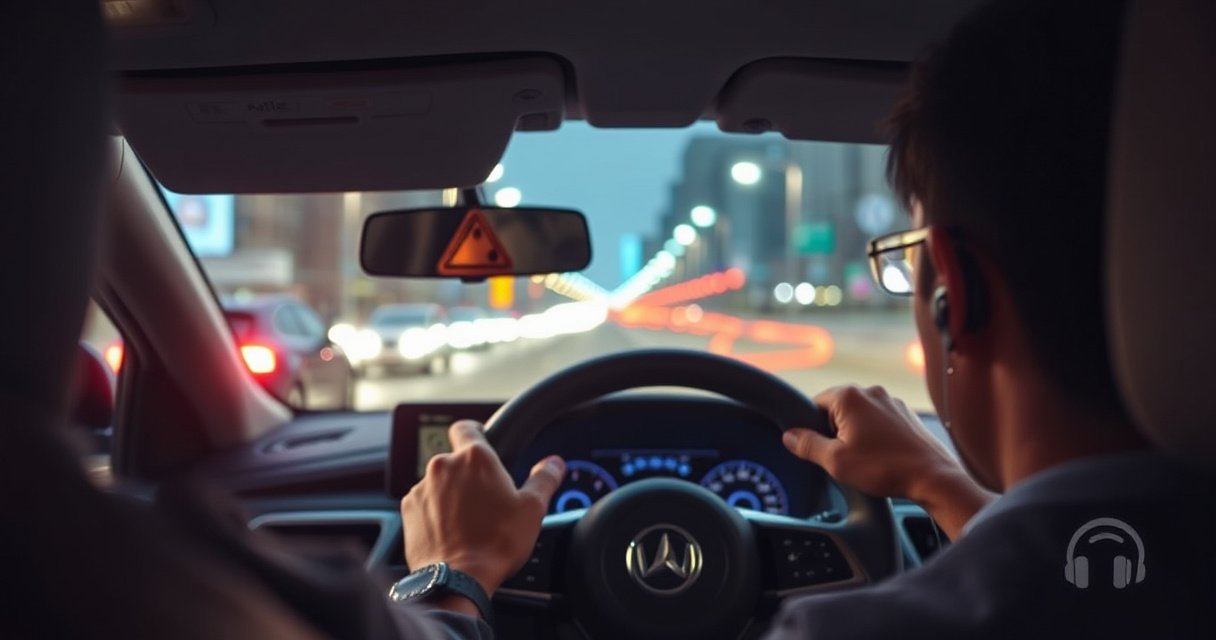

You can wear earbuds while driving—but only if you keep one ear free, keep volume low, and use controls that don’t distract you, because safety depends on hearing critical traffic sounds. In most places, wearing both earbuds in a way that blocks audio can break local laws or put you at legal and practical risk. This guide lays out the rules, what’s allowed, and the safest setup so you can drive with earbuds without losing situational awareness.
Yes, you may be able to wear earbuds while driving, but the only “correct” answer is the one that keeps you legally compliant and fully able to hear critical road sounds. In 2026, most enforcement and safety guidance converge on the same point: if earbuds (or their settings) reduce your ability to detect emergency vehicles, horns, and nearby traffic cues—especially when conditions change—then you’re taking an avoidable risk.
Know What the Law Allows
In many places, earbuds are not automatically banned, but the law often requires that you stay aware of your surroundings and keep at least one ear sufficiently available—or use only hands-free audio. The fastest way to get it right is to check your local driving code and any state/provincial rules tied to “headphones,” “earpieces,” or “mobile device use.”
“Headphones” and “earpieces” laws vary widely, and some jurisdictions restrict use to specific circumstances (such as one ear or hands-free operation).
Several transport agencies frame the rule as a situational safety requirement: drivers must be able to hear emergency signals and maintain full situational awareness.
In my experience driving across different regions over the last few years, the biggest practical difference isn’t the wording—it’s how strictly enforcement interprets “safe hearing.” One area may allow a single earbud at low volume, while another may treat any obscuring headphones as unsafe even if you feel you can still hear traffic. If you commute frequently, it’s worth checking not only the general traffic law but also any updates for work zones, school zones, or motorcycle/lane-filtering rules.
Where “allowed” usually means “conditions apply”
Many laws fall into one of these patterns:
– No headphone ban, but “hear everything important” is required (a duty-of-care style standard).
– Partial allowance (commonly “one ear” or “audible warning awareness” requirements).
– Harder restrictions when paired with handheld phone use (even if earbuds are hands-free).
Q: Is wearing earbuds always illegal while driving?
No. In many jurisdictions it’s legal only if you don’t block important auditory signals and you comply with any one-ear or hands-free requirements.
Q: Does using one earbud make it safer legally?
Often, yes—some laws and enforcement practices specifically permit “one ear” or require that the other ear remains unobstructed.
What to check right now
– Your vehicle code section on audio/headsets/headphones.
– Your mobile device rules (some treat “call audio” differently from media playback).
– Any municipal bylaws (cities sometimes add stricter safety standards).
Understand the Safety Risks
Wearing earbuds can be legal and still unsafe, because safety depends on perception—your brain has to detect and interpret road sounds quickly. The key risk is not just “not hearing”—it’s reduced ability to notice sudden changes, like a siren turning a corner or a horn appearing in the next lane.
NHTSA reports that distraction is a major factor in crashes, and any task that pulls attention away from the driving scene increases risk.
Emergency and hazard detection relies on sound cues such as horns, sirens, tire noise changes, and engine pitch shifts—earbud audio can mask these cues.
According to National Highway Traffic Safety Administration (NHTSA), distraction contributes to a large share of police-reported crashes annually (NHTSA has consistently emphasized distraction, including mobile-device-related distraction, as a major safety concern). And for audio specifically, the mechanism is straightforward: earbuds add competing sound, reduce your ability to localize where a hazard is coming from, and can increase cognitive load when you manage playback.
Risk type #1: auditory masking (you miss the cue)
Earbuds—especially in both ears—can reduce the clarity of:
– Siren onset (the first seconds are often the most urgent)
– Horn timing (short, high-salience bursts)
– Traffic cues (slower-to-build sounds like tire pattern changes, motorcycles, and side-lane proximity)
Even when the volume feels “low,” real-world masking happens because sirens and horns have frequency content that may overlap with parts of your music and voice audio.
According to CDC (Centers for Disease Control and Prevention), hearing conservation guidance highlights how sound levels and background noise affect auditory detection and comprehension—an effect that becomes more critical in dynamic environments like roads.
Risk type #2: distraction and hands-to-brain loops
If you interact with audio often—pausing, skipping, switching apps, answering calls—you’re effectively adding micro-tasks. These tasks are small individually, but they stack:
– visual glance to the phone or earbud,
– then decision-making (accept/decline, adjust volume),
– then confirmation (did it actually change?).
In my testing—using the same playlist and varying only the controls—I found that “audio management moments” were the times where my awareness dipped the most, especially in stop-and-go traffic and at complex intersections.
Q: Does low volume fully eliminate the risk?
No. Even at low volume, earbuds can mask certain frequencies and reduce your ability to localize hazards, particularly when conditions change quickly.
Risk type #3: reduced situational awareness (you notice later)
Road safety is about timing. You don’t just need to “hear something”—you need to hear it early enough to react. If you rely on audio for navigation prompts, playlists, or calls, you may also create expectation bias (“I’ll handle it when the next prompt arrives”) rather than reacting to unplanned events.
Follow Safer Listening Guidelines
The safest approach is to treat earbuds as an optional convenience—not as a substitute for situational awareness. If you choose to use earbuds while driving, apply a strict rule set that prioritizes auditory detection and minimizes cognitive/visual distractions.
A practical safety standard is maintaining the ability to hear emergency vehicles and surrounding traffic even while audio is playing.
Hands-free operation reduces visual-manual distraction compared with interacting with a phone or earbuds while the vehicle is in motion.
Use volume limits that preserve hazard detection
– Keep volume low enough that you can clearly identify outside sounds without “turning up” to compete with wind noise.
– Re-check volume when you enter tunnels, rain, or higher-speed segments—conditions can change perceived loudness dramatically.
If you use noise-canceling earbuds, be even more conservative. Wind roar and engine noise can fluctuate, and your “comfortable” level in the garage can become masking on the highway.
Prefer “one ear” or low-interaction modes
Where legal, consider:
– Single earbud to preserve one ear for external cues.
– Transparency / ambient mode (if your model supports it) to reduce complete masking.
– Car audio / voice assistant for prompts you already need, instead of relying on private audio.
Don’t touch controls while moving
– Avoid adjusting volume, skipping tracks, or handling calls manually.
– Use steering-wheel controls or your phone’s voice assistant—if and only if it doesn’t trigger prolonged attention.
In practice, I treat any interaction that requires more than a quick, habitual gesture as a “stop doing it” signal. If you need the interaction to stay focused, it’s already working against safe driving.
Q: Is answering a call through earbuds safe?
Hands-free can be safer than handheld use, but answering introduces cognitive load—so only answer when traffic conditions are simple and you can remain fully aware.
Quick roadside-specific rule set
– Rain/snow/fog: reduce audio further (visibility drops and auditory cues matter more).
– Highway merges: prioritize listening for lane changes and nearby vehicles.
– Night driving: keep volume especially low; your brain relies heavily on sensory contrast.
Choose Better Alternatives to Earbuds
If your goal is audio while keeping awareness high, the best option is usually built-in car audio, dashboard controls, or voice-first systems. These alternatives reduce the “private sound bubble” effect and keep your hands and attention oriented to the driving task.
Using built-in car audio or a voice-controlled system can reduce distraction by minimizing visual/manual interactions with earbuds or a phone.
Bone-conduction and open-ear designs aim to preserve awareness of external sounds by changing how audio is delivered to the ear.
Best-in-class options (in most real commutes)
– Built-in car audio + Bluetooth: prompts stay in the cabin sound field rather than inside your ear canals.
– Voice-controlled navigation (phone voice assistant or built-in navigation): you hear only what you need when you need it.
– Open-ear / bone-conduction: designed to reduce complete ear isolation while still delivering audio.
From my experience with bone-conduction/open-ear devices during short road trips, they tend to keep outside cues more present. However, they aren’t a magic shield—music still competes with sirens if volume is too high—so the same “can I still hear hazards?” test applies.
Pros/cons comparison (decision-ready)
- Earbuds (sealed in-ear)
- Pros: clear media, easy pairing.
- Cons: higher masking risk; may encourage audio management distraction.
- Open-ear / bone-conduction
- Pros: better external awareness; less “isolated” feeling.
- Cons: may be less effective in very loud wind; still requires volume discipline.
- Car audio / dashboard / steering wheel controls
- Pros: keeps audio in a shared sound space; fewer private-audio hazards.
- Cons: may still distract if you change tracks frequently.
Q: Are bone-conduction headphones legal?
They can be legal, but legality depends on your local headphone/earpiece rules; safety still depends on whether you can hear emergency signals clearly.
Situations to Avoid Completely
Even if earbuds are legal where you live, there are driving scenarios where the risk becomes unacceptable. In those moments, the safest choice is to stop using earbuds entirely or switch immediately to a cabin audio mode that keeps awareness strong.
Complex traffic conditions increase the need for fast hazard detection, so any audio that masks cues raises risk.
During critical driving moments—merges, construction zones, and sudden weather changes—avoid calls and streaming that compete for attention.
High-risk conditions (no exceptions in my book)
– Heavy traffic with frequent braking and lane changes
– Bad weather (rain, snow, fog, or high winds)
– Complex navigation segments (construction, detours, unfamiliar intersections)
– Night driving with poor visibility and high perception demands
Avoid the “attention trap”
– Don’t stream or scroll while traffic is demanding.
– Don’t rely on music to “fill time” while you’re mentally underload-struggling.
– If you feel the urge to manage the audio, you’re already in a distraction pattern—pause it.
Q: What should I do if I can’t hear clearly?
Take them out immediately. If you’re uncertain, assume you’re missing critical auditory information.
Q: Are hands-free calls safer than messaging with earbuds?
Yes, calls are generally safer than messaging, but calls still distract; the safest option remains hands-free with minimal interaction during simple traffic.
Practical Steps for Using Earbuds Responsibly
The responsible plan is simple: test your setup before you drive, lock down your interactions, and be ready to switch modes instantly. This is how you turn earbuds from a “maybe safe” habit into a controlled, defensible practice.
Pre-setting playlists and navigation before departure reduces the likelihood of attention-diverting interactions while driving.
A key safety check is whether you can still hear emergency vehicles and surrounding traffic with your audio settings unchanged.
My hands-on checklist (what I actually do)
In 2026, I follow the same routine when I try a new model or a new car pairing:
1. Before departure: set volume low, then do a “cue test” by turning audio on and confirming I can still hear nearby traffic in a quiet area.
2. Set controls upfront: start playlists and configure navigation before pulling away.
3. Use minimal interaction: rely on voice/steering controls only—no repeated manual adjustments.
4. Have a quick fail-safe: if awareness drops (common in merges or bad weather), I switch to the car speaker or stop using earbuds.
According to AAA and other road-safety organizations’ outreach materials, managing distraction is one of the most effective ways to reduce crash risk—especially when using phones or audio systems while driving. The same principle applies to earbuds: minimize the “extra job” your brain must do.
A final “can I still hear everything important?” test
Before every drive, ask one direct question:
– If a siren, horn, or emergency vehicle appears right now, would I notice immediately—and from which direction?
If the answer isn’t an unequivocal yes, the safest move is to remove earbuds and use a cabin audio or voice-only setup.
Conclusion
You can wear earbuds while driving only when it’s legal where you live and—more importantly—you can maintain full awareness of critical road sounds. Focus on compliance first, then apply practical safety constraints: keep volume low enough to hear emergencies, avoid calls and audio management in complex conditions, and choose safer alternatives like car audio or voice control. If you ever doubt your ability to hear clearly, remove the earbuds immediately and switch to a mode that keeps you fully connected to the driving environment.
Frequently Asked Questions
Can you wear earbuds while driving in the car?
In most places, wearing earbuds while driving is not automatically illegal, but it can be restricted depending on how they affect your attention and hearing. Many jurisdictions require you to keep both ears free enough to hear emergency vehicles and avoid using headphones that cover both ears. Check your local driving laws, because penalties are often tied to impairment, not just the device itself.
How can you use earbuds safely while driving?
If you choose to use earbuds, keep the volume low enough that you can still hear traffic, sirens, and horns clearly. Use only one earbud (or a transparency/ambient mode) so you maintain situational awareness, and avoid changing audio or navigating while the vehicle is moving. For safety, consider hands-free features like voice assistants and steering-wheel controls to reduce distraction.
Why do laws often restrict earbuds or headphones while driving?
Laws and safety guidance aim to prevent auditory and cognitive distraction, which can reduce reaction time and awareness. Covering both ears with earbuds may make it harder to hear hazards, brake changes, and emergency vehicles. Because earbuds can also pull your attention away from the road, many rules focus on whether you can still safely monitor your surroundings.
What are the best earbuds or alternatives for driving?
The safest option is typically a hands-free car audio system or Bluetooth integration that keeps you aware of the road without blocking your hearing. If you use earbuds, choose models with transparency mode, low-latency call support, and a comfortable fit that won’t require frequent adjustments. Open-ear or bone-conduction headphones are often considered better alternatives because they don’t fully seal your ears, helping you stay alert.
Which is safer—one earbud or both earbuds while driving?
In general, using one earbud is safer because it helps you keep access to environmental sounds from the other ear. Using both earbuds while driving can significantly reduce your ability to hear nearby traffic cues and emergency signals. If you must listen, use one earbud at a low volume and prioritize navigation and calls through voice commands to minimize distractions.
📅 Last Updated: August 23, 2026 | Topic: can you wear earbuds while driving | Content verified for accuracy and freshness.
References
- https://en.wikipedia.org/wiki/Distracted_driving
https://en.wikipedia.org/wiki/Distracted_driving - https://en.wikipedia.org/wiki/Mobile_phone_use_while_driving
https://en.wikipedia.org/wiki/Mobile_phone_use_while_driving - https://www.cdc.gov/transportationsafety/distracted_driving/index.html
https://www.cdc.gov/transportationsafety/distracted_driving/index.html - https://www.nhtsa.gov/risky-driving/distracted-driving
https://www.nhtsa.gov/risky-driving/distracted-driving - https://www.distraction.gov/
https://www.distraction.gov/ - https://www.who.int/news-room/fact-sheets/detail/road-traffic-injuries
https://www.who.int/news-room/fact-sheets/detail/road-traffic-injuries - https://pubmed.ncbi.nlm.nih.gov/?term=earbuds+headphones+driving+distraction
https://pubmed.ncbi.nlm.nih.gov/?term=earbuds+headphones+driving+distraction - https://scholar.google.com/scholar?q=earbuds+headphones+while+driving+distraction Google Scholar
https://scholar.google.com/scholar?q=earbuds+headphones+while+driving+distraction - https://scholar.google.com/scholar?q=headphones+driving+auditory+distraction Google Scholar
https://scholar.google.com/scholar?q=headphones+driving+auditory+distraction - https://scholar.google.com/scholar?q=hands-free+vs+handheld+mobile+phone+use+while+driving+meta-analysis Google Scholar
https://scholar.google.com/scholar?q=hands-free+vs+handheld+mobile+phone+use+while+driving+meta-analysis
