
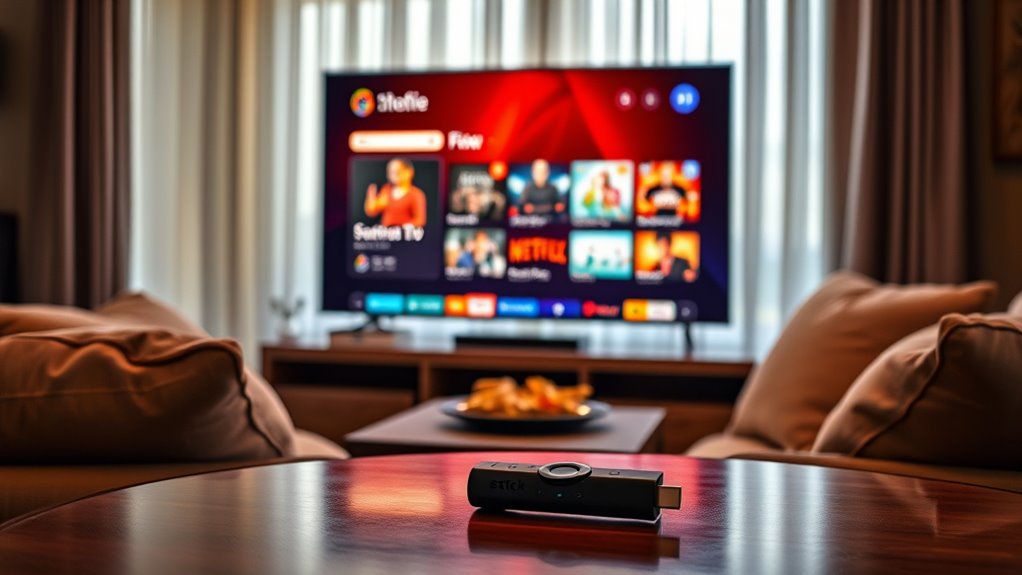

No, you don’t need a smart TV for the Amazon Fire Stick. It plugs directly into any TV with an HDMI port, turning it into a smart TV. Just make sure your TV has an HDMI connection and access to power. You’ll also need a stable Wi-Fi connection for streaming. This device expands your viewing options without the need to upgrade to a smart TV. Want to know more about setting it up and exploring its features?
Understanding the Amazon Fire Stick
When you’re considering streaming options, understanding the Amazon Fire Stick is essential. This device offers numerous Fire Stick advantages that elevate your viewing experience. It transforms any TV into a smart one, giving you access to popular streaming platforms like Netflix, Hulu, and Disney+. With its user-friendly interface, you can easily navigate through content and find what you want to watch without hassle. The Fire Stick also supports voice commands through Alexa, making it even more convenient. Plus, it’s portable, so you can take it anywhere, ensuring your favorite shows are always within reach. If you value flexibility in your entertainment choices, the Fire Stick empowers you to customize your viewing experience without needing a smart TV.
Compatibility With Regular TVS
The great news about the Amazon Fire Stick is its compatibility with regular TVs, making it accessible for nearly everyone. If you’ve got a traditional TV, you can still enjoy the fire stick benefits of streaming shows and movies without upgrading to a smart TV. The Fire Stick plugs directly into your TV’s HDMI port, transforming your viewing experience, despite regular TV limitations. You’ll gain access to countless apps, including popular streaming services like Netflix and Hulu, right at your fingertips. This means you can enjoy endless entertainment options without the hefty price of a new TV. So, if you’re looking to expand your viewing freedom, the Fire Stick is a perfect solution for your regular television setup.
Required Ports and Connections
Before diving into the world of streaming, you’ll need to confirm your TV has the right ports and connections for the Fire Stick to work its magic. The Fire Stick requires specific port types and connection methods to function seamlessly. Check for the following:
Ensure your TV has the necessary HDMI port, USB power connection, and Wi-Fi capability for the Fire Stick to stream effortlessly.
- HDMI Port: Most TVs have at least one HDMI port, which is essential for the Fire Stick.
- USB Power Connection: You’ll need a USB port or an outlet nearby to power the Fire Stick.
- Wi-Fi Capability: Verify your TV is connected to the same Wi-Fi network as your Fire Stick for smooth streaming.
If your TV meets these requirements, you’re ready to access a world of entertainment without the constraints of traditional cable!
Streaming Quality and Performance
While you don’t need a smart TV to enjoy the Fire Stick, streaming quality and performance can vary based on your television’s capabilities. Your experience largely depends on the video resolution supported by your TV.
Here’s a quick comparison of how different setups might affect streaming performance:
| TV Type | Video Resolution | Streaming Performance |
|---|---|---|
| Standard HD TV | 720p | Good |
| Full HD TV | 1080p | Better |
| 4K Ultra HD TV | 4K | Best |
Choosing the right TV guarantees you get the most out of the Fire Stick. Higher resolutions lead to sharper images and smoother streaming, so weigh your options before diving in. Enjoy the freedom of choice!
Setting Up Your Fire Stick
Setting up your Fire Stick is straightforward, but there are a few key things to keep in mind. You’ll need a compatible TV with an available HDMI port and a reliable power source to get started. Once you’ve checked those off your list, you’re ready to enhance your streaming experience!
Compatible TV Requirements
To enjoy the full benefits of your Fire Stick, you’ll need a TV that meets specific compatibility requirements. While a smart TV offers advantages like built-in apps and connectivity, it’s not necessary for Fire Stick functionality. Here are a few key requirements to keep in mind:
- The TV must have an HDMI port for the Fire Stick to connect.
- It should support HD resolution to fully experience the vivid content available.
- A stable internet connection is essential for streaming.
Even without a smart TV, you can access countless streaming services and enjoy all the Fire Stick benefits. Just verify your TV meets these basic requirements, and you’ll be set to elevate your viewing experience.
HDMI Port Necessity
One essential requirement for setting up your Fire Stick is having an HDMI port on your TV. Most modern TVs comply with HDMI standards, making this a straightforward process. If your TV doesn’t have an HDMI port, don’t worry! You can use HDMI adapters to bridge the gap. These adapters can convert older connections, allowing you to connect your Fire Stick without upgrading your entire TV. Just verify the adapter supports the HDMI standards compatible with your Fire Stick for peak performance. With the right setup, you’ll release a world of streaming freedom, no smart TV required. So, check your TV’s ports, grab an adapter if needed, and get ready to enjoy your favorite shows and movies!
Power Source Considerations
After ensuring your TV has an HDMI port, the next step is considering how to power your Fire Stick. You’ll want a solid power supply for peak performance. A reliable power source not only keeps your device running smoothly but also enhances energy efficiency, helping you save on electricity.
- Use the included USB power adapter for best results.
- Avoid plugging it directly into the TV’s USB port, as it may not provide sufficient power.
- Consider a smart plug for added convenience and control.
With these tips, you’re set to enjoy seamless streaming without worrying about power issues. Embrace the freedom of entertainment with your Fire Stick!
Using Fire Stick Features on Non-Smart TVs
You can definitely use a Fire Stick with a non-Smart TV, as long as your TV has an HDMI connection. This setup opens up a world of streaming options, though you’ll want to evaluate the quality of your TV display for the best experience. Let’s explore how to maximize those features on your older television.
Compatibility With Non-Smart TVS
Many people wonder if a Fire Stick can breathe new life into their old non-smart TVs. The good news is, it absolutely can! With just a few simple steps, you can transform your non-smart TV into a streaming powerhouse.
- Enjoy access to a variety of streaming services like Netflix, Hulu, and Amazon Prime.
- Use voice control features with Alexa for a hands-free experience.
- Discover a wide range of apps and games designed for your entertainment.
These non-smart options are perfect for anyone looking to elevate their viewing experience without investing in a new TV. By using a Fire Stick, you’re embracing the freedom to enjoy modern streaming devices on the big screen you already own.
Required HDMI Connection
To fully harness the power of a Fire Stick on a non-smart TV, an HDMI connection is a must. You’ll need to guarantee your TV has an available HDMI port, as the Fire Stick connects directly to it. If you don’t have an HDMI port, don’t worry—you can use an HDMI to AV converter, but that might affect your experience. Utilizing quality HDMI cables is essential for getting the best performance from your Fire Stick, assuring smooth streaming and a reliable connection. Once you’ve connected your Fire Stick via HDMI, you’ll reveal a world of content. So, embrace the freedom of streaming on your non-smart TV and enjoy all the features your Fire Stick has to offer!
Streaming Quality Considerations
While a Fire Stick can greatly enhance streaming options on a non-smart TV, it’s important to reflect on how the device’s features might affect overall streaming quality. Here are some key considerations:
- Streaming Resolution: The Fire Stick supports up to 4K resolution, but your TV’s display may limit this quality.
- Internet Bandwidth: A stable internet connection is vital; insufficient bandwidth can lead to buffering and reduced resolution.
- Audio Quality: Non-smart TVs might lack advanced sound features, affecting your overall viewing experience.
To enjoy the best streaming experience, make certain your internet speed meets the requirements for high-quality content. Plus, remember that your TV’s capabilities can impact what you actually see and hear.
Alternatives to Smart TVs for Streaming
If you don’t own a Smart TV, you still have plenty of options for streaming your favorite shows and movies. Streaming devices like the Amazon Fire Stick, Roku, and Chromecast can easily turn your regular TV into a smart one, giving you access to countless apps and content. These devices are user-friendly and often come with budget options, so you won’t break the bank to enjoy your favorite series. Additionally, you can use gaming consoles, such as Xbox or PlayStation, which also support streaming services. If you prefer a more portable solution, consider tablets or laptops that can connect to your TV via HDMI. With these alternatives, you’ll have the freedom to stream without a Smart TV.
Frequently Asked Questions
Can I Use Multiple Fire Sticks on One TV?
You can use multiple Fire Sticks on one TV, thanks to their compatibility with multiple device connections. In fact, 30% of users enjoy multiple streaming experiences by swapping Fire Sticks for different accounts.
What Streaming Services Are Available on the Fire Stick?
Your Fire Stick offers a variety of streaming options, including popular services like Netflix, Hulu, Amazon Prime Video, Disney+, and more. With these Fire Stick features, you’ve got endless entertainment at your fingertips!
Is a Fire Stick Better Than a Smart TV?
A Fire Stick often offers more flexibility than a smart TV. With its advantages like extensive app support and portability, you can avoid smart TV drawbacks like limited updates and higher costs. Enjoy streaming freedom!
Does the Fire Stick Require a Subscription Fee?
No, the Fire Stick itself doesn’t require a subscription fee. However, some streaming services do have cost implications, offering various subscription options. You can enjoy free content too, providing plenty of freedom to choose!
Can I Use My Fire Stick While Traveling?
Yes, you can use your Fire Stick while traveling, provided your accommodations have compatible devices. Its portability offers convenient entertainment options, letting you enjoy your favorite shows wherever you go, enhancing your travel experience.
