
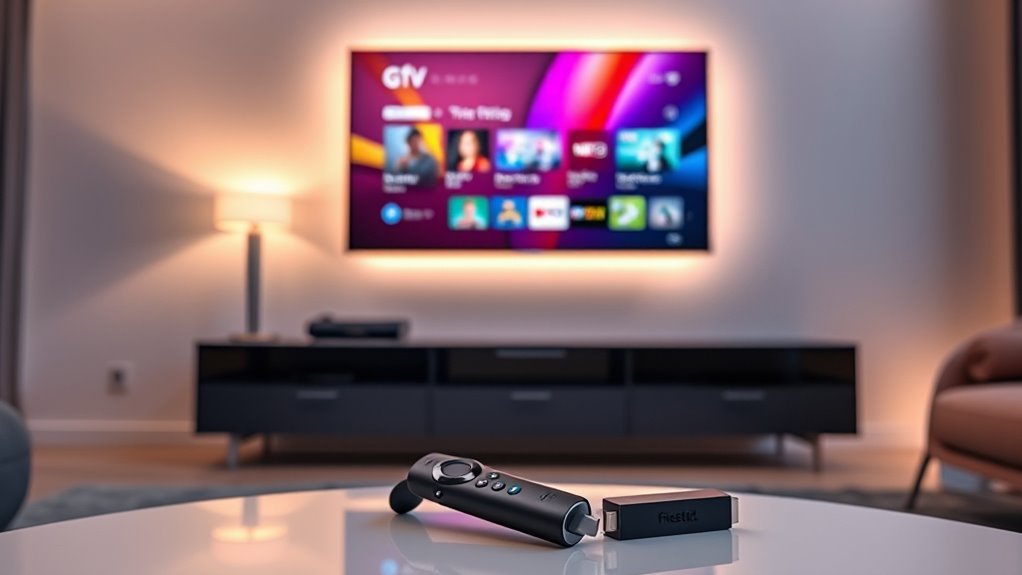

You don’t necessarily need a Fire Stick with your smart TV, but it can enhance your streaming experience greatly. While smart TVs have built-in apps, they may lack selection and speed. The Fire Stick provides access to a wider range of apps, faster performance, and better picture quality. Plus, voice control makes navigation easier. If you’re curious about how a Fire Stick compares to your TV’s features and performance, there’s more to explore.
Understanding Smart TVs and Their Capabilities
As smart TVs have become increasingly popular, you might wonder what sets them apart from traditional televisions. Smart TV features include built-in streaming apps, voice control, and internet connectivity, giving you a world of entertainment at your fingertips. With access to platforms like Netflix, Hulu, and YouTube, you can easily enjoy your favorite shows and movies without needing additional devices. The user experience is designed to be intuitive, allowing you to navigate seamlessly through content. You can even customize your home screen to prioritize your preferred channels and apps. By embracing these capabilities, you gain the freedom to tailor your viewing habits and discover new content, making your entertainment experience more enjoyable and convenient.
What Is the Amazon Fire Stick?
The Amazon Fire Stick is a compact device that transforms your TV into a powerful streaming hub. With access to a wide range of apps and services, it enhances your viewing experience, even if you already have a smart TV. Plus, it’s compatible with most smart TVs, making it an easy addition to your entertainment setup.
Streaming Capabilities Explained
If you’re looking to enhance your streaming experience, understanding what the Amazon Fire Stick offers is essential. This device integrates seamlessly with numerous streaming services, providing you with access to a vast array of content. It allows you to stream movies, shows, and music effortlessly from various platforms.
Here’s a quick comparison of its features:
| Feature | Description | Benefits |
|---|---|---|
| Streaming Services | Supports Netflix, Prime Video, Hulu | Access to diverse content |
| Device Integration | Connects with Alexa and smart devices | Voice control convenience |
| User Interface | Easy navigation and personalized menus | Enhanced user experience |
| Remote Control | Voice-activated remote | Quick access to content |
With the Fire Stick, you gain freedom in your streaming choices!
Compatibility With Smart TVS
When considering your streaming setup, it’s important to know how the Amazon Fire Stick fits in with smart TVs. While smart TVs come with built-in apps and features, they can have limitations, like a lack of updates or a restricted selection of apps. This is where the Fire Stick shines, offering a plethora of streaming options and regular updates. By plugging the Fire Stick into your smart TV, you can easily access platforms like Netflix, Hulu, and more without the hassle of maneuvering through your TV’s interface. The Firestick benefits include voice control, a user-friendly interface, and compatibility with Alexa. So, if you’re looking to enhance your streaming experience and break free from smart TV limitations, the Fire Stick could be a worthy addition.
Key Features of the Fire Stick
Fire Stick offers a range of features that enhance your streaming experience, making it a popular choice for many viewers. With its ability to transform any TV into a smart hub, you get access to a variety of apps and services. Here are some key features:
| Feature | Description |
|---|---|
| Voice Control | Use Alexa for hands-free navigation. |
| 4K Streaming | Enjoy ultra-high-definition content. |
| Extensive Library | Access thousands of movies and shows. |
These Firestick advantages complement Smart TV features, giving you more control and flexibility. Whether you’re watching your favorite series or discovering new content, the Fire Stick elevates your entertainment experience, ensuring you have the freedom to enjoy what you love, when you want.
Advantages of Using a Fire Stick With a Smart TV
While many Smart TVs come equipped with a variety of apps, adding a Fire Stick can greatly enhance your viewing experience. One of the key fire stick benefits is its vast library of apps, including streaming services that might not be available on your Smart TV. This means more options and flexibility when it comes to choosing what to watch. Additionally, the Fire Stick offers seamless smart TV integration, allowing you to control everything from your voice via Alexa. With regular updates, you’ll always have access to the latest features and content. Plus, setting it up is a breeze, giving you more time to enjoy your favorite shows. Ultimately, a Fire Stick can elevate your entertainment experience considerably.
Disadvantages of Using a Fire Stick With a Smart TV
Although adding a Fire Stick to your Smart TV can enhance your viewing options, there are some drawbacks to take into account. One major limitation of the Fire Stick is that it may not support all the apps or features available on your Smart TV. This can lead to frustrating moments when you find a favorite app missing. Additionally, using a Fire Stick means you’ll have to switch inputs, which can be annoying during binge-watching sessions. Smart TV drawbacks can also include slower processing speeds compared to dedicated devices. Ultimately, if you’re already happy with your Smart TV’s interface and capabilities, the Fire Stick might feel redundant, complicating your setup rather than simplifying it.
Comparing User Interfaces: Smart TV vs. Fire Stick
When considering whether to use a Fire Stick with your Smart TV, the user interface can play a significant role in your decision. The interface design of Smart TVs often prioritizes usability factors, offering a straightforward experience. However, Fire Stick’s interface tends to provide enhanced navigation ease, making it easier to explore content. With its customizable options, you can tailor your viewing experience to match your preferences seamlessly.
On the other hand, Smart TVs usually come with built-in accessibility features that can benefit all users. Ultimately, if you value a smooth user experience with diverse customization options, the Fire Stick might offer the freedom you seek. Balancing these factors can help you make the best choice for your viewing needs.
Streaming App Availability on Smart TVs vs. Fire Stick
How do you choose between a Smart TV and a Fire Stick based on streaming app availability? It’s essential to evaluate the streaming services you want. Many Smart TVs come pre-loaded with popular apps like Netflix, Hulu, and Amazon Prime Video. However, their app compatibility can vary by brand and model. In contrast, the Fire Stick offers a broader range of apps and frequent updates, ensuring you’ll have access to the latest streaming services. If you’re a fan of niche platforms or lesser-known services, the Fire Stick may be your best bet. Ultimately, weigh your streaming needs against the app compatibility of each option to find what suits your viewing freedom best.
Performance Considerations: Speed and Streaming Quality
When it comes to streaming, speed and picture quality can make or break your experience. You’ll want to compare how your Smart TV performs against a Fire Stick regarding app responsiveness and video clarity. Understanding these differences can help you decide if you need that extra device for ideal viewing.
Streaming Speed Analysis
While many assume that a Smart TV alone offers seamless streaming, the reality is that performance can vary greatly based on a variety of factors, including internet speed and device capabilities. Your experience can be heavily impacted by streaming latency and bandwidth requirements. If your internet connection isn’t robust enough, you might find yourself dealing with buffering issues or low-quality streams, which can be frustrating. A Firestick can help mitigate these problems by optimizing performance, offering quicker access to content, and ensuring a more stable connection. So, if you’re looking for that freedom to stream without interruptions, considering a Firestick might be worth it, especially if your Smart TV lacks the processing power to handle high-demand streaming effectively.
Picture Quality Comparison
Although Smart TVs are designed to deliver high-quality images, the picture quality can still vary based on the device’s inherent capabilities and the streaming source. If you’re after ideal picture resolution, a Firestick can enhance your viewing experience. It often supports higher resolutions, like 4K, depending on your TV and subscription service. Additionally, Firestick comes with visual enhancements, such as HDR, which can elevate colors and contrast, making your content more vibrant. While some Smart TVs offer decent performance, they may not match the advanced streaming options available through a Firestick. Ultimately, if you’re passionate about quality visuals, adding a Firestick could be a game-changer for your streaming experiences. Enjoy the freedom of choice in your entertainment journey!
App Performance Differences
If you’re looking to maximize your streaming experience, app performance can be an essential factor. Smart TVs come with a variety of built-in apps, but their app responsiveness may not match that of a Firestick. You might notice slower load times or occasional buffering on your TV, which can disrupt your user experience. Firestick often enhances app performance, offering faster access and smoother streaming. Plus, it provides a broader selection of apps that might be better optimized for speed and quality. If streaming is a priority for you, considering a Firestick could elevate your viewing enjoyment, making it easier to access your favorite content without frustrating delays. Ultimately, it’s all about how seamlessly you want your entertainment to flow.
Making the Decision: Is a Fire Stick Right for You?
Are you wondering whether a Fire Stick is the right addition to your smart TV setup? While smart TVs offer a range of features, they often come with limitations, like fewer app options or slower software updates. A Fire Stick can enhance your viewing experience by revealing a world of streaming options and providing smoother app performance.
With its user-friendly interface and voice control capabilities, the Fire Stick brings convenience to your fingertips. Plus, it’s portable, so you can take it anywhere. If you value flexibility in your entertainment choices and want to expand your smart TV’s capabilities, the fire stick benefits might outweigh its cost. Ultimately, it’s about what suits your streaming needs best.
Frequently Asked Questions
Can a Fire Stick Improve My Smart Tv’s Performance?
Using a Fire Stick can improve your smart TV’s performance, enhancing streaming quality considerably. While you might think your TV’s fine, a performance upgrade can open up a world of content and smoother viewing experiences.
Will Using a Fire Stick Void My Smart TV Warranty?
Using a Fire Stick typically won’t void your smart TV’s warranty, but it’s essential to check specific warranty implications with your manufacturer. Confirm device compatibility to avoid issues and enjoy your streaming experience without worries.
Do Fire Sticks Support 4K Streaming on All Smart TVS?
Yes, Fire Sticks support 4K streaming, but your smart TV must also have 4K compatibility for ideal streaming quality. If both devices are compatible, you’ll enjoy a fantastic viewing experience with stunning visuals.
Can I Use Both Smart TV Apps and Fire Stick Apps Simultaneously?
Yes, you can use both smart TV apps and Fire Stick apps simultaneously. This combination enhances your streaming options, allowing for greater app compatibility and flexibility in viewing your favorite content without sacrificing choice or convenience.
Is a Fire Stick Necessary for Streaming Services on Smart TVS?
A Fire Stick isn’t necessary for streaming services on smart TVs, as most offer built-in streaming options. However, it can enhance device compatibility and provide a wider range of apps, giving you more freedom to choose.
