
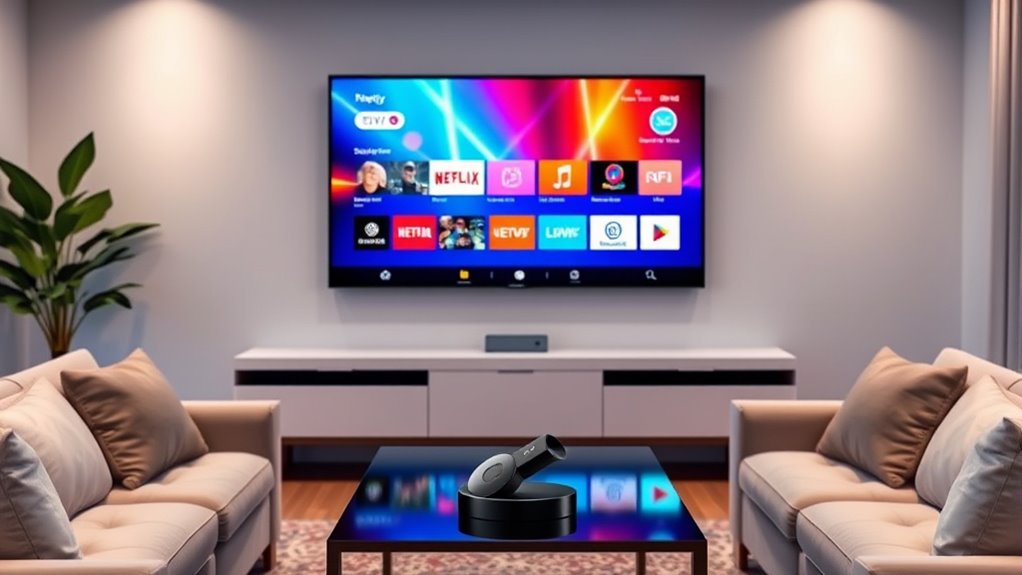

Your smart TV likely has built-in streaming options, but adding Chromecast can enhance your experience by offering a wider range of apps and better device integration. While some smart TVs perform well on their own, Chromecast typically improves streaming speed and reduces buffering issues, allowing for smoother viewing. If you’re frequently using mobile devices for content, Chromecast could be a worthwhile addition. There’s more to explore about its benefits and how it compares to your TV’s features.
Understanding Smart TV Capabilities
Smart TVs are more than just televisions; they’re versatile entertainment hubs. With advanced smart features, these devices offer a plethora of streaming options, apps, and web browsing capabilities. You’ll find that the user interface is often designed for ease of navigation, allowing you to access your favorite content quickly. Whether you’re streaming movies, playing games, or browsing social media, these capabilities enhance your viewing experience greatly. In addition, many smart TVs come equipped with voice control, enabling hands-free operation. This empowers you to choose what you want to watch without the hassle of remote buttons. Ultimately, smart TVs provide a freedom of choice in entertainment that traditional sets simply can’t match, making them a valuable addition to any home.
Overview of Chromecast Features
Chromecast offers robust casting capabilities, allowing you to stream content from your smartphone or tablet directly to your TV. You’ll want to evaluate device compatibility, as not all smart TVs or devices support Chromecast functionality. Understanding these features will help you determine if a Chromecast is necessary for enhancing your viewing experience.
Casting Capabilities Explained
While many modern TVs come equipped with built-in casting capabilities, understanding the unique features of Chromecast can enhance your viewing experience markedly. Chromecast supports various casting protocols, allowing you to stream content directly from your device to your TV with ease. This flexibility means you can enjoy your favorite apps, videos, and music without the hassle of maneuvering through your TV’s interface. Furthermore, Chromecast circumvents many device limitations found in some smart TVs, letting you cast from multiple platforms seamlessly. Unlike traditional casting methods, Chromecast enables you to control playback directly from your mobile device, providing a more user-friendly experience. By leveraging Chromecast, you can access a world of content that may be restricted by your TV’s built-in functionalities.
Device Compatibility Factors
When considering device compatibility, you’ll find that Chromecast excels in supporting a wide range of platforms and applications. It seamlessly integrates with various smart TVs, smartphones, and tablets, allowing you to cast content easily. You’ll appreciate its compatibility with both iOS and Android devices, enhancing your viewing freedom. However, it’s important to check your smart TV’s device specifications, as older models may lack the necessary features for peak performance. Additionally, Chromecast offers extensive app availability, including popular streaming services like Netflix, YouTube, and Spotify. This broad compatibility guarantees you can access your favorite content without restrictions, making it a valuable addition to your setup, whether you’re using a smart TV or a standard display.
Benefits of Using Chromecast With Smart TVS
Using Chromecast with your Smart TV can greatly enhance your viewing experience, as it allows for seamless streaming from various devices. It offers you streaming convenience by enabling you to cast content directly from your smartphone, tablet, or laptop without cumbersome setups. Additionally, Chromecast provides enhanced functionality, giving you access to a broader range of apps and services not always available on your Smart TV.
| Feature | Benefit |
|---|---|
| Device Compatibility | Works with multiple devices |
| Content Variety | Access to diverse streaming services |
| User-Friendly | Simple casting process |
| Remote Control | Control via your phone |
| Regular Updates | Frequent improvements |
Comparing Streaming Quality: Smart TV vs. Chromecast
When comparing streaming quality between a Smart TV and Chromecast, you’ll want to evaluate both performance and content compatibility. Smart TVs often have built-in apps that may provide optimized streaming, while Chromecast allows you to cast from various devices, potentially enhancing your viewing options. Understanding these differences can help you determine which option better suits your streaming needs.
Streaming Performance Analysis
Although Smart TVs come equipped with their own streaming capabilities, comparing their performance to that of a Chromecast reveals distinct differences in quality and user experience. When it comes to streaming speed, Chromecast often outperforms many Smart TV models, providing quicker access to content. This advantage can lead to fewer buffering issues, allowing for a smoother viewing experience. On the other hand, Smart TVs may struggle with certain apps, leading to interruptions that can frustrate users. If you’re looking for an uninterrupted streaming session with minimal lag, Chromecast might be the better option. Ultimately, your choice will depend on your preferences, but understanding these performance differences can help you make an informed decision about your streaming setup.
Content Compatibility Comparison
While both Smart TVs and Chromecast offer access to a wide array of streaming services, their content compatibility can vary considerably. Smart TVs typically come with built-in apps that cater to popular streaming platforms, but the range of available apps can be restrictive, depending on the brand. On the other hand, Chromecast allows you to stream from your mobile device, giving you access to a broader selection of content formats and apps. This flexibility often means you can find niche or less mainstream services more easily with Chromecast. Ultimately, if you value diverse content availability, Chromecast might better suit your needs, while Smart TVs provide a more straightforward, integrated experience. Your choice should align with your streaming preferences.
User Experience: Navigating Between Devices
Maneuvering between devices can often feel cumbersome, especially if you’re juggling multiple remotes and apps. When it comes to device switching, the goal is to create a seamless experience, allowing you to shift effortlessly between your smart TV and other gadgets. Chromecast enhances interface usability by enabling you to control content directly from your smartphone or tablet, minimizing the need for constant remote adjustments. With a single tap, you can switch from streaming to gaming or browsing, all without losing your train of thought. This freedom to navigate your digital environment boosts your overall enjoyment, making it easier to engage with your favorite media. Ultimately, a smoother user experience can enrich your entertainment sessions considerably.
Cost Considerations: Is Chromecast Worth It?
Is it really worth investing in a Chromecast if your smart TV already has built-in streaming capabilities? To answer this, consider a cost analysis based on your viewing habits and preferences. Chromecast typically costs less than $50, making it a budget-friendly addition for those who want to enhance their streaming experience without breaking the bank. If your smart TV’s interface feels clunky or limited, Chromecast could provide a more seamless connection to your favorite apps and content. Additionally, with regular software updates, it often stays ahead in compatibility. However, if you’re satisfied with your TV’s performance, a budget evaluation may suggest that the investment isn’t necessary. Ultimately, it comes down to whether you value the added convenience and features a Chromecast offers.
Compatibility and Setup
When considering whether to add a Chromecast to your setup, it is essential to evaluate its compatibility with your existing devices and the simplicity of the installation process. Most smart TVs boast a variety of features that might already allow for casting or streaming directly. If your TV supports Chromecast built-in, you won’t need an additional device. However, if it doesn’t, adding a Chromecast can enhance your smart TV features considerably. The setup process is generally straightforward—just plug it into an HDMI port, connect to Wi-Fi, and follow the on-screen prompts. This ease of installation allows you to maximize your viewing experience without the hassle. Ultimately, understanding compatibility can help you make an informed choice about enhancing your entertainment setup.
Making the Decision: Do You Need Chromecast?
After evaluating compatibility and setup, the next step is deciding if you truly need a Chromecast for your smart TV. Consider your streaming preferences. If you primarily use apps already available on your smart TV, Chromecast might not be necessary. However, if you enjoy casting content from your mobile devices or require better device integration, it could enhance your viewing experience. Chromecast also supports a wider range of apps and services, allowing for more flexibility in how you consume media. If you value the freedom to easily switch between devices or mirror your screen, investing in a Chromecast may be worthwhile. Ultimately, weigh your personal needs against the capabilities of your smart TV to make an informed decision.
Frequently Asked Questions
Can You Use Chromecast Without a Wi-Fi Connection?
Absolutely, you can cast offline! By using your mobile hotspot, you can connect your Chromecast without conventional Wi-Fi. It’s a game-changer for those seeking freedom to stream anywhere, anytime, even without an internet connection.
Are There Any Smart TVS That Come With Built-In Chromecast?
Yes, many Smart TVs come with built-in Chromecast features, allowing seamless streaming from your devices. These built-in devices enhance your viewing experience, providing freedom to access various entertainment options without needing additional hardware.
Does Chromecast Support 4K Streaming?
Yes, Chromecast supports 4K streaming if you’ve got a compatible device. Its 4K capabilities enhance your streaming quality, allowing you to enjoy movies and shows in stunning detail, ultimately elevating your viewing experience.
Can Chromecast Be Used With Non-Smart TVS?
Yes, you can use Chromecast with non-smart TVs. By connecting it through HDMI, you’ll enable streaming capabilities. The Chromecast setup is straightforward, allowing you to enjoy content on your non-smart TV effortlessly.
Is Chromecast Compatible With Apple Devices?
Yes, Chromecast’s compatible with Apple devices, allowing seamless streaming. With a simple Chromecast setup, you can effortlessly cast content from your iPhone or iPad, embracing the freedom of choice in your media experience.
