
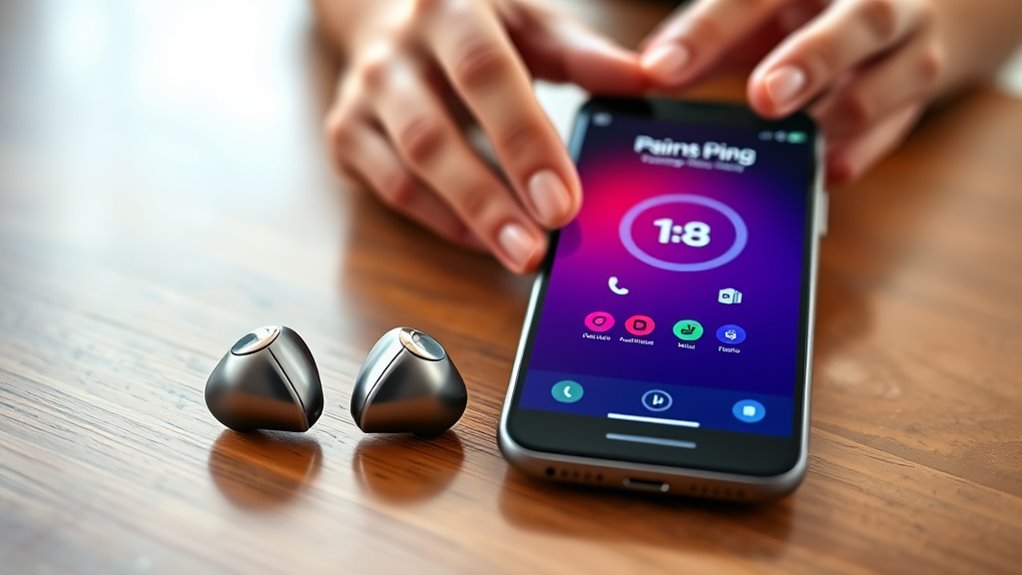

To pair your Bluetooth earbuds, first, verify they’re charged and in pairing mode, usually by removing them from the charging case. Then, on your device, open the settings, select “Connections,” and tap “Bluetooth.” Make sure Bluetooth is on and visible. Find your earbuds in the list and select them to connect. If you encounter issues, don’t worry—there are simple troubleshooting steps to help you get connected easily. You can explore these in more detail.
Understanding Bluetooth Technology
When you’re diving into the world of Bluetooth technology, it’s essential to understand how it works. Bluetooth operates on a frequency of 2.4 GHz, allowing devices to communicate wirelessly over short distances. This frequency is ideal for connecting your earbuds to your smartphone or tablet, providing you with the freedom to move without being tethered.
Bluetooth profiles are another vital aspect to grasp. They define the specific capabilities and functionalities of Bluetooth devices, ensuring compatibility and seamless interaction. For instance, the A2DP profile is designed for high-quality audio streaming, while the HFP profile facilitates hands-free calling. Understanding these elements empowers you to make the most of your Bluetooth earbuds, enhancing your listening experience and connectivity.
Preparing Your Earbuds for Pairing
Before you can enjoy your favorite tunes or podcasts, it’s important to properly prepare your Bluetooth earbuds for pairing. Start by ensuring your earbuds are charged—check the charging requirements in the manual to avoid surprises. Most earbuds come with a charging case that not only powers them up but also keeps them safe when not in use. Once charged, remove them from the case; they might automatically enter pairing mode. If they don’t, look for a button to initiate the earbud setup. Remember, keeping your earbuds clean and in good condition can enhance performance, so give them a quick wipe if needed. With these steps, you’re all set to connect and enjoy your audio experience.
Accessing Bluetooth Settings on Your Device
To pair your Bluetooth earbuds, you first need to access the Bluetooth settings on your device. Start by locating the Bluetooth menu, usually found in your device’s settings. Once you’re there, make sure the Bluetooth feature is enabled to begin the pairing process.
Locate Bluetooth Menu
While connecting your Bluetooth earbuds may seem straightforward, accessing the Bluetooth settings on your device is the crucial first step. Here’s how to locate the Bluetooth menu:
- Open Settings: Look for the gear icon on your device’s home screen or app drawer.
- Select Connections: Tap on “Connections” to find various connectivity options.
- Access Bluetooth Menu Options: Choose “Bluetooth” to enter the Bluetooth settings, where you can see your paired devices.
- Check Device Visibility: Verify your device’s Bluetooth device visibility is turned on, allowing your earbuds to connect seamlessly.
Enable Bluetooth Feature
Enabling the Bluetooth feature on your device is crucial for connecting your earbuds effortlessly. To start, head to the settings menu on your device. Depending on whether you’re using a smartphone, tablet, or computer, you’ll find Bluetooth settings listed under connections or wireless options. Toggle the Bluetooth switch to the “on” position; this activates Bluetooth connectivity, allowing your device to discover nearby devices, including your earbuds.
Verify your device is compatible with your earbuds; most modern devices support Bluetooth, but checking compatibility guarantees a smooth pairing experience. Once Bluetooth is enabled, your device will be ready to locate your earbuds, paving the way for an audio experience that offers you the freedom to move and enjoy your favorite tunes without wires.
Pairing Your Earbuds With Your Device
Now that you’ve accessed your Bluetooth settings, it’s time to pair your earbuds with your device. First, confirm Bluetooth is turned on, then put your earbuds into pairing mode. Finally, select your earbuds from the list of available devices to complete the connection.
Turn on Bluetooth
To start pairing your Bluetooth earbuds with your device, you’ll first need to confirm that Bluetooth is activated. This guarantees seamless Bluetooth connectivity and compatibility with your earbuds. Here’s how you can turn it on:
- Open Settings: Access your device’s settings menu.
- Select Bluetooth: Find the Bluetooth option, usually under “Connections” or “Network.”
- Toggle On: Switch the Bluetooth setting to “On.” You might see a Bluetooth symbol appear in your notification bar.
- Check Visibility: Make sure your device is discoverable to connect with your earbuds.
Once Bluetooth is activated, you’re ready to proceed with pairing your earbuds. Enjoy the freedom of wireless sound!
Enter Pairing Mode
Before you can enjoy your favorite tunes, you’ll need to put your Bluetooth earbuds into pairing mode. This process usually involves holding down a specific button on your earbuds until you see mode indicators, which may flash or change color. Each brand has its own method, so check your user manual if you’re unsure. Once you’ve activated pairing mode, your earbuds will become discoverable to your device. It’s crucial to verify that your earbuds are close enough to your device, as distance can hinder the connection. With this step complete, you’re ready to connect your earbuds and embrace the freedom of wireless listening. Pairing is quick, so you’ll be jamming out in no time!
Select Earbuds Device
With your Bluetooth earbuds in pairing mode, it’s time to connect them to your device. To guarantee a smooth pairing process, follow these steps:
- Check Device Compatibility: Make sure your device supports Bluetooth and is compatible with your earbud features.
- Access Bluetooth Settings: On your device, navigate to the Bluetooth settings and verify Bluetooth is turned on.
- Select Your Earbuds: Look for your earbuds in the list of available devices; tap on their name to initiate the pairing.
- Confirm Connection: Once connected, you’ll often hear a tone or see a confirmation on your device screen.
Now, you’re all set to enjoy your favorite tunes with the freedom that wireless earbuds provide!
Troubleshooting Common Pairing Issues
If your Bluetooth earbuds aren’t pairing as expected, don’t worry—this is a common issue that can often be resolved with a few simple steps. First, verify your earbuds are charged and in pairing mode; many users overlook this common error. Next, check that your device’s Bluetooth is turned on and discoverable. If you still face problems, try forgetting the earbuds on your device and reconnecting them. This can clear up pairing hiccups. Additionally, make sure no other devices are connected to your earbuds, as they might struggle to pair with multiple devices simultaneously. Finally, restart both your earbuds and the device you’re pairing them with. These troubleshooting tips should help you get back to enjoying your music in no time!
Maintaining Your Bluetooth Earbuds
Once you’ve successfully paired your Bluetooth earbuds, keeping them in good condition is important for peak performance. Here are some essential maintenance tips:
- Regular Cleaning: Wipe down your earbuds with a soft, dry cloth to remove dirt and sweat. For deeper cleaning, use a cotton swab dipped in alcohol.
- Battery Maintenance: Avoid letting your battery fully discharge regularly; it can shorten its lifespan. Charge them when they reach around 20%.
- Safe Storage: Store your earbuds in their case when not in use to protect them from damage and dust.
- Avoid Extreme Temperatures: Keep your earbuds away from excessive heat or cold, as this can harm the battery and overall performance.
Frequently Asked Questions
Can I Use Bluetooth Earbuds With Multiple Devices Simultaneously?
Think of your earbuds as a talented juggler; they can handle multiple devices, but not at once. While multi-device connectivity is possible, audio quality may suffer. Prioritize your connection for the best experience.
How Far Can Bluetooth Earbuds Be From the Device?
Bluetooth range typically reaches about 30 feet, but obstacles can reduce that distance. Interference from walls, other devices, or even Wi-Fi signals can impact connectivity, so keep your earbuds within a clear line of sight for best performance.
Do Bluetooth Earbuds Work With Non-Bluetooth Devices?
Bluetooth earbuds won’t work with non-Bluetooth devices directly. However, you can use Bluetooth adapters to enable compatibility. If you prefer, wired alternatives are always an option for connecting to those devices effortlessly.
How Long Does the Battery Last on Bluetooth Earbuds?
Battery longevity on Bluetooth earbuds typically ranges from 4 to 10 hours. To maximize life, keep ’em charged regularly and avoid extreme temperatures. A good charging routine can extend your listening freedom considerably!
Can I Reset My Bluetooth Earbuds if They Won’t Connect?
Absolutely, you can reset your Bluetooth earbuds to fix connection issues. Try using the reset methods in the user manual; it often resolves stubborn connectivity problems and sets you free to enjoy your music again!
