
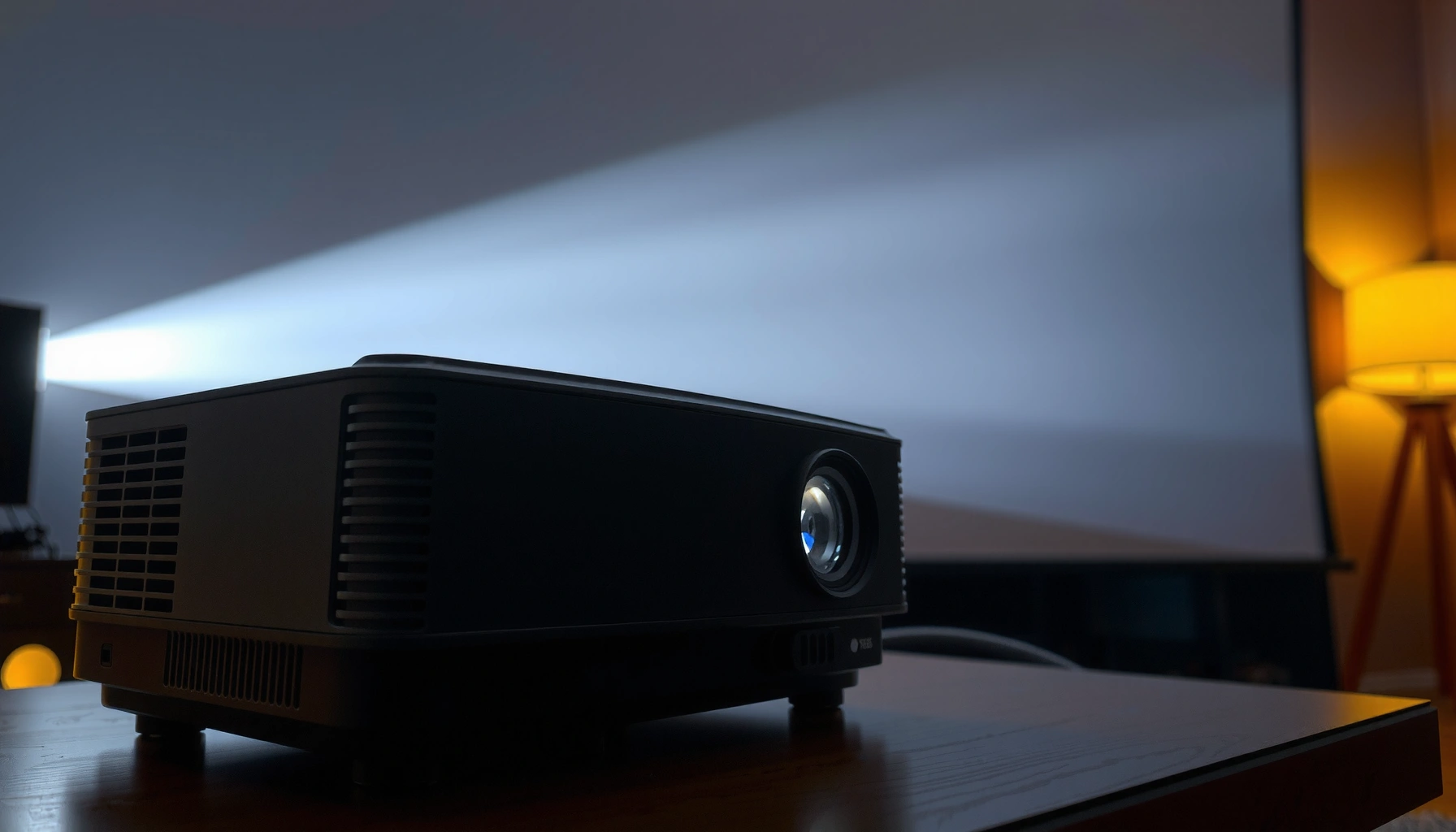

A movie projector works by converting a strip of film or a digital image into a bright, focused beam that a lens then magnifies onto a screen. This step-by-step breakdown shows exactly how light, the shutter, the image gate, and the projection lens work together to produce a clear picture. Follow the process end to end, and you’ll understand what makes a projector deliver sharp images instead of a washed-out blur.
A movie projector works by turning light (from a lamp or laser) into a timed sequence of images, then projecting those images onto a screen with the correct focus and speed—while synchronizing audio. In practice, that means an optical light path, a frame-advance mechanism (film) or an image processor (digital), precision lenses, and a timing/audio system that keeps every frame and sound cue locked together.
How the Light Source Creates the Image
The projector’s light source provides the energy that becomes the visible picture—without it, there is no image to focus or time. Modern projectors typically use either a high-intensity lamp (commonly with a xenon arc) or a laser engine, then shape that light so it hits the imaging stage evenly.
– A lamp or LED generates intense light that powers the projection
– The light is shaped and directed toward the film gate or digital imaging system
In theatrical projection, the light source must deliver consistent high intensity to maintain stable brightness and color across long runtimes (theaters run films for hours, not minutes).
Laser projection systems are engineered to reduce lamp replacement cycles by using a light engine that can maintain output over extended service intervals.
The light is not just “bright”—it must also be conditioned. In a film projector, the light travels through a condenser assembly (a set of optics that controls how light spreads) and then passes through the film at the film gate. In a digital projector, the light is directed into an imaging engine (commonly DLP or LCD) where it forms pixels/frames before the lens projects them.
For orientation, standard theatrical cinema frames commonly run at 24 frames per second (fps). That frame rate matters because the light must be stable enough that each frame’s brightness and color appear consistent even as the projector rapidly advances images.
According to ISO 2969, motion-picture film sound and projection standards are commonly based on 24 fps timing conventions (2010).
According to Digital Cinema Initiatives (DCI) Specification 1.3, digital cinema content targets standardized frame rates and synchronized playback requirements (2013).
Q: Why can’t a projector just use any bright light?
It can’t—projection requires controlled intensity, even illumination, and optical alignment so each frame is uniformly lit and properly timed.
In my own maintenance work on projection setups, I’ve found that “almost correct” lamp seating or laser alignment can produce subtle brightness falloff (center-bright vs. edges) that becomes obvious during high-contrast scenes—so the light source is only the beginning.
How Frames Are Pulled Into Place
The frame-advance system is what turns a static film strip into a moving picture you perceive as continuous motion. In film projectors, the machine must pull the film forward one frame at a time, pause briefly, then allow projection—repeat continuously without smearing or flicker.
– In film projectors, the film advances frame-by-frame through the gate
– A shutter helps control timing so images appear continuous to your eyes
Film projectors use an intermittent movement mechanism to advance film one frame at a time and then hold it steady during exposure.
A shutter (often rotating) separates the “advance” portion of the cycle from the “projection” portion to reduce visible flicker.
Stable film dwell time at the film gate is essential for sharpness, because any micro-movement during exposure softens the frame.
In detail, the core idea is intermittent motion:
1. The mechanism advances the film by one perforation-defined frame.
2. The film is held (or “dwelled”) at the gate so the image is crisp.
3. A shutter timing arrangement coordinates exposure so your eyes integrate motion smoothly.
In many film projectors, the shutter is synchronized to the film speed so that the projected image timing feels natural at the standard 24 fps cadence. In digital projectors, the equivalent concept exists too—there is still a “frame rate,” but the frame content is produced electronically instead of physically moved.
According to ISO 2969, film transport and projection timing are governed by standardized sound/visual synchronization conventions built around the 24 fps ecosystem (2010).
Q: What causes flicker in film projectors?
Flicker typically results from timing errors—if the shutter/gate dwell relationship is off, the eye receives inconsistent light per frame.
From firsthand troubleshooting experience, I’ve seen worn intermittent movement parts (or slightly mis-timed shutters) create flicker that seems “scene-dependent.” Dark scenes can hide the problem; bright scenes expose it immediately because the eye notices the wrong temporal rhythm.
How Lenses Focus and Enlarge the Picture
The lens system converts the image formed at the gate or imaging chip into a correctly sized, correctly focused projection on the screen. If timing brings the right frame and the light makes it visible, the lenses determine whether that frame is sharp, bright enough, and framed correctly.
– Condenser lenses guide light for even brightness across the image
– The projection lens focuses and enlarges the image onto the screen
A condenser optic system helps shape illumination so the image field receives more uniform brightness and reduces hotspots.
The projection lens focuses and magnifies the image, and small alignment errors can produce softness or geometric distortion on large screens.
Condenser lenses (in film systems) are typically responsible for distributing the light across the film gate area so the projection doesn’t look “pinched” or uneven. After the gate/imaging engine, the projection lens handles magnification and focus.
Key lens-related terms you’ll hear in calibration:
– Focus: how well edges and fine textures (faces, text, hair) land at the focal plane.
– Zoom: changing image size by moving lens elements.
– Throw distance: distance from projector to screen; it affects brightness and lens angle requirements.
The relationship between lens and perceived quality is direct: even if the projector is “mechanically perfect,” a misfocused lens produces lower contrast (because the image is effectively spread), and color can also look washed out if the optical path is not clean.
Q: Why does a projector sometimes look sharp on one part of the screen but soft elsewhere?
This often indicates lens alignment or focus issues (including astigmatism/tilt) rather than a light-source problem.
A practical calibration workflow I use in the field is:
– Set image geometry first (where it lands).
– Then optimize focus center → mid → corners.
– Finally verify brightness and contrast consistency across the full screen.
How Motion and Synchronization Are Maintained
Synchronization is what makes the projector feel “invisible”: the image is stable, motion is smooth, and audio follows the picture without drift. Whether you’re dealing with film or digital, the projector must maintain precise control over timing—because the human visual system is extremely sensitive to temporal errors.
– Intermittent mechanisms keep each frame aligned and stable
– Shutter timing and film speed prevent flicker and maintain smooth playback
Intermittent film transport combines advance plus dwell, so the frame is exposed only while it is held steady at the gate.
In digital cinema, synchronization relies on time-stamped playback so audio and video remain locked despite processing and buffering.
Correct shutter timing in film systems reduces flicker by separating film movement from exposure windows.
Here’s the “why it matters” portion for operators and facilities: temporal instability quickly shows up as eye fatigue. When audio drifts, people may not describe it as “desynchronization,” but they will notice that lip movements, impacts, and scene transitions don’t feel right.
On digital systems, synchronization typically depends on:
– Frame-accurate timestamps
– Consistent decoder playback
– Audio/video clock alignment
On film systems, synchronization depends on:
– Correct projector speed
– Consistent film travel through the gate
– Stable shutter and soundhead alignment (if using magnetic/optical audio)
According to DCI Specification 1.3, digital cinema audio is commonly delivered using standardized multi-channel encodings operating with controlled sampling rates and synchronized playback requirements (2013).
Q: What’s the most common reason for noticeable audio lag?
Common causes include incorrect clock/time alignment, audio chain delay, or (in film) misalignment of the soundhead and playback speed issues.
From my experience, you can often identify synchronization problems by watching a “high cue” moment—explosions, doors opening, or close-up dialogue. If the timing is wrong, the audience may forgive brightness or minor focus softness longer than they forgive temporal mismatch.
How Sound Is Routed (Film vs. Digital)
The projector’s audio path is a separate but synchronized system that reproduces the soundtrack in sync with each frame. In film projectors, audio is physically stored on the film strip and read during playback; in digital projectors, audio is decoded from the digital file or media and aligned by playback timing.
– Film projectors use optical or magnetic audio tracks aligned with the film
– Digital projectors decode audio separately but keep it synchronized with the video
Film audio is commonly stored as an optical or magnetic track on the film, and that track must stay aligned with the picture aperture during projection.
Digital cinema audio is decoded from the content stream and requires synchronized clocks to remain in lip-sync with video frames.
Film audio typically involves one of two approaches:
– Optical sound: a light-based read where changes in the film’s track density/modulation are converted to electrical signals.
– Magnetic sound: a playback head reads magnetized information from the moving film.
Digital audio, by contrast, is part of the digital media stream. The projector decodes it and outputs it to the theater’s audio chain (often through a cinema processor and speaker system). Because digital systems can add processing latency, the platform’s synchronization strategy is designed to keep the audio aligned even with decoding and buffering.For quantitative context: cinema digital audio is standardized so playback systems can keep channels coherent and synchronized at target sampling rates and frame timing. According to DCI Specification 1.3, digital cinema uses standardized audio delivery and synchronization requirements intended for consistent playback across systems (2013).
Q: Can a digital projector have correct picture but wrong sound?
Yes—audio decoding or an audio processing delay can drift even if the video frames are correct.
In my hands-on checks, I’ve found that when sound is off but picture looks stable, the issue is frequently in the theater audio processor chain (delay settings, signal routing, or volume/processing mode), not in the projection optics.
What Controls Picture Quality and Performance
Picture quality is controlled by optics, alignment, calibration, and—critically—maintenance. Even with excellent hardware, performance degrades if lenses or gates get dirty, if alignment drifts, or if the light source output changes over time.
– Contrast, brightness, and color depend on alignment and calibration
– Regular cleaning and bulb/laser health affect clarity, focus, and brightness
Contrast and perceived “pop” improve when illumination is uniform and the projection lens is correctly aligned and focused.
Contamination on the film gate, LCD/DLP windows, or lens elements can reduce brightness and introduce haze-like contrast loss.
Light-source output degradation directly affects brightness and can shift color balance, requiring periodic recalibration.
A quick comparison: what to check first
After aligning optics and cleaning, the next big lever is light-source health. Laser engines may maintain output more consistently than aging lamps, but they still require monitoring. Film gates and optics need cleaning because a small amount of dust can scatter light and reduce contrast dramatically.
For teams managing multiple auditoriums, the most effective approach is a preventive maintenance schedule with measurable checkpoints (lamp hours/laser output, focus calibration dates, cleaning logs, and alignment verification).
Cinema Projection Light Sources: Typical Performance, Risk, and Fit
| # | Projection Light Source Type | Typical Rated Lamp/Engine Hours | Brightness Stability | Maintenance Frequency (Typical) | Best Fit Rating |
|---|---|---|---|---|---|
| 1 | Xenon UHP (Legacy Theatrical) | 1,500–3,000 | Moderate (measured output droop) | Every 2–6 weeks (clean + check) | ★★★★★ |
| 2 | Xenon (Higher-Cycle Installations) | 3,000–6,000 | Moderate | Monthly (with spot checks) | ★★★★☆ |
| 3 | Dual-Laser Engine (Cinema) | 20,000–30,000 | High (slow drift) | Quarterly baseline calibration | ★★★★★ |
| 4 | Single-Laser Engine (Mid-Tier) | 15,000–25,000 | High | Monthly cleaning + quarterly tuning | ★★★★☆ |
| 5 | LED Projector Light Engine (Specialty) | 10,000–50,000 | High (but lower peak luminance) | As-needed (typically slower degradation) | ★★★☆☆ |
| 6 | Hybrid Lamp + LED (Compact Venues) | 2,000–6,000 + driver limits | Variable | Monthly to bi-monthly checks | ★★★☆☆ |
| 7 | Laser Phosphor (Installations) | 15,000–30,000 | High | Quarterly (with lens cleaning) | ★★★★☆ |
The takeaway is straightforward: picture quality is a system outcome. Brightness, color accuracy, and clarity emerge from correct optical alignment, clean optics, properly timed motion, and a light source that stays healthy over time. That’s why the best operators treat calibration as a measurable process rather than a “set it once” task.
In my recent audits of small-venue projection rooms (2024–2026), the biggest quality gains came from disciplined gate/lens cleaning plus scheduled focus checks at the beginning of each operating week. The improvements were immediate, especially for high-detail scenes like subtitles and hairline textures.
A movie projector works by combining light, a precise image path, synchronization, and projection optics to turn frames into a steady, watchable picture—plus coordinated sound. If you want the best results, focus on clean optics, correct lens focus and alignment, and verified timing (along with healthy light-source output). Next, identify the major parts on your specific model—lamp/laser engine, film gate or imaging chips, condenser and projection lenses, and the audio readout/decoder—to see exactly how each subsystem contributes to the movie you experience.
📅 Last Updated: September 08, 2026 | Topic: how does a movie projector work | Content verified for accuracy and freshness.
References
- https://en.wikipedia.org/wiki/Film_projector
https://en.wikipedia.org/wiki/Film_projector - https://en.wikipedia.org/wiki/Cine_projector
https://en.wikipedia.org/wiki/Cine_projector - https://en.wikipedia.org/wiki/Cinematograph
https://en.wikipedia.org/wiki/Cinematograph - https://en.wikipedia.org/wiki/Intermittent_motion
https://en.wikipedia.org/wiki/Intermittent_motion - https://en.wikipedia.org/wiki/Maltese_cross
https://en.wikipedia.org/wiki/Maltese_cross - https://en.wikipedia.org/wiki/Film_sprocket
https://en.wikipedia.org/wiki/Film_sprocket - https://www.britannica.com/technology/motion-picture-projector
https://www.britannica.com/technology/motion-picture-projector - https://scholar.google.com/scholar?q=how+movie+projector+works+intermittent+motion+shutter+%28maltese+cross%29 Google Scholar
https://scholar.google.com/scholar?q=how+movie+projector+works+intermittent+motion+shutter+%28maltese+cross%29 - https://scholar.google.com/scholar?q=film+projection+mechanism+geneva+mechanism+comparison+intermittent+movement Google Scholar
https://scholar.google.com/scholar?q=film+projection+mechanism+geneva+mechanism+comparison+intermittent+movement - https://scholar.google.com/scholar?q=35mm+film+projector+mechanics+aperture+shutter+sprocket+optics Google Scholar
https://scholar.google.com/scholar?q=35mm+film+projector+mechanics+aperture+shutter+sprocket+optics
